Multilingual messaging
Every user gets the message in their own language, matched automatically from their device – no asking, no manual tagging.
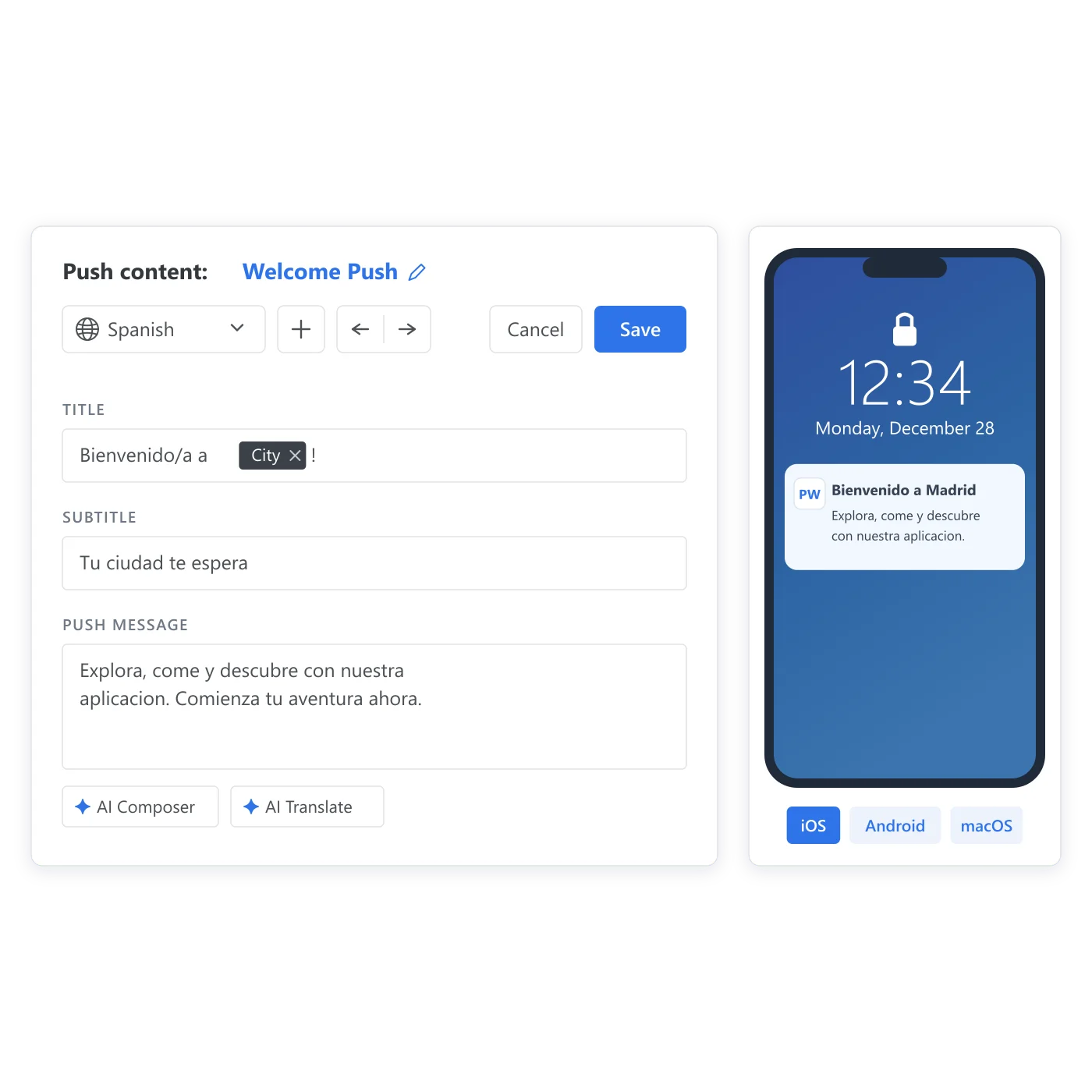
You don’t want to guess what language someone reads
You have users across a dozen countries and one message to send. Write it in English only, and a chunk of that audience skims past something that clearly wasn’t built for them. Ask people to set a language preference somewhere in a profile screen, and most of them never will. The one signal you already have – the language their phone is set to – usually isn’t wired into the send at all, so someone ends up doing it by hand: a duplicate campaign per market, a tag nobody remembers to update. It’s the same problem whether you’re a mobile game with players logging in from three continents or a marketplace running one loyalty push across a dozen storefronts. Multilingual messaging skips the asking and reads the signal that was there the whole time.
What it does
Push, email, SMS, LINE
Add a language variant inside one preset, on any of these 4 channels. Each channel keeps its own set of variants.
ISO 639-1 codes, plus a fallback
Every variant is keyed to a language code, plus an explicit 'default' key for anyone whose device language doesn't match a variant you've built.
Matched from the device, not asked
Pushwoosh reads the language already set on the user's device and serves that variant automatically, without a separate language attribute to store or keep current.
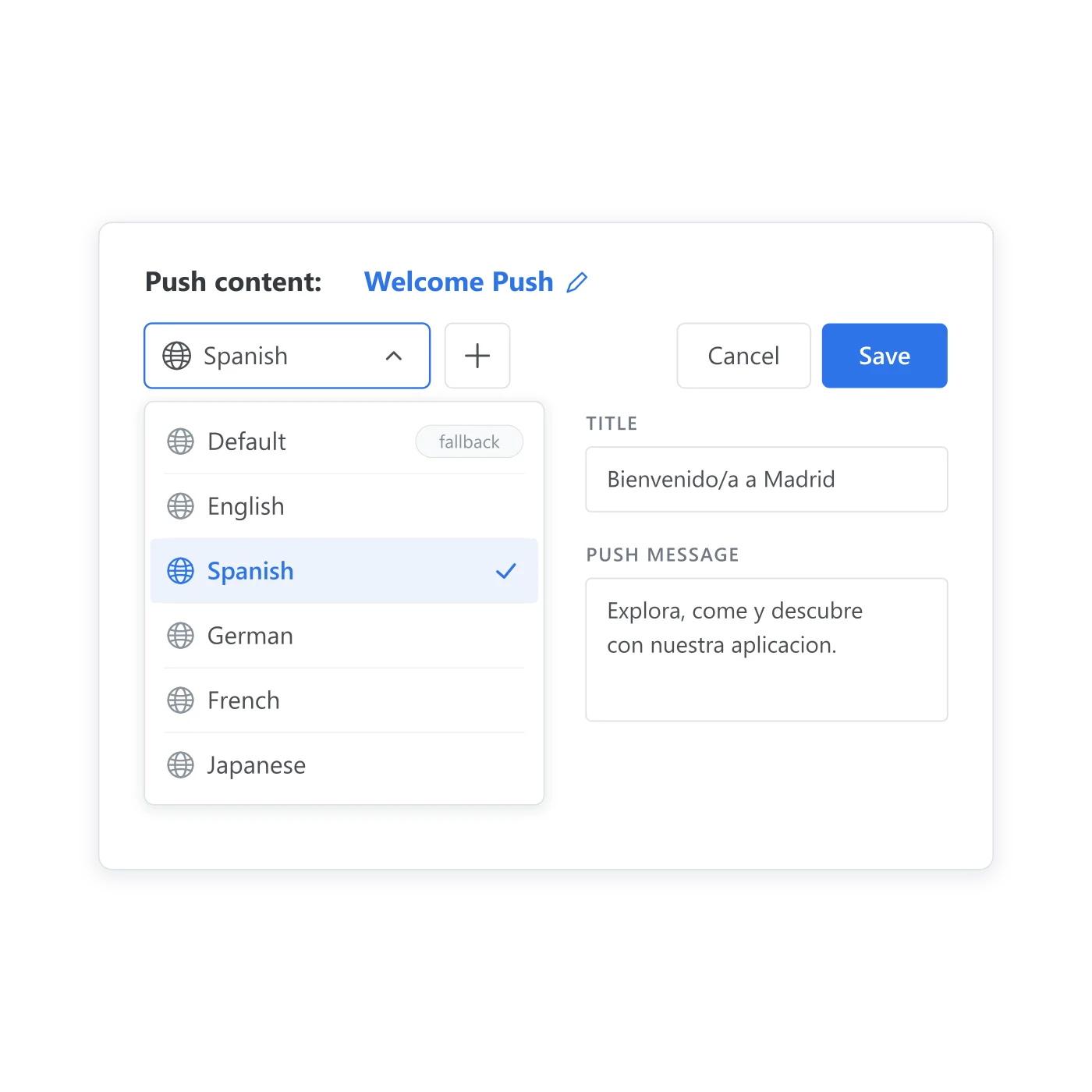
Every variant lives in the same preset
One preset holds every version, and the device decides which one ships – instead of a separate preset per market or a separate campaign per language. Pushwoosh doesn’t cap how many variants a preset can hold; one production preset runs with 10 languages live.
Why this matters for message presets
A preset is supposed to be the one version of a message that every campaign and journey reuses. That promise breaks the moment a preset needs to reach more than one market: someone builds a near-duplicate preset per language, or reuses one that quietly reads wrong to half its audience. Multilingual messaging is what keeps a message preset one message, instead of a translated copy per market.
How it works
-
Open the preset
Start from an existing push, email, SMS, or LINE preset, or create a new one.
-
Add a language variant
Give each variant its own ISO 639-1 code. Add a default variant to catch any device language you haven't built a version for.
-
Send it once
Every send reads the device's language and picks the matching variant. You don't add a separate step to detect or store it.
One preset, working alongside what already targets and personalizes
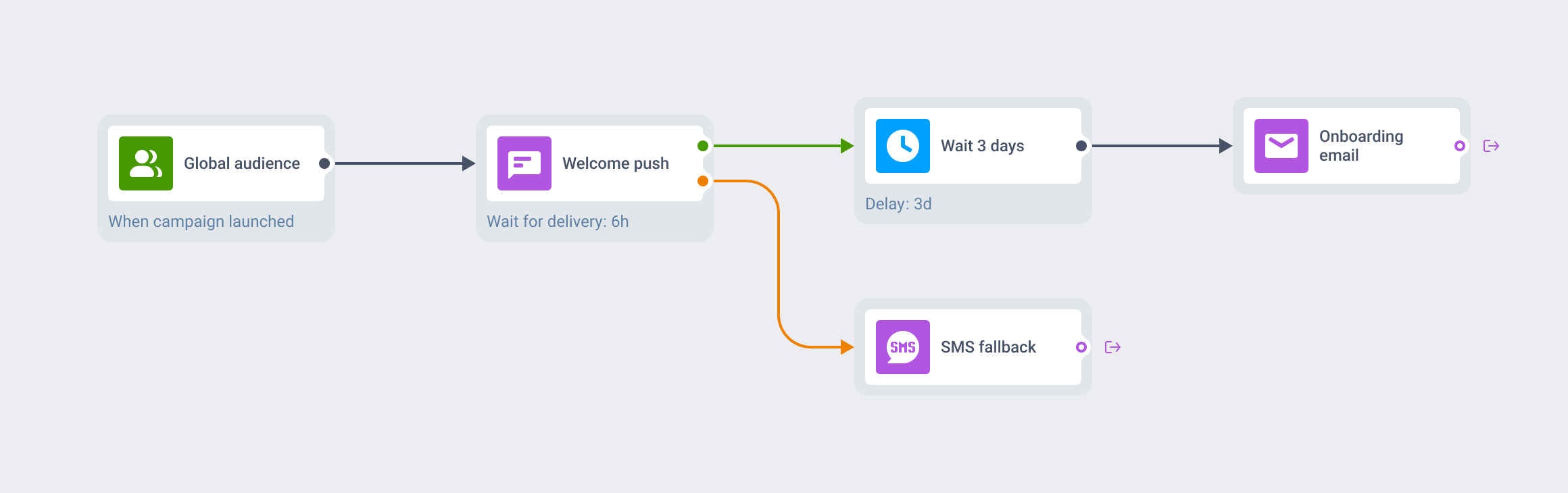
No language tag to maintain
The variant comes straight from the device the message is going to, with nothing stored in Tags or pulled from the unified customer profile to make that happen. Once the right language is picked, Personalization can still work inside that variant – a Liquid condition for a premium cohort, or a date format tuned to the region. It runs the same way inside Customer Journey Builder and in standalone campaigns, on whichever preset already carries the copy.
FAQ
One preset, every language it needs to speak
Add the languages your users actually have set on their devices, and let the send pick the right one.
Explore related products
Build a push, email or in-app message once, with every language version, and reuse it across campaigns, journeys and API sends on all 7 Pushwoosh channels.
Map out and streamline your campaigns with one visual tool. Communicate, engage, retain, convert, segment, and experiment using Pushwoosh Customer Journey Builder.
Attach text, numbers, dates, currency, and app version to a device or a user, then use it to build segments, branch journeys, and personalize messages.
Deliver personalized messaging across push, in-app, email, SMS, and WhatsApp. Tailor journeys, timing, and content to boost engagement with ease.
Mobile push notifications by Pushwoosh — every-device reach, rich content, precise targeting, cross-channel Journeys and 99% uptime. Turn notifications into loyal, paying users.
Email marketing platform by Pushwoosh — marketing and transactional email in one place with push, in-app, SMS and WhatsApp. Built-in deliverability, pre-send checks, no list-size fees.