You run marketing for a mobile app. Unlike enterprise, you can’t keep buying new users to make up for the ones who churn. What if we told you that you can perform at an enterprise level — same engagement results, without extra acquisition spend or a larger team? It’s real. All you need is the right automation tool that will 5x engagement from your existing user base.
This guide covers how to hit the same performance a 10-person enterprise team delivers, with the team and budget you’ve got.
Your current performance vs. your 5x potential
As a startup-sized mobile app, your performance is bounded by the resources you have like headcount and budget. With the right automation tool, you can achieve enterprise-level engagement metrics without growing your team or wasting budget on acquisition.
Here’s where lean teams usually sit today vs. what’s actually within reach:
| Performance area | Now | Potential (enterprise-level) |
|---|---|---|
| Segmentation | Static segments, refreshed monthly at best | Live behavioral segments updating in real time |
| Lifecycle coverage | 1-2 journeys running, often half-built | 3+ lifecycle journeys end-to-end |
| Personalization & channel orchestration | 1 variant on whichever channel you have bandwidth for | 6+ variants per campaign, coordinated across push, in-app, and email with fallbacks |
| Test velocity | 1-2 A/B tests when someone finds a free Friday | 5–10 variants tested per week |
| Optimization cadence | Performance review when a quarterly meeting forces it | Weekly optimization driven by what's working and what's not |
You can close each gap through automation. The next section walks through exactly how, stage by stage.
How to reach max performance with automation in 1 month
Each stage below shows what an enterprise team does at that point, the role on their org chart that does it, how you replicate the output with ManyMoney AI, Pushwoosh’s marketing co-pilot, and what you walk away with at the end.
Audience analysis & segmentation
What enterprise does: Data analyst pulls behavioral signals, clusters them, and validates which segments are worth targeting. Then the team sends personalized messaging to potential payers, at-risk users, dormant accounts, and high-CLV repeats.
The role automation replaces: Data analyst.
How you do it with ManyMoney AI. You ask ManyMoney to surface priority segments based on behavioral signals from your existing SDK data:
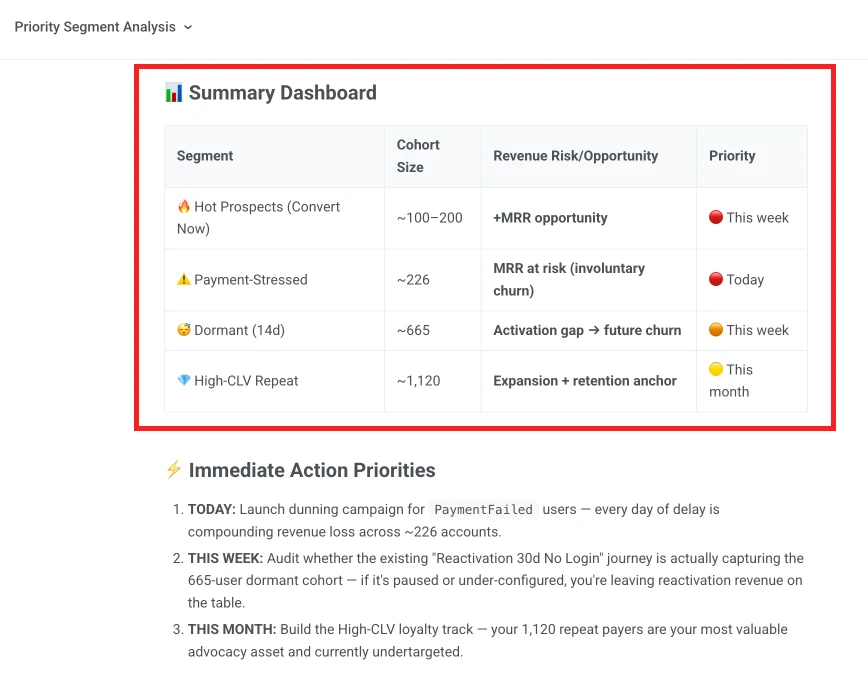
Analyze my user base and surface priority segments to target this month.Show me who's likely to convert this week, who's drifting toward churn,who's gone dormant in the last 14 days, and who's a high-CLV repeat.Include cohort size and the behavioral signature for each.
ManyMoney returns the cohorts with sizes, the behavioral patterns that define them, and a recommended retention strategy per segment.
Result: 4 to 6 priority cohorts ready to target with personalized offer, instead of a single “all users” blast.
Strategy creation
What enterprise does: A lifecycle marketer decides which journeys to build, in what order, with what offer for each segment, and on which channels. Most common journeys include onboarding, engagement, win-back, and sometimes loyalty.
The role automation replaces: CRM marketer.
How you do it with ManyMoney AI: Ask ManyMoney for a 3-journey strategy on the cohorts from the previous step:
Create a 3-journey lifecycle strategy for our app.Cover onboarding (day 1–7) for new users, engagement for current users,and 30-day re-engagement for dormant users.For each journey, recommend the step structure, offer per segment,channel routing, and timing logic.ManyMoney returns 3 journey drafts with steps, segment-specific offers, channel mix (push for time-sensitive, in-app for activation moments, email for value-driven comms), and timing.
Why 3 journeys? They cover roughly 70% of retention work for most apps: onboarding moves activation, engagement keeps habit, while re-engagement recovers lapsed users.
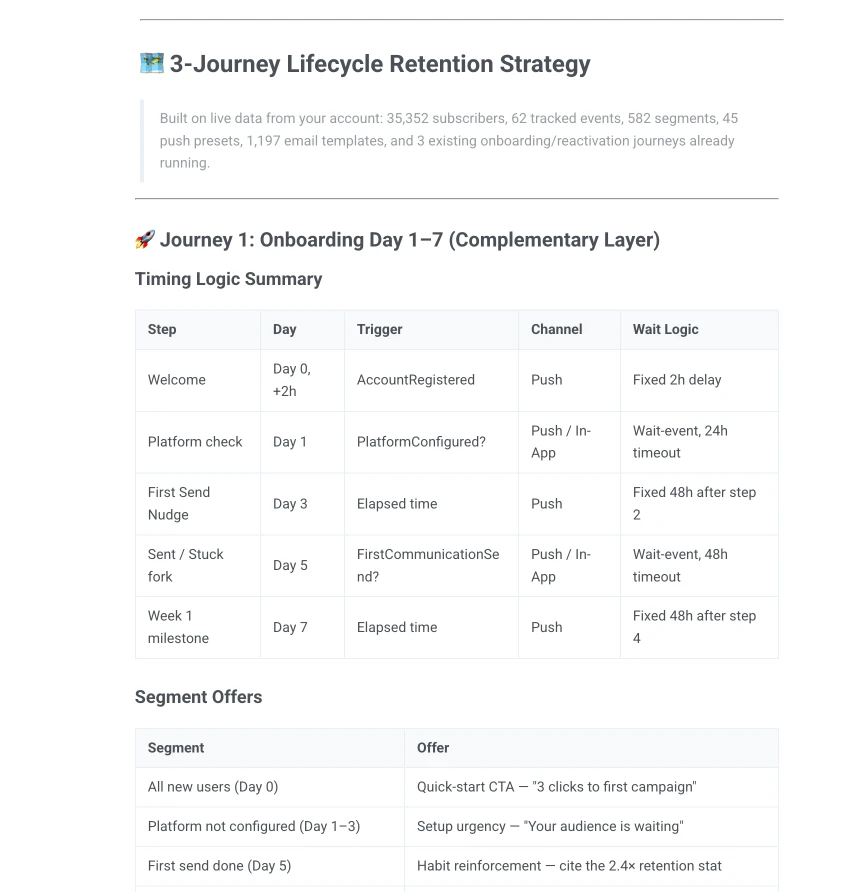
Result: Full lifecycle coverage planned, instead of 1 journey live with the rest in the backlog.
Campaigns implementation
What enterprise does: A team of copywriters produces 6+ variants per campaign: different copy per segment, per channel, sometimes per language. A designer drafts in-app cards, push assets, and email templates. A marketing ops person wires the channel logic together.
The roles automation replaces: Copywriter, designer, and marketing ops manager.
How you do it with ManyMoney AI: ManyMoney generates the omnichannel drafts in one iteration:
Build the onboarding journey for new registrations.Generate push, in-app, and email variants for days 1, 3, and 7.Match our brand voice, and include fallback delivery if push isn't received.Prepare the journey in drafts.ManyMoney returns push notification copy, in-app drafts, email subject lines and bodies, segment-personalized, with fallback rules wired in. Visual templates come included.

Result: 3 lifecycle journeys drafted across all channels, with copy, design directions, fallback logic, and ready to launch in Customer Journey Builder.
Testing
What enterprise does: CRM ops sets up tests, defines variants, monitors statistical significance, and picks winners.
The role automation replaces: CRM ops manager.
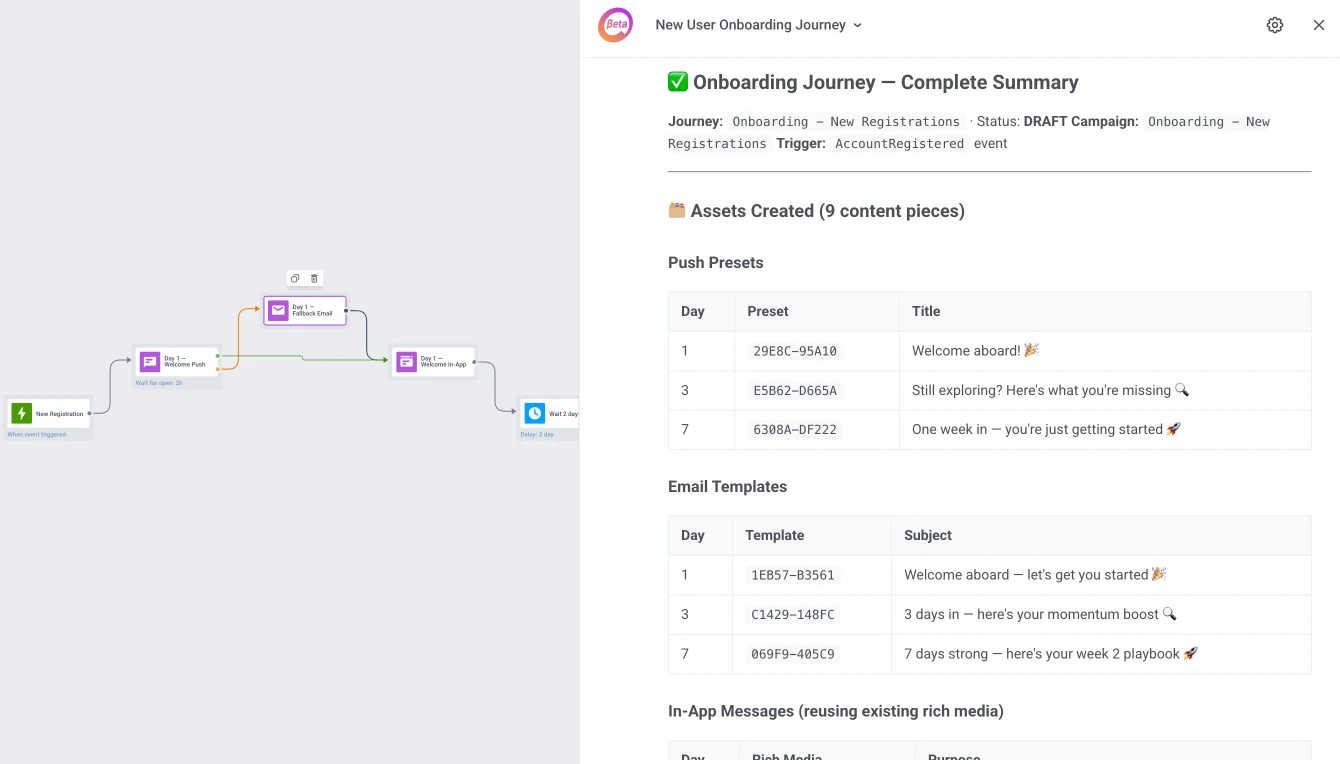
How you do it with ManyMoney AI. You ask ManyMoney to test copy message, CTA, design, offers, timing, or channels.
Suggest 2 variants for the first onboarding push notification.Vary tone and value framing, not just wording.Add A/B split to the existing draft onboarding campaign.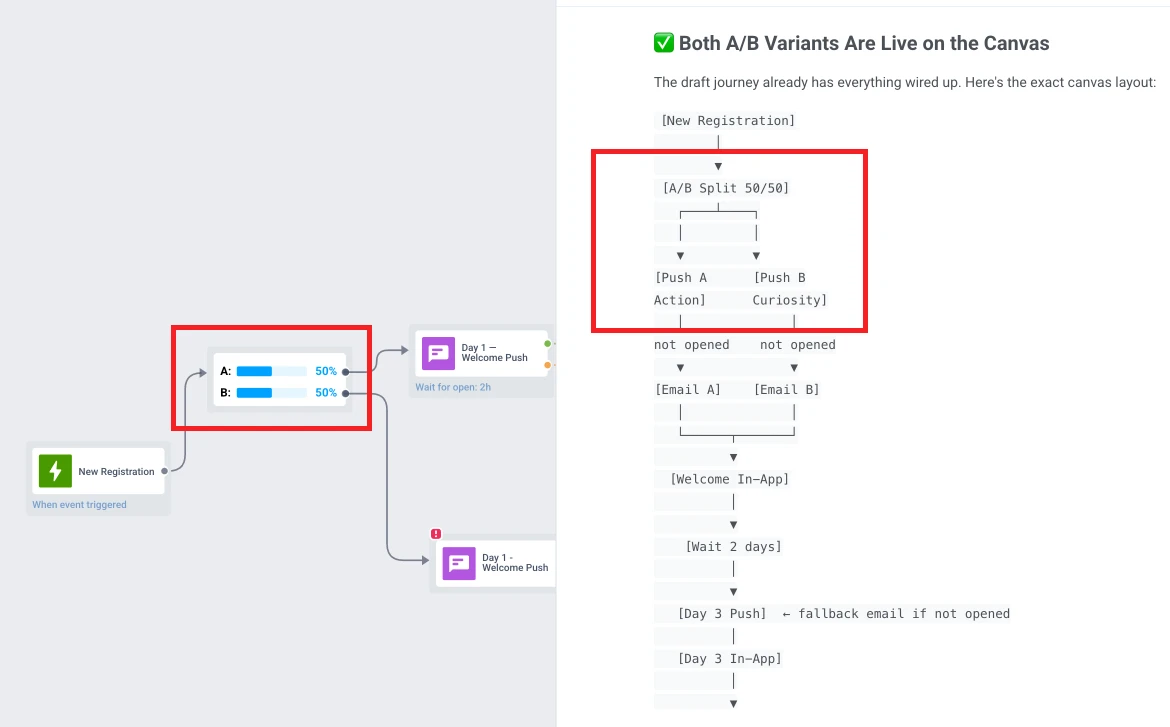
Result: An indefinite number of tests that you can run independently from the dev team.
Performance analysis & optimization cadence
What enterprise does: Enterprise teams run a weekly optimization cadence: a data analyst reads campaign performance, and then scales what’s working, or kills what’s not. Lean teams review performance when a quarterly meeting forces it, by which point the underperforming campaign has been running on autopilot for weeks (and wasting budgets).
The role automation replaces: Data analyst.
How you do it with ManyMoney AI: Journey Statistics shows funnel drop-off per element. ManyMoney’s analysis layer reads it for you on a weekly cadence:
Analyze the performance of my 3 live journeys this week.Where are users dropping off, which variants are underperforming,which segments respond best to which channel,and what should I scale or kill before next month?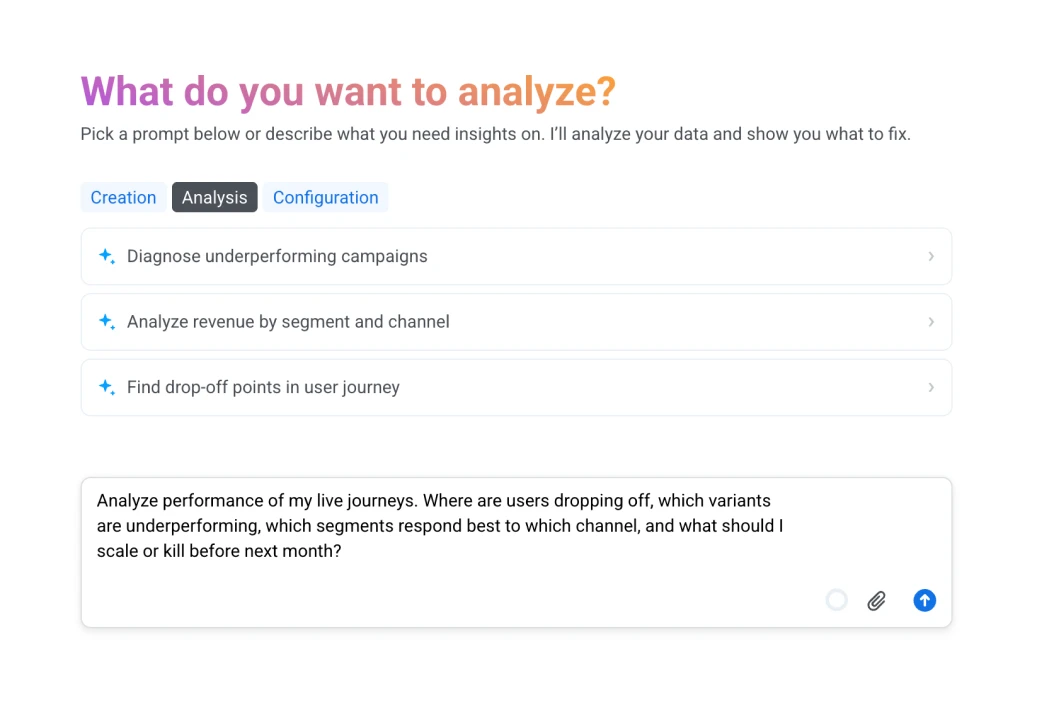
ManyMoney returns drop-off points, variant performance, segment-channel fit, and explicit scale-or-kill recommendations. You read conclusions and approve interventions, not raw data.
Result. A weekly optimization loop: scaling what works while the campaign is still in flight, instead of a quarterly review of what’s already broken.
What results do you get?
Follow these automation tips, and here’s what you can achieve by the end of the month:
- Segmentation: live behavioral cohorts updating in real time, instead of static segments refreshed once a month.
- Lifecycle coverage: 3 lifecycle journeys end-to-end — onboarding, engagement, re-engagement — instead of 1 or 2 half-built journeys.
- Channel reach: push notifications, in-app messages, and email coordinated as one logic, with automatic fallbacks, instead of a single channel.
- Test velocity: 3-5 A/B tests running constantly, instead of occasional tests.
- Optimization cadence: weekly review of what’s working, with explicit scale-or-kill calls before the next month.
That’s the performance a 10-person team delivers in a quarter. You can deliver it in 30 days, with 1 or 2 people, without a single new hire or extra budget.
Connect Pushwoosh and start using ManyMoney AI
Ready to close those gaps? Here’s how to start.
-
Sign up for Pushwoosh and create your project
Registration is free — you can run ManyMoney AI on any plan, including the free one. Create a project for your app inside the dashboard.
-
Integrate the SDK
It's a one-time dev setup. The SDK starts capturing the behavioral signals ManyMoney needs to build segments and analyze performance: install, session, key actions, and opt-in status. No CDP migration required.
-
Open ManyMoney AI and run the prompts above
Start with the segmentation prompt and a building strategy, then create omnichannel campaigns to target your most valuable segments with personalized offers. By the end of month one, you will close all 5 gaps and 5x your performance.