Your digital loyalty card, live in Apple & Google Wallet
Put a working loyalty card in the wallet app your customers already have. No app for them to install, no plastic for you to print, no dev team required.
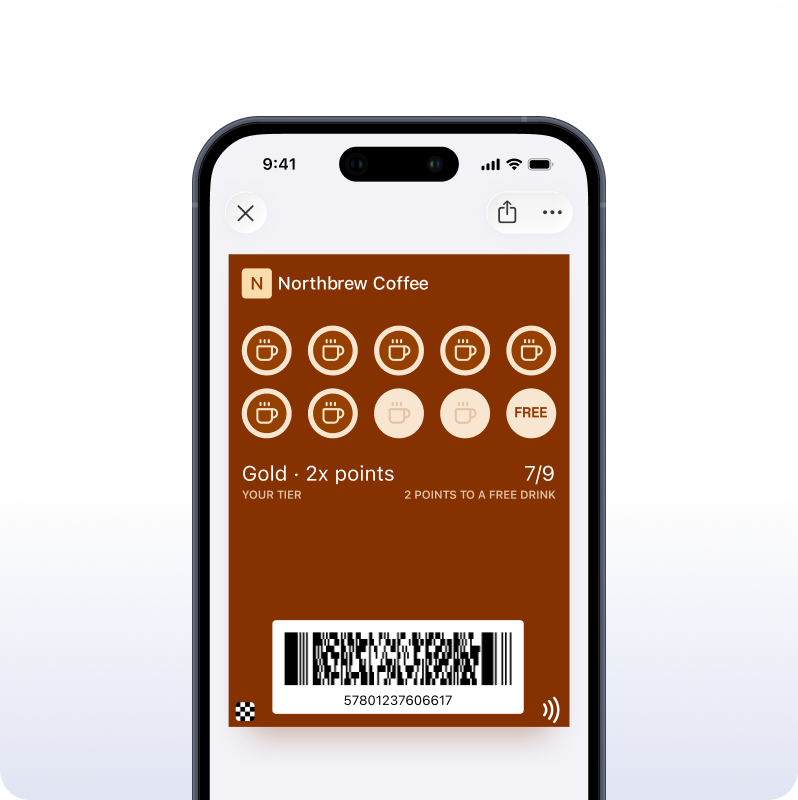
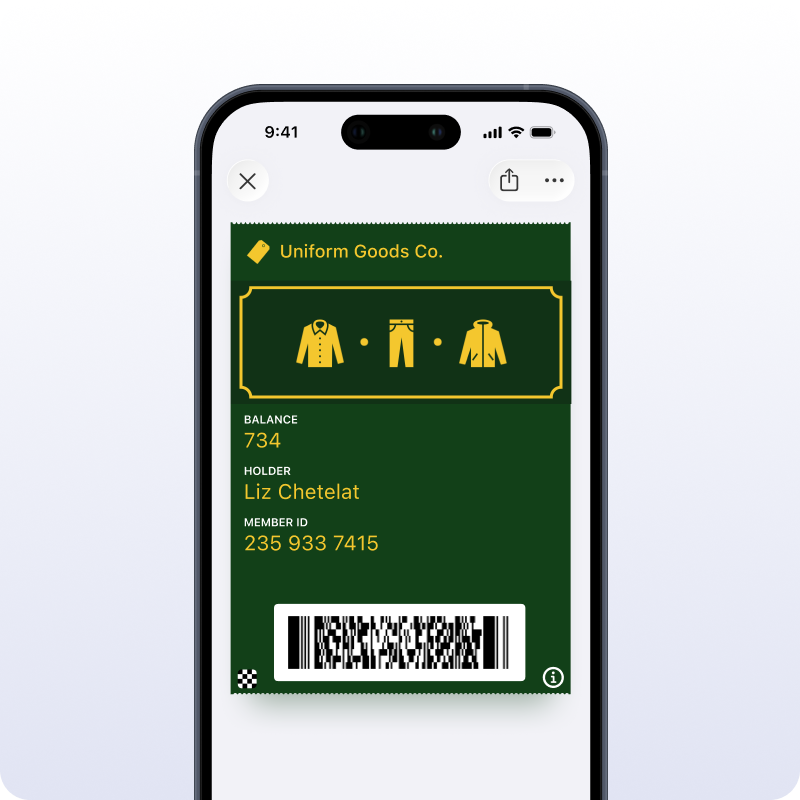
A loyalty card that lives in the wallet
A digital loyalty card sits in Apple Wallet or Google Wallet, right next to the boarding passes and bank cards. Your customer taps once to add it. After that, there’s nothing to reopen and nothing to lose at the bottom of a bag.
Every stamp and point earned pushes to the card on its own. When a reward comes due, the card can say so on the lock screen. It runs on the same Wallet passes behind boarding passes and event tickets, so the plumbing is already proven.
From a punch card to points — 4 loyalty formats
One builder covers four card types. Pick the Apple Wallet loyalty card format that matches how you reward.
Points card
Customers earn points per purchase and cash them in at thresholds you set.
Digital punch card
The coffee-shop stamp card without the paper. Ten stamps, one free, tracked in the wallet.
Tiered loyalty card
Bronze up to gold. The card shows the current tier and what unlocks the next one.
Free starter card
A real, working card on the free plan, with nothing charged per card you issue.
Build your digital loyalty card app in four steps
-
Design the card
Add your logo, colors, and reward rules in the builder. Shipping a first card takes no design or engineering help.
-
Set the earning rules
Choose points, stamps, or tiers, then decide what earns them — a purchase, a check-in, a scanned code.
-
Share the link
Put an "Add to Wallet" button on your site, in an email, or on a QR code at the counter.
-
Let it run itself
The moment a customer earns, every card they hold updates. You send once and the card stays current.
The loyalty app for small business teams, without the build
Most small teams don’t have an engineer to spare for a loyalty program. Pushwoosh runs the whole thing from one visual Journey: sign a customer up, count their stamps, and pull them back before the card goes quiet. If you’re weighing how to manage both wallets at scale, the platform view for wallet passes covers the account side and the API underneath.
Example: a digital loyalty card in one Journey
- Customer taps “Add to Wallet” and gets enrolled on the spot
- Each purchase adds a stamp, and the wallet card updates live
- Two stamps from a reward, a push nudges them to come back
- The tenth stamp unlocks the reward and the card flags it on the lock screen
- Thirty quiet days trigger a win-back message on their own
- Once the reward is redeemed, the count resets and it starts over
Set this up once. From then on the Journey handles sign-ups, reminders, and win-backs for everyone who joins.
Free digital loyalty card — no card fees on any plan
You can launch a real digital loyalty card on the free plan and issue cards without paying per card. These are native Apple and Google Wallet passes, not a stripped-down trial, and there’s no plastic to order.
What’s free:
- Native Apple Wallet and Google Wallet passes
- Unlimited card updates after a card goes out
- Points, punch, and tiered formats
- Nothing charged per card or per location
Digital loyalty card FAQ
Get your digital loyalty card live today
Build it, share the link, and start issuing cards to Apple and Google Wallet the same day.
Explore related products
Issue native Apple and Google Wallet passes from Pushwoosh — loyalty cards, membership cards, coupons, tickets, and more. No third-party pass tool required.
Create an Apple Wallet pass without code. Design it in a visual builder, generate a signed .pkpass, and share it in a tap. Free to start.
Create a Google Wallet pass without code. Design it in a visual builder, generate a save link, and add the official Add to Google Wallet button. Free to start.
Optimize every touchpoint of the customer journey for e-commerce. Map shopping paths, personalize experiences, and maximize lifetime value.
Maximize e-commerce revenue with push notifications. Automate cart recovery, promote sales, and re-engage customers with targeted mobile alerts.
Drive sales with intelligent coupon journeys. Automate discount campaigns, segment by behavior, and protect margins with smart coupon strategies.