There are many hoops an app marketer has to jump through to achieve a strong user retention rate. Yet, should this elusive metric be the one to chase? When you think about it, retention only gives a binary overview of user behavior, uncovering if users have been interacting with your app. Crucial details like why users are interacting, with which features, and how intensely,remain off-screen unless you shift your focus to engagement.
In the meantime, engagement is a gateway to retention. When you help users experience your app’s value through educational in-app messages, personalized push reminders, and deals, you create the perfect climate for growing quality engagement and retention.

Co-Founder & Head of Product Design at Just Mad
In order to move the retention needle, you need to work on engagement.
How do you approach engagement so that it translates into long-term retention? Pushwoosh has four strategies to offer. Start with the one that fits your app category and business goals best, and rest reassured: you’ll find all the needed tools to implement the strategy within the Pushwoosh platform.
4 engagement strategies that boost user retention
To align our perspectives: Which user actions define engagement and retention in your app? Depending on your category and monetization model, the set of valuable actions will differ, and so will your engagement strategy.
We suggest you consider four main paths:
1. Increase the number of use cases(encourage users to engage with the app in different scenarios)
2. Broaden app usage (uplift the percentage of features users engage with)
3. Deepen app usage(help users with interacting with the app more intensely)
4. Increase the frequency of app usage(escalate how often users interact with the app)
☝️ Depending on your app category, you can choose one strategy that best suits your app category. Then, experiment with combining your first choice with other strategies for maximum effectiveness.
Implementing a strategy can be overwhelming without a dedicated retention automation tool. Don’t worry, we’ll walk you through how to do it step by step with Pushwoosh Customer Journey Builder.
1. Increase the number of use cases of your app
Let’s say you own a delivery app with a segment of casual users that only order meals from the same restaurant during weekends. They don’t yet have a habit of ordering lunch with their team at work, or getting supermarket essentials delivered directly to their homes, even though your app provides these services.
The risk with such customers is that they can be easily lost if their favorite restaurant starts offering its own direct delivery or if a competitor offers better weekend discounts.
Is there a chance to tie this audience closer to your app and even turn them into power users? Absolutely, if you encourage them to use your app in different scenarios through educating them on those extra use cases. You can then implement a messaging strategy aimed at increasing user engagement.
How can you do this exactly?
1️⃣ Identify the customer’s primary use case through tracking trigger events.
You can make use of Pushwoosh’s Default Events such as in-app purchases andscreen opens or set up your custom events.
To create an Event in Pushwoosh, go to Audience > Events in the Control Panel and click the ‘Create Event’ button.
In our example, we want to target casual customers who order delivery on weekends. So we create a custom Order event with the day of the week attribute.
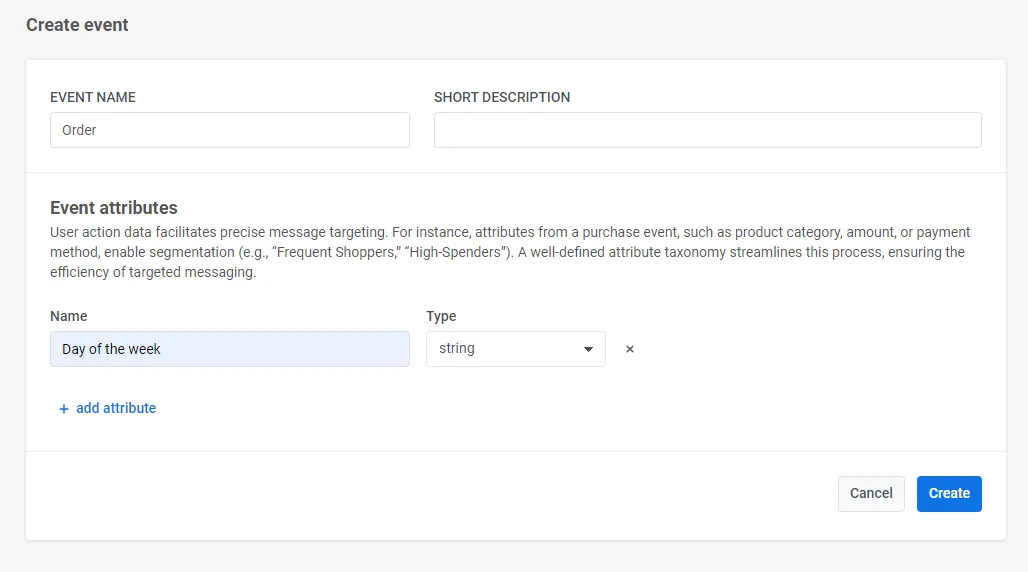
Once integrated in your app, a custom event can be used in behavior-based campaigns in Pushwoosh Customer Journey Builder.
We’ll go to the tool to target those delivery app customers who’ve ordered on the weekend. We’ll start with a Trigger-based entry and configure it for our Order event, specifying our target days of the week.
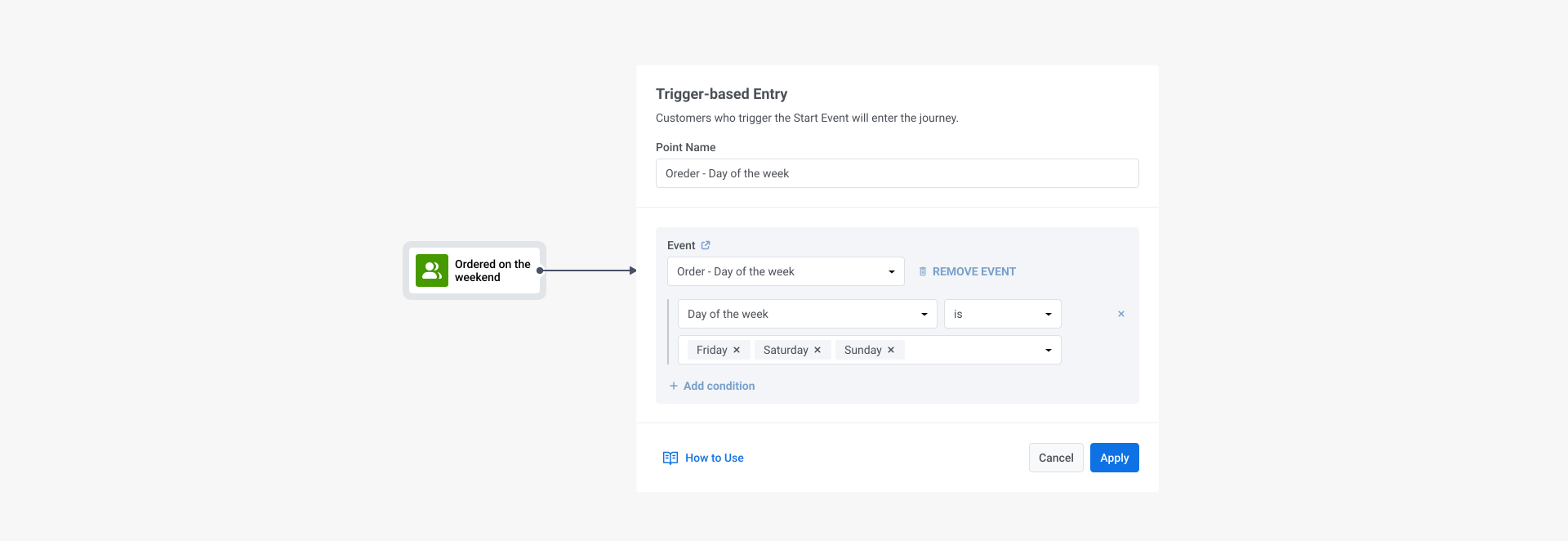
2️⃣ Send an offer to your chosen segment via push notifications.
Your custom copy may include a reference to the user’s previous activity — weekend orders, in our example — and an enticing offer that will spark interest in other products and use cases of your app.
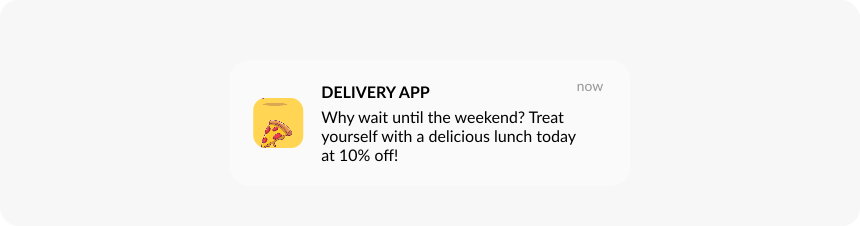
3️⃣ Send another offer to the users who ignored the first message.
Split the flow and track those who’ve opened the push notification and those who haven’t.
There is a chance that users who didn’t respond to the original notification may show interest to another offer — for example, grocery delivery promo:
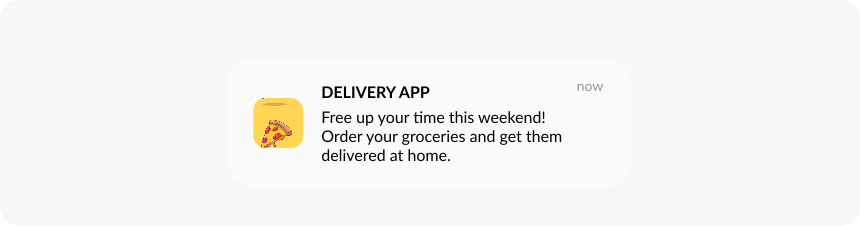
Delivery app retains users with another use case - push notification example

The resulting messaging flow built with Pushwoosh Customer Journey Builder
4️⃣ Monitor how your strategy performs
Pushwoosh pulls messaging and conversion statistics directly into the Customer Journey Builder interface. This way, you can stay on top of your campaign’s real-time performance and intervene promptly to optimize and test different copy.
Create your own event-triggered push notification sequence to grow the number of use cases for your app and turn casual users into power customers.
2. Broaden app usage
Let’s look at an audiobook app where users can listen to audiobooks, add ratings, and lists of their favorite authors. The issue is that users aren’t exploring the full range of features, only using one or two up till now. So, how can we broaden their app usage?
Our best bet as app marketers is to make less engaged users aware of the extra features and educate them on how to enjoy them. The broader the set of features a user tries, the higher their engagement and chances to convert into premium subscribers.
It’s simpler than it sounds with Pushwoosh Customer Journey Builder.
1️⃣ Choose a segment of users who have interacted with a small percentage of features.
For this, add an Audience-based Entryto the canvas. In its settings, select a previously built user segment or create a new one.
For our example, we’ll set up a segment for users that engaged with the ‘Favorite authors’ feature less than once over a seven-day period.
Now, you have grouped all users together who have not fully explored a specific feature, so you can target them with personalised messaging.
2️⃣ Wait for a Trigger Event.
Because we’ll be sending in-app messages, our trigger is ‘Users open the app’. Split the flow into users that open the app organically, and those that did not.
3️⃣ To users that open the app organically, we’ll send a personalized in-app message showing them how to follow their favorite authors.
📱 ‘Add a list of your favorite authors to keep up with new releases.’
4️⃣ To users that do not open the app organically, we’ll send a push notification to gain their attention and encourage them to open the app.
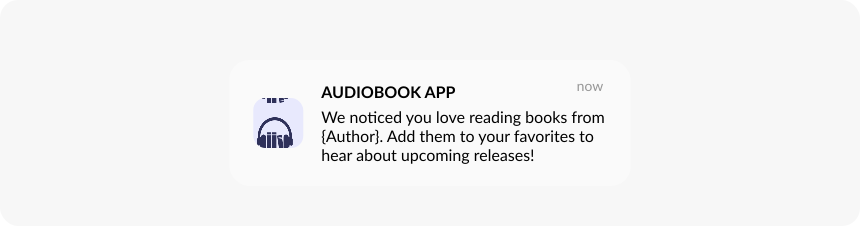
5️⃣ If you want to keep reengaging the audience, you can split this flow again into those users that add the author to their favorite list—exiting the flow—and those that did not respond.
In your next push notification for the unengaged users, you can try to highlight a different feature and see if it interests them more:
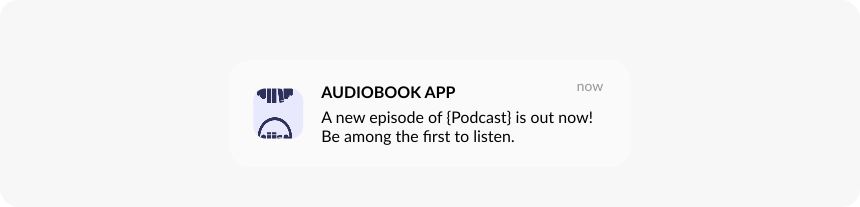

The resulting messaging flow built with Pushwoosh Customer Journey Builder
📱 Another effective way to broaden your app usage is by adding educational content to your onboarding. You can organize it as a series of full-screen in-app messages presenting features or incorporate contextual tooltips and pop-ups triggered when a user clicks on a specific feature.
👉 Early introduction to an extended set of features can improve adoption and serve as a solid ground for continuous user engagement and retention.
Use diverse messaging channels to educate users about your app’s features. Push notifications, in-apps, and emails are at your service once you sign up to Pushwoosh.
3. Deepen app usage
How do you define “depth”? An app in the news & media category could measure it by the number of articles read. The more content a user consumes, the more ads they can be shown, leading to an increase in revenue for the outlet.
The issue is that users live busy lives. They can’t scroll through your publication forever; they may even only consume your content occasionally, at other times going to competitors or taking a break from news whatsoever.
Still, there is a way to engage users and turn them into enthusiastic readers.
Let’s set up a content recommendations strategy in Pushwoosh Customer Journey Builder.
1️⃣ Target users who consume only one piece of content per session.
Set up an Audience-based Entrywith a pre-built segment based on the in-app events history.
2️⃣ The next time they open the app, greet them with in-app stories highlighting popular topics of the day.
3️⃣ Let them read the suggested content.
4️⃣ To those who’ve read the piece of the day, display a small in-app suggesting what to read next.
5️⃣ To those who haven’t read it, send another content recommendation in an in-app message.
6️⃣ Track if more content is read and keep coming up with personalized suggestions. Remember to use push notifications to return users who’ve closed the app.

Give personalized triggered messaging a go. Reinforce your campaigns with relevant in-app messages and push notifications to deepen your app usage and engagement.
4. Increase the frequency of app usage
All apps havedifferent normal usage cycles and frequencies that you don’t want users to fall below. To engage users between the sessions, it’s good to come up with external triggers to warm up interest in your app.
As an example, imagine a music events app where users can learn about gigs near them and book tickets.
Music fans may naturally perform only a few organic sessions per year. At such low frequency, won’t they forget about your app between the sessions? The risk is real, so the app wants to use triggered messaging to stay the primary source of concert news and tickets for its audience.
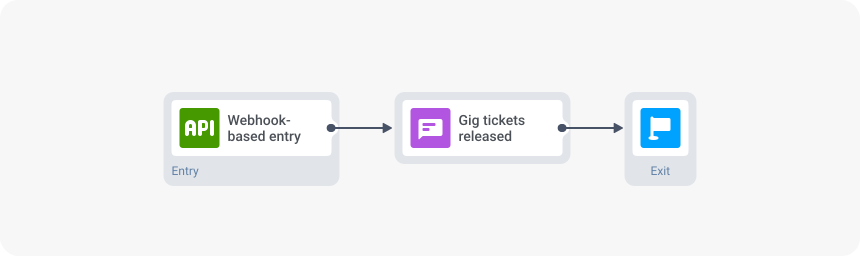
Once again, Pushwoosh Customer Journey Builder can help to retain users. The music events app in our example can use the tool to send immediate alerts on new gigs and tickets on sale. Recommendations can be tailored to users’ profiles and interests. Here is how:
1️⃣ Start the communication as soon as you’ve got news to spread.
Add aWebhook-based Entryto the canvas.
This element is made for triggering journeys when an external event occurs on the business side. For example, when tickets for a particular event become available, a new episode of a TV show is released, or an e-commerce item is back in stock.
👨💻Coding skills are required to configure this element.
2️⃣ Specify the target segment right in the request template using Segmentation Language.
🏷️ For this kind of segmentation, Tags need to be set up these tags in advance.
For example, if you want to promote an upcoming music event in London to a young audience, you can do so by specifying:
"filter": T("City", eq, "London") * (“Age”, lte, “30”)
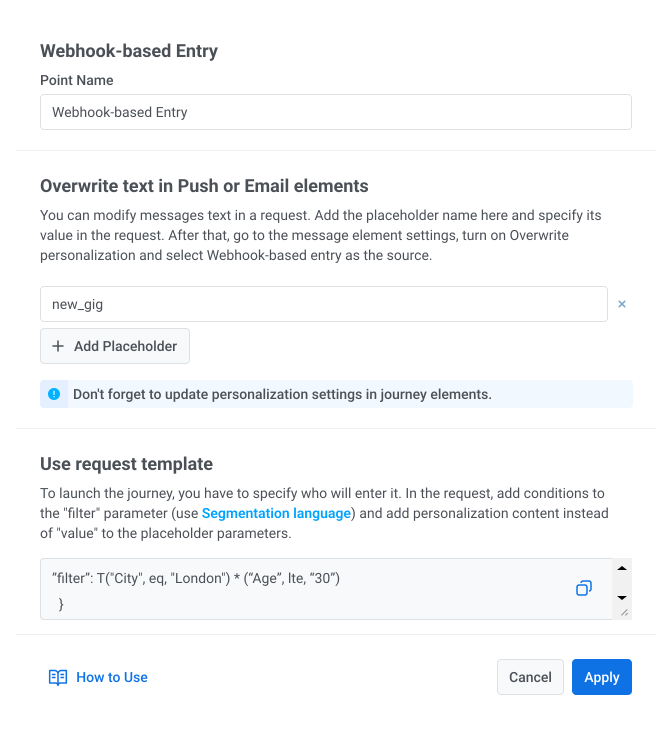
3️⃣ Create a personalized push notificationthat will be sent to the specified user segment when the Webhook-based Entry is triggered.
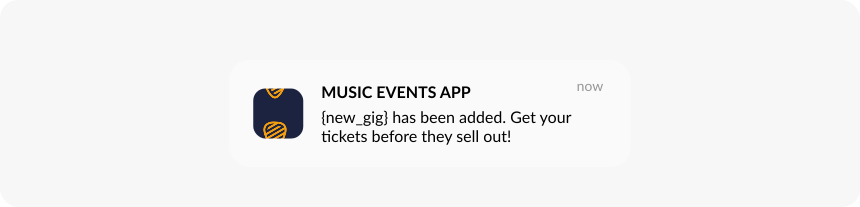
By sending such immediate alerts tailored to users’ tastes and preferences, an app can prove its value to users, convert them to on-the-spot action and retain them over time.
If sales in your app depend on external triggers, such as cultural and sporting events, physical goods arrivals or price changes, Webhooks in Pushwoosh Customer Journey Builder are a must-have feature for you. Get access to it by signing up to Pushwoosh.
Grow both engagement and retention metrics with Pushwoosh
While user retention is a vital metric for any app marketer, it shouldn’t be the sole focus of your efforts. Shifting your attention towards user engagement can be a smart strategic choice that helps you attain the same retention heights, earn user loyalty and generate more revenue for your app.
Implement your user engagement strategies with Pushwoosh, the one platform that allows you to engage, retain, and monetize your app audiences.