Facebook Messenger for business: reply in the chat your customers started
Start a journey when someone messages your Facebook Page and keep order and booking updates in that chat. If Meta rejects a message, the customer gets a push or an email instead. It's Messenger automation on the platform that already sends your other channels.
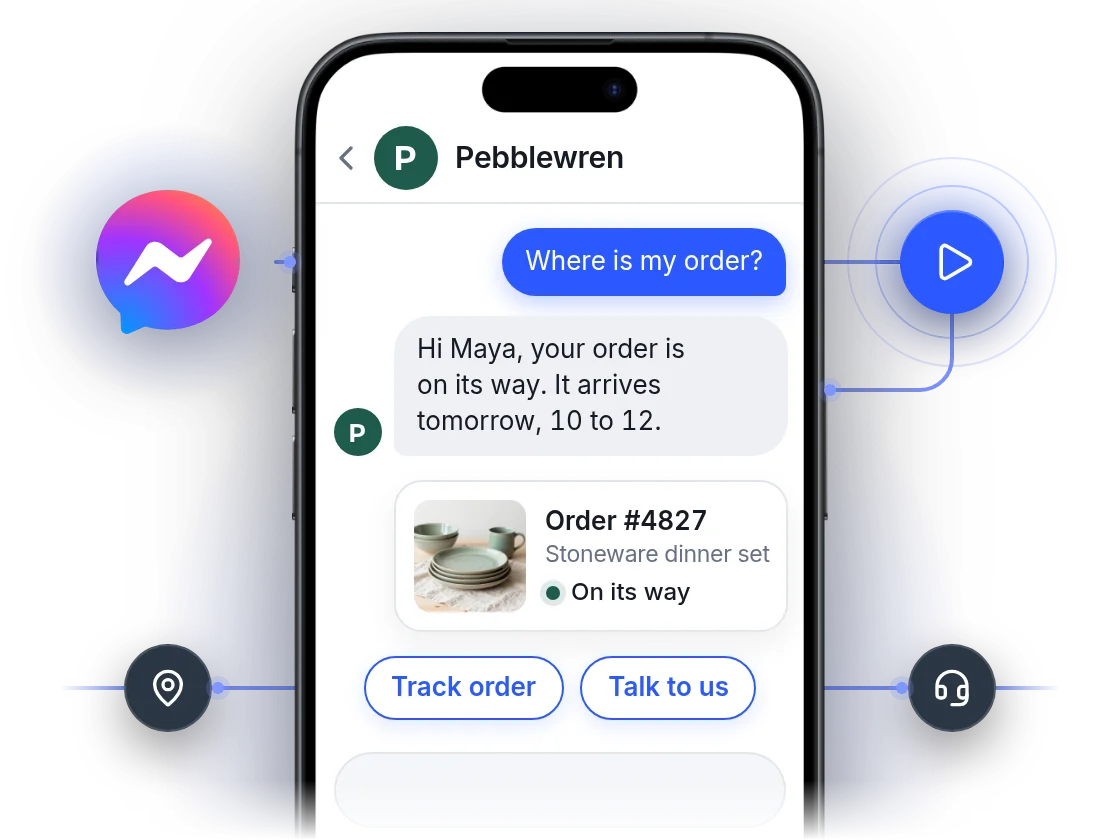
Facebook Messenger automation from the first message to delivery
Customers write to your Facebook Page about orders and bookings, and the replies usually live in a separate inbox, away from your push, email and SMS. Connect the Page to Pushwoosh, and a message to it starts a journey. The reply and every update after it run in that journey, next to your push and email.
Meta allows free-form replies for 24 hours after the customer’s last message. After that, order, booking and account updates go out with a message tag.
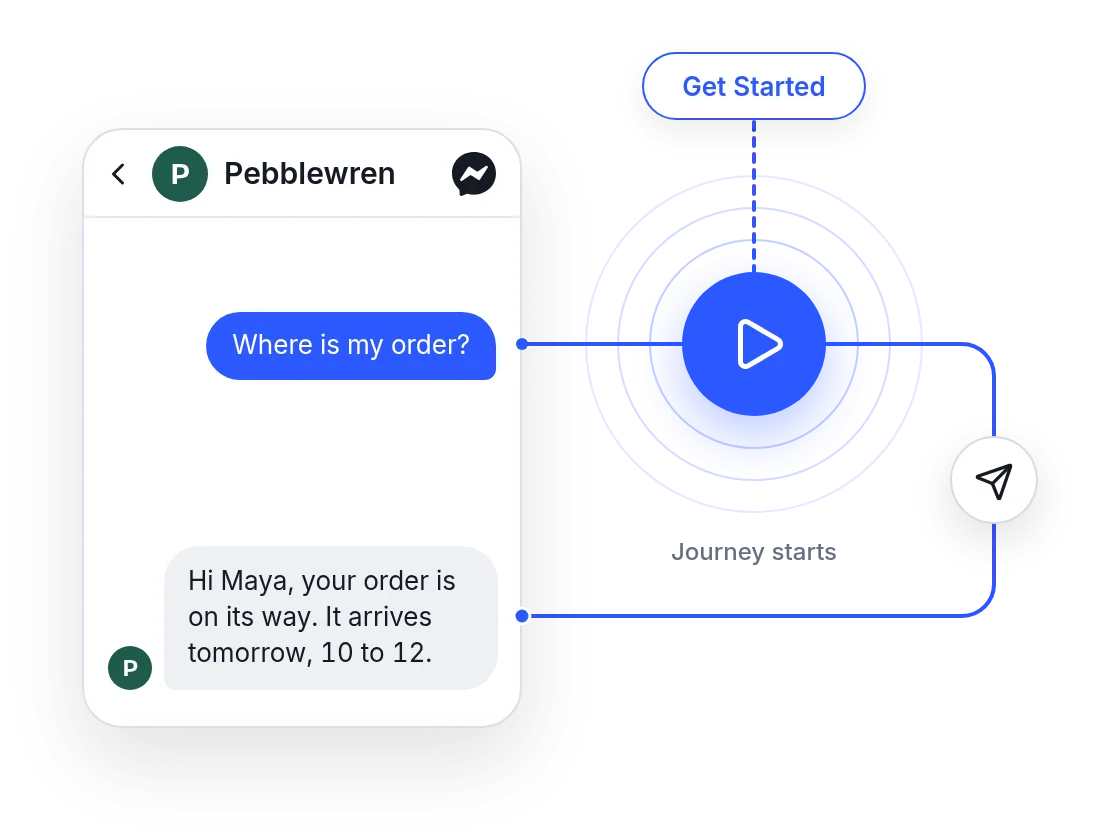
Start when the customer writes
A message to your Page or a tap on Get Started starts a journey. The reply goes out from the journey, so nobody on your team has to watch the inbox.
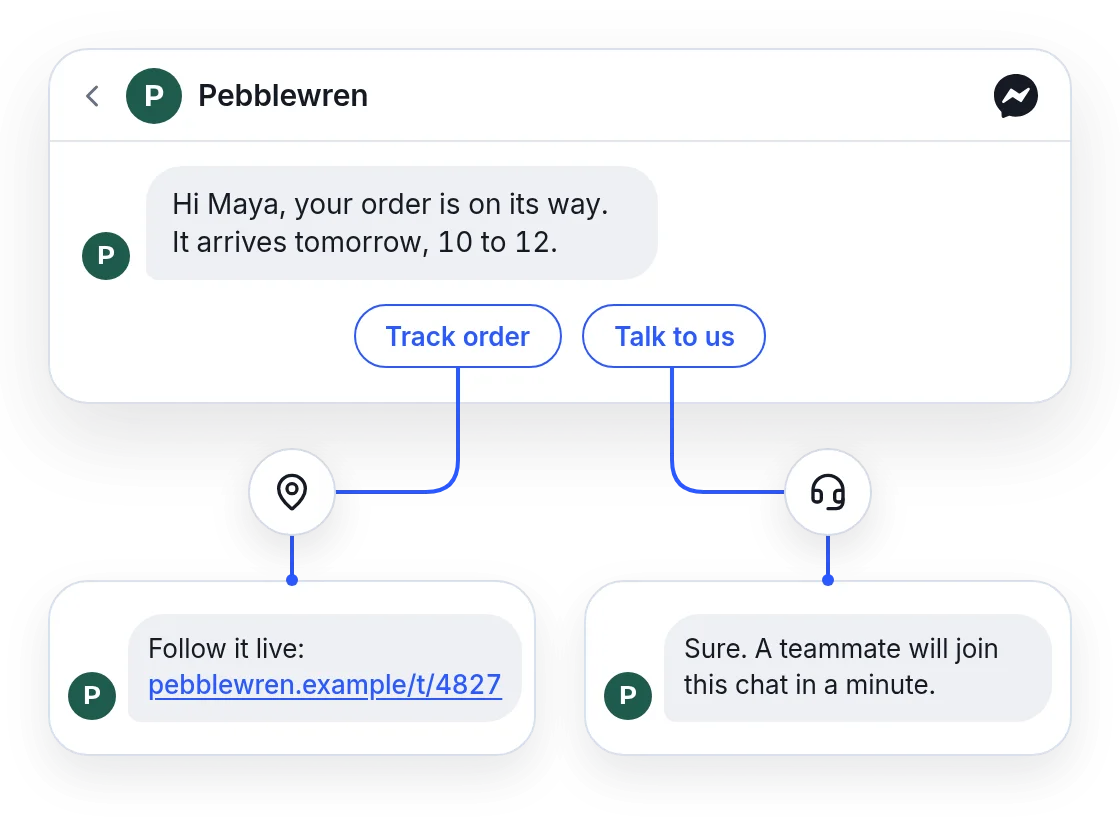
Reply with buttons that branch the flow
Send text or a Messenger preset with buttons, media and cards. Each quick reply button leads to its own branch, so “Track order” and “Talk to us” get different next steps.
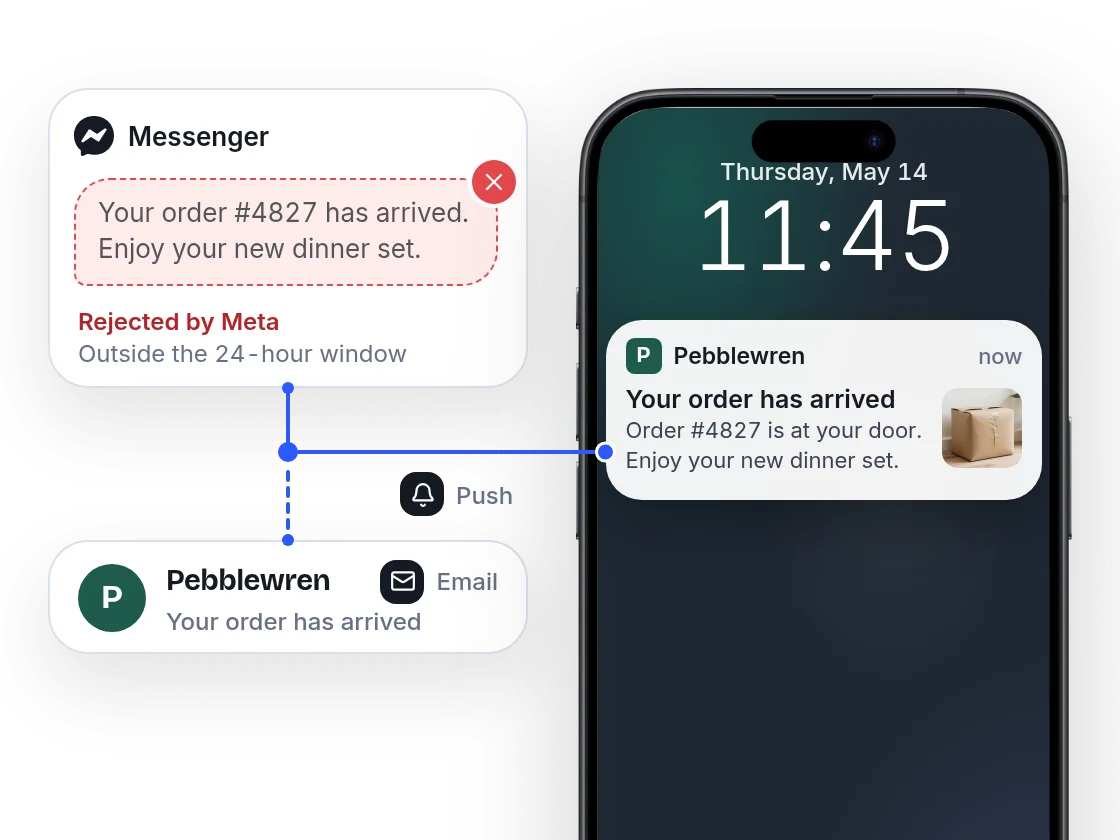
Switch channels when Meta rejects a message
If Meta rejects a message, for example outside the 24-hour window, the customer moves to the Rejected by provider branch and gets a push or an email instead.
Send a plain-text one-time message to a segment, send from your backend with the Facebook Messenger API, and see Sent, Delivered and Delivery issues for every Messenger step.
What Messenger is best for
Order and delivery updates
Confirm the order, then send dispatched and delivered in the chat where the customer asked about it. After 24 hours, the update goes out with the Post-purchase update tag.
Answers to the first message
When someone writes to your Page, a journey replies with what they usually ask for: order status, opening hours or a link to the right page.
Choices with quick replies
Ask one question with two or three buttons. Each answer sends the customer down its own branch of the journey.
Booking and event reminders
Remind customers about a delivery slot, a table or a ticket with the Confirmed event update tag, even days after their last message.
Account alerts
Tell customers about a failed payment or a changed password in the chat they use. The Account update tag lets the message through after the 24-hour window.
Meta’s rules, set up once
-
Connect your Facebook Page
Your developer creates a Meta App and adds the Page ID and Page Access Token in Configure platforms. Pushwoosh registers the Messenger webhooks for you.
-
Pass Meta App Review
Meta reviews the Messenger permissions of your app. You can send once Meta approves them.
-
Send inside the 24-hour window, or with a tag
Reply freely for 24 hours after the customer's last message. Later, pick a message tag: Confirmed event update, Post-purchase update, Account update or Human agent.
Add Messenger to your journeys
One account gives you Messenger, push, email, SMS and WhatsApp in the same journeys. Start on the free plan.
Explore related products
Send order updates, reminders, and promos customers actually reply to, right alongside your push, email, and SMS in one journey backed by Pushwoosh.
Send branded, promo-capable LINE messages and reply 1:1 to your users, right alongside push, email, SMS, and WhatsApp in one journey backed by Pushwoosh.
Send order, payment, delivery, and booking notifications on KakaoTalk, the channel 93% of South Koreans open every day, with automatic SMS fallback in the same journey.
Run Viber as one step in your journey, beside push, email, SMS, and your other messengers. Approved templates for transactional and OTP traffic, freeform text for fast promo.
Transactional SMS notification service by Pushwoosh — OTP, alerts and status updates in the same Customer Journey as push, email and in-app. EU-resident infrastructure, 187 countries.
Map out and streamline your campaigns with one visual tool. Communicate, engage, retain, convert, segment, and experiment using Pushwoosh Customer Journey Builder.