Control groups that show what your messaging really earns
Hold back a share of users from your marketing messages and compare them with everyone else. See the uplift your messaging drives across the app, in one campaign or at one step of a journey, and whether the result is statistically significant.
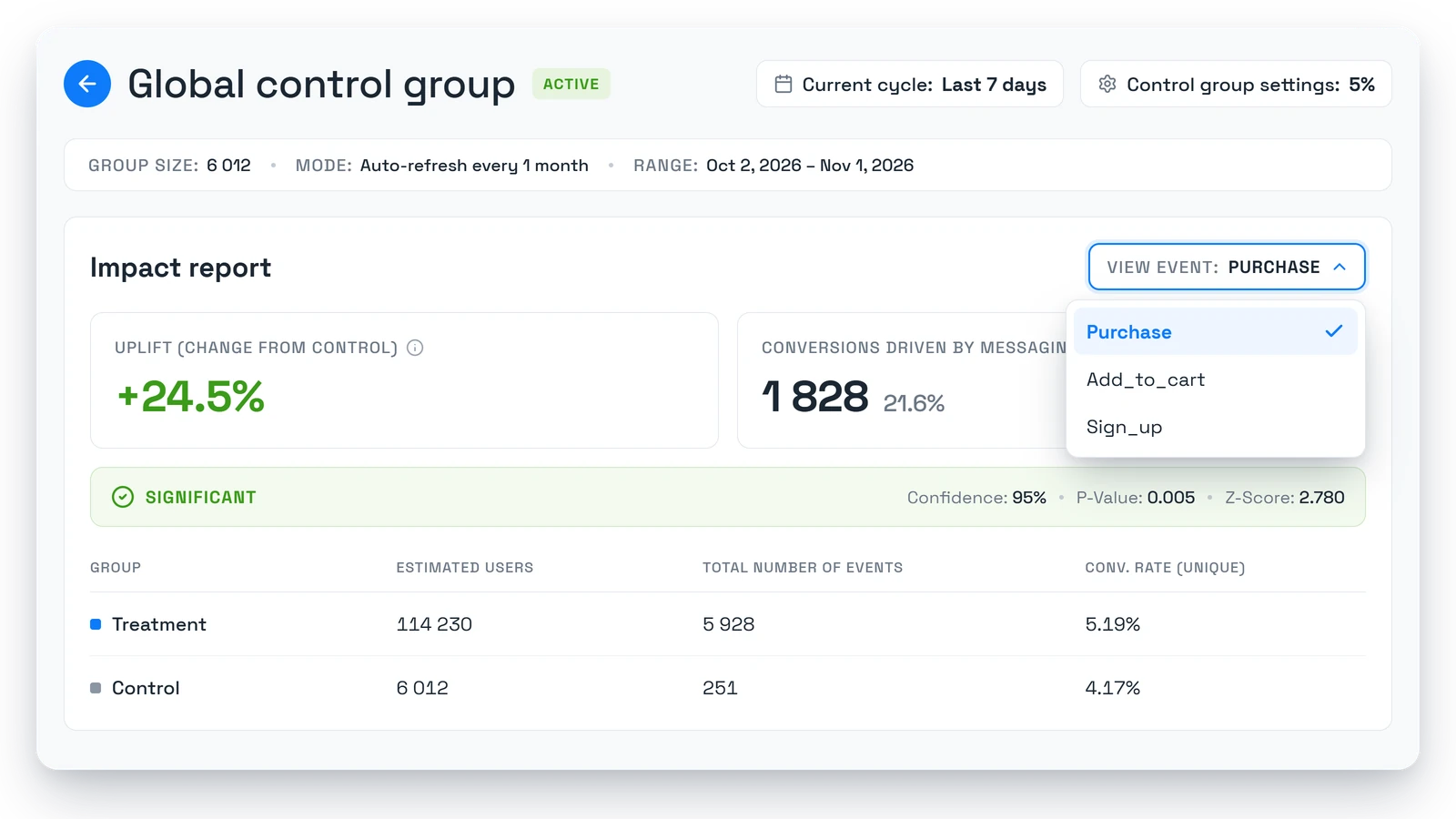
What a control group tells you
Every campaign report tells the same story: people who got the message bought more. Some of them would have bought anyway, and the report can’t say how many. Without a group that heard nothing, you can’t separate what your messaging earned from what it just took credit for.
A control group is that missing baseline. Pushwoosh keeps a share of users away from marketing messages and compares their behaviour with everyone else’s. You can measure at 3 levels with the same method.
| Level | Who is held out | Where you set it |
|---|---|---|
| App-wide control groups | 1–20% of users miss every marketing message from the app | Settings > Control groups |
| Campaign holdout | 1–20% of recipients miss one specific send | holdout_percentage in the Messaging API |
| Holdout Split | 1–20% of users who reach a journey step leave the journey there | Holdout Split element in Customer Journey |
holdout_percentage in the Messaging API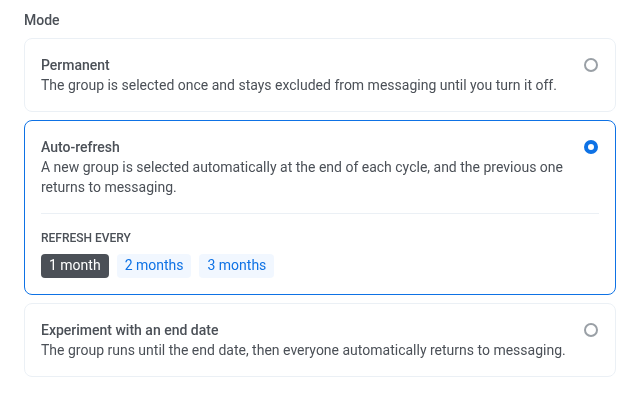
Groups that fit how you test
Run several named control groups at once, say one per market, each scoped by country or by tag. Permanent keeps the same users out until you switch it off, Auto-refresh draws a new group every 1, 2 or 3 months, and Experiment with an end date returns everyone once the test is over.
Only marketing messages are held back, so receipts and other transactional messages still arrive. Membership is calculated from the User ID, so a new group covers your whole user base the moment you switch it on, and new measurement cycles count uplift only among users your campaigns could reach.
Why analytics needs a control group
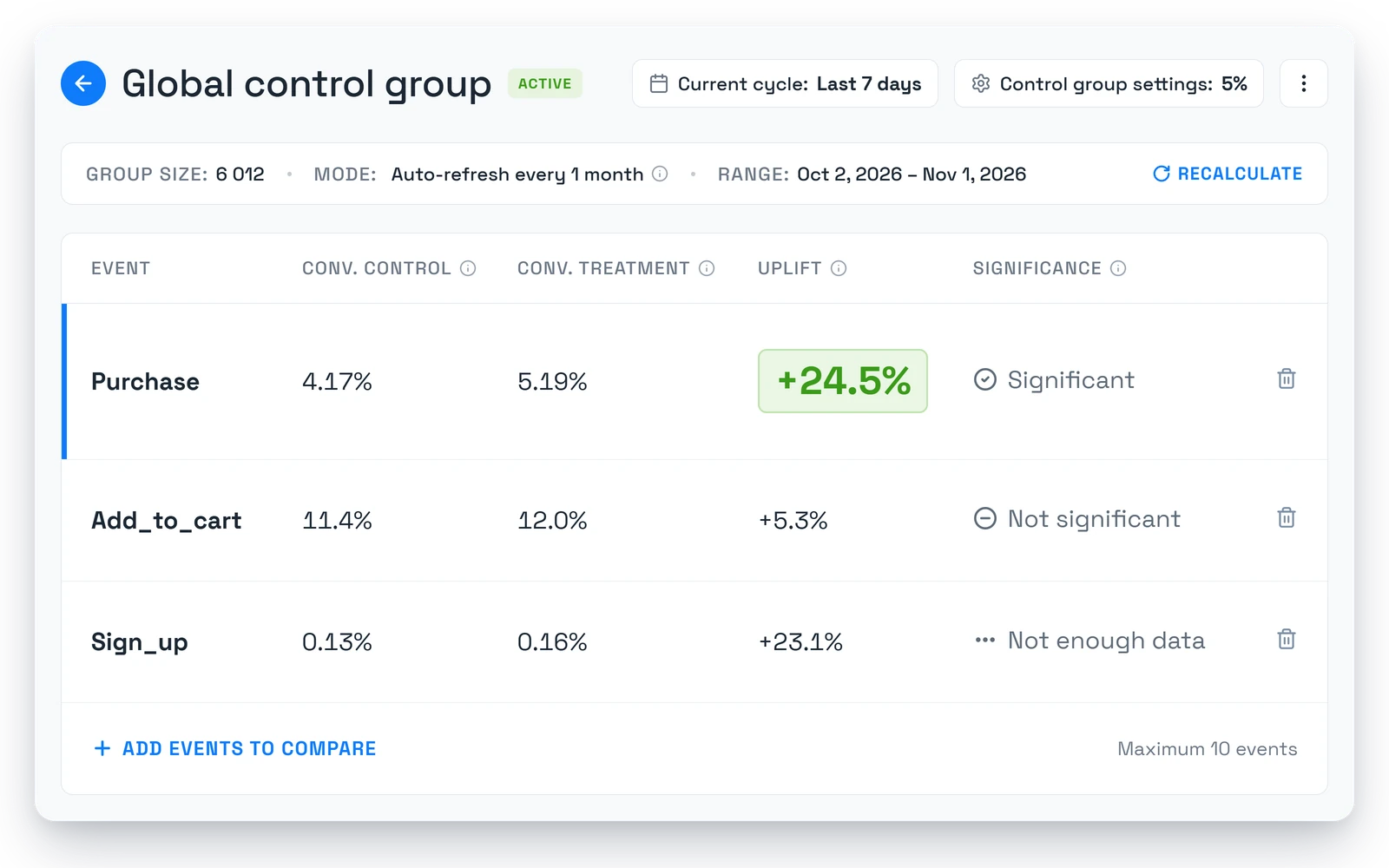
See what your messages caused
Analytics tells you what happened after a send: opens, clicks, purchases. It can’t tell you how much of that would have happened with no send at all. That’s exactly what a budget review asks, and without a holdout the answer is a guess.
A control group puts a real number on it. Compare up to 10 events side by side and see which ones your messaging moves, right next to the rest of your Pushwoosh analytics.
Set it up in 3 steps
-
Create a group
Open Settings > Control groups, choose the size, the mode and, if you need to, a country or tag scope. You don't need a developer for this.
-
Keep sending as usual
Marketing campaigns and journeys skip the group on their own, so you build messages the same way as before.
-
Read the result
Pick a conversion event and open the Impact report. To measure a single journey, add a Holdout Split element with a Conversion Goal.
Pair it with goals, revenue and A/B tests
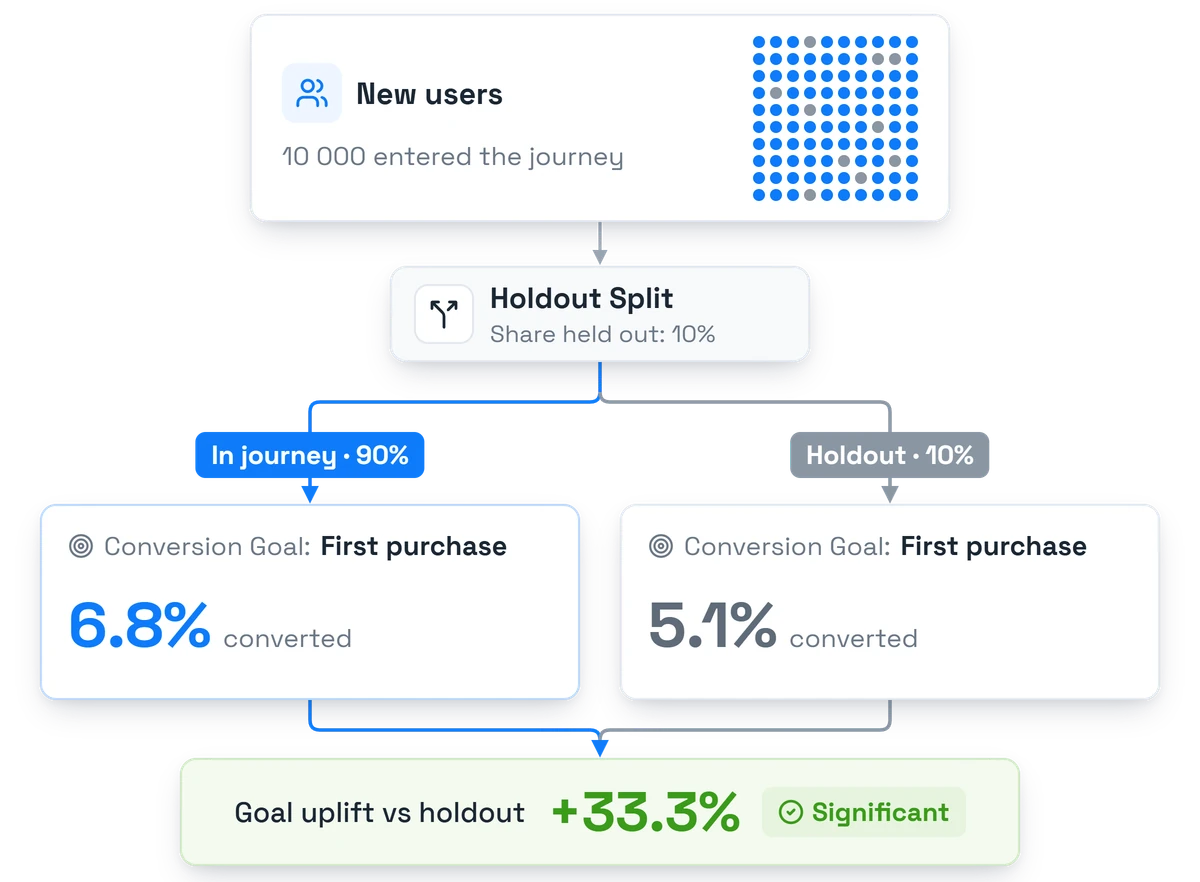
Prove a journey pays off before you tune it
A Holdout Split needs a Conversion Goal to report against. Put one at the start of an onboarding journey, send 10% of new users straight to the exit, and the goal tracks first purchase in both branches. Conversion events add revenue to the comparison: what the journey earned, what the held-out users spent anyway, and the gap between them. Once the journey proves its worth, A/B/n split helps you pick the best version of it.
- Analytics – the reporting this measurement sits on.
- Conversion goals – the outcome Holdout Split measures in each branch.
- Conversion events – the revenue behind the uplift numbers.
- A/B/n split – compare versions of a journey that has already proven itself.
- Customer Journey Builder – where Holdout Split lives.
Know what your messaging earns
Switch on a control group, and the Impact report shows how many of your conversions your messaging drove.
Explore related products
Gain actionable insights across all messaging channels and increase your campaign ROI with Pushwoosh's comprehensive analytics.
Set the event that means a journey worked, count late conversions for up to 30 days after exit, and optionally end the sequence the moment a user converts.
Choose which app events count as conversions and where the price sits in them. Pushwoosh turns revenue from code, existing events and webhooks into one format and shows what each campaign, journey and in-app earned.
Split journey traffic across up to 4 branches, score each one against your conversion goals, and route new users to the winning branch automatically once the result is significant.
Map out and streamline your campaigns with one visual tool. Communicate, engage, retain, convert, segment, and experiment using Pushwoosh Customer Journey Builder.
Marketing experimentation platform that works. Test everything from subject lines to send times, measure impact, and optimize campaigns for better ROI.