Know when a journey worked
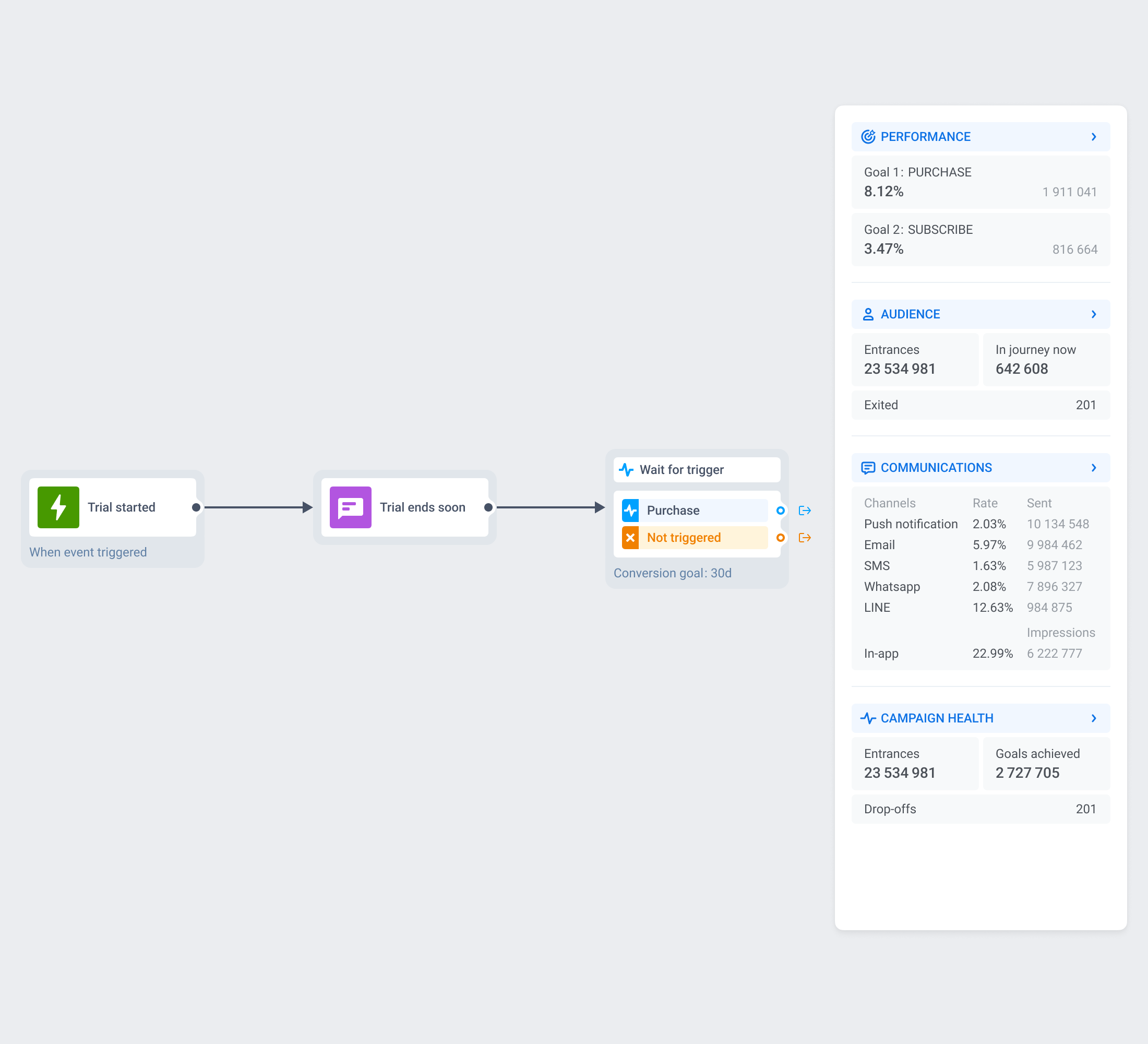
Conversion goals is a journey-wide setting that names the event that counts as success. Late conversions still count for up to 30 days after someone leaves, and you can end the sequence the moment a user reaches the goal.
What conversion goals gives you
Goal definition
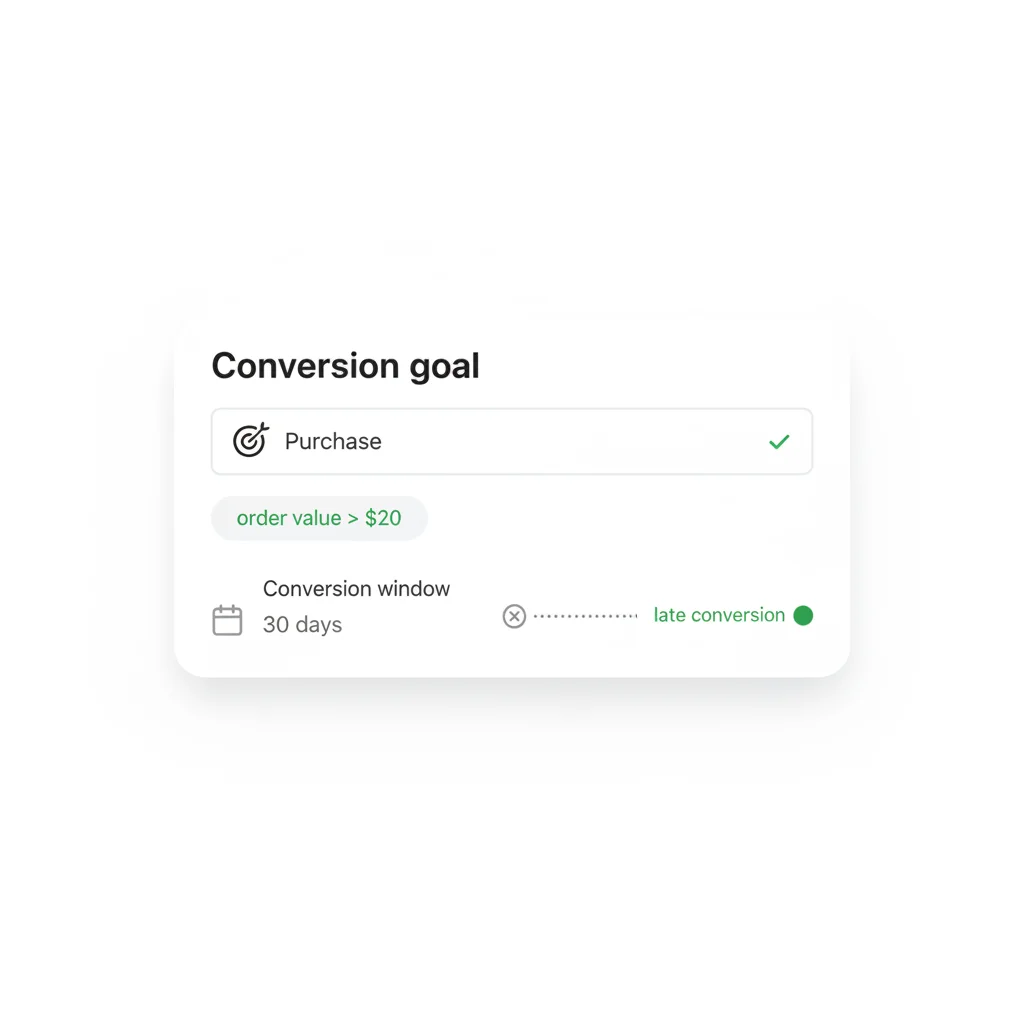
Pick the event that means the journey worked, and narrow it with an attribute condition.
30-day conversion window
A user who converts after leaving the journey still counts, for up to 30 days.
End journey after this event
Opt-in cancellation of whatever is left of the sequence the moment someone converts.
Multiple goals, OR logic
Track more than one goal, and reaching any one of them ends the journey there.
What you configure
| Setting | What it does | Default |
|---|---|---|
| Goal event | The event that counts as success, such as purchase or subscribe | Not set |
| Attribute condition | Narrows the goal event, such as an order value above a threshold | Off |
| Conversion window | How long after exit a matching event still counts, up to 30 days | Off (0 days) |
| End journey after this event | Cancels the rest of the sequence for a user who reaches the goal | Off |
| Multiple goals | Track more than one event; reaching any one of them ends the journey (OR logic) | One goal, unless you add more |
Configured once, for the whole journey
Conversion goals lives on the journey’s Settings panel, set once for the whole journey rather than dropped onto the canvas like a time delay or a condition split. Pick the event that means success, a purchase, a subscription, a booking, and add an attribute condition if the plain event is not specific enough.
Set the conversion window up to 30 days. Anyone who reaches the goal within that window after leaving the journey still counts as converted, so a purchase 10 days after someone dropped off a cart-recovery sequence is not lost from the number.
Stop messaging people who already converted
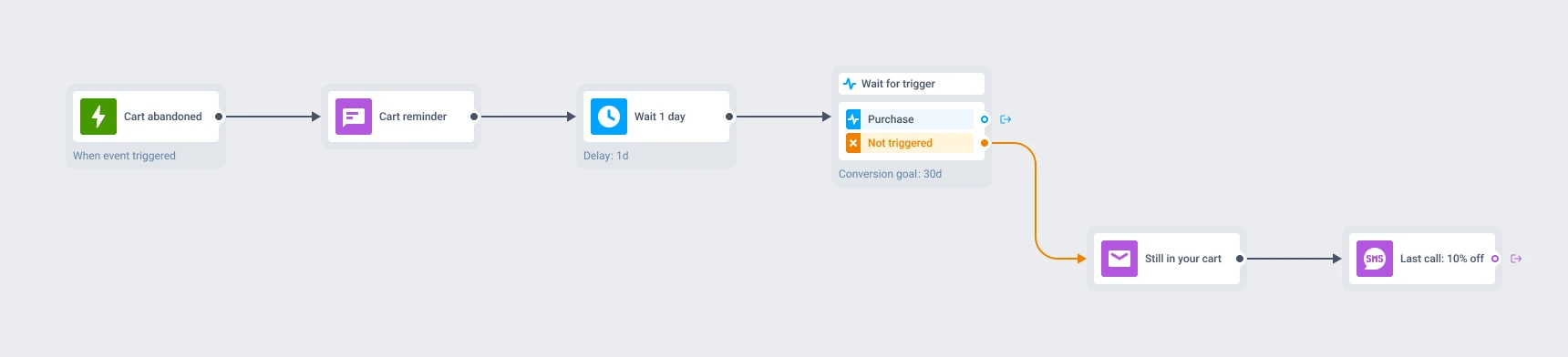
Turn on “End journey after this event” and Pushwoosh cancels whatever is left of the sequence for that user the moment they reach the goal. It is off by default, so a journey without it keeps sending the rest of the sequence even after someone has already done what it asked.
Track more than one goal at once, and the journey ends as soon as a user reaches a single one of them, whichever comes first. That fits a mixed audience with more than one possible win, like a marketplace tracking both buyer and seller conversions.
Where it fits
E-commerce and marketplaces
Goal = purchase. End the cart-recovery sequence the moment someone checks out.
Mobile games
Goal = an in-app purchase event. Stop the spend prompts once a player has already paid.
Creator and subscription apps
Goal = subscribe. Measure whether the trial reminder sequence actually converts.
Almost any journey with a real conversion event benefits, but it pays off most where that event is clean and unambiguous.
- E-commerce
- Marketplaces
- Mobile games
- Creator apps
- Fintech
- Airlines
- Food delivery
- Ride-hailing
- Media & streaming
The same goal picks A/B/n winners for you
Customer Journey Builder can branch, wait and pace a sequence exactly how you want. Conversion goals is what turns that into a real number: this journey converted 8% of everyone who entered it, measured against the event you defined as success.
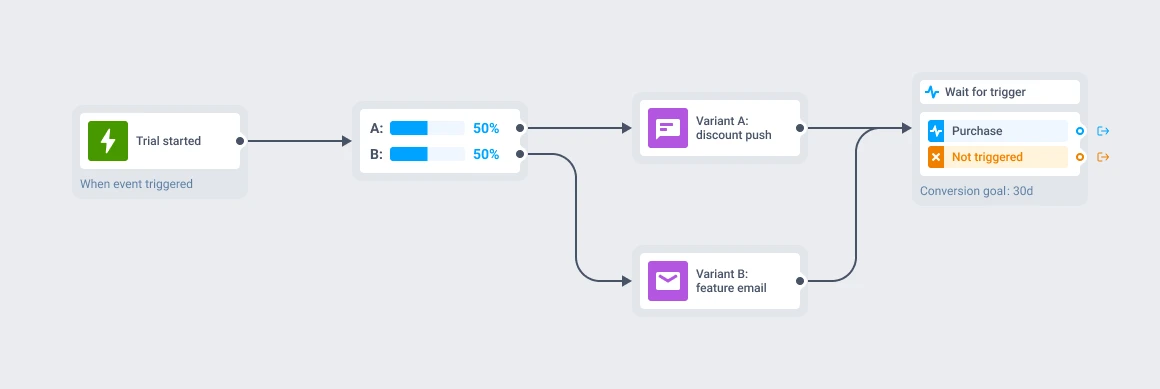
The same setting feeds A/B/n split testing directly: it is the goal the platform scores each branch against. In automatic mode, the branch that converts more people gets the new traffic without a manual step; in manual mode, the same numbers are there for you to read before you click Keep only winner.
Conversion data stays on our own hardware
Whatever event you track as a goal runs through the same infrastructure as the rest of the platform. Pushwoosh runs on its own hardware in the US and Germany, under GDPR and BDSG. Full detail sits on the data safety page.





How it works
-
Open the journey's Settings panel
Choose the event you want to count as the goal, and add an attribute condition if you need to narrow it.
-
Set the conversion window
Up to 30 days after someone leaves the journey. A converting user inside that window still counts.
-
Turn on End journey after this event
Optional. Converted users stop receiving whatever is left of the sequence. Leave it off and the sequence keeps running for everyone.
The journey’s own Performance statistics show how many people who entered reached the goal, so the conversion rate sits next to the journey itself.
FAQ
Explore related products
Name the events — unsubscribe, push opt-out — that remove someone from a customer journey immediately and cancel their pending messages, without counting the exit as a conversion.
Map out and streamline your campaigns with one visual tool. Communicate, engage, retain, convert, segment, and experiment using Pushwoosh Customer Journey Builder.
Split journey traffic across up to 4 branches, score each one against your conversion goals, and route new users to the winning branch automatically once the result is significant.
Drive engagement with event-based triggers. Automatically launch campaigns when customers take actions, capturing perfect moments for conversion and retention.
Hold a user for up to 90 days across 3 branches of up to 4 events each, with AND/OR logic, a guaranteed "Not triggered" path, and session-scoped matching for order- and ride-level journeys.
Transform abandoned carts into revenue with cart recovery automation. Send timely reminders, personalized offers, and incentives that drive conversions.