Cancel events
Name the events that should stop a journey without counting as a win, such as unsubscribe or push opt-out, so pending messages get cancelled and your conversion rate stays honest.
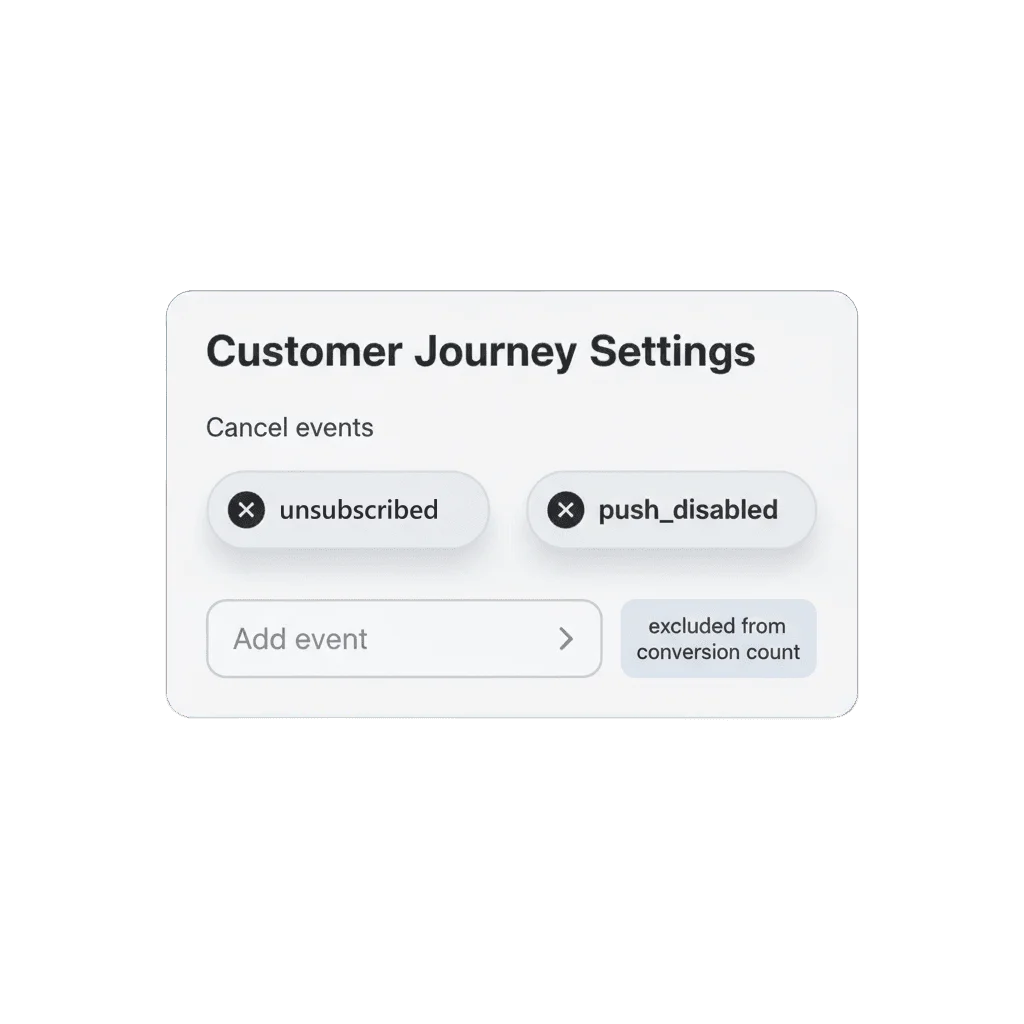
Not every exit is a win
Somewhere mid-sequence, a user unsubscribes from email or turns off push, and the journey keeps sending because nothing told it to stop. Worse, if that exit counts as a conversion, the conversion rate quietly climbs for the wrong reason. Cancel events give the exit a name other than conversion.
Name the exit, keep the count honest
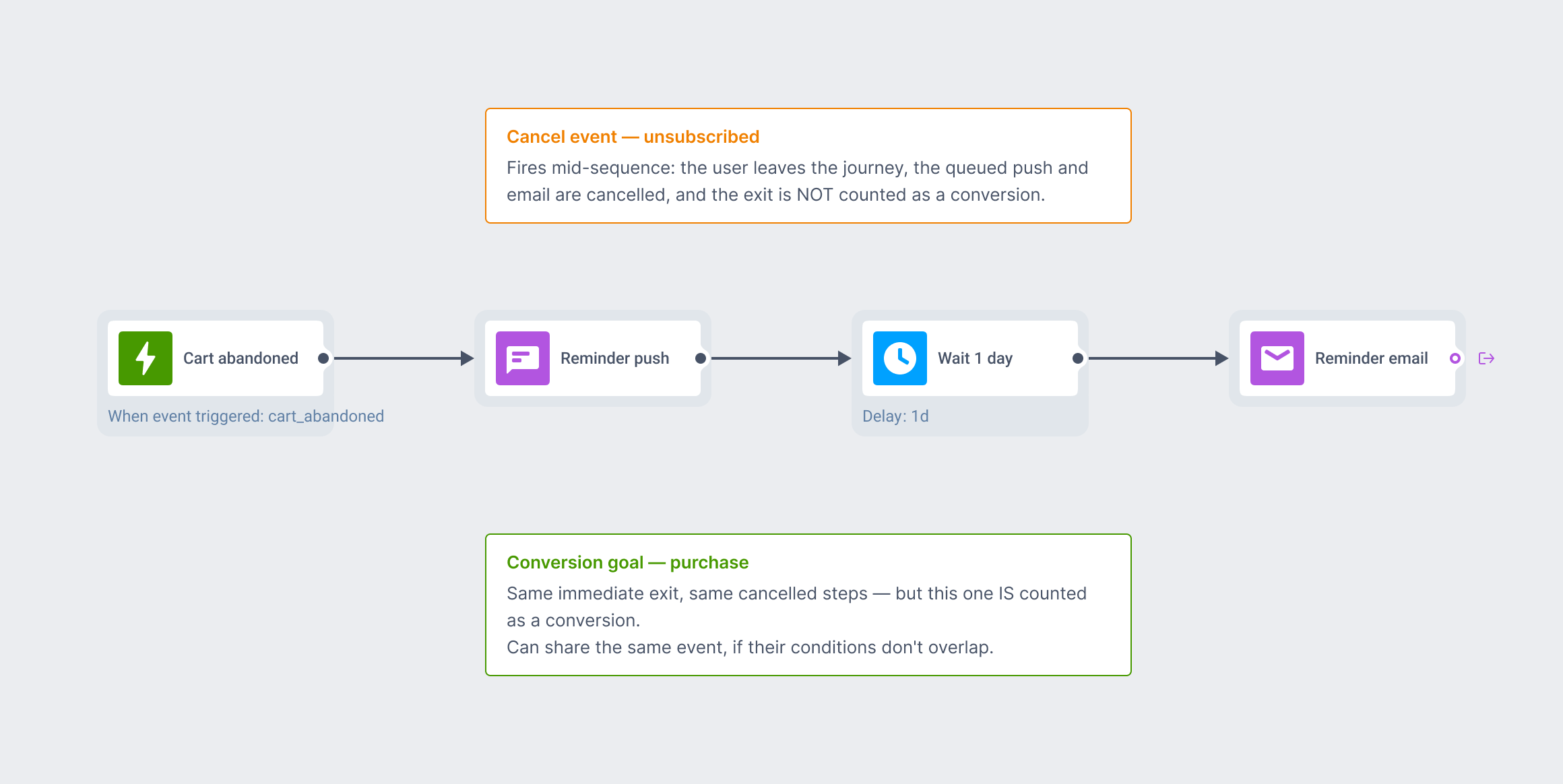
Cancel events let you name one or more events, such as unsubscribe or push opt-out, that pull a user out of the journey immediately and cancel anything still queued for them. Each event can be narrowed with an attribute condition, the same grammar used for Wait for Trigger and Conversion goals.
Splitting an exit into cancelled and converted isn’t standard in the category. Most journey builders count every exit the same way, unsubscribe included.
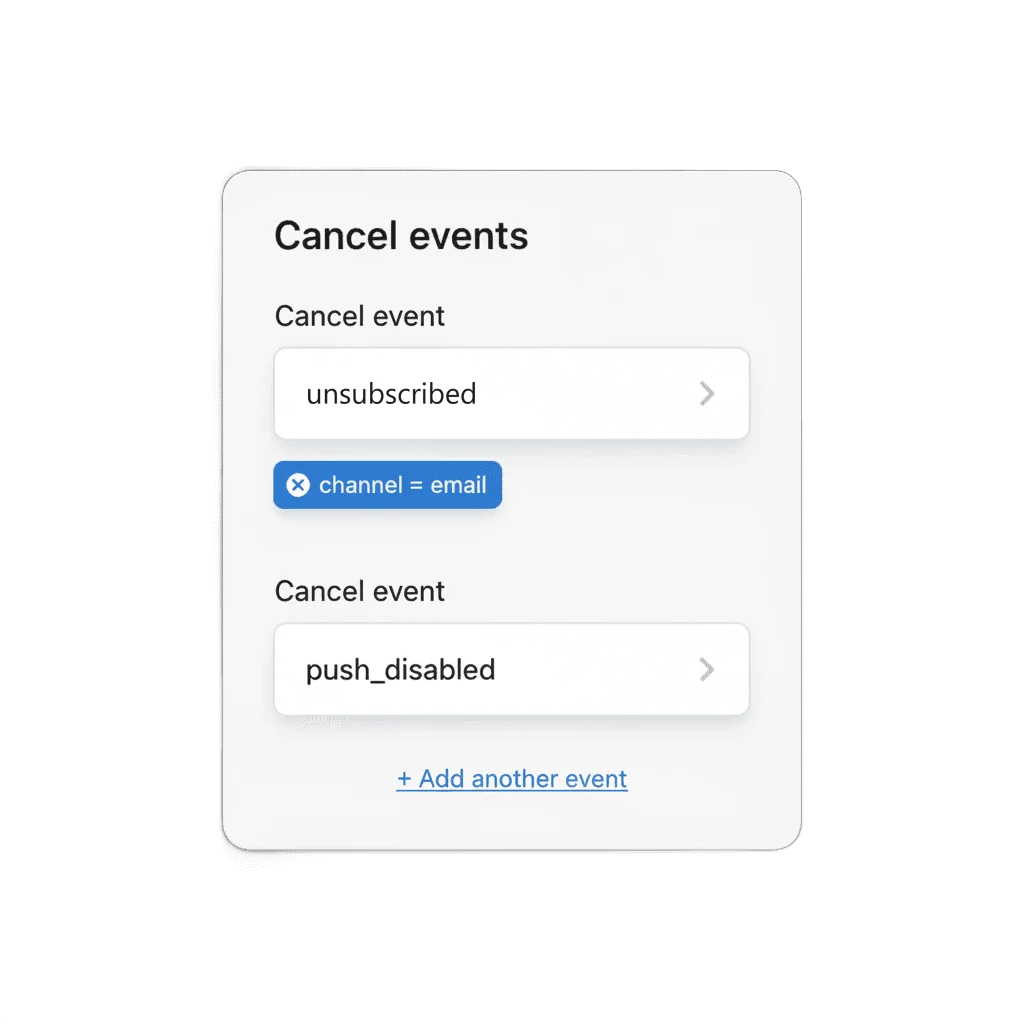
Set once, for the whole journey
Cancel events lives on the journey’s Settings panel, the same place as Conversion goals, not an element you drag onto the canvas. Assign as many events as you need: unsubscribed for email, push_disabled for mobile. The journey checks all of them for every user still inside it.
What keeps a journey’s numbers trustworthy
A journey left running can count its own failures as wins. An unsubscribe halfway through a sequence either keeps sending, or gets folded into the same conversion number as a genuine sale. Cancel events are what let Customer Journey Builder report a conversion rate worth acting on.
How it works
-
Open the journey's Settings panel
Set one or more cancel events, using the same event picker as Conversion goals.
-
Narrow with attribute conditions
Add a condition where the plain event isn't specific enough, the same grammar used for Conversion goals and Wait for Trigger.
-
Add more cancel events if you need to
A journey can carry several at once, unsubscribed for email and push_disabled for mobile, for instance, each checked independently.
This needs the underlying event, whether that’s unsubscribed, push_disabled or something else, already reaching Pushwoosh through the SDK or API before you can pick it here.
The setting that mirrors Conversion goals
Cancel events mirrors Conversion goals: both watch for an event and remove the user immediately, cancelling anything still queued. The only difference is whether the exit counts toward conversion. Route an opt-out through Conversion goals by mistake, and it silently inflates the success rate instead of just stopping the noise.
- Customer Journey Builder: build the flows this protects
- Conversion goals: the exit that counts toward conversion
- Silence period: keeps sends out of the wrong hours, not just the wrong count
What to keep in mind
Keep your conversion rate honest
Set it once on the journey’s Settings panel, and every opt-out from here on stops the noise instead of padding the number.
Explore related products
Map out and streamline your campaigns with one visual tool. Communicate, engage, retain, convert, segment, and experiment using Pushwoosh Customer Journey Builder.
Set the event that means a journey worked, count late conversions for up to 30 days after exit, and optionally end the sequence the moment a user converts.
Block a journey from sending on any channel during a daily quiet window, timed to each subscriber's own device timezone. Set per-channel windows, day-of-week overrides, and what happens to a blocked message.
Drive engagement with event-based triggers. Automatically launch campaigns when customers take actions, capturing perfect moments for conversion and retention.
Drive retention with churn prevention campaigns. Detect disengagement, send strategic offers, and save subscriptions with proactive interventions.
Split journey traffic across up to 4 branches, score each one against your conversion goals, and route new users to the winning branch automatically once the result is significant.