Silence period
Silence period blocks a journey from sending on any channel during a daily quiet window, set in each subscriber's own device timezone. Turn it on per channel, override any day of the week, and choose what happens to a message that would have fired inside it.
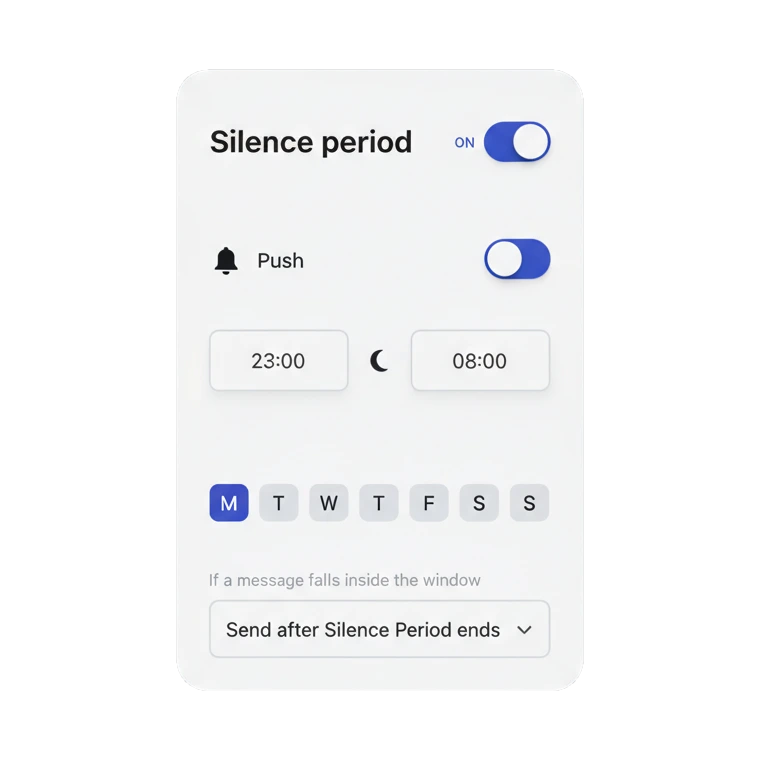
Nobody wants a push at 3am
Nobody wants a push notification at 3am, and the business that sends one is spending something it won’t get back easily: the subscriber’s willingness to keep notifications on at all.
A journey running on its own doesn’t know what time it is anywhere. It fires the reminder, the reorder nudge, the trial-ending alert the moment the trigger condition is met, wherever in the world that person happens to be. Silence period is the setting that makes an automated journey behave like someone who checked the clock first.
Quiet hours, set once per channel
Silence period lives on the journey’s Settings panel, the same place as Conversion goals, not an element you drag onto the canvas. Turn it on separately for push, email, SMS, WhatsApp, in-app and LINE, each with its own daily window such as 23:00 to 08:00. The window resolves against the subscriber’s own device timezone, not a single company clock, and any day of the week can be swapped for a full pause instead of a window.
| Setting | What you configure | Default |
|---|---|---|
| Channels | push, email, SMS, WhatsApp, in-app, LINE, each on its own | Off |
| Daily window | Start and end time, resolved in the subscriber's device timezone | 22:00 to 08:00 |
| Day-of-week override | Standard window, or a full-day pause, per day | Standard window every day |
| Blocked-message behavior | Send after the window ends, skip and continue, or skip and hold the step | Send after Silence Period ends |
None of the competitors we reviewed combines per-channel granularity, day-of-week overrides and a three-way choice for the blocked message the way this does, including the option to hold the entire journey step, not only the message, until the window closes.
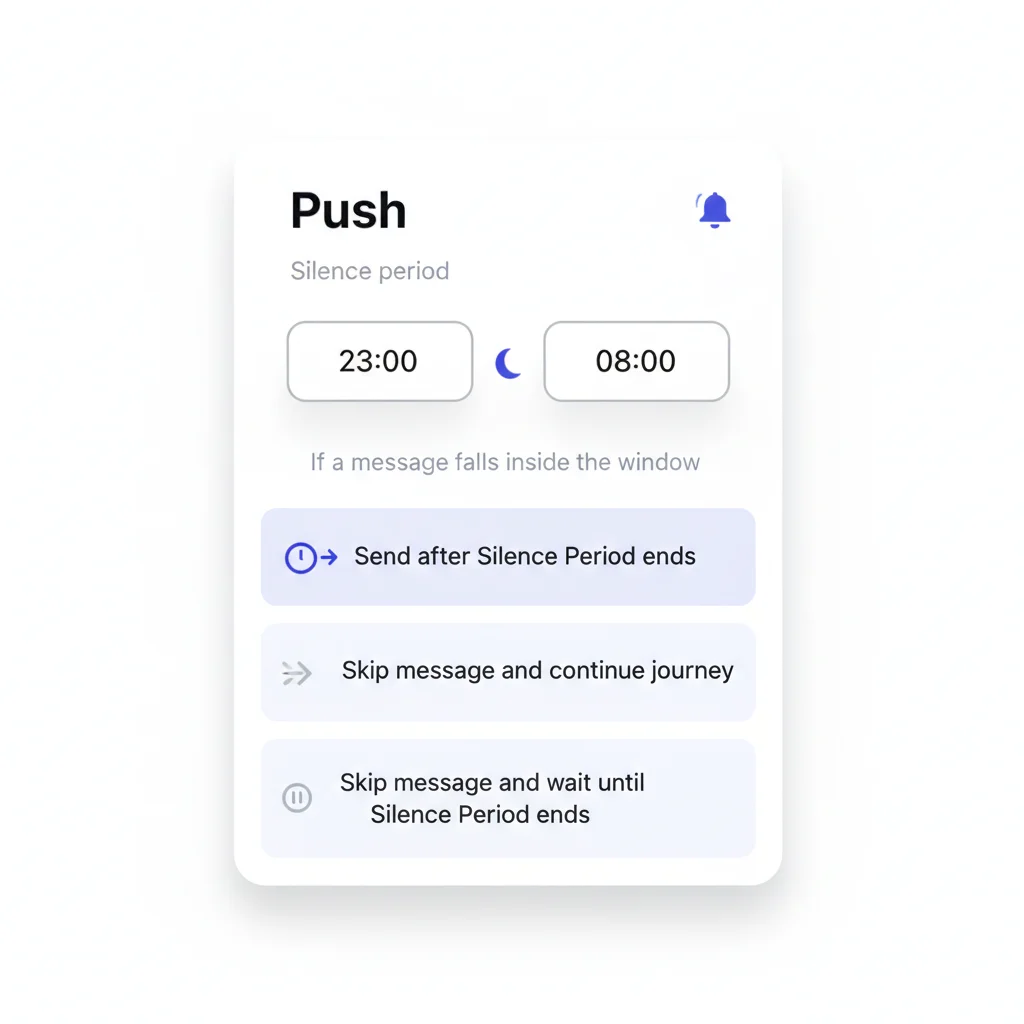
Three ways to handle a blocked message
“Send after Silence Period ends” holds the message and releases it the moment the window closes. “Skip message and continue journey” drops it for good and moves the user on to the next step regardless. The third option, “Skip message and wait until Silence Period ends”, holds the whole step, not just the message, so nothing downstream fires out of order either.
What keeps a global journey safe to leave running
Customer Journey Builder sequences fire the moment a user’s data says they should, day or night, and a base spread across timezones means somebody is asleep every hour of the day. Without a way to hold sends back by time, an otherwise well-built journey becomes the reason a subscriber turns push off for good, the one channel that interrupts directly rather than waiting in an inbox. Silence period is what lets a journey run unattended across every timezone in your base without gambling the permission it took to reach them.
How it works
Setting it up is entirely no-code, from the same Settings panel as Conversion goals. It needs a device timezone Pushwoosh already has on file for that subscriber to resolve the window correctly.
-
Open the journey's Settings panel
Turn on Silence period for each channel that needs it: push, email, SMS, WhatsApp, in-app or LINE.
-
Set the daily window
Pick a start and end time per channel, then override any day of the week with a full-day pause if you need one.
-
Choose what happens to a blocked message
Send it after the window ends, skip it and move the user on, or skip it and hold the whole step until the window closes.
Built to sit next to the rest of the journey
Silence period doesn’t replace the timing you already control on the canvas. A Time Delay still holds a user for the span or date you set, and Silence period simply refuses to let anything land during the wrong hours regardless of what triggered it. Conversion goals tells you whether the sequence it’s protecting actually converted; Silence period is what kept that sequence from working against itself in the meantime.
Not to be confused with Time Delay: that pauses a user for a reason unrelated to the clock, a fixed span or a stored date. Silence period only cares what hour it is where that person lives.
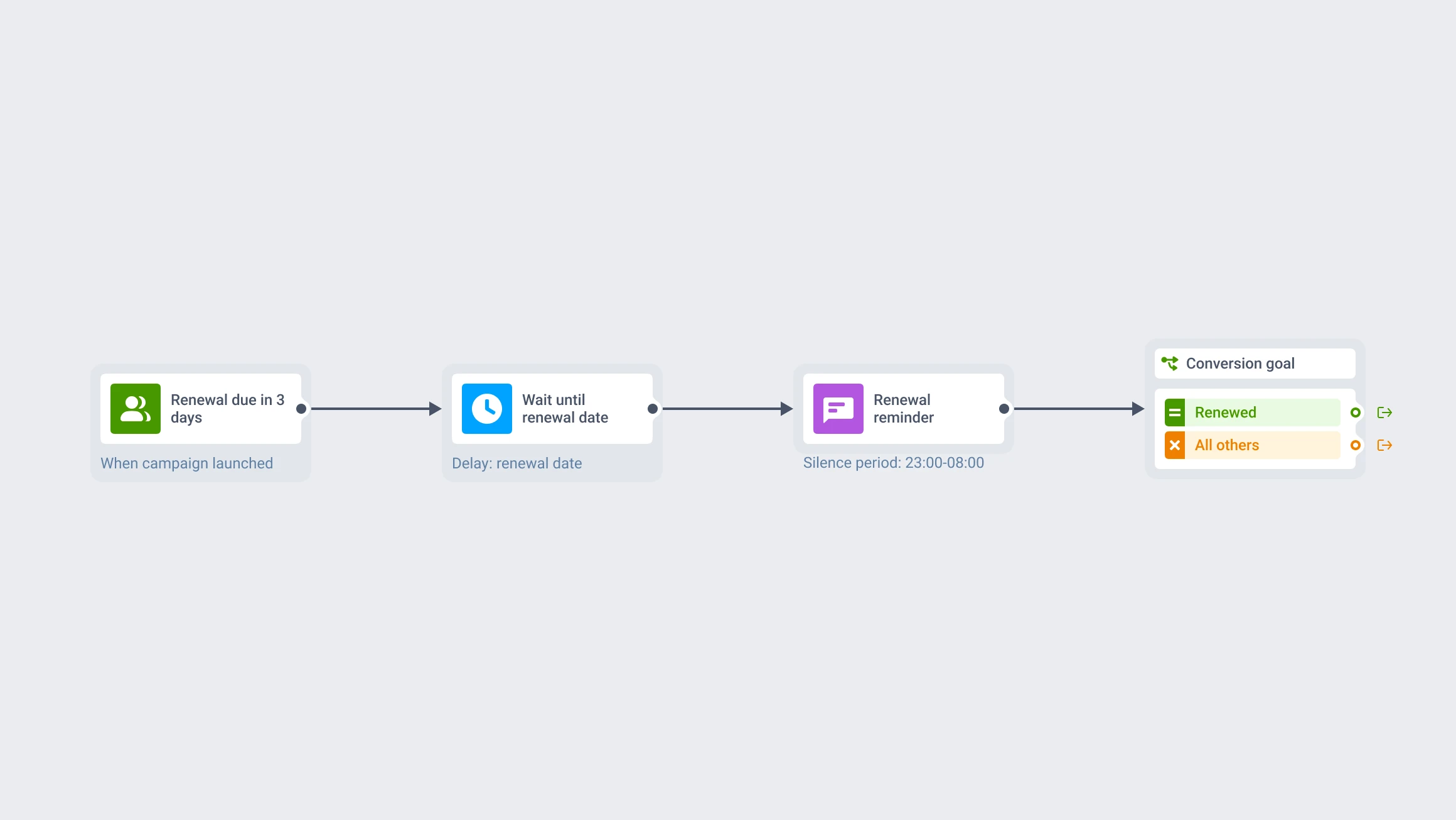
- Customer Journey Builder: build the flows this protects
- Conversion goals: measure whether the protected sequence converts
- Time Delay: hold a user for a reason other than the time of day
What to keep in mind
Stop guessing what time it is for your subscribers
Turn it on once, from the same Settings panel as everything else you already configure, and the rest of the journey keeps running exactly as built.
Explore related products
Name the events — unsubscribe, push opt-out — that remove someone from a customer journey immediately and cancel their pending messages, without counting the exit as a conversion.
Map out and streamline your campaigns with one visual tool. Communicate, engage, retain, convert, segment, and experiment using Pushwoosh Customer Journey Builder.
Set the event that means a journey worked, count late conversions for up to 30 days after exit, and optionally end the sequence the moment a user converts.
Pause a journey by a fixed span, a clock time, a one-time date, a weekly slot, or an offset counted from a date already stored on the user profile.
Hold a user for up to 90 days across 3 branches of up to 4 events each, with AND/OR logic, a guaranteed "Not triggered" path, and session-scoped matching for order- and ride-level journeys.
Drive engagement with event-based triggers. Automatically launch campaigns when customers take actions, capturing perfect moments for conversion and retention.