2020 has taught patience to many of us. Frozen budgets, postponed projects, and the earlier set KPIs that will be achieved who knows when.
Yet, many business professionals haven’t given up. It’s you, our clients, our marketing heroes who kept innovating, releasing new products, and communicating with the audience in the most genuine, unobtrusive, and effective way.
We hope that 2021 will be the time when you will be finally awarded for your patience. We wish that the new year will bring you the customer engagement and retention metrics you’re aiming for. And we will be there to help. Here are the top of the Pushwoosh updates that saw the light in the stormy 2020 and will be useful to you in 2021.
1. New Control Panel: navigate smoothly and launch new campaigns faster
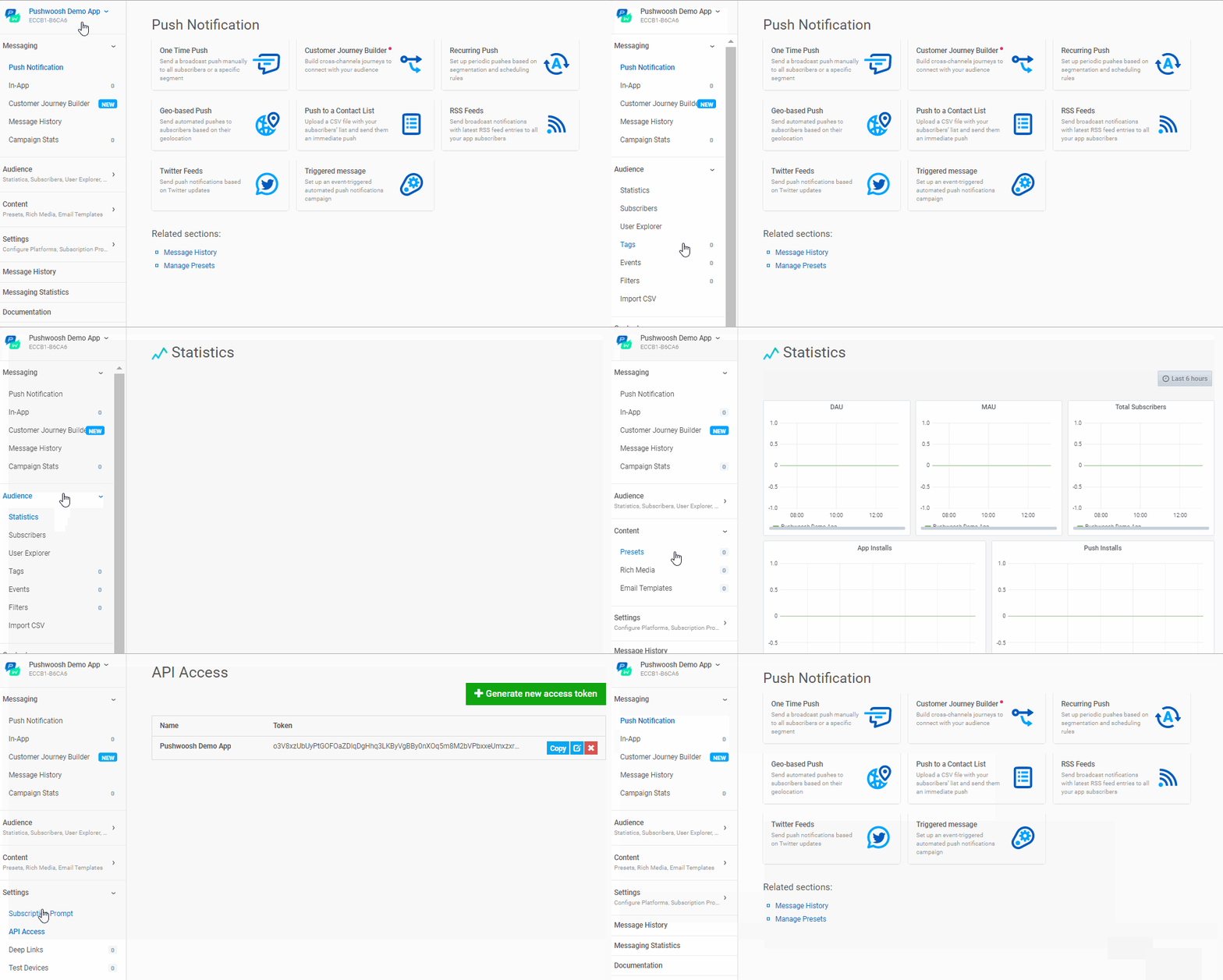
We’ve made the Pushwoosh interface simpler and easier to navigate. 39 features are now structured into four logical sections in the new Control Panel: Messaging, Audience, Content, and Settings. You can click on the needed functionality group and get straight to your task, be it to plan, create, run, or analyze your campaigns. In this way, communicating new messages to your audience only takes several clicks.
Timely delivery of relevant brand messages is now crucial for 87% of consumers. So, if you’re looking to push a high-priority message on flights reopening, an update on breaking news, or a last-minute special offer, go and check how quick it is with the new navigation.
2. Customer Journey Templates: set automated yet personalized messages in minutes
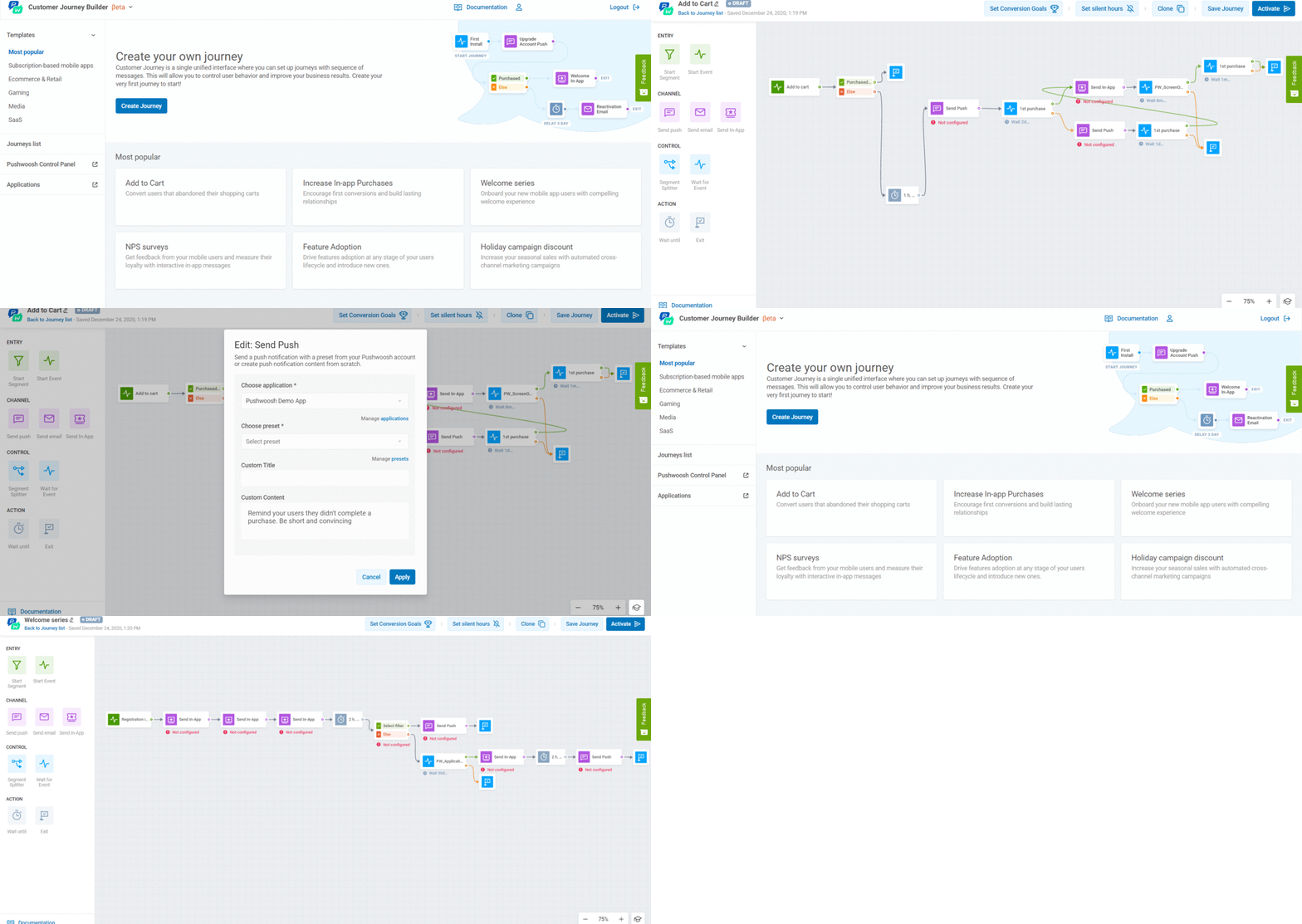
We’ve added templates for push notifications, in-app messages, and emails to our Customer Journey Builder. Now you can build automated yet personalized funnels much faster. There are six event-and-segment based workflows available, containing sample messages for each stage: Onboarding → Activation → Conversion → Upsale → Retention. With these templates, you can easily keep the entire customer journey under control and reinvest your efforts into customizing your communication. This is what consumers demand: 72% only engage with personalized content, and 42% even say they are annoyed with generic messages. So, use the templates to guide you and make sure to add a personal touch to your creatives.
3. Integration with Adjust: enhance your understanding of user behavior and refine targeting
There is one thing worse than the lack of personalization — it’s poor personalization. If you collect data from a single source, it can be outdated or insufficient. A message based on incorrect personal details may repel the audience — 63% of customers state so. You need to be highly informed to win in the personalization game.
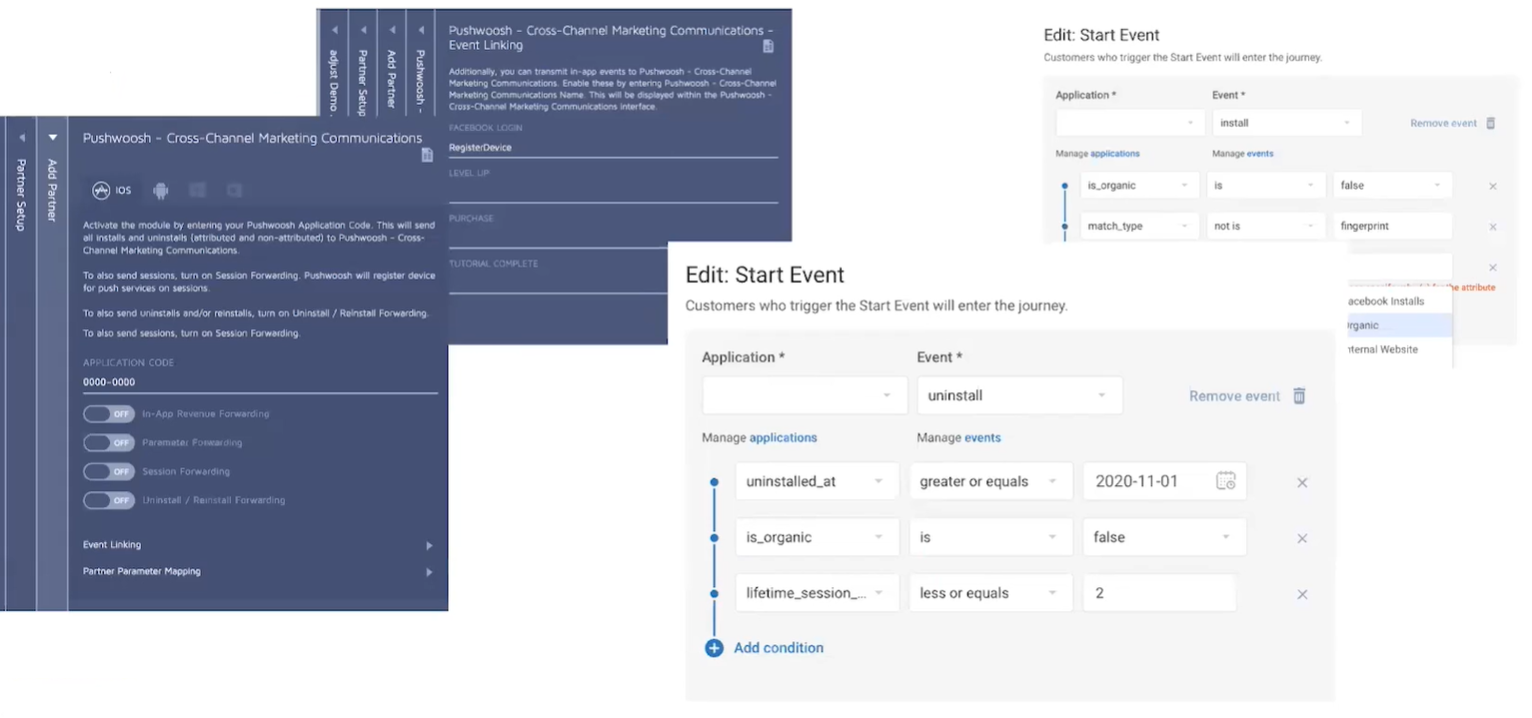
That is why we’ve joined forces with Adjust — a mobile measurement tool that helps to see the complete picture of user behavior, analyze your marketing efficiency and make more intelligent decisions. When integrated with Pushwoosh, Adjust submits events to Pushwoosh and enriches your analytics with exhaustive attribution data in real time. Based on it, you can create effective triggered flows to personalize your marketing messages, whether it’s the app install source, in-app purchase, booking conformation or app’s uninstall.
With better-targeted communication, you can increase user engagement, decrease churn, and build up loyalty.
4. Integration with Integromat: join the intelligence of several platforms you use
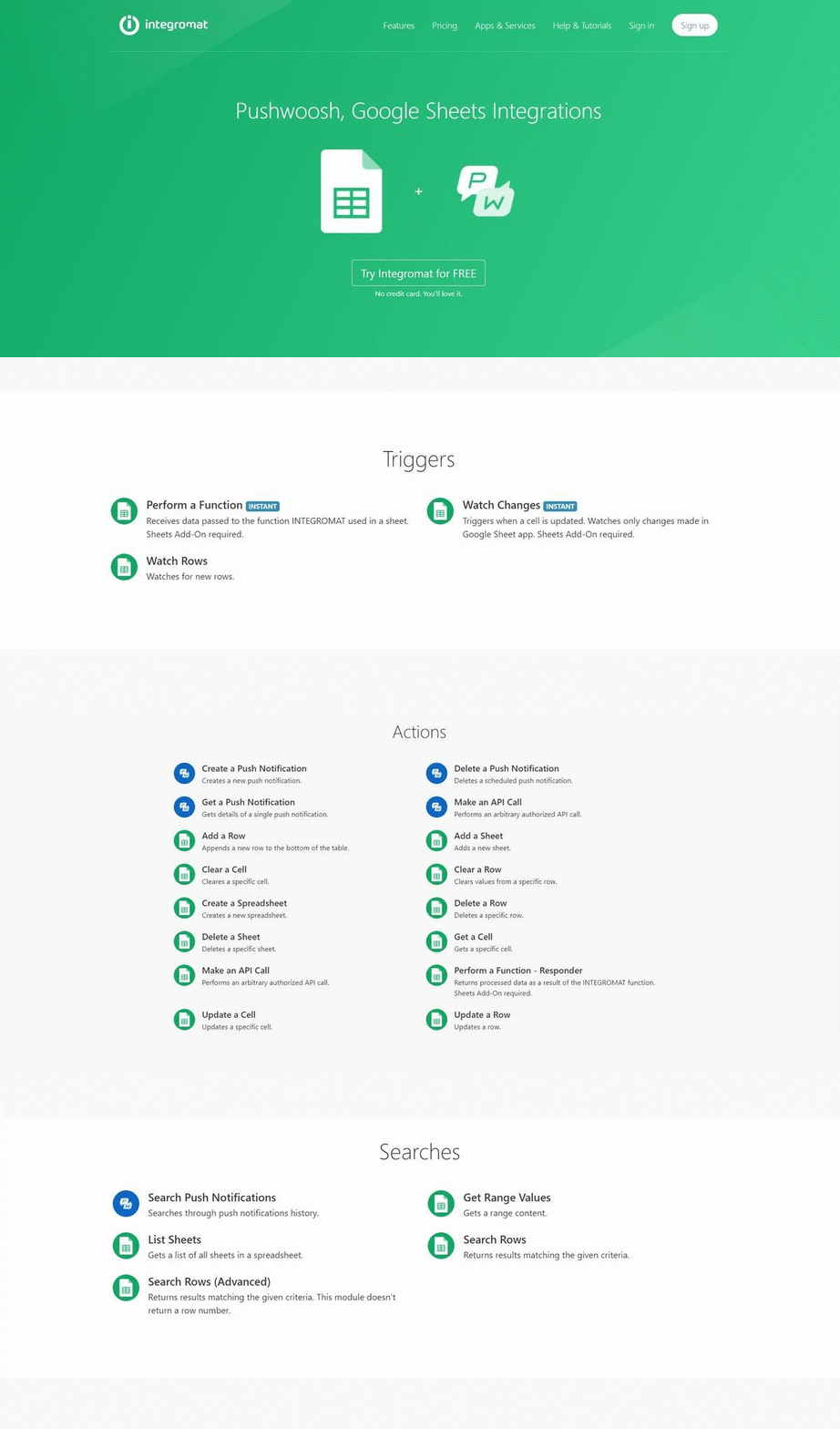
Pushwoosh has been added to Integromat — an integration platform that allows you to connect, basically, any app available in the list to another and automate your workflows. For Pushwoosh users this means that, for example, they can send their statistics on events to Google Sheets and evaluate their mobile communication performance alongside with other metrics they have. Pushwoosh users can also create segments based on tags and data from their chosen CRM platform.
Such custom-made integrations with various platforms imply sharing data between the services you use. As a result, you may derive some unique customer behavior insights and use them for more focused targeting and more relevant messaging.
This year, 42% of senior marketers started to doubt their professional future because of the lack of the right technology. We hope that you, as Pushwoosh users, will feel more reassured with all the integration options provided by Integromat.
5. Silent Hours: engage users only when they are active
The right message sent in the wrong time can cost you a number of irritated users. They may get unsubscribed or worse — uninstall your app whatsoever. To prevent these losses, you can now set Silent Hours in your Pushwoosh Customer Journey. Pause your notifications for the hours when your audience is sleeping or working — studies have shown that users prefer to receive messages either before or after work, or better yet, on the weekends.
By setting Silent Hours, you express care to your audience and increase your chances to get more clicks when users are ready to communicate.

6. Start by Segment: boost engagement and retain customers
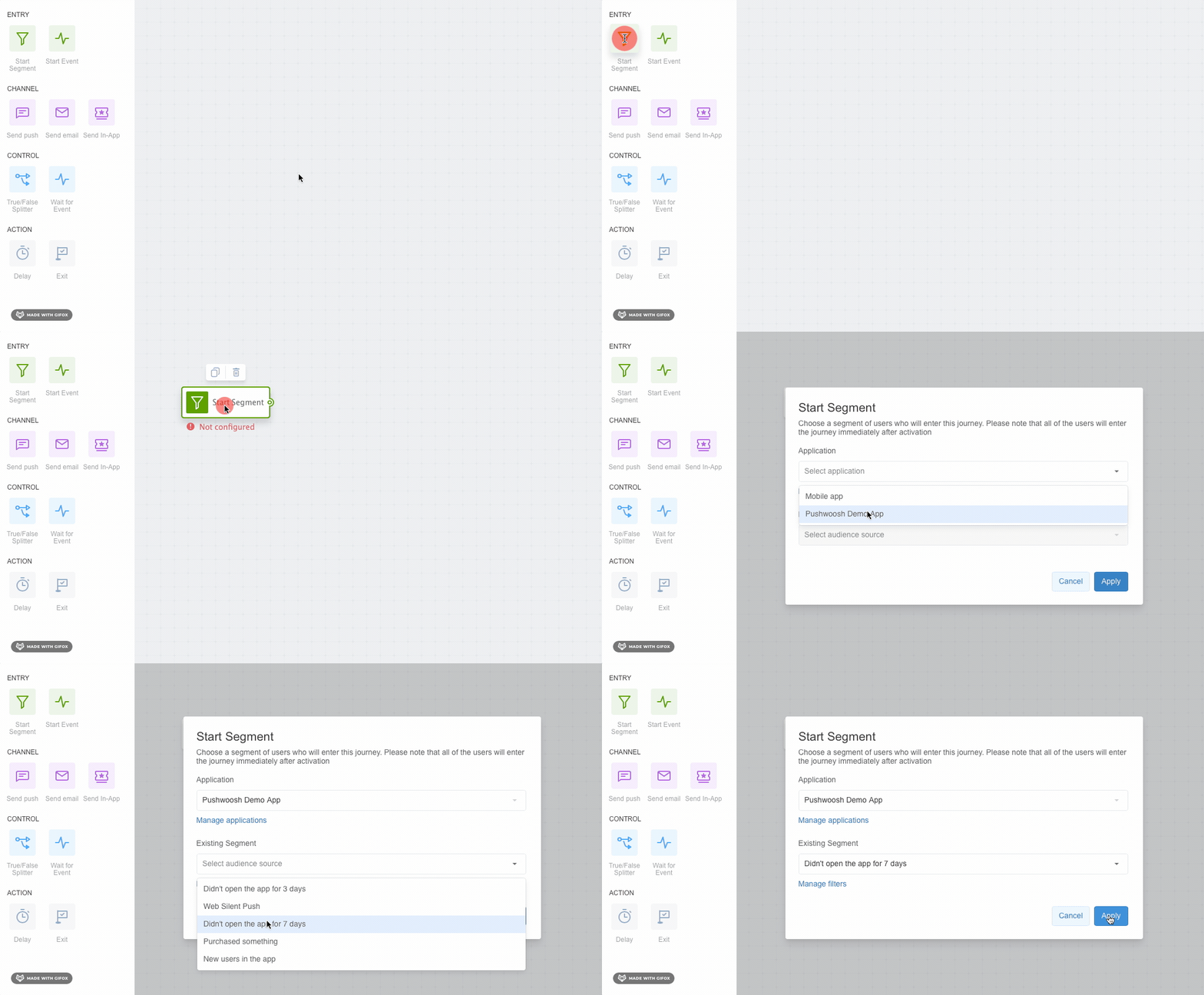
By Day 7 after the app install, retention drops by up to 17.2%. Until this happens, you may want to engage your new users and retain them while they are the most prone to it. Now you can do it easily with the Audience-based Entry feature in Customer Journey. If you have the abovementioned case, you may target those users who haven’t been active for the last three or seven days and thus prevent them from churning. You can target your funnels by demographic, technical or behavioral parameters and deliver messages that resonate the most. This is a great opportunity to boost user engagement in specific segments and reactivate those who haven’t completed a target action in your app.
7. Wait for Event: devise communication scenarios based on user behavior
When a user triggers an event, you follow up with some communication. And if they don’t? Now you can envisage two possible scenarios within a set period with the Wait for Event feature. If a user completes a target action — say, purchases a product — they will receive the message you set for this case. If they don’t trigger an event straightaway, they will have up to 90 days to complete the action. It’s up to you to decide how long you are going to wait within this period: two days, a week, or an entire month. Until then, a user won’t receive any further messages, and they won’t exit the journey either, like it occurred previously.
With Wait for Event, users don’t receive any excessive messaging before they take an action, while marketers keep their prospective customers on the radar.
8. Update your Segments via .csv in seconds: start communicating with your recent users
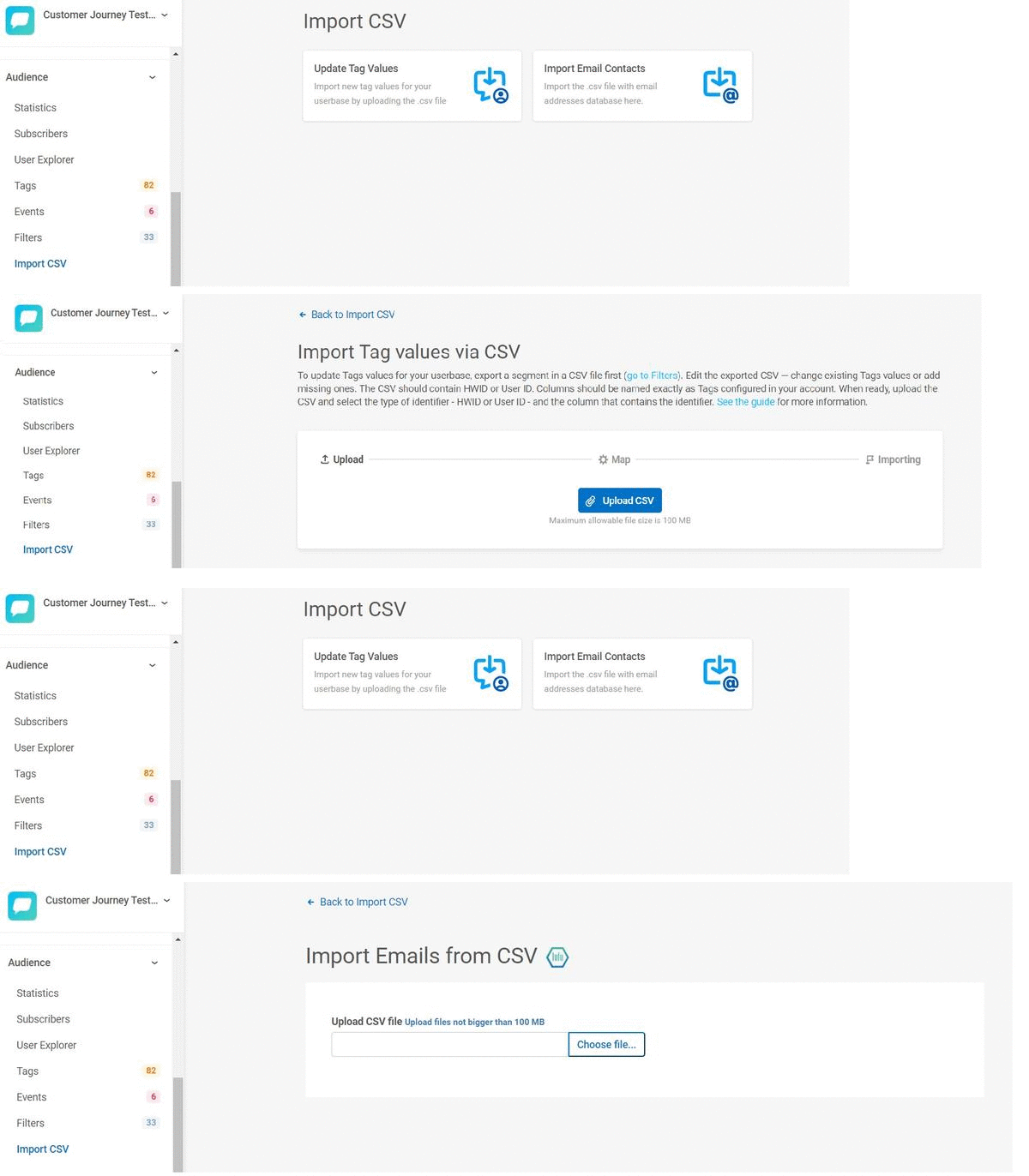
As your app gains more users and they add up in new segments, you need to update your audience lists. Pushwoosh has made it much easier for you to upload the most recent data about your users to Pushwoosh. Now you just import Tags and emails from a .csv file to Pushwoosh and target your segments with the right communication.
To pass the information successfully, check your .csv file so that:
- your first column contains HWIDs of your subscribers’ devices;
- other columns are named exactly as the Tags in your account.
Otherwise, the data in columns will be skipped while importing, and new Tags won’t be created in this case.
9. Triggered in-app sequences: deepen ties with your active users
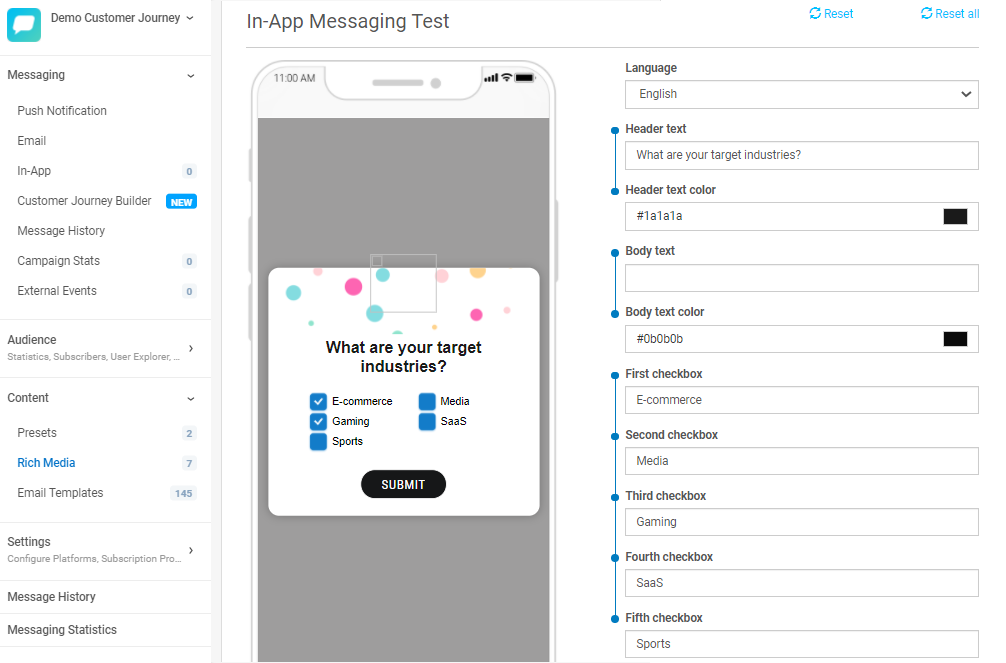
Creating triggered flows with in-app messages is now available in Customer Journey Builder. The good news is, you don’t need any coding or engineering skills to create them. Just get to the Content tab, create your Rich Media, and choose the right template from Customer Journey Builder. This way, you can easily set onboarding, nurturing or retention flows for your new and current users.
In-app messaging is an effective way to stimulate user engagement and, ultimately, boost retention. For example, solid onboarding is known to increase retention by up to 50%. Try and see how it will work in your case.
10. SDK 6.0: streamline your backend processes
Thanks to our clients’ feedback, we have introduced SDK 6.0 — a more stable and reliable version with simpler integration:
- There is a common class structure for iOS and Android.
- On Android, we’ve moved from Google Support Libraries to Android X. Previously, users would face many incompatibility issues when joining Pushwoosh with some different frameworks. Now the workflow should be a lot smoother.
- We’ve placed the Firebase library in a separate unit. This way, Android developers won’t have to add any excessive functions when they only need to use Amazon, Baidu or Huawei SDK in their projects.
- SDK 6.0 is backwards compatible with SDK 5.0. You don’t have to change anything inside it.
Note that the iOS version can be migrated to SDK 6.0 right out of the box. For Android, we have a short guide on migration. The most popular plugins such as React Native, Cordova, Titanium, Adobe Air, and Unity have already been migrated to the new SDK.
Great communication rests on three pillars: it has to be timely, personal, and actionable. We’ve released the Pushwoosh updates with these principles in mind, and we’ll keep on working to bring you the best marketing experience in 2021.