Over 70% of website visitors leave without converting. Most never come back. Email helps, but inbox competition is real, and open rates below 25% mean a lot of well-timed messages go unseen.
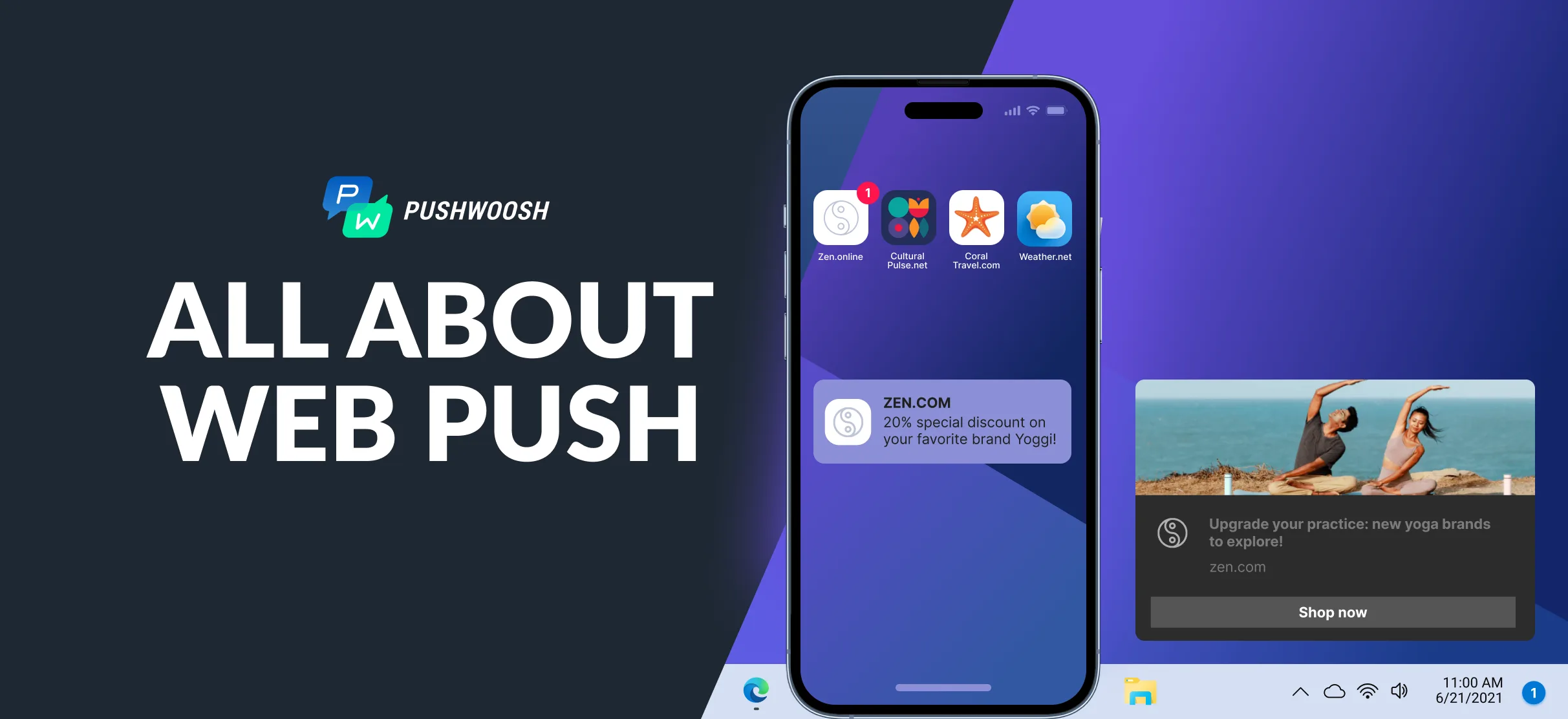
Web push notifications land directly on a user’s screen, whether they’re on your site or not. No app required. One browser opt-in, and you have a direct channel.
This guide covers how web push works, what makes a notification actually get clicked, and how to use segmentation and automation to recover carts, re-engage subscribers, and grow CLV.
What are web push notifications?
Web push notifications are short, clickable messages delivered through a browser, Chrome, Firefox, Edge, or Safari, straight to a user’s desktop or mobile screen. The user doesn’t need your app. They just need to have visited your site and said yes to notifications.

What separates web push from other channels:
- Browser-based delivery. Works on desktop and mobile, regardless of whether the user has your app installed.
- Explicit opt-in. Users grant permission deliberately. That tends to keep engagement rates higher than channels that don’t require it.
- Persistent visibility. Notifications stay on screen until dismissed. A feed post is gone in seconds. A push notification waits.
- Rich media support. Icons, images, and action buttons are all on the table.
- Real-time delivery. Messages arrive the moment you send them, or the moment a trigger fires.
For retention teams, the key use case is this: web push reaches users who left your site but haven’t installed your app. That’s a large segment that email alone won’t reliably get back.
How web push drives engagement, retention, and revenue
Web push works at different points in the customer lifecycle, and the use cases are genuinely different at each stage.
Getting users back to your site
A well-timed notification about a price drop, a new article, or a restocked item can bring someone back who would have otherwise just moved on. For media companies, topic-segmented breaking news alerts consistently pull more traffic than homepage links shared on social. For e-commerce, a restock notification for a wishlisted item often outconverts a promotional email to the same user.
Keeping users from drifting
Web push also works for loyalty moments: early access notifications, status updates, milestone messages. Small signals that tell the user your product is paying attention.
Driving conversions directly
Abandoned cart recovery is the most straightforward example. User adds items, leaves, gets a push 30 minutes later with a direct link back to their cart. Recovery rates from this kind of sequence consistently beat email at the same time interval.
The same logic applies to flash sales, upsell triggers based on purchase history, and trial expiration sequences: timely, specific, tied to an action the user already took.
How web push works: the technical overview
Every delivery involves your website, the user’s browser, and a push service. Your site initiates the opt-in. The browser stores the subscription endpoint. Pushwoosh accepts the message and routes it to the right browser’s push service.
The piece most people don’t think about is the service worker, a JavaScript file that runs in the browser’s background. It handles message receipt and notification display even after the user has closed your tab. No service worker, no web push.
Key technical components
- Service worker. Background script that receives messages and renders notifications.
- Push API. Manages subscriptions and generates a unique delivery endpoint per user.
- Notifications API. Handles the visual rendering on the user’s screen.
- VAPID keys. Public/private key pair that authenticates your server with the push service. Prevents unauthorized sends.
- HTTPS. Required. Non-negotiable.
Setup with Pushwoosh
Pushwoosh handles the infrastructure. VAPID key generation is automatic. Service worker setup uses pre-built snippets. Opt-in prompts are configurable through the UI.
Teams that need deeper control can use the Pushwoosh SDK for custom backend integration. Most marketing and growth teams don’t need to go there.
What makes a web push notification get clicked
Every element of a notification affects performance. These are the ones worth optimizing:
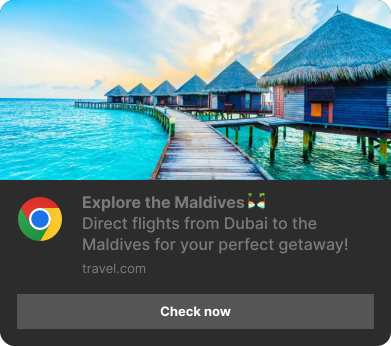
- Title (under 30 characters). First thing users read. Strong verbs and a clear value signal work better than clever copy.
- Message body (40-120 characters). Expand on the title with the specific benefit. Using the user’s name or referencing their last action lifts CTR.
- Icon. Brand logo at 192x192px as the default. For product or transactional messages, a dynamic icon (the product image, for example) can increase relevance.
- Rich media image. Larger images increase visual impact. Product photos, event banners, promo graphics. Images with no connection to the message content don’t help.
- Action buttons. Up to two buttons give users a direct path. For cart recovery: ‘Complete purchase’ and ‘View alternatives’. For content: ‘Read now’ and ‘Save for later’.
- Landing URL. Deep-link to the most relevant page. A cart recovery notification that drops users on the homepage loses most of its conversion potential.
The Pushwoosh composer handles all of this in one place, including dynamic content fields that pull from user tags automatically.
Web push vs. other channels: when to use which
Web push has a specific job. Knowing where it fits relative to email, app push, and SMS helps you avoid channel overlap and build sequences that make sense to the user.
| Feature | Web push | Mobile app push | SMS | |
|---|---|---|---|---|
| User requirement | Browser opt-in, no app needed | App install required | Email address opt-in | Phone number opt-in |
| Reach | Desktop and mobile web users | Installed app users only | Users with email address | Users with mobile number |
| Content richness | Moderate: text, icon, image, buttons | High: rich media, deep linking | High: HTML, images, long copy | Low: text only |
| Engagement rate | Good, especially for re-engagement | Very high for active app users | Moderate, varies by list health | High for transactional messages |
| Best use cases | Cart recovery, promos, breaking news | Personalized alerts, loyalty, onboarding | Newsletters, detailed offers, support | OTPs, urgent alerts, short reminders |
| Setup | Relatively easy (Pushwoosh no-code) | Requires SDK integration | Email platform + list management | SMS gateway + compliance setup |
A practical decision framework
Use web push when the user hasn’t installed your app, is likely on desktop, or needs a time-sensitive message where email friction is too high. It’s also the right call for mid-session re-engagement.
Use mobile app push for active app users who benefit from in-app context or location-aware triggers. Use email when the message is detailed or the relationship calls for a longer format. SMS for critical transactional sends where open rate is non-negotiable.
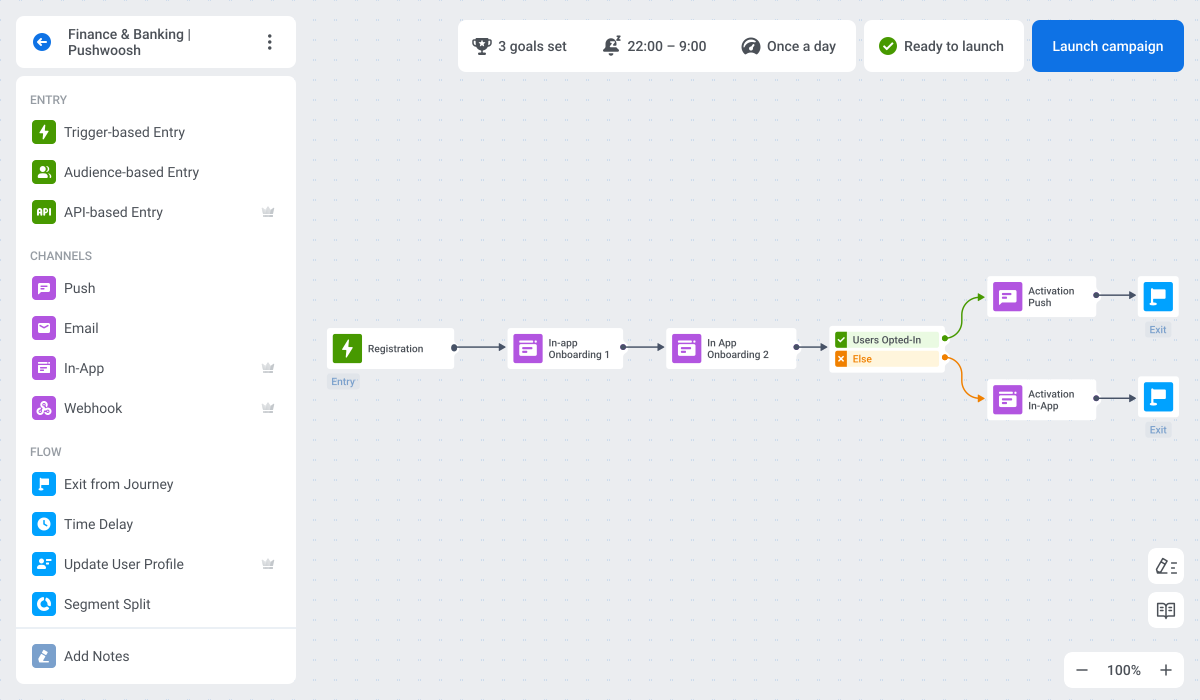
Pushwoosh’s Customer Journey Builder connects all four channels in a single workflow, routing users to the right channel based on behavior and availability.
Building a subscriber base worth having
Opt-in rate sets the ceiling for everything downstream. A subscriber base built on aggressive page-load pop-ups tends to have low engagement and high unsubscribe rates. One built on intent-based prompts performs better and stays healthier over time.
The problem with the default browser prompt
The native browser dialog, ‘example.com wants to show notifications’, shows up with zero context. Users who haven’t formed a clear opinion about your site dismiss it by reflex.
The soft ask
A soft ask is a custom in-page prompt that appears before the browser dialog. It explains what the user will receive and why it’s worth opting in. If they dismiss it, the browser prompt never fires, so you haven’t burned your one-shot opportunity.
Specificity is what makes a soft ask work. ‘Get notified when your saved items go on sale’ converts better than ‘Stay updated with our notifications’. The closer the value proposition is to what the user just did on your site, the better.
Timing matters more than copy
- After a positive action. Post-purchase, post-signup, or after finishing an article. The user has already signaled they like what you offer.
- After demonstrating interest. Significant time spent in a product category or multiple articles read on a topic are strong signals.
- Not on page load. Prompting on arrival tells the user you know nothing about them yet. Give them a reason to care first.
Pushwoosh lets you control timing, customize the soft ask message, and segment prompts by behavior. You can test what works for different audience types without rebuilding the setup each time.
Advanced segmentation and personalization
Generic broadcasts are fine for announcements. For re-engagement and conversion, you need to know who you’re talking to and why this message makes sense for them specifically.
Behavioral targeting with tags and events
Pushwoosh’s Tags and Events system builds segments based on what users do, not just who they are.
Tags are persistent attributes: product_category: electronics, subscription_tier: free, last_activity_days: 14.
Events are actions: viewed_product, added_to_cart, completed_purchase, visited_page: pricing.
Combine them for precision. A user who viewed a product in the electronics category but didn’t add to cart in the past hour is a different re-engagement target than someone who added to cart and abandoned. Both get web push, but the message, timing, and offer should be different.
See our post on advanced segmentation for a full breakdown.
RFM segmentation
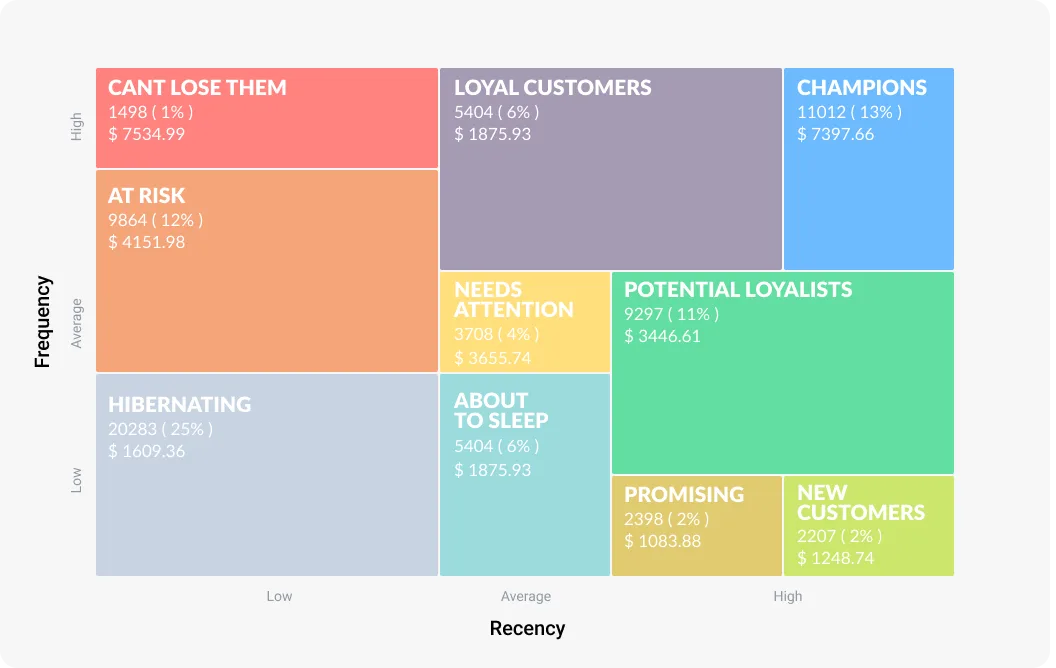
RFM groups users by Recency, Frequency, and Monetary value. It’s a reliable way to identify your most valuable users, your at-risk ones, and your newest subscribers, then send each group something relevant.
Pushwoosh has built-in RFM segmentation. You can automatically categorize web users and route different messages to loyal customers, users who are drifting, and new subscribers without manual work.
Dynamic content personalization
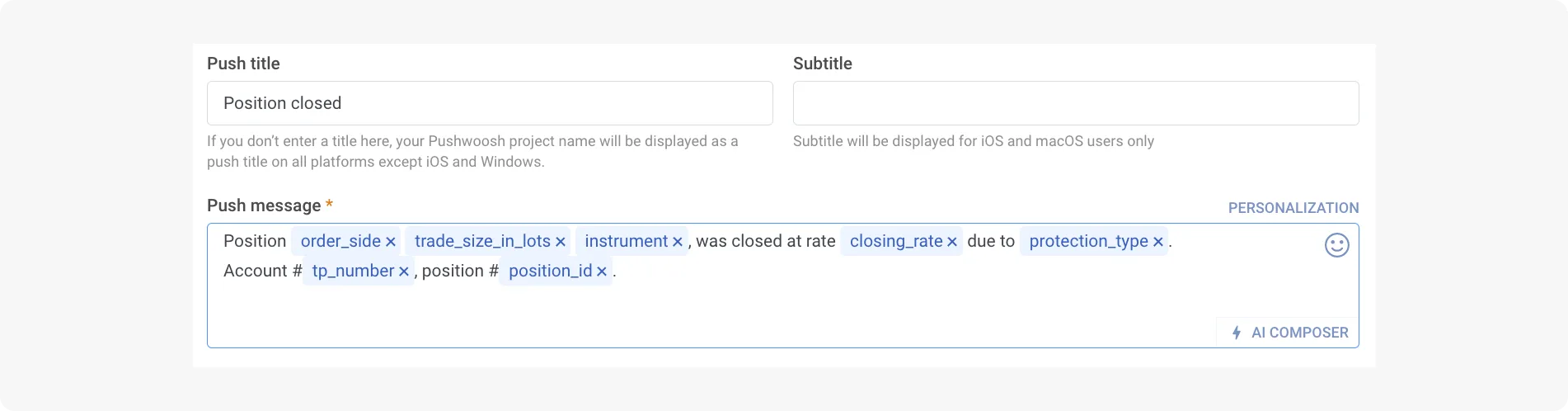
Pushwoosh supports dynamic content fields that pull user data directly into the notification: product recommendations from browsing history, first-name personalization, location-based offers, category-specific suggestions. One template, different output for each user.
The infrastructure is the same Tags and Events system used for segmentation, which means you’re not maintaining a separate personalization layer.
Optimizing web push campaigns
A/B testing
Test one variable at a time: headline length and tone, message body copy, rich media presence, action button text, send time, segment. Pushwoosh distributes variants automatically, selects the winner based on your chosen metric, and sends it to the remaining audience.
One rule that’s easy to ignore: check your sample size before drawing conclusions. Under-sampled tests produce confident-looking false signals.
AI optimization
Pushwoosh’s AI covers copy suggestions, predictive send time optimization, and behavioral pattern recognition for dynamic content. Predictive send time tends to have the highest lift for most teams. A well-written notification sent at 2 AM local time still underperforms a mediocre one sent at the right moment.
Metrics that matter
- Opt-in rate. How well your acquisition is working. Low rates point to a soft ask that isn’t communicating value.
- CTR. Primary signal of message effectiveness. Below 1% usually means a copy or targeting problem.
- Conversion rate. What percentage of clickers completed the intended action. This is where push performance connects to actual business outcomes.
- Subscriber retention rate. How many subscribers are still active at 30, 60, 90 days. High churn signals over-messaging or consistently low relevance.
Pushwoosh Analytics gives real-time visibility into all of these, segmented by campaign, audience, and channel.
Frequency and timing
There’s no magic number for how often to send. The failure mode is consistent: too many messages with low relevance drives unsubscribes fast. A useful test is asking, for each notification, whether it provides clear value to the specific user receiving it. If the honest answer is no, it shouldn’t go out.
On timing: respect time zones, avoid late-night sends unless the content is genuinely urgent, and use AI-assisted optimization when your audience is spread across multiple regions.
Browser and device compatibility
Web push support is broad. Here’s where things stand:
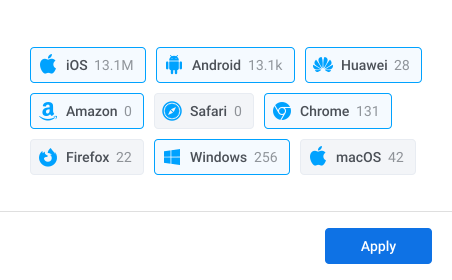
- Chrome (desktop and Android). Full support. The most common browser for web push delivery.
- Firefox (desktop and Android). Full support.
- Edge, Opera, Brave. Full support on desktop and Android. All Chromium-based.
- Safari on macOS. Supported, with a slightly different certificate-based configuration.
- iOS/iPadOS 16.4+. Web push now works for web apps added to the home screen. Apple mobile users couldn’t receive web push at all until recently. For teams with iOS web traffic, this opened a channel that simply didn’t exist before.
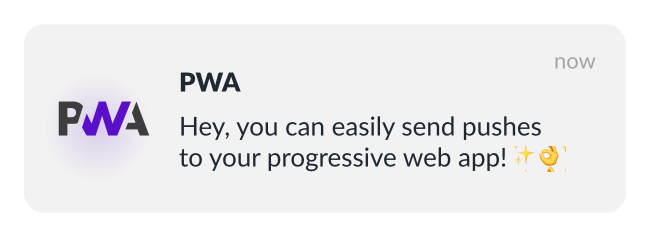
Pushwoosh handles cross-browser compatibility automatically, including the iOS changes.
Improve re-engagement and conversion with Pushwoosh
Better customer engagement is about reaching the right person at the moment they’re most likely to act.
Pushwoosh connects web push delivery, Customer Journey Builder, RFM and behavioral segmentation, AI send time optimization, and real-time analytics in one platform.