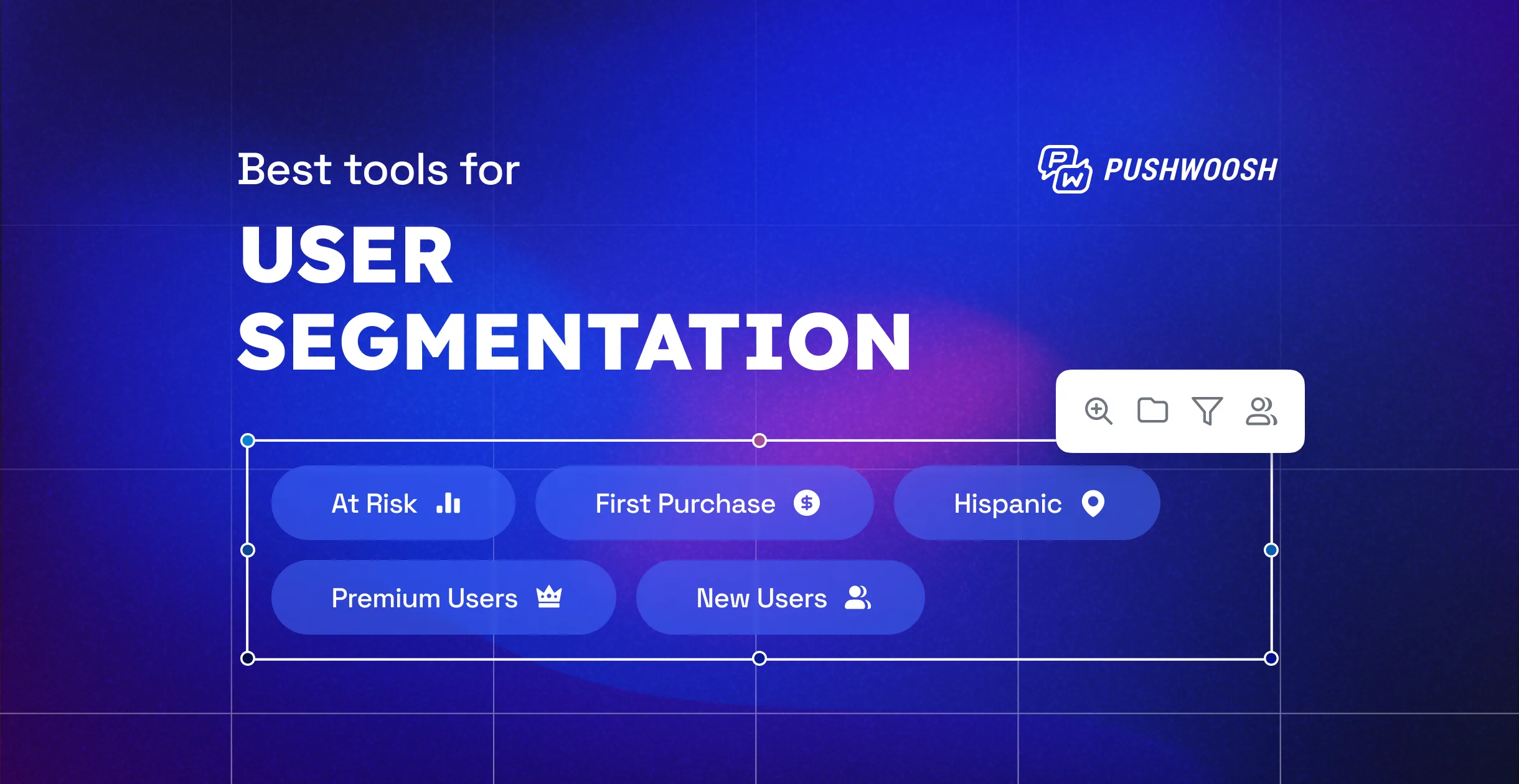
Segment your users based on their previous behavior and combine multiple segmentation rules right in the interface. Leverage Pushwoosh’s advanced segment builder for better-targeted communication scenarios and reap the benefits in the form of higher conversions.
What is advanced segmentation in Pushwoosh?
As a marketer, you know that finding the right audience segment is essential for a successful campaign. That’s why we’ve taken steps to make segmentation even easier with Pushwoosh. Previously, you were limited to building segments based on users’ attributes, but now you have more options. We’ve added a variety of filters and filter combinations that you can use to pinpoint your target audience. With these enhancements, you’ll be able to create even more effective campaigns that truly resonate with your audience.
Now you can build user segments based on:
- Historical data on user behavior;
- Users’ characteristics + previous behavior;
- Groups of filters.
Advanced segmentation, which is now available in Pushwoosh, includes more data points meaning you can gain deeper insight into your customers’ minds. As a result, you get every chance to:
- Create more relevant messages;
- Incorporate more up-to-date personalization techniques;
- Improve the key metrics of your campaigns: message CTRs, engagement, retention, and conversion rates.
Let’s dive deeper into how you can leverage Pushwoosh’s advanced segment builder to boost your marketing performance.
Behavior-based segmentation: use events as filters
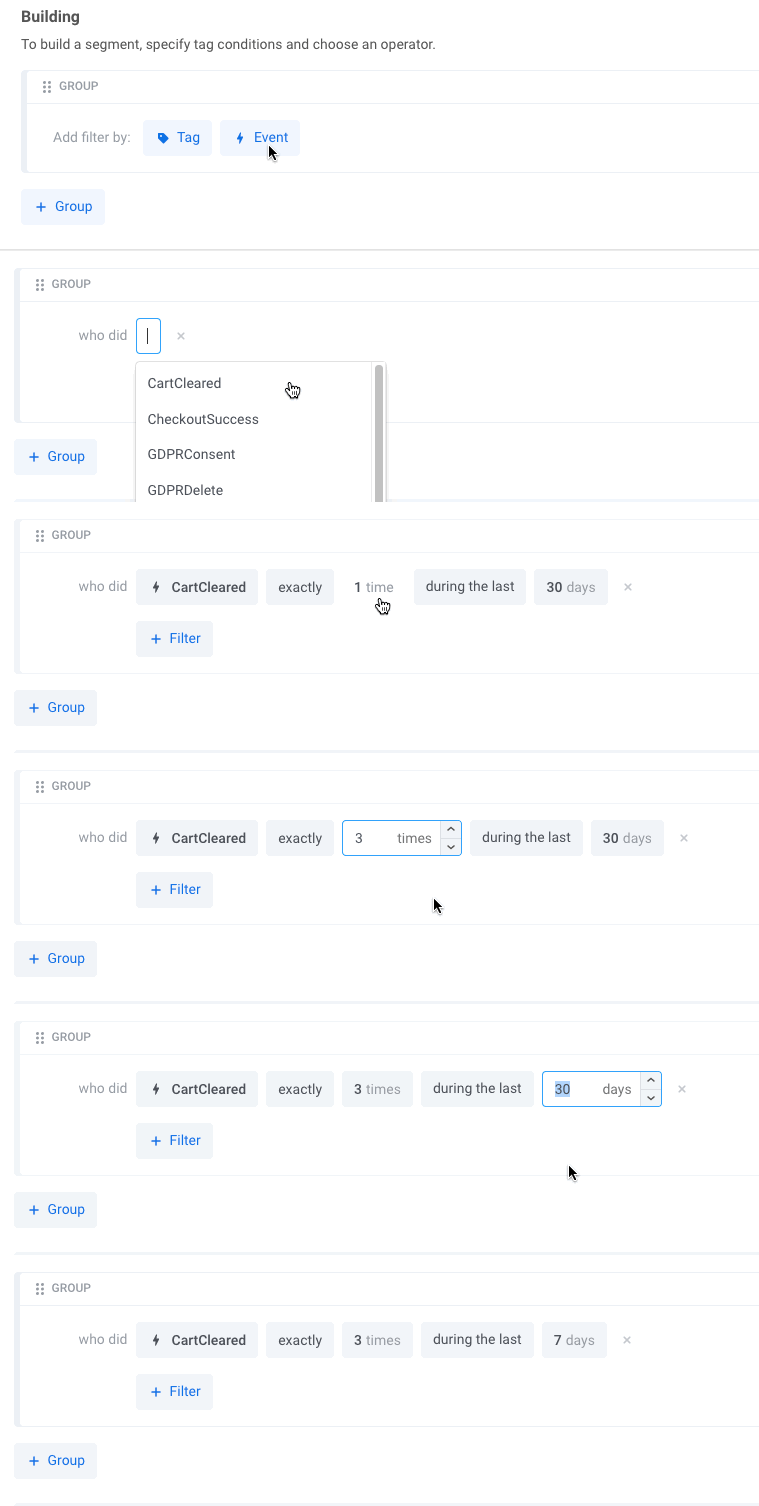
One of the standout features of the advanced segment builder is the ability to create segments based on the events that users completed in the app. You can set the number of times an event occurred in the past and its time frame.
In the example below, the segment includes all the users who cleared their shopping carts three times during the last week:
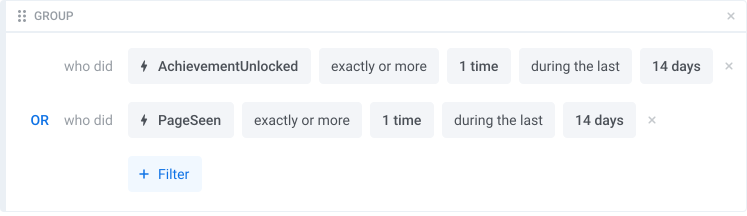
If you need to use several events in your segmentation, you can specify whether all included events should be completed or any of them.
For example, you might want to create a segment including all the users who have unlocked a specific achievement or seen a certain page in your app during the last two weeks:
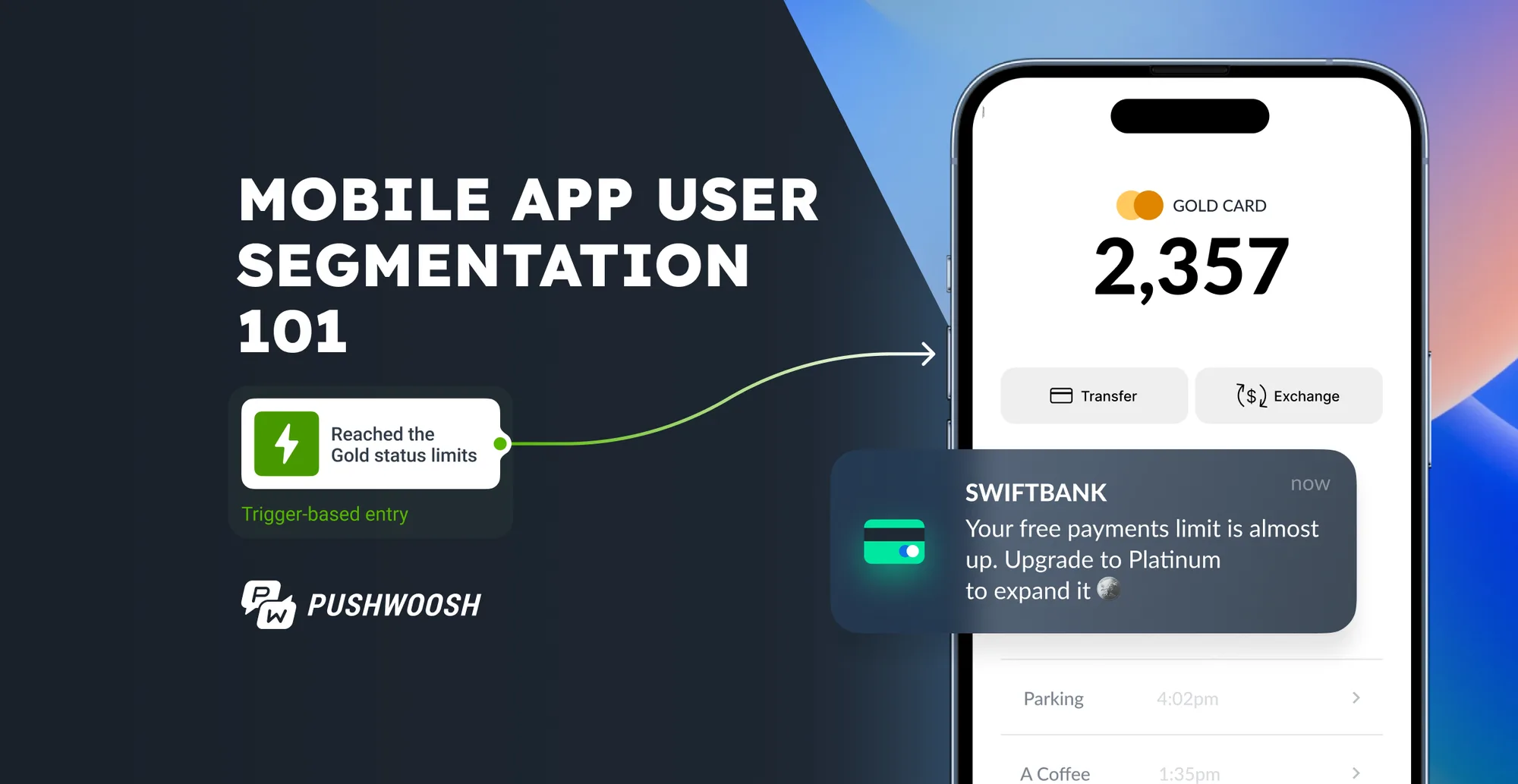
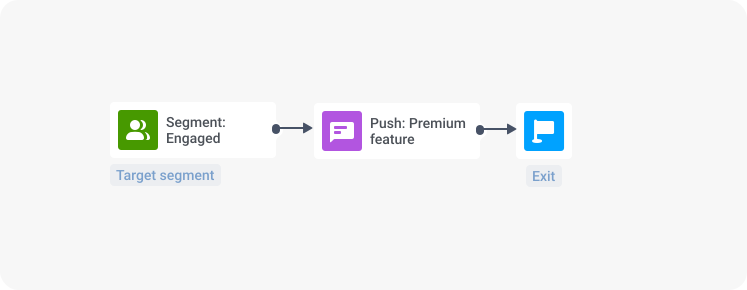
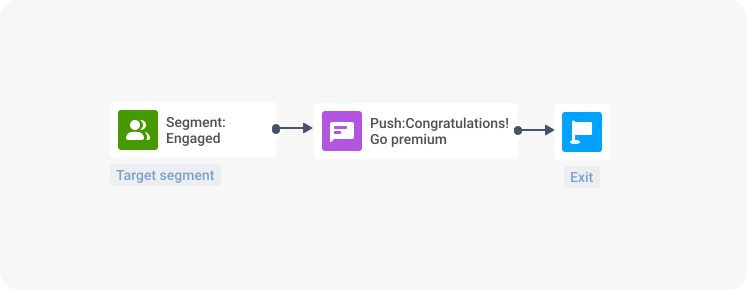
Then, you can target the resulting segment with a push notification promoting an app’s premium feature:
Use cases: what events can you consider in segmentation?
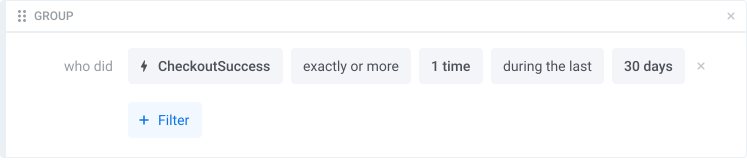
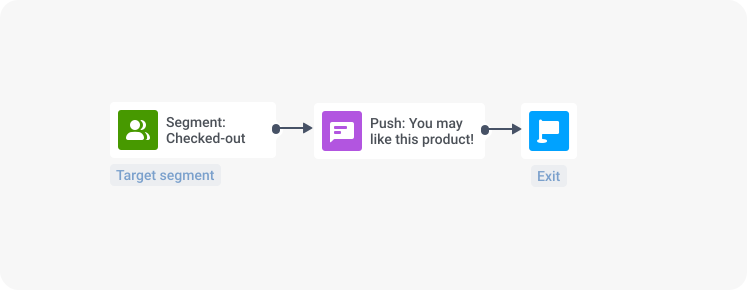
- To cross-sell and upsell:
⚡ Event: CheckoutSuccess;
🧑🤝🧑 Segment: users who made a purchase in the app during the last 30 days;
💌 Push notification: “You may like this product!”
2. To provide user onboarding and stimulate feature adoption:
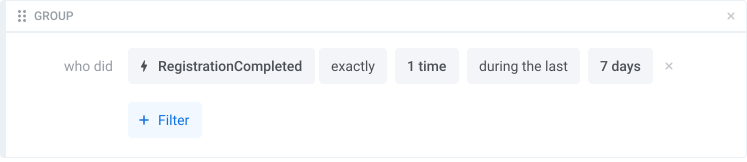
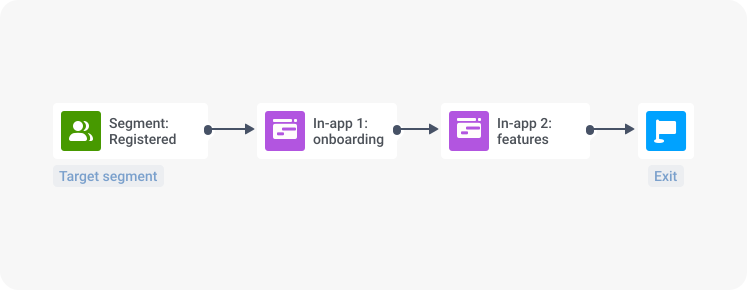
⚡ Event: “Registered”;
🧑🤝🧑 Segment: users who registered in the app during the last 7 days;
💌 In-app: “Welcome to the app! Let us show you around”
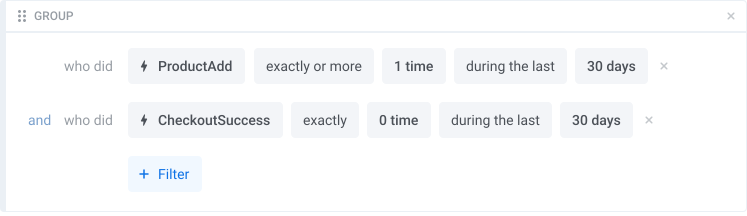
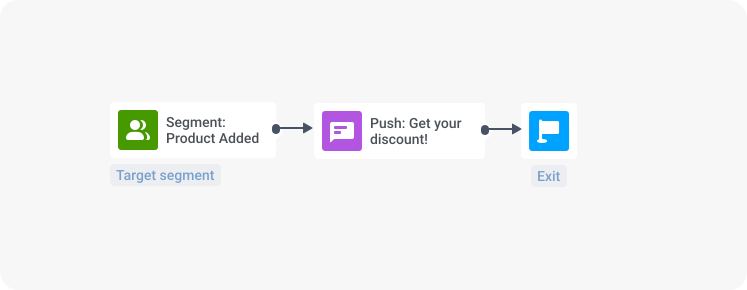
3. To minimize cart abandonment:
⚡ Event: ”ProductAdd”;
🧑🤝🧑 Segment: users who have added products to their cart, but haven’t made any purchases;
💌 Push notification: “Get your personal discount!”
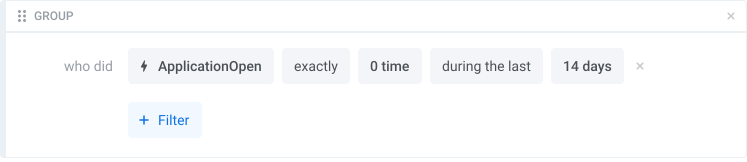
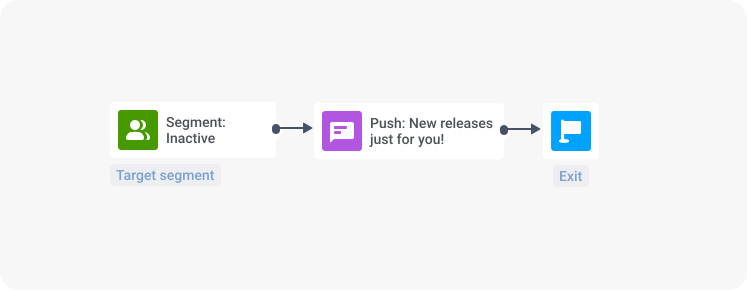
4. To re-engage and re-activate:
⚡ Event: “ApplicationOpen”
🧑🤝🧑 Segment: users who haven’t opened an app for a specified period of time;
💌 Push notification: “New releases just for you! Check them out!”
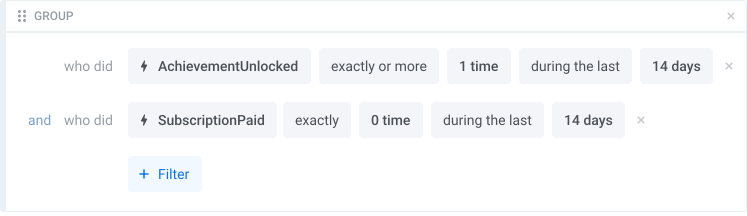
- To nudge users to buy a paid subscription:
⚡ Event: “AchievementUnlocked”, “SubscriptionPaid”;
🧑🤝🧑 Segment: users who have unlocked a specific achievement inside the app but haven’t bought any subscription plan;
💌 Push notification: “Congratulations! Go premium to get an individual training plan”;
🤔: Wait, but I am already using event-triggered messaging in Pushwoosh’s Customer Journey Builder. What is the difference between event-triggered messaging and the new event-based segmentation?
🤓: In event-triggered messaging, your message responds to one particular event in the customer journey. Whereas the new event-based segmentation leverages historic data (=how many times an event occurred in the past and its conditions).
Behavioral segmentation is now context-based: here are your benefits
- You don’t have to wait until a user enters a customer journey and triggers an event you need – you already have access to all the events completed by a user;
- You don’t have to set a new Tag based on a completed journey and then create a separate journey to reach out to a specific behavior-based segment – you can start building your segments right away, in one interface;
🤩 Moreover, you can set several events (triggered/not triggered in the past) in any combination instead of just responding to one real-time event. This way, you get every chance to make your campaigns truly context-based and not just send plain messages like “Hey, you just watched X product”.
Combine attributes and behavior filters in your segmentation
With Pushwoosh, you are empowered to combine behavioral segments with the segments based on user attributes (e.g., geographical/demographic data, device data, and user preferences). You can enjoy a nuanced understanding of your audience — and get an impressive boost for your campaign performance too!
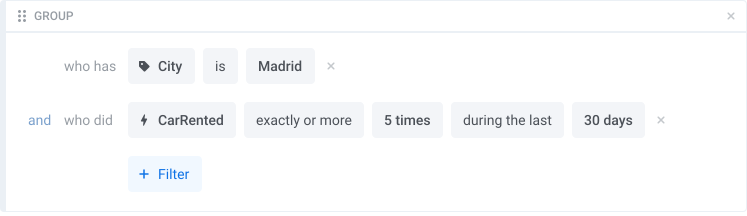
In the example below, the segment targets customers based on their indicated geographical location (city = Madrid) and previous behavior (using a car-sharing service at least five times during the last month):
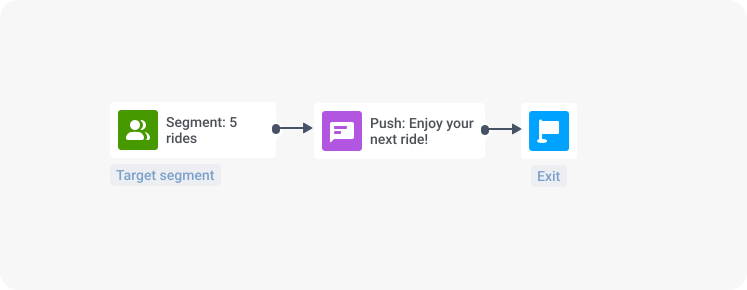
To this segment, you may send a push notification with a special discount for the next ride:
Use Group Filters to target the exact segment you need
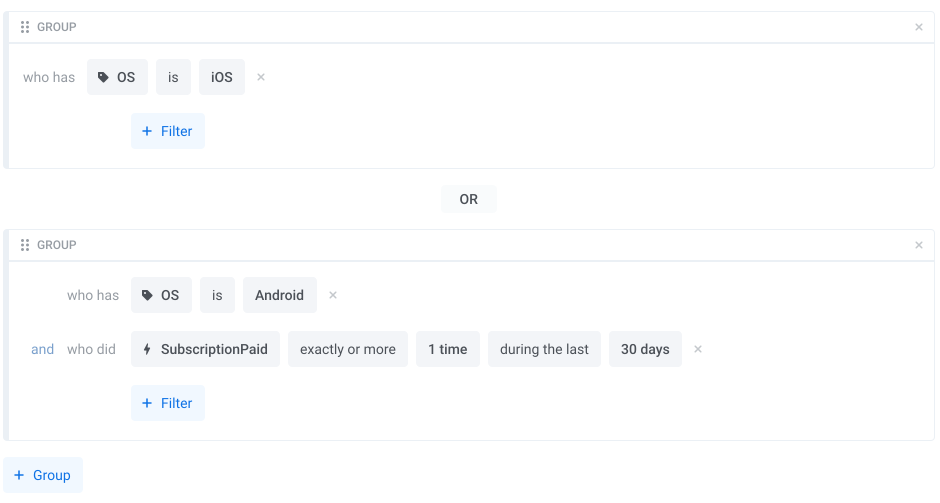
With Pushwoosh’s advanced segmentation, you can not only combine or intersect any attribute-based or behavioral filters but also create a group of filters and combine/intersect them to level up the relevance of your campaigns.
Here is an example of a group of filters you can set to create a segment of high-value users (Android users with a paid subscription or IOS users):
Save your time and efforts: create all your segments in one interface
🤔: So now I don’t have to create countless segment splitters/separate customer journeys for narrow audiences (e.g., with different locations/languages) for the same campaign in Pushwoosh?
🤓: Exactly! Now you can set as many conditions and their combinations for one campaign as you want, and just in a few clicks. Pushwoosh’s Advanced Segment Builder can save your time and efforts, especially if you need to create campaigns on a daily basis.
Leverage context-based messaging to drive your campaign results
Pushwoosh’s advanced segmentation allows you to create behavioral and attribute-based segments with a limitless combination of filters and conditions. By leveraging this precise targeting capability, marketers can create messaging campaigns that are contextually relevant and highly personalized. This, in turn, can lead to higher conversion rates and improved CX. Enjoy powerful yet easy-to-use segmentation tools and see your marketing results soar to new heights!