Cross-platform push notification SDK
Pushwoosh plugins for React Native, Flutter, Unity, Cordova, Capacitor, Expo, .NET MAUI, OutSystems and Mendix. Add push, in-app messages and event tracking to your app without writing Swift or Kotlin.
React Native
npm install pushwoosh-react-native-plugin --saveFlutter
flutter pub add pushwoosh_flutterCordova
cordova plugin add pushwoosh-cordova-plugin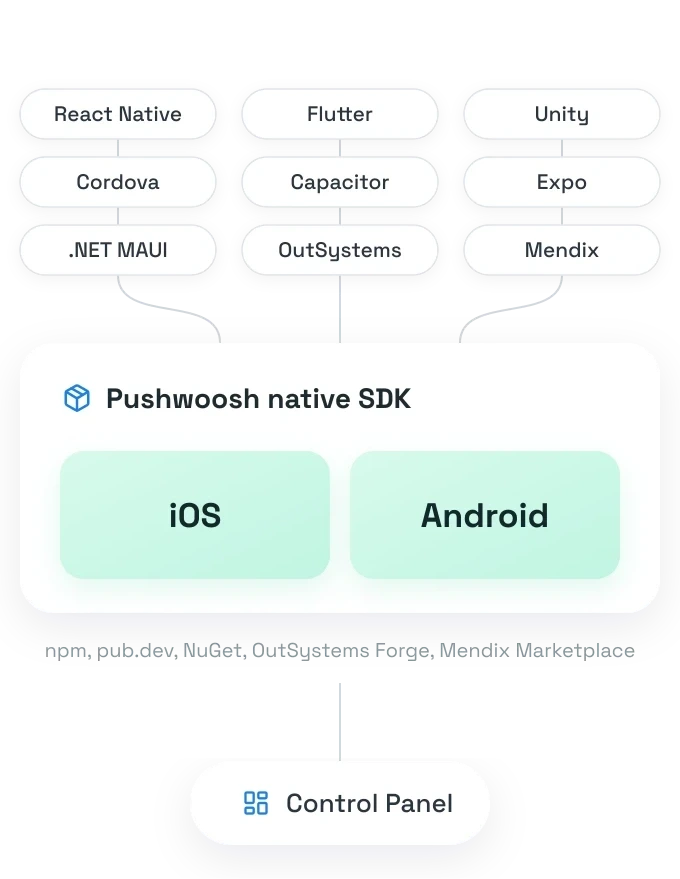
What it does
Each plugin wraps the Pushwoosh native iOS and Android SDKs. You install it the same way you install any other package in your framework: from npm, pub.dev, NuGet, the OutSystems Forge or the Mendix Marketplace.
Every plugin covers push on iOS and Android, tags for segmentation and events for triggered campaigns. Beyond that, plugins differ, so the table lists what each one supports.
9 frameworks connect to one Control Panel project, including the low-code platforms OutSystems and Mendix, a dedicated Capacitor plugin and a current .NET MAUI package.
| Framework | Also supports | AI-assisted setup |
|---|---|---|
| React Native | Message Inbox, badges, Huawei | Yes |
| Flutter | Live Activities, geozones, Message Inbox, badges, Huawei | Yes |
| Unity | Geozones, badges | Yes |
| Cordova | VoIP calls, Message Inbox, badges, Huawei | Yes |
| Capacitor | Message Inbox, badges | – |
| Expo | Same as React Native | – |
| .NET MAUI | Geozones | – |
| OutSystems | Message Inbox, badges, Huawei | – |
| Mendix | SMS and WhatsApp registration, local notifications | – |
When to use it
| Team | Framework | What you get |
|---|---|---|
| Mobile games | Unity | Push, badge counts and geozones from inside the Unity project |
| Retail and marketplaces | React Native, Flutter | Push, in-app messages, tags and events from one codebase for both stores |
| Enterprise and internal apps | .NET MAUI, OutSystems, Mendix | Location-based messages on MAUI and push on low-code builds |
Why it matters for the native SDK
Live Activities, VoIP push, geozones and the Message Inbox are built into the Pushwoosh native SDK. A plugin lets your team call them from JavaScript, Dart or C# instead of Swift and Kotlin.
Without a plugin, someone on a cross-platform team has to learn the native side before the app can do more than basic push. With one, your app runs on the same native SDK and the same Control Panel project as a native app.
Set up in 3 steps
-
Install the plugin
Add the Pushwoosh plugin for your framework from its usual package source.
-
Connect push credentials
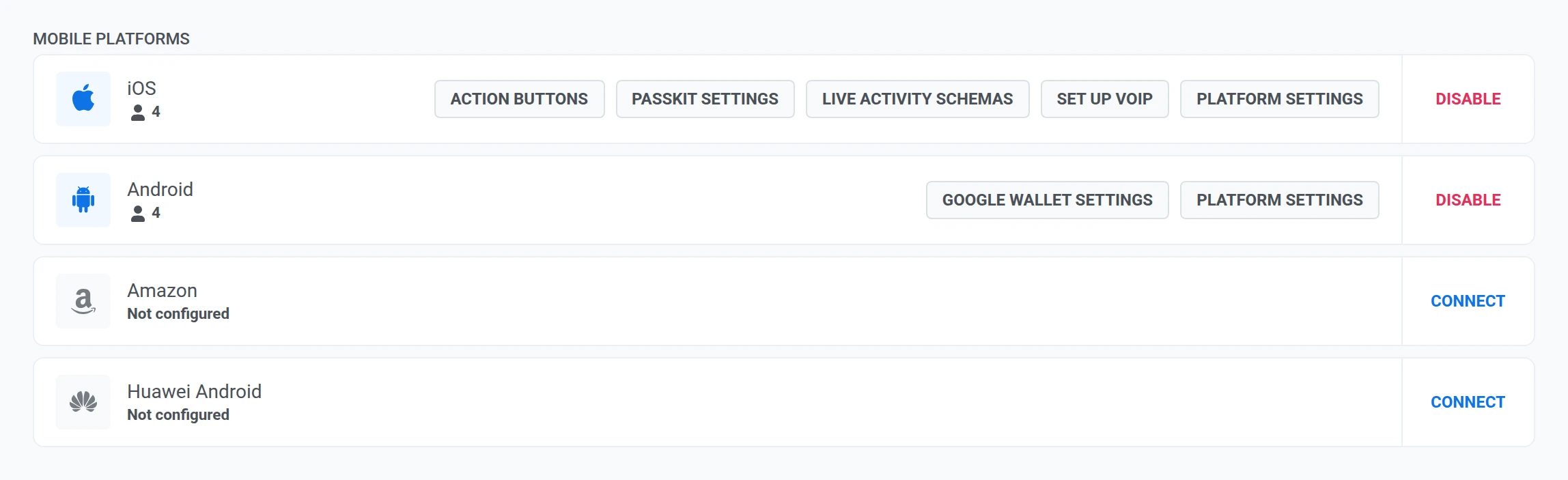
Add your Pushwoosh Application Code, then APNs credentials for iOS and FCM for Android.
-
Register and test
Register the device and send a test push from the Control Panel.
A developer installs the plugin and builds the app. After that, your team runs campaigns from the Control Panel. If you build with an AI coding assistant, the React Native, Flutter, Unity and Cordova guides include an AI-assisted setup.
Build on top of the plugin
A Flutter delivery app installs the plugin and sends its first push from the Control Panel. From the same project, it can show the courier’s progress in Live Activities on iOS, keep promo codes in the Message Inbox and send a message when someone walks into a geozone near a store. Each of these is a native SDK feature that the Flutter plugin exposes.
Native SDK
The iOS and Android layer every plugin wraps. Learn more
iOS Live Activities
Live order and delivery status on the Lock Screen. Learn more
Message Inbox
Keep messages available after the push is dismissed. Learn more
Geo-targeting
Send a message when a device enters a geozone. Learn more
Push from the framework your app already uses
Explore related products
Modular native SDKs for iOS and Android. Add push, in-app messages, inbox and Live Activities to your app, ship only the modules you use, and reach Android devices with or without Google Play Services.
iOS Live Activities put an order, a ride or a match on the iPhone lock screen as one live card, started and updated by push. Pushwoosh runs it from the same campaign and Journey as any other message.
Message Inbox adds an in-app notification center to your app and website. Silent delivery reaches every user, including the ones who declined push, and saved messages stay available on their own time.
Reach every Android device, Google Play or not. Pushwoosh delivers your push to Huawei, HarmonyOS, and Amazon Fire devices across FCM, HMS, and ADM — managed from one place, with fallback to email, SMS, and WhatsApp.
Make an iPhone ring with a real incoming call, even when your app is fully closed. The Pushwoosh iOS SDK registers the PushKit VoIP token and reports every call to CallKit for you.
Draw a geofence around a real-world location and trigger a message the moment a device enters it, standalone or as a live entry point into a customer journey.