AI-assisted SDK integration
Connect your coding assistant to the current Pushwoosh SDK docs through the Context7 MCP server. It writes integration code against the API as it is today.
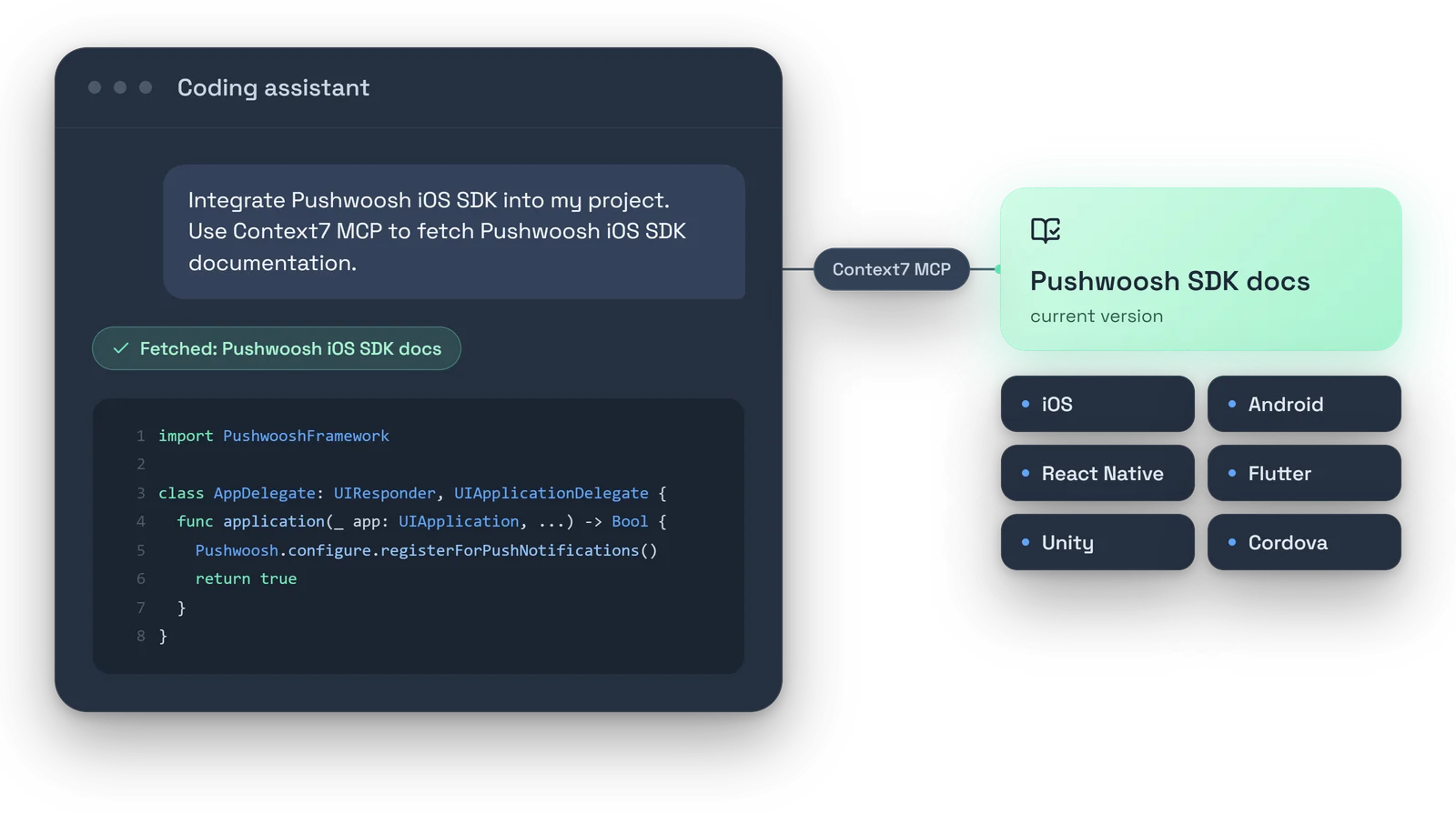
Integration code written from current docs
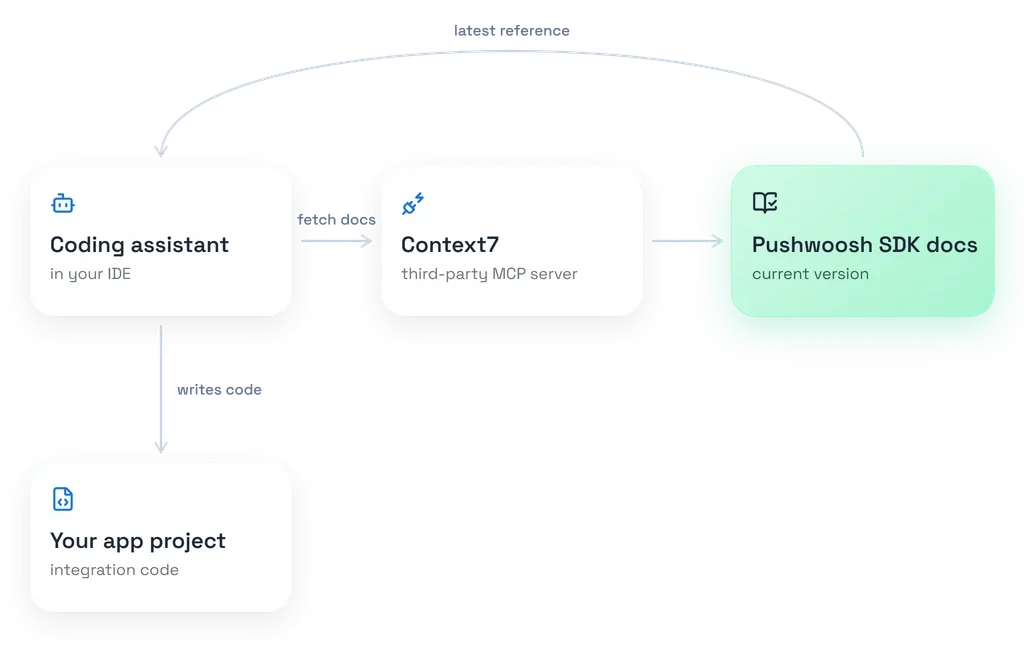
Context7 is a third-party MCP server that gives AI assistants current library documentation. Pushwoosh publishes each SDK to Context7 under its own library ID. Add “Use Context7 MCP to fetch Pushwoosh iOS SDK documentation” to the end of a prompt, and the assistant loads the latest docs before it writes any code.
The assistant receives installation steps, the API reference with method signatures, code examples for common tasks, module guides, and configuration details such as permissions and entitlements.
Each framework has its own guide, library ID and ready prompts, so the assistant fetches docs for the exact SDK your app ships.
| Framework | Context7 library ID | Guide |
|---|---|---|
| iOS | /pushwoosh/pushwoosh-ios-sdk | AI-assisted integration |
| Android | /pushwoosh/pushwoosh-android-sdk | AI-assisted integration |
| React Native | /pushwoosh/pushwoosh-react-native-plugin | AI-assisted integration |
| Flutter | /pushwoosh/pushwoosh-flutter | AI-assisted integration |
| Unity | /Pushwoosh/pushwoosh-unity | AI-assisted integration |
| Cordova | /pushwoosh/pushwoosh-phonegap-plugin | AI-assisted integration |
Web push, Capacitor, Expo, .NET MAUI, OutSystems and Mendix don’t have an AI-assisted guide yet. For those, follow the regular guides in the SDK documentation.
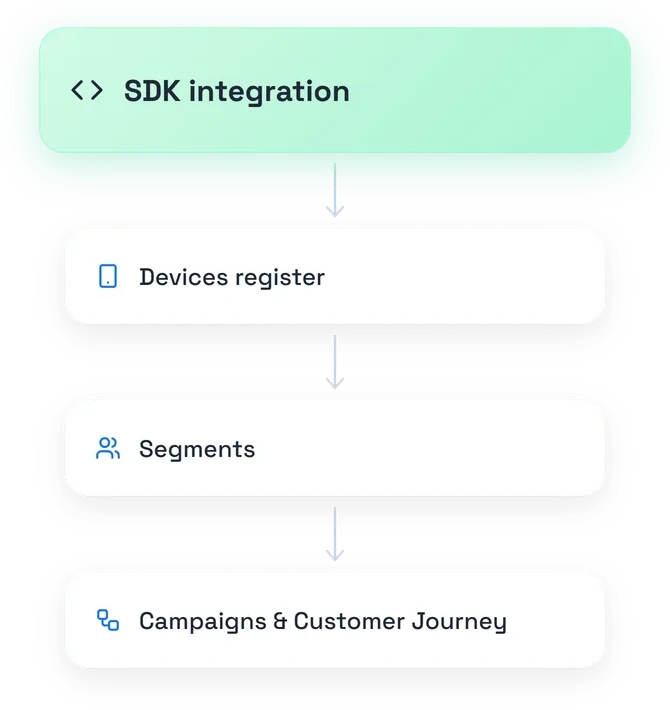
Why it matters for native and cross-platform SDKs
Every campaign, Customer Journey and in-app message in Pushwoosh depends on the SDK running correctly in your app. A wrong callback or a missing permission shows up later as devices that never register and pushes that never arrive. An assistant working from the current reference makes those mistakes less often.
How it works
Before you start, you need an MCP-compatible coding assistant such as Claude Code, Cursor, Windsurf or Cline, a Pushwoosh project, and developer access to the app.
-
Add Context7 to your assistant
Claude Code needs one terminal command. Cursor and Windsurf need an entry in the MCP config file.
-
Copy a prompt for your framework
Open the AI-assisted integration guide for your SDK, pick a ready prompt and add your Pushwoosh App ID.
-
Run it and review the code
Read the generated code before you commit it. Push credentials for APNs and FCM are still set up in the Control Panel.
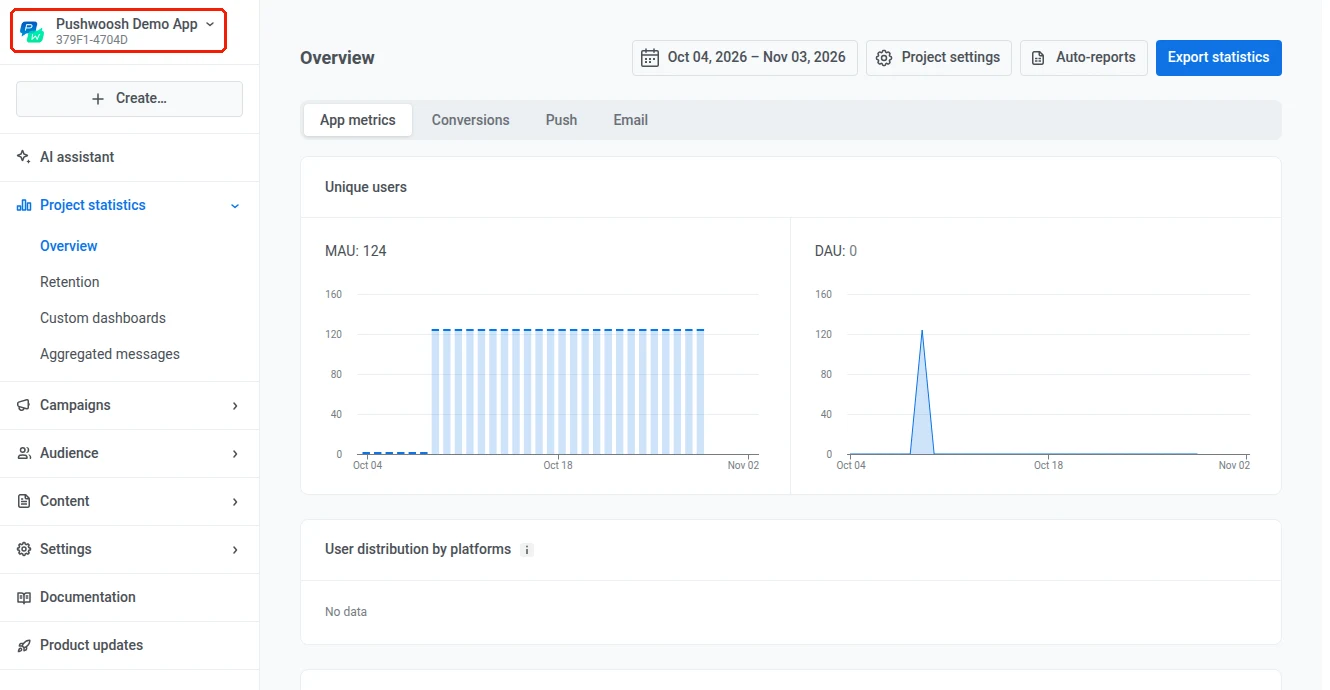
Where the App ID comes from
The prompt needs your Pushwoosh App ID, the code shown under the project name in the Control Panel.
The ready prompts cover new integrations. To upgrade an SDK version, follow the changelog and migration notes.
From first build to first campaign
Once the SDK is in the app, your Control Panel project starts receiving devices, events and tags. From there, the marketing team builds campaigns on that data. Native SDK modules add inbox, Live Activities and geozones when you need them. Cross-platform plugins keep React Native, Flutter and Unity apps on the same project. If you want an AI agent to send the messages too, that’s a separate product, the Messaging MCP server.
Native SDK
The iOS and Android SDK this setup installs. Learn more
Cross-platform SDK
Plugins for React Native, Flutter, Unity and Cordova. Learn more
Messaging MCP
Lets an AI agent send push, email and SMS once your app is live. Learn more
Let your assistant read the current docs before it writes the integration
Explore related products
Modular native SDKs for iOS and Android. Add push, in-app messages, inbox and Live Activities to your app, ship only the modules you use, and reach Android devices with or without Google Play Services.
Pushwoosh plugins for React Native, Flutter, Unity, Cordova, Capacitor, Expo, .NET MAUI, OutSystems and Mendix. Push, in-app and events without native code.
Give your AI agent the ability to reach users on every channel. MCP is the standard way to add messaging to any agent. Pushwoosh Messaging MCP handles delivery — push, email, SMS, WhatsApp, Telegram, LINE, Kakao — so your agent doesn't have to.
Mobile push notifications by Pushwoosh — every-device reach, rich content, precise targeting, cross-channel Journeys and 99% uptime. Turn notifications into loyal, paying users.
Pushwoosh SDK modules for tvOS, visionOS and iOS App Clips. Send Rich Media to Apple TV, push to Vision Pro and reach App Clip users in their 8-hour window.
Add a language variant to a push, email, SMS, or LINE preset once. Pushwoosh matches the right version to each user's device language automatically, no separate attribute to store or keep in sync.