Search for a guide on building a loyalty card and you’ll mostly find two kinds: one that walks through Apple Wallet and stops there, and one that does the same for Google Wallet. Follow either one and you’ve built half a program, because roughly half your customers carry the wallet you didn’t build for.
This is the version that covers both from the start, since a customer’s platform shouldn’t decide whether your loyalty card reaches them.
How to make a digital loyalty card (without two separate builds)
Built natively, Apple Wallet and Google Wallet are two unrelated technical paths. Apple uses a signed .pkpass file through PassKit; Google uses a pass object through its own Wallet API. Each runs on its own certificates and its own update pipeline, so in most companies, supporting both means two separate tickets in the backlog instead of one.
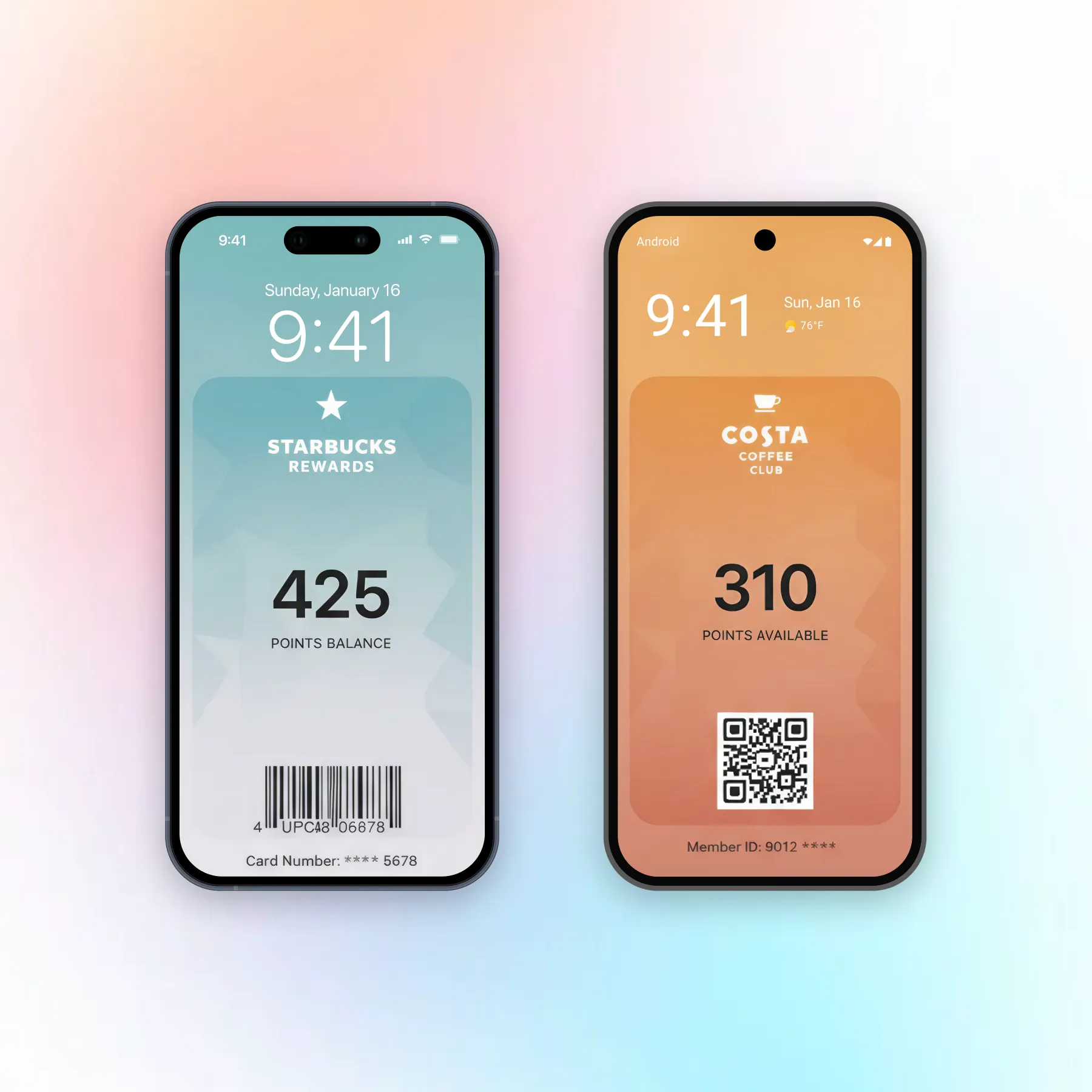
A no-code pass builder collapses that into one workflow. You design the card, fields, colors, barcode and all, once in a dashboard, and the platform generates and signs both the Apple and the Google version from that single design. You’re not maintaining two card definitions that can drift out of sync without anyone noticing; you’re maintaining one.
Loyalty card app for small business: Do you even need one
A dedicated loyalty app for small business sounds like the complete solution, but most small teams underestimate what it costs: a download most customers won’t finish, ongoing App Store and Play Store maintenance, and a build that needs updating every time either platform changes its rules.
A wallet pass delivers the same core mechanic: a points balance, a tier, a barcode to scan, without asking for a download at all. For most small businesses, that trade favors the wallet pass every time. An app earns its cost when you need functionality a pass genuinely can’t do, like in-app ordering or a social feed; for tracking points and prompting a return visit, it’s overhead you don’t need.
Step-by-step: One card, both wallets
-
Design the card once
Set your branding, colors, logo, and the fields that matter: points balance or stamp count as the primary field, an expiry date or member ID as a secondary one. Add the barcode or QR value your point of sale will scan. This design step happens exactly once, regardless of how many platforms you're issuing to.
-
Publish to Apple and Google simultaneously
From the same dashboard, generate both the Apple Wallet and Google Wallet versions of the pass. The platform handles the signing and formatting differences on its side, so what you publish is one install link and one QR code that resolve to the correct pass format based on the customer's device.
-
Test the install link on both platforms
Open the link on an iPhone and confirm the card previews and adds correctly to Apple Wallet, then repeat on an Android device for Google Wallet. Check that the barcode scans, the branding renders as expected, and any location-based alert fires within range. A card that works on one platform and breaks on the other defeats the entire point of building for both.
Keeping both versions in sync
Building and maintaining two separate passes for Apple and Google doubles the work every time something changes: a new tier, a rebrand, a shifted reward threshold. Pushwoosh Wallet passes issues one card that works on both, so an update you make once reaches every device that saved it, Apple or Google, without a second build to maintain.
Launch loyalty across both wallets
Pushwoosh Wallet passes builds one card for Apple Wallet and Google Wallet from a single dashboard, so every customer gets the same experience regardless of the phone in their pocket. See how the same mechanics play out for a restaurant loyalty program or a broader retail loyalty program.