As an app marketer, you could surely use some superpowers. As experts in push notifications, we can grant you one: the ability to modify your app’s content based on how users react to your pushes. Sounds like magic? It’s actually pure technology you can master on your own, using Pushwoosh Custom Data Builder with Data Keys.
To begin with…
What is Custom Data?
It is configurable data that you can send encoded in a push notification to your chosen user segments. When they engage with your message, Custom Data changes the appearance of your application for them.
How can you manage your app with Custom Data?
1. Reward users who engage with push notifications
Each time a user opens a push you send them (and each time they don’t), Pushwoosh can track it. Use this knowledge to your advantage: make dedicated offers to those who engage with your communications.
For example, you can provide users who opened your push with a special three-day trial. And with another push with Custom Data, you can suggest a seven-day trial to a different user group.
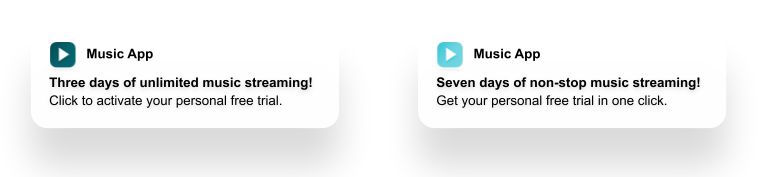
Using this approach, you can segment your audience by their engagement, test different offers against each other, and strengthen your bonds with the most active recipients.
Learn more marketing communication scenarios you can enhance with customer segmentation
2. Test a new section/module in your application
With Custom Data, you can open a new feature for beta testing. Select a target group and send them a push notification announcing the added functionality. If a user clicks on the message, they will access the section you opened exclusively for them.
3. Update your application proactively
In some cases, you may need to update your application on users’ devices without waiting for them to take any action at all.
A Silent Push with Custom Data is perfect for this. You can send it to your entire userbase or choose a specific user segment. The push will get opened automatically. It will launch your application in the background mode and update its content within a minute. No action required from your users.
Couldn’t you do all of these with Custom Data before?
You certainly could:
- If you were tech-savvy or had a developer always at your service.
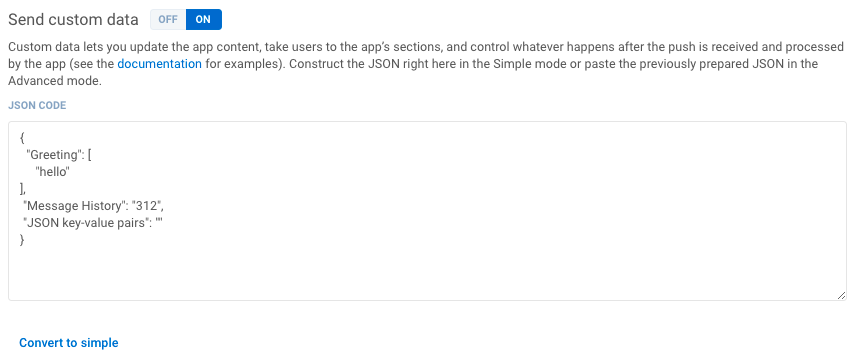
Custom Data was only sent in the JSON format, and to organize it, you had to follow some strict rules.
- If you were impeccably attentive.
Custom Data is case-sensitive, and when you use it, you have to pay extra attention to capitalization, not to mention the hyphen vs. dash dilemma.
It sounds like a no-brainer, but in the rush of the editorial, many news and sports media struggle to enter each and every character correctly.
All in all, Custom Data puzzled quite a few of our customers with no technical background. We decided to ease things up for marketing, content, and even development teams, so now…
Custom Data is made simple and error-free
Pushwoosh has introduced the Custom Data Builder to help users fill in the fields with correct Custom Data and even preview the ultimate push they are going to send.
- Get your developer preset the possible parameters as Data Keys.
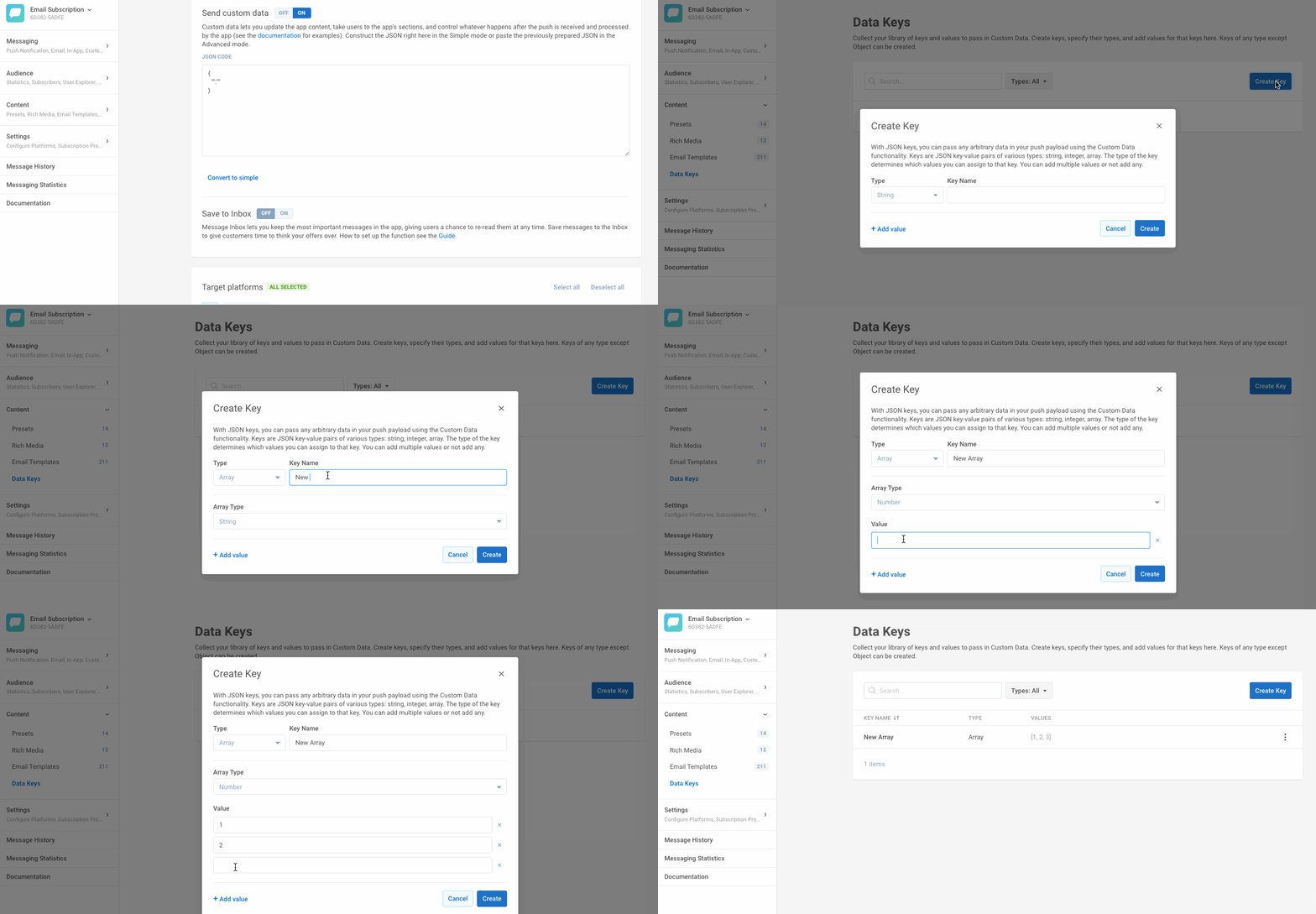
- Let a marketing manager, content writer, or editor use Custom Data Builder to enter Custom Data in the notification.
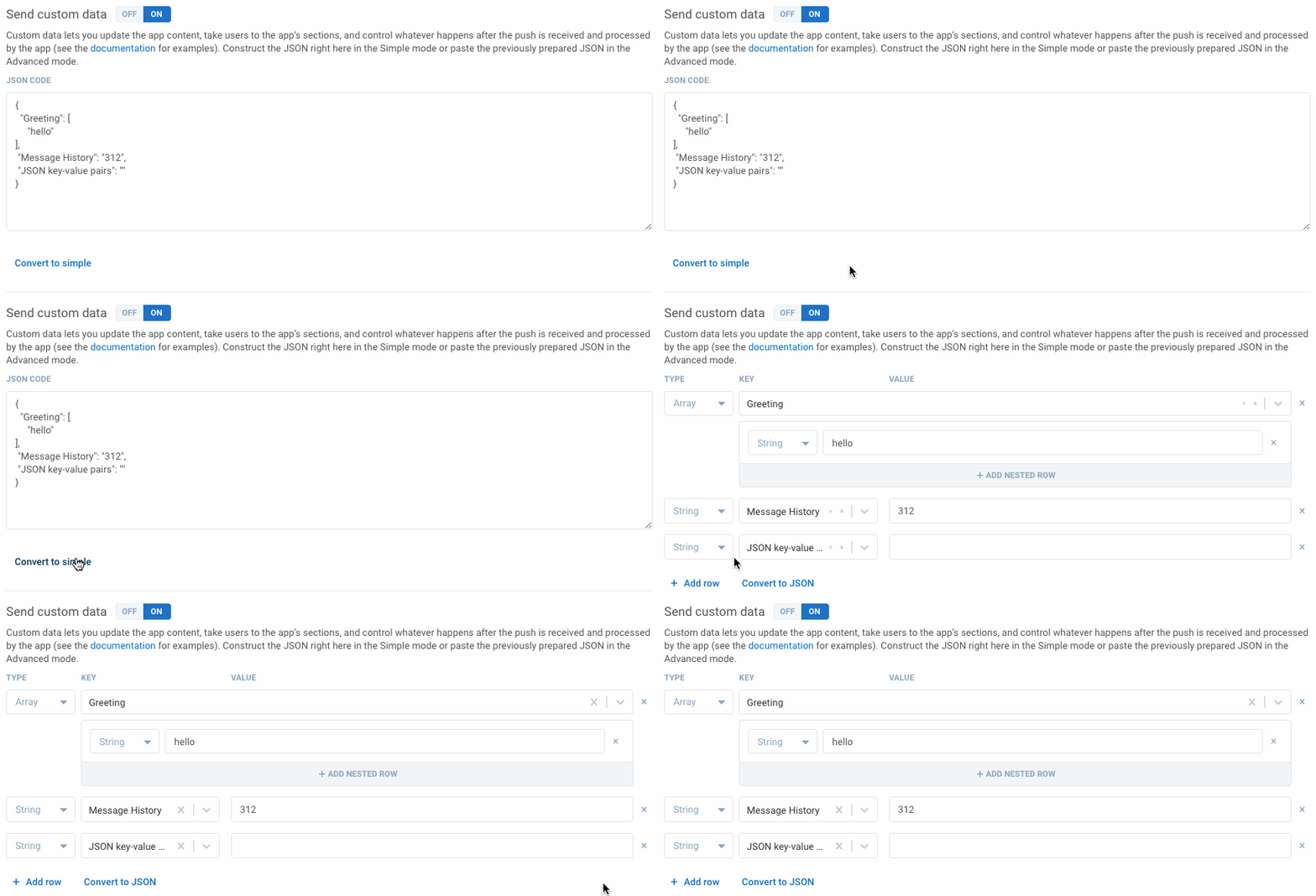
They don’t have to figure out the JSON code — they switch to the simple mode instead.
They don’t have to type in any case-sensitive parameters — they choose from the preset values instead.
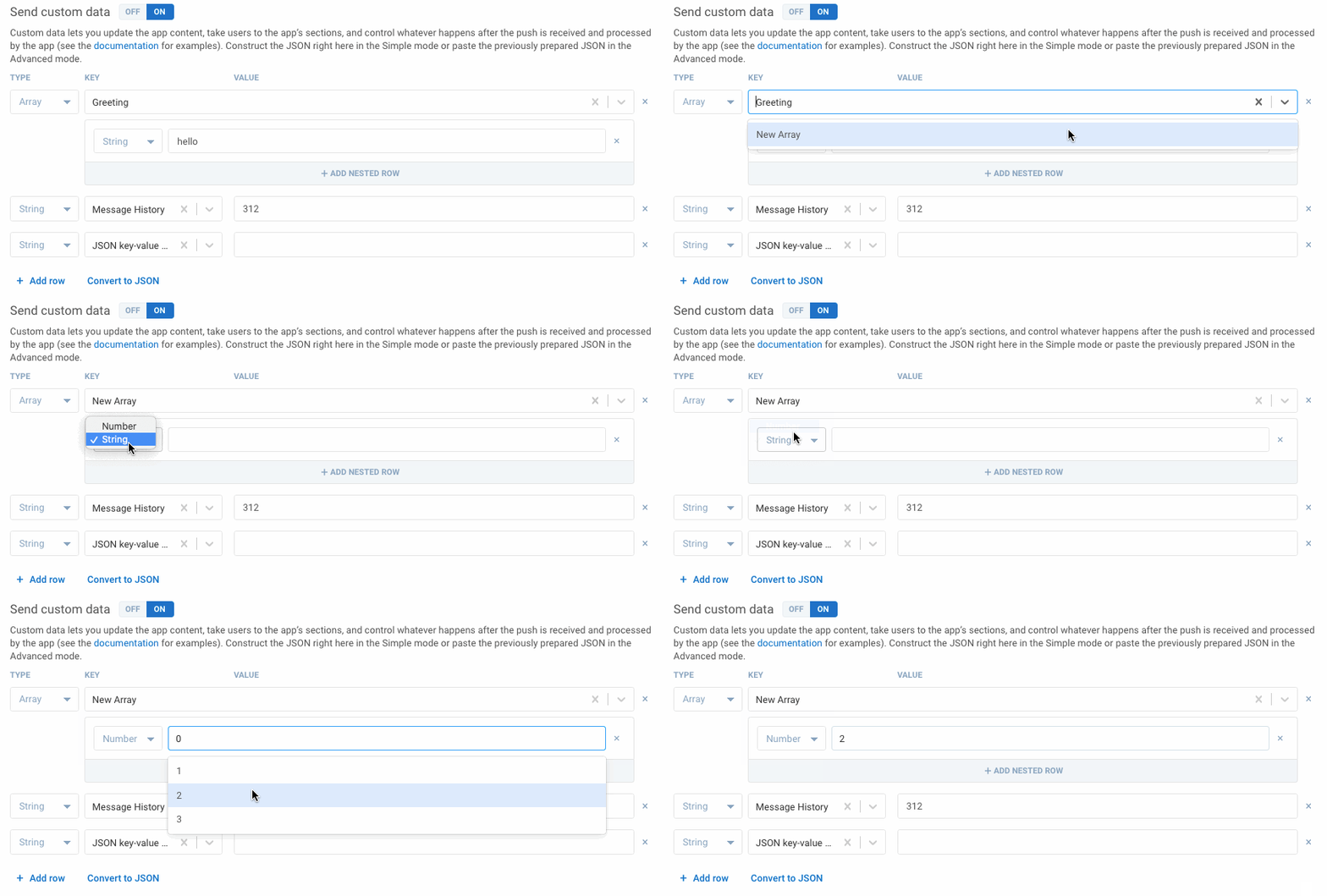
The resulting text looks more comprehensible to a non-tech-savvy professional. The risk of an error is minimum, and the time needed to work with Custom Data is reduced too. Complex actions needed for app management are now a task you can share with any member of your marketing or editorial team. See for yourself:
Manage your app with push notifications
Do you prefer we walk you through the process? Please request a demo.