You set up a new sending domain, or moved to a new email platform, and sent the first campaign to the whole list. A day later, replies start coming in: “I never got it.”
The email is fine. It landed in spam because Gmail, Yahoo and Outlook judge senders by their track record, and a new domain has none. A sudden wave of 50,000 messages from a sender nobody knows looks like spam, so the filters play it safe.
IP warming fixes that. You start small, email the people most likely to open it, and raise the volume step by step as mailbox providers learn that people want your mail.
And along the way, you’ll see which parts of the warm-up Pushwoosh handles for you.
What is IP warming (and domain warming)?
IP warming is the practice of gradually increasing the number of emails sent from a new IP address, so that mailbox providers can build a sending reputation for it. Domain warming is the same process for a new sending domain: low volume first, engaged recipients first, then a steady climb to your full list.
The two reputations belong to different owners:
- IP reputation stays with the IP address, which belongs to your email service provider (ESP). Move to another ESP, and you send from new IPs.
- Domain reputation stays with you. It’s tied to the domain in your From address and DKIM signature, and it follows you to any ESP.
Mailbox providers check both, so a new domain needs a warm-up even on IPs with a clean record.
📖 Read more: How to improve email deliverability and avoid spam filters: 15 best practices for 2026
Do you actually need to warm up?
You need a warm-up whenever mailbox providers see a sender, or a volume, they don’t know yet. Find your situation below.
| Your situation | Warm up? | What you warm |
|---|---|---|
| Shared IP, domain with a steady sending history | No | Nothing. Keep volume and cadence consistent |
| Shared IP, new domain or subdomain | Yes | Your domain and your list |
| Dedicated IP | Yes | The IP and the domain together |
| Moving to a new ESP, same domain | Yes, a shorter ramp | The new sending infrastructure. Your domain brings its reputation along |
| No marketing sends for a month or more | Yes | Domain and list again. A long pause erases the track record you built |
| A planned spike, like 3–5× your normal volume before a sale | Ramp up | Grow to the peak over several sends |
🛠️ In Pushwoosh, email goes out from shared IPs that the platform warms for you, separately for each mailbox provider. Your side is the sending domain and the list.
Before your first send: the pre-flight checklist
1. Authenticate your domain. Set up SPF, DKIM and DMARC. Google treats senders of about 5,000 messages a day to personal Gmail accounts as bulk senders, and bulk senders need DMARC, one-click unsubscribe and a spam rate below 0.3%. Pushwoosh checks all three records when you verify a sending domain.
2. Clean the list. Remove invalid, disposable and previously bounced addresses, plus contacts with no opens or clicks in a year. Pushwoosh rejects invalid and disposable addresses at subscription and suppresses bounces, but an imported list still needs a pass.
3. Connect Gmail Postmaster. Add 1 TXT record in the domain card, and Gmail’s spam rate for your domain shows up in Project overview. Connect it before day 1 anyway. Gmail shows data only once your daily volume to Gmail is high enough, so the first small sends may leave it empty.

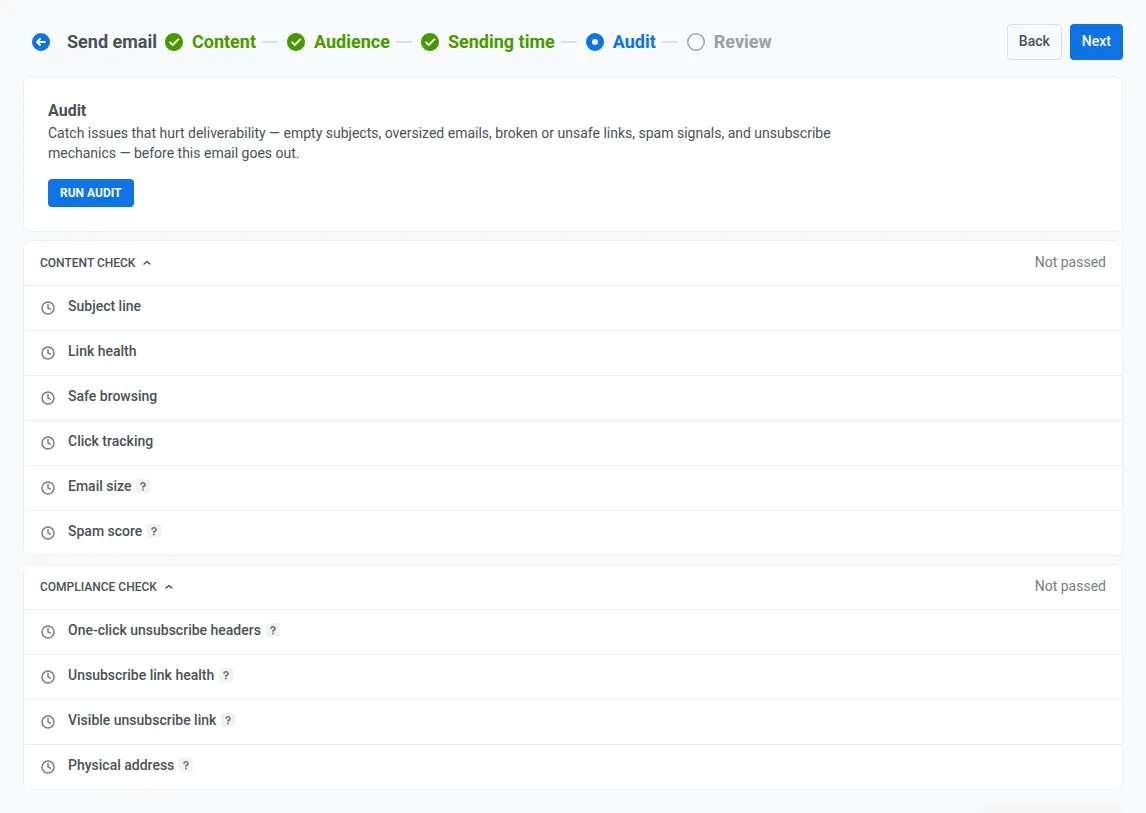
4. Run an audit on the first campaign. In Pushwoosh, click Run audit at the Audit step before you send. 10 checks across Content and Compliance catch broken links, spam triggers, Gmail clipping and a missing unsubscribe link or CAN-SPAM footer.
📖 Read more: 10 pre-send email checks for better deliverability
Who to email first: the engagement ladder
Mailbox providers watch how recipients react, so during a warm-up the audience matters more than the content. Start with the most engaged people and widen only while the metrics stay clean.
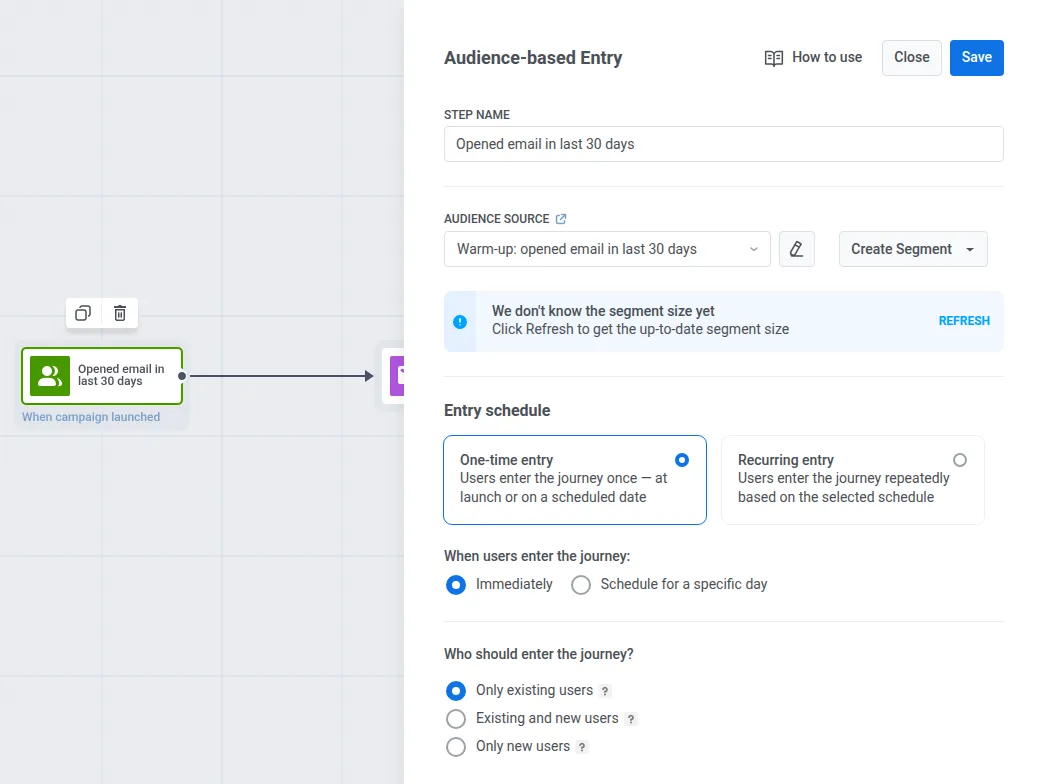
Start with users who opened in the last 30 days
For the first 1 to 2 weeks, email only people who opened or clicked in the last 30 days, plus new sign-ups and recent buyers. If many of your readers use iPhones, filter by clicks too: Apple Mail Privacy Protection preloads emails, and each preload counts as an open.
Expand to 90 days, then 180
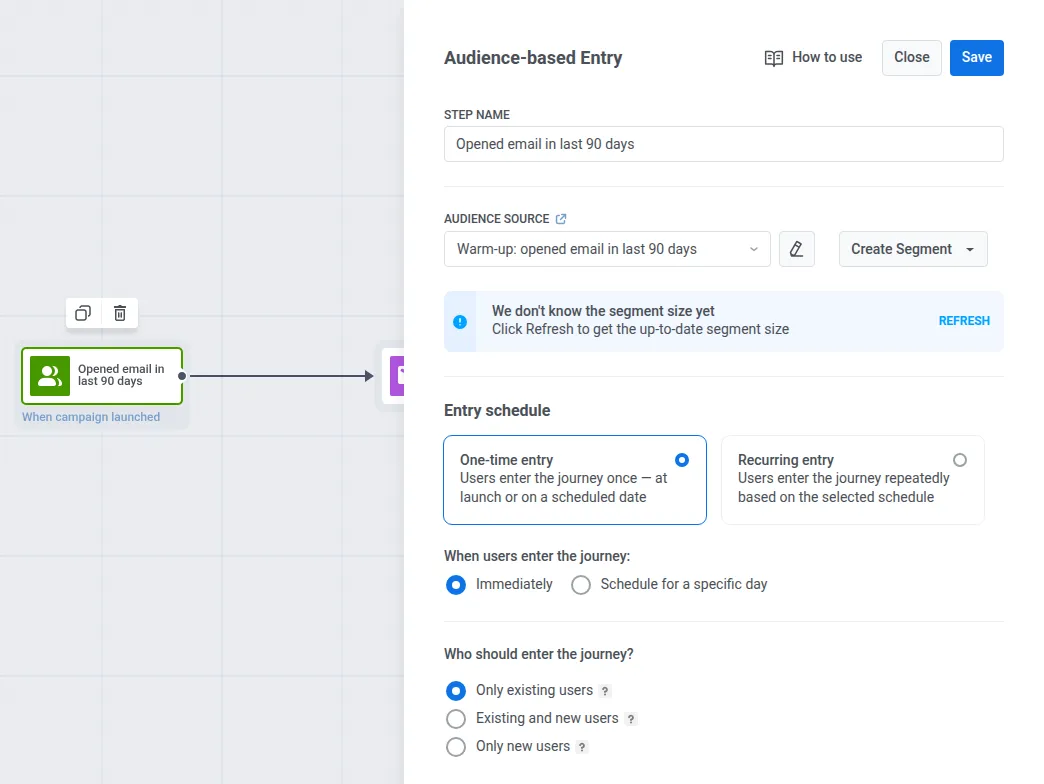
Add the next group after the current one stays clean for a few days, in small chunks. Microsoft suggests adding about 15% of your current volume at a time.
Leave the cold tail for a re-engagement flow, or let it go
Contacts with no opens in 180+ days stay out of the warm-up. Once the domain is warm, try a short re-engagement series in small batches and suppress whoever stays silent.
In Pushwoosh, build each step in Segment Builder with the Last Email Open or Last Email Click tag and “during the last N days”.
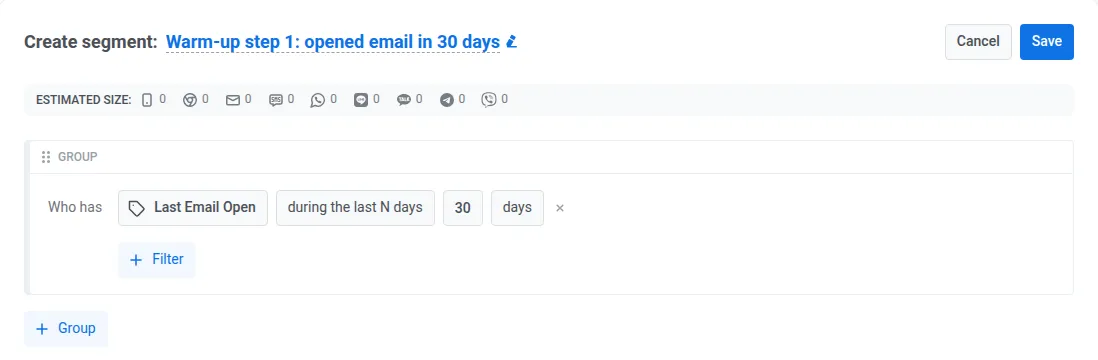
Plus, the sunset policy then stops marketing email to contacts inactive for a period you choose, from 30 to 730 days. Transactional emails still go through.
How many emails to send: warm-up schedules by list size
Every ESP has its own plan: Amazon SES warms a dedicated IP over up to 45 days, and Microsoft puts full deliverability at 4 to 8 weeks. The table below is an estimate for a new domain on already warm shared IPs.
| Days | 10K list | 100K list | 1M list |
|---|---|---|---|
| 1–2 | 500 | 1,000 | 2,000 |
| 3–4 | 1,000 | 2,000 | 4,000 |
| 5–6 | 2,000 | 4,000 | 8,000 |
| 7–8 | 4,000 | 8,000 | 16,000 |
| 9–10 | 7,000 | 15,000 | 30,000 |
| 11–13 | Full list | 25,000 | 60,000 |
| 14–16 | — | 40,000 | 110,000 |
| 17–19 | — | 60,000 | 200,000 |
| 20–24 | — | Full list | 300,000–450,000 |
| 25–30 | — | — | 650,000–850,000 |
| 31+ | — | — | Full list |
| Time to full volume | ~2 weeks | ~3 weeks | 4–5 weeks |
Hold each step for at least 2 sending days and don’t skip days.
Move from 30-day engagers to 90 days once a step outgrows the 30-day segment, and bring in 180-day contacts for the last third of the ramp.
How long does warming take?
For a new domain on warm shared IPs, plan on about 2 weeks for a 10K list, 3 weeks for 100K and 4–6 weeks for 1M or more. A new dedicated IP together with a new domain takes longer, usually 4 to 8 weeks. If a big launch is coming, start the warm-up at least a month before it.
The clock also resets if you stop. A pause of more than a few days cools your reputation down, and after a month of silence you’re close to starting over.
Speed up, slow down or stop: the metrics to watch
Check the numbers before every step up:
| Signal | Healthy | Slow down | Stop |
|---|---|---|---|
| Gmail spam rate (Postmaster) | Under 0.1% | 0.1–0.3%, At risk badge | 0.3%+, Gmail can reject mail or send it to spam |
| Spam complaints (all providers) | Under 0.1% | 0.1–0.3% | 0.3%+ |
| Hard bounces | Under 2% | 2.5%, Pushwoosh sends a warning | 5%, Pushwoosh pauses email |
| Opens and clicks | Steady or growing | Down 2 sends in a row | Sharp drop at one provider |
| Mail Gmail refused | Close to zero | Appears | Keeps growing |
Avoid 5 warm-up mistakes that burn a new IP
- Sending to the whole list on day one. An unknown sender with a huge volume is the pattern spam filters are built to catch. 1 blast can keep a new domain in spam for weeks.
- Using a purchased or rented list. These lists are full of spam traps and people who never agreed to hear from you. You can’t warm a domain on them, and you shouldn’t send to them at all.
- Pausing halfway through. Reputation needs a steady signal. A break of more than a few days cools things down, and after a month you’re back at the start.
- Jumping in volume. Going from 20,000 to 200,000 emails overnight looks like a hacked account. Doubling is the upper limit, and only while volumes are small.
- Sending without an easy unsubscribe. If leaving is hard, people press “Report spam” instead. Gmail and Yahoo require one-click unsubscribe from bulk senders anyway.
Warm up your new domain with Pushwoosh
Pushwoosh warms the IPs for you (one less thing on your launch checklist 😎). For your domain and list, you get:
- Audit before every send: 10 checks catch broken links, spam triggers and a missing unsubscribe before your subscribers do.
- Engagement segments: 30-, 90- and 180-day steps built on the Last Email Open and Last Email Click tags.
- Sunset policy: inactive contacts stop getting marketing email, so the cold tail doesn’t drag your reputation down.
- Bounce warnings and auto-pause: a backstop if something breaks mid-ramp.
Pick your 30-day segment, run the audit, and send the first 500. Then let the numbers tell you when to step up.
Related articles
View all