Reachability check + channel fallback
Check whether push, email, SMS, WhatsApp, or LINE can reach someone before a message goes out, and route them to another channel when it can't. Chain checks together and a closed channel stops being the end of the journey.
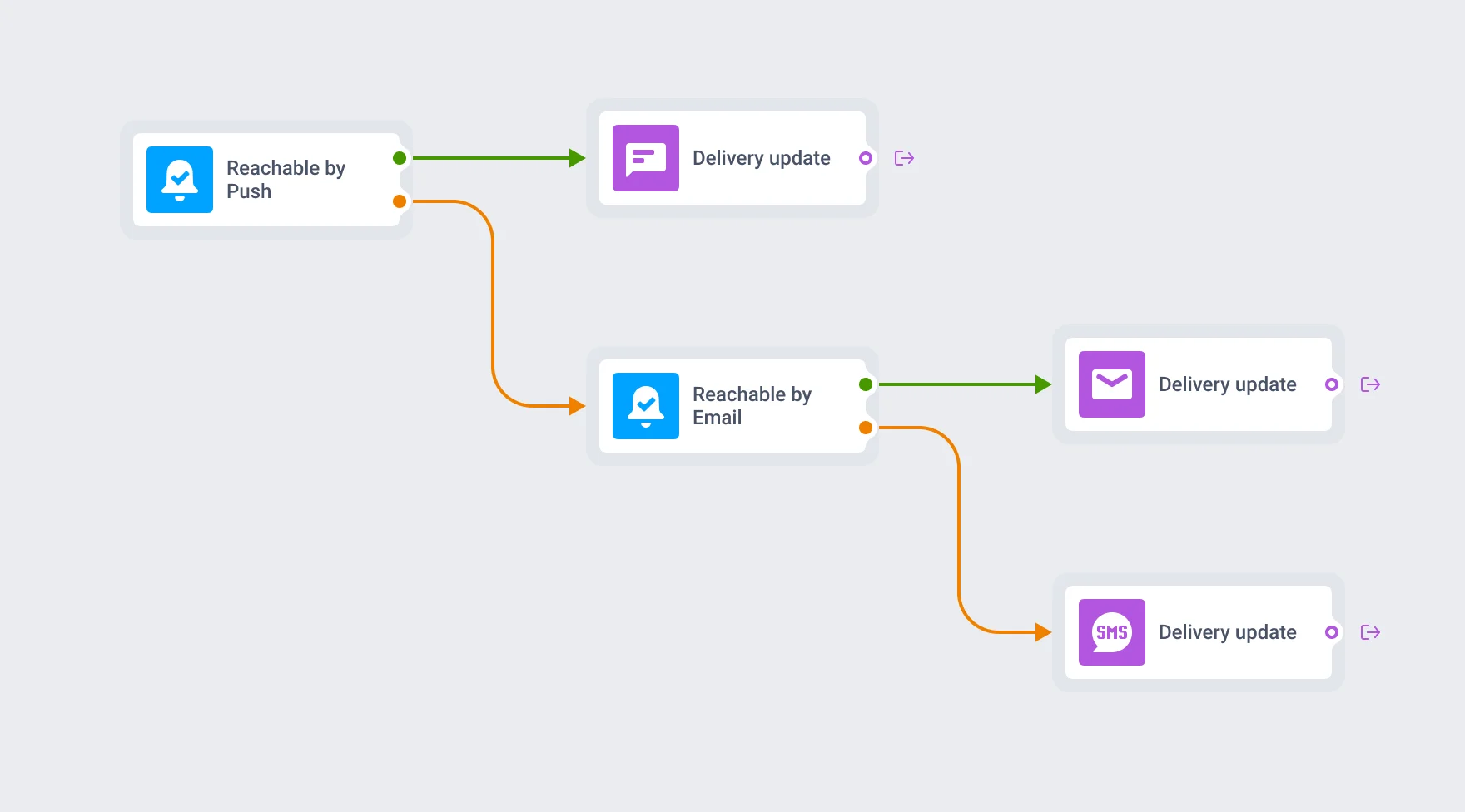
Get the message there anyway
Someone turns off push, or unsubscribes from an email list, and the message you built for them just doesn’t land. Nothing in the send report calls it out: the campaign ran, the count went up, and one person never saw it. A fraud alert that only tries push hasn’t done its job if push is off. A delivery update that only tries push misses a rider mid-trip with notifications muted. Reachability check catches that before the message goes out, and routes the person to another channel instead of leaving the fallback logic for you to write by hand.
What Reachability check gives you
5 channels
Push, email, SMS, WhatsApp, and LINE, checked one at a time against that channel's own subscription tag.
2 branches
Reachable and not-reachable, decided the moment the user reaches the element.
Chainable cascades
Feed the not-reachable branch into another check on a different channel: push, then email, then SMS.
Reads a subscription tag
Confirmed for push (Push Alerts Enabled) and email (Unsubscribed Email). It's a subscription tag, not a live delivery signal.
In-app sits outside it
Not one of the 5 checked channels. In-app usually closes a cascade instead, since it reaches anyone who opens the app.
No documented chain limit
Nothing in the docs caps how many checks you can link together.
What counts as reachable
Two of the 5 channels have a published answer for what “not reachable” means. The rest of the tag logic isn’t public yet.
| Channel | Tag checked | Not-reachable when |
|---|---|---|
| Push | Push Alerts Enabled | Tag is false |
| Unsubscribed Email | Tag is true | |
| SMS, WhatsApp, LINE | Not published | Not published |
That’s a subscription tag, not a delivery attempt happening in real time. A user marked reachable can still miss the message further down the chain if their device is offline or the app is gone by then. What this element gives you that a general condition node doesn’t is the branch itself: a purpose-built reachable/not-reachable split you drop on the canvas and chain, instead of wiring a generic condition or wait step to subscription data by hand.
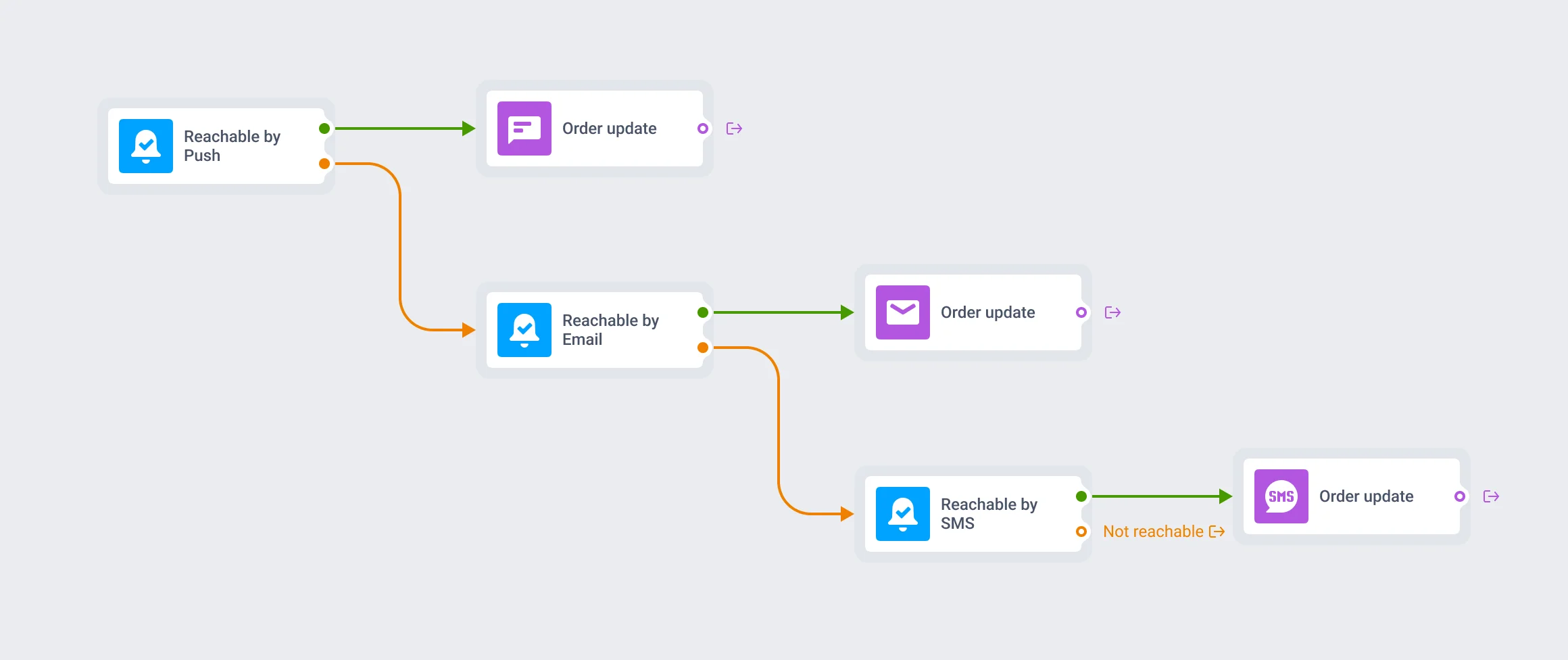
Chain checks into a cascade
Route the not-reachable branch of a push check into an email check, and that check’s not-reachable branch into an SMS or WhatsApp check. Each step narrows the audience to people the previous channel couldn’t reach, until the message lands or runs out of channels to try.
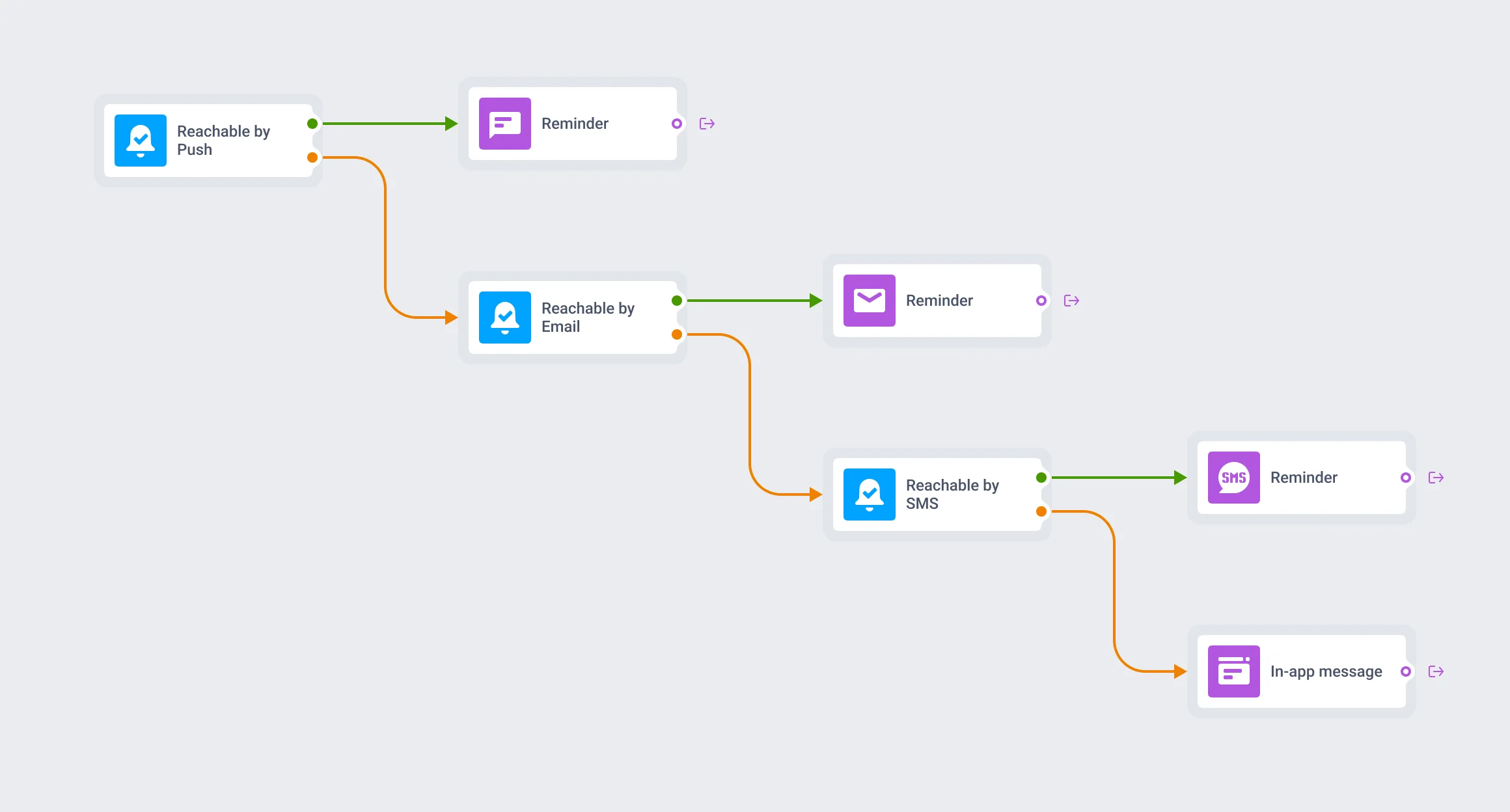
Close the cascade with in-app
In-app isn’t one of the 5 channels this element checks, but it’s the common last stop. An in-app message reaches anyone who opens the app, whatever their subscription status on every other channel.
What makes a journey omnichannel
Omnichannel means more than listing 5 channels in the settings. It means the journey can tell, person by person, when a channel is closed, and react before the send fails quietly. Reachability check is what gives Customer Journey Builder that: a way to route around a closed channel instead of just listing the channels you have.
Where this earns its place
Critical-alert cascades
Fraud alerts, appointment reminders, and outage notices route to whichever channel is open, since these can't just go unsent.
Time-sensitive status updates
Order and ride status updates fall back to SMS the moment push is closed, in food delivery and ride-hailing.
Transactional confirmations
Order confirmations fall back to email so a missed push doesn't turn into a support ticket.
- Fintech / banking
- Food delivery
- Ride-hailing / taxi
- E-commerce / retail
- Marketplaces
- Healthcare / telemed
- Creator / subscription apps
One check among the channels it protects
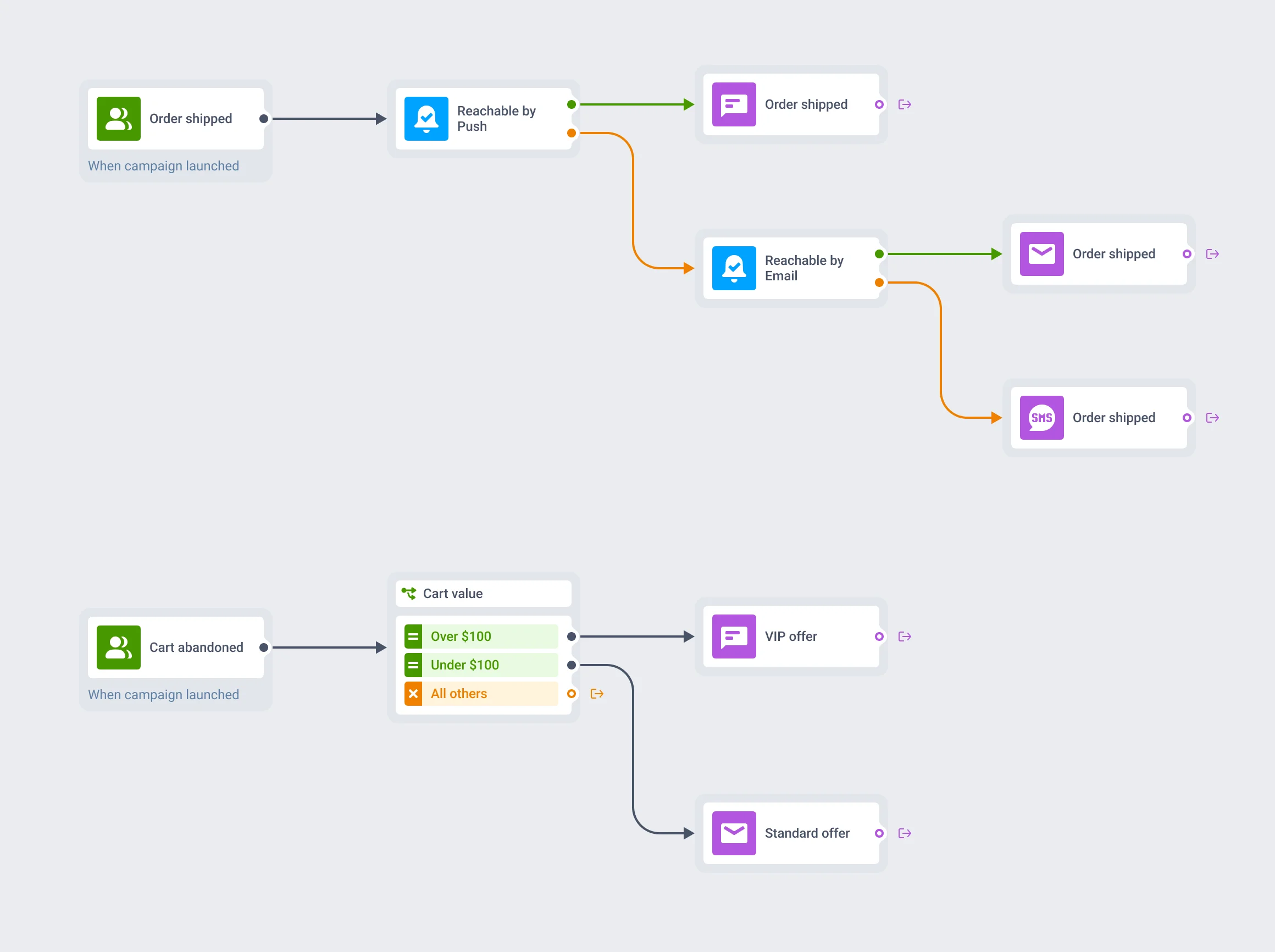
Built for the channels it falls back between
A cascade is only as good as the channels behind it: Mobile push as the first try, Email as the fallback, SMS or WhatsApp to close it out.
Condition split looks similar: a node, two or more branches, evaluated once. The difference is what it reads: a segment, tag, or event value already on the profile, versus whether a channel is open. Both live inside Customer Journey Builder, on the same canvas as every other flow-control element.
The data behind it stays on infrastructure you can name
The subscription tags a Reachability check reads run through the same infrastructure as the rest of the platform: Pushwoosh’s own hardware in the US and Germany, under GDPR and BDSG. Full detail sits on the data safety page.




How it works
-
Place it where you'd otherwise pick a channel
Drop Reachability check on the canvas at the point where a message is about to go out on a specific channel.
-
Pick the channel to check
Choose push, email, SMS, WhatsApp, or LINE. The element reads that channel's subscription tag and splits into 2 branches: reachable and not-reachable.
-
Route both branches
Reachable continues straight into that channel's send step. Route not-reachable into another Reachability check for a different channel, or into an in-app message as a catch-all.
What to keep in mind
FAQ
Reach them on whichever channel is open
Chain a Reachability check for every channel a message could use, and stop treating a closed channel as a dead end.
Explore related products
Map out and streamline your campaigns with one visual tool. Communicate, engage, retain, convert, segment, and experiment using Pushwoosh Customer Journey Builder.
Send each user down one of up to 10 branches based on segment, tag, or event attribute data already on their profile, with a guaranteed catch-all branch and no wait.
Mobile push notifications by Pushwoosh — every-device reach, rich content, precise targeting, cross-channel Journeys and 99% uptime. Turn notifications into loyal, paying users.
Your all-in-one email marketing platform: Pushwoosh. Customize templates, automate email flows, analyze performance, and aim even higher!
Use text messaging, audience segmentation, and campaign planning tools all within one platform. Before sending SMS, try to reach users via additional channels to optimize costs.
Send order updates, reminders, and promos customers actually reply to, right alongside your push, email, and SMS in one journey backed by Pushwoosh.