Customer events for behavior-based segmentation
Log what a customer just did, a level-up, a payout, a week of silence, the moment it happens. Journeys react in real time, and segments can ask how often and how recently, not just what's true right now.
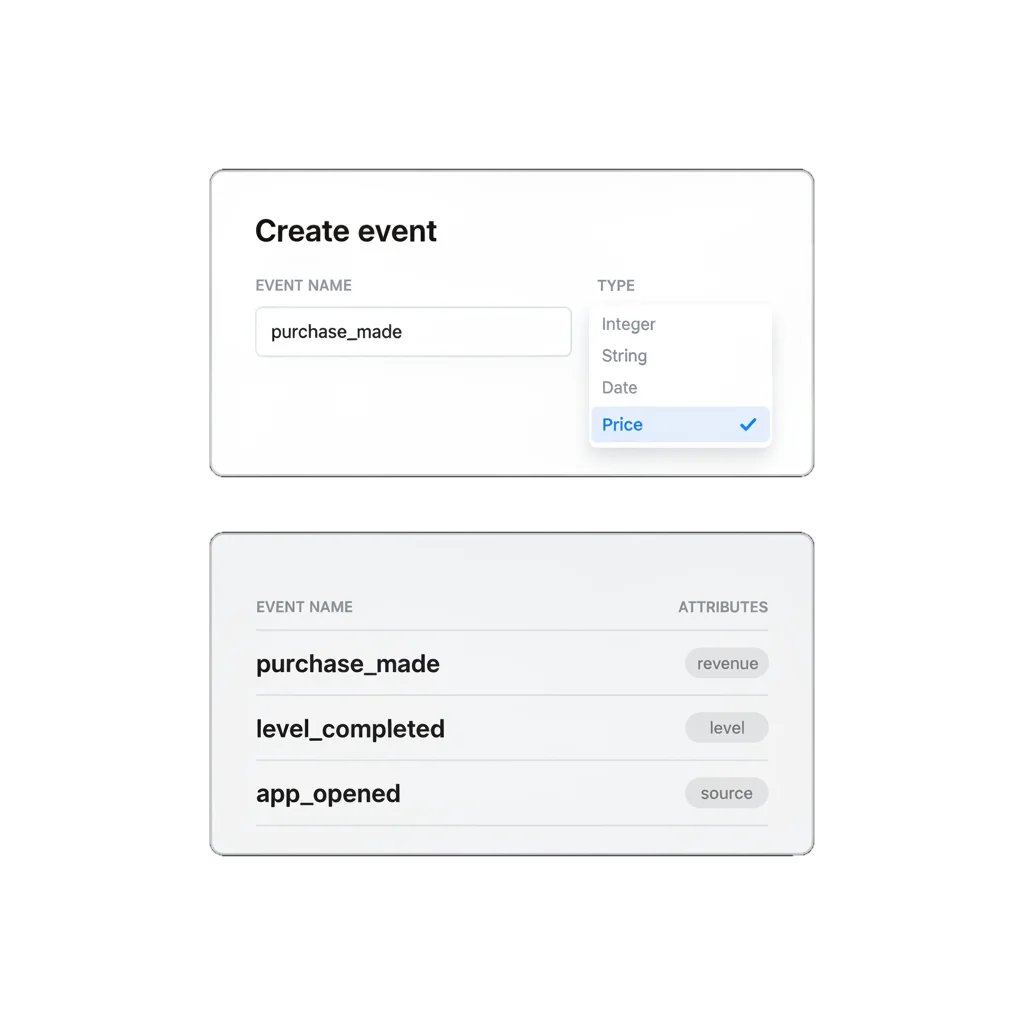
Some facts are moments, not numbers
Knowing someone’s current tier is one fact. Knowing they cancelled a subscription an hour ago is a different kind of fact. It happened at a specific moment, and it’s worth reacting to at that moment instead of at the next scheduled send.
That’s what an event is for. A tag tells you what’s true about someone right now. An event tells you what they just did.
What an event can hold
You describe an event once: its name, the data it carries. Then you send it every time it happens, from the SDK or the API. From there it feeds journey triggers and segment filters off the same registry.
| Default events | Custom events | |
|---|---|---|
| Source | Built in: PW_InAppPurchase, Log out, Payment method changed, and other documented events | Defined per account, in the Control Panel or via the createEvent API |
| Attributes | Up to 100, typed | Up to 100, typed |
| Types | Integer, String, List, Date, Boolean, Price | Same 6 types. No Version type, unlike tags |
| Retention | Set per event type | Set per event type |
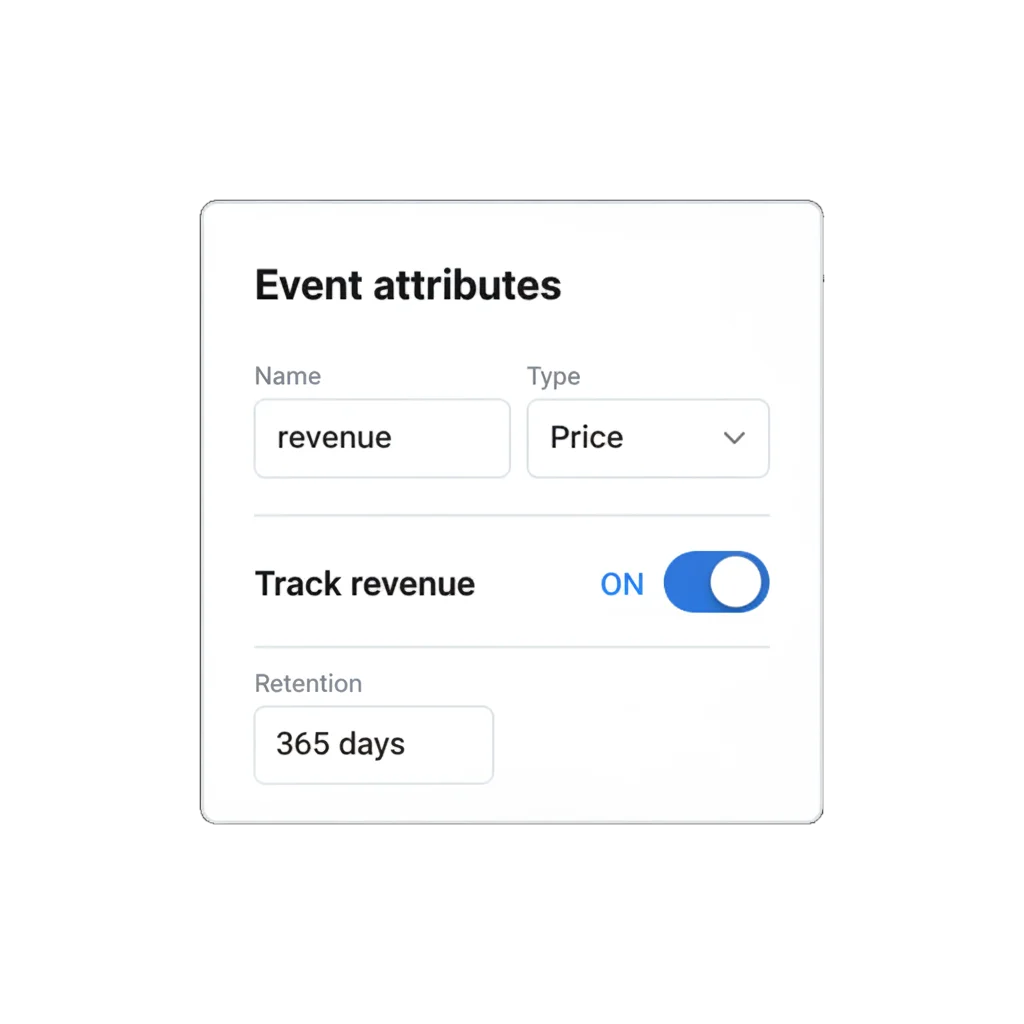
Attach revenue and retention to the event itself
A Price-typed attribute paired with the trackRevenue flag ties the event straight to revenue reporting. Retention is set per event type rather than once for the whole account, so a payout event can stay on record for a year while a low-value engagement event ages out in a month.
How often, and how recently
A profile built only from current state tells you who someone is. It doesn’t tell you what just happened to them. Behavioral segmentation that can only filter on “true now” can’t tell the customer who did something three times this week from the one who did it once, six months ago.
Events let a segment ask how often and how recently, and say “hasn’t done X in 14 days” as precisely as it says “has done X”. That’s what makes a unified customer profile worth acting on.
How it works
-
Define the event, if you want control over it
In the Control Panel (Audience → Events → Create Event) or via the createEvent API: name, description, up to 100 typed attributes, an optional trackRevenue flag, and a retention window. Skip this and postEvent creates the event on first send, with attribute types inferred from the payload.
-
Send it from your app
The moment it happens, through the SDK's postEvent (iOS, Android, Web) or the REST /postEvent endpoint.
-
Use it
As a segment filter (count plus time window), a journey entry trigger, or a branch condition on the canvas.
Step one and three are no-code, in the Control Panel. Step two needs a developer to add the SDK or API call.
One event, read by three different features
An event fired at checkout can pull someone into a win-back journey through Trigger-based entry, branch that journey by the event’s own cart-value attribute through Condition split, and mark the journey a success through Conversion goals. Three products, reading the same event the moment it lands. Tags sit next to it as the parallel layer: tags hold what’s true about someone now, events hold what they did and when.
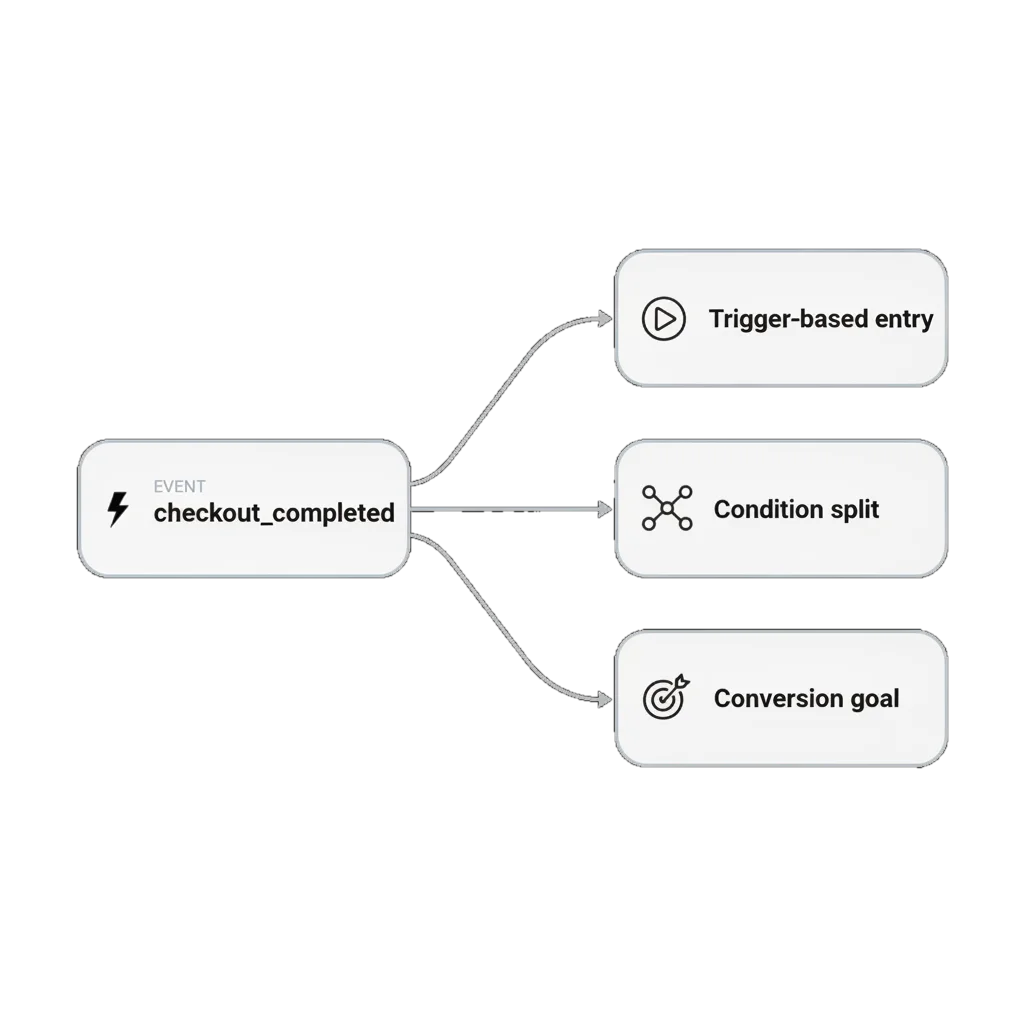
Built to feed the rest of the platform
Trigger-based entry reads an event to start a journey. Condition split reads its attributes to route a branch. Conversion goals read it to close a journey out as won. One event, three jobs, no redefinition.
What events are for
| Job | Verticals | What fires |
|---|---|---|
| Reactive journeys | Mobile games, e-commerce, fintech | Level-up, cart abandoned, large transaction: journey reacts the same session |
| Frequency and recency segments | Any | "Did X three or more times in 30 days" or "hasn't done X in 14 days" |
| Revenue-attributed events | Mobile games, e-commerce | Price attribute plus trackRevenue, tied straight into revenue reporting |
| Retention and inactivity ladders | Mobile games, subscription apps | inactivity_7, inactivity_30, d7_retention: graduated reactivation instead of one flag |
How to tell it is working
Events & tags statistics shows how many times each event fired, and to how many unique users, over any window you pick. It’s the view to check before trusting a journey or a segment built on an event you just added.
What to keep in mind
Turn what customers do into what happens next
A tag tells you who someone is. An event tells you what they just did, and that’s what a journey or a segment can act on the same moment it happens.
Explore related products
An SDK-level gateway across iOS, Android, Unity, and Web plus a native double opt-in toggle for subscription-form signups. Hold data collection dormant until a user consents, and reverse it the moment they don't.
Attach text, numbers, dates, currency, and app version to a device or a user, then use it to build segments, branch journeys, and personalize messages.
Start a journey the instant an event fires, with conditions on its attributes, controllable re-entry, and multiple sessions per user keyed to an order or product ID.
Send each user down one of up to 10 branches based on segment, tag, or event attribute data already on their profile, with a guaranteed catch-all branch and no wait.
Set the event that means a journey worked, count late conversions for up to 30 days after exit, and optionally end the sequence the moment a user converts.
Drive engagement with real-time segmentation. Create dynamic audiences that update instantly based on behavior, trigger timely campaigns, and maximize conversions.