Building and retaining user engagement is crucial to the success of any subscription app. However, with so many apps vying for users’ attention, it can be challenging to create a strategy that truly resonates with your audience. This is where mobile app messaging comes in. By leveraging the power of targeted, personalized messaging, subscription app marketers can create more meaningful and valuable experiences for their users. Keep reading to explore how you can build, maintain, and monetize engagement in your subscription app. The tips are illustrated by real-world examples, so be ready to get inspired!
Mission: create an engaging habit
Behind every successful subscription app, there is a user habit. So even if the application is not one of a kind by its features, it will be the one and only for its users who’ve learned to open it with their eyes closed.
How do you create such a strong habit? Engaging communications can help:
- Turn newcomers into activated users
- Engage your audience on a daily basis to keep them coming to your app regularly
- Convert free users into paying customers
- Last but not least, retain those paid subscribers and re-engage those who are about to churn

Retention Squad Lead at Phiture, Creator of the Subscription Stack
User engagement is crucial to an app’s bottom line because users are very unlikely to spend money on something they don’t use.
Retention strategies will become even more important in challenging economic times as consumers are looking to cut costs where they can. Therefore, you need to ensure that your product remains a key part of your users’ lifestyles.
Strategy: make the most engaging channels work in concert
- Use event-triggered and time-scheduled push notifications to attract users to your app;
- Continue the conversation in the app via relevant in-app messages aligned with the user journey;
- Utilize emailas a supporting channel for service messaging and user re-engagement.
In other words, take the omnichannel approach to user engagement.
Start with engaging user onboarding
Retention Squad Lead at Phiture, Creator of the Subscription Stack
Low engagement rates across all segments suggest that there could be a problem with your acquisition strategy, as high-quality users are not being acquired for whatever reason.
Or, it could be a lack of adequate onboarding and activation. It could be that users who have not been properly onboarded need help understanding the product and how to get the most out of it, hence the low engagement rates.
Your long-term user retention is literally made on Day 1. So give a warm greeting to your newcomers to activate them and get them to want more of your app and, ultimately, pay to subscribe and/or stay subscribed.
Channels to use: better go omnichannel — use in-app messages + emails + push notifications
Live examples: At the heart of great user onboarding flows, there is a sequence of in-app messages triggered by the first app open after the install.
- Ask any questions that will help you personalize your new user’s experience. The more pleasant the experience, the higher chances of retaining the newcomer in the app!
- Showcase the most valuable features of your app and let users know what awaits them after they’ve completed onboarding.
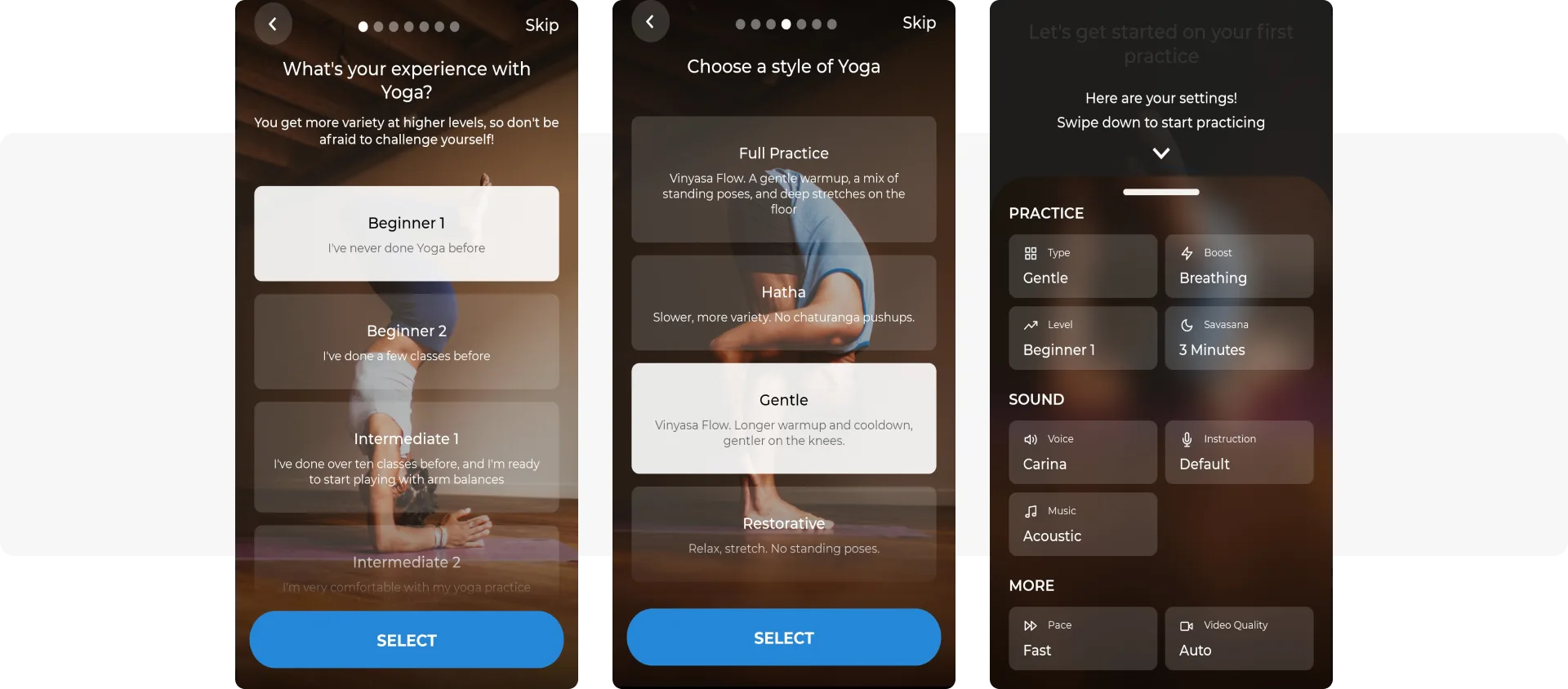
Example from Yoga | Down Dog
Measure results: activation rate, app adoption rate, D1 retention, and even customer LTV (known to be increased by proper onboarding by up to 300%)
Get permission to connect with users across the channels
The opt-in rate is one of the essential metrics for app marketers — your marketing communications effectiveness depends greatly on how many subscribers you have. To expand the audience willing to see your push notifications and emails, the key is to explain the value users will receive with messages.
Channel to use: in-app messaging
Live examples: Many successful apps push users to keep practicing by using scheduled reminders. In one of the first in-app messages after the app install, a newcomer may specify the time they prefer to meditate, exercise or take a foreign language class. At the exact hour, they should receive their daily reminder via push.
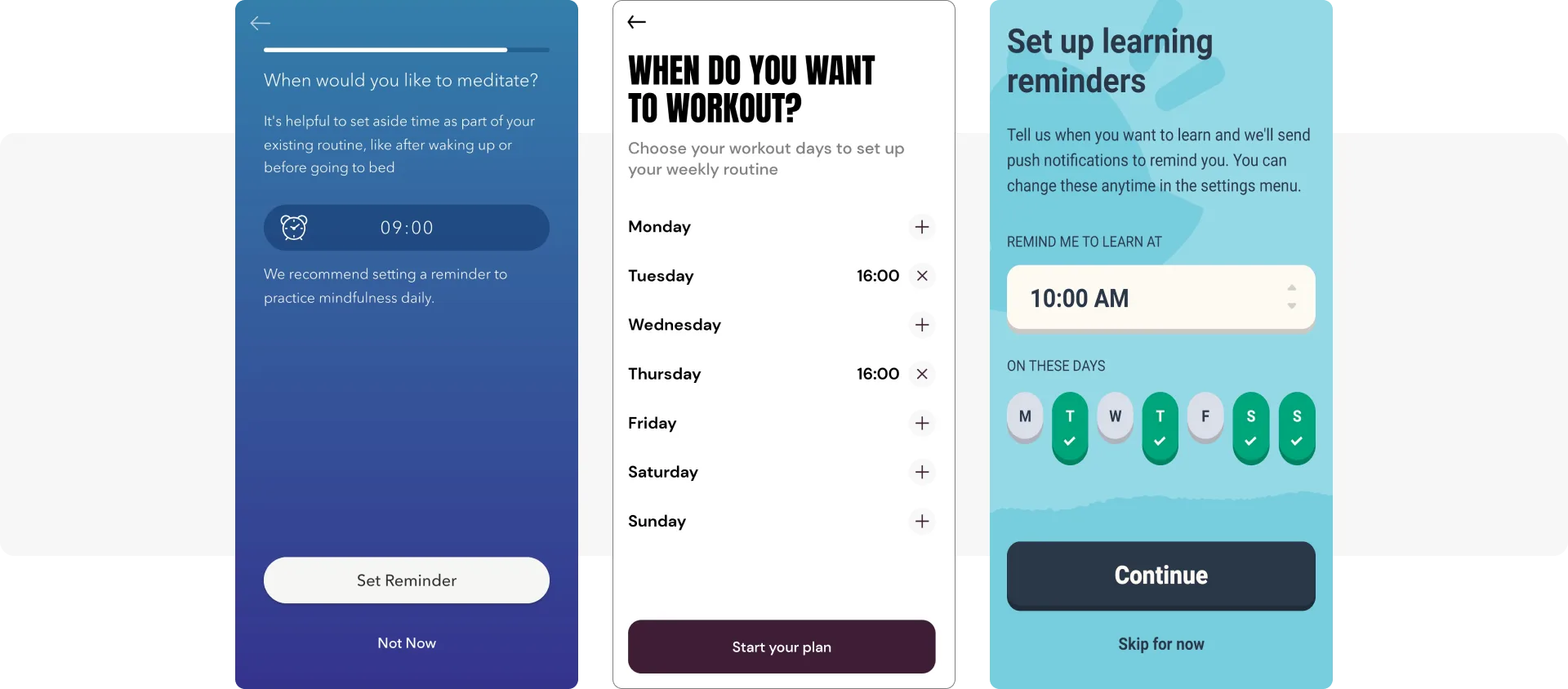
Examples from Calm, PunchLab, and Memrise apps
Measure results: opt-in rate + DAU and MAU (in the long term)
Activate your new users
User activation is a tricky stage, as every app will have its unique activation action. You may even determine that it takes more than one session to activate a user properly — in this case, mobile messaging can help.
Channels to use: in-app messages and push notifications
Live examples: Drops, a language-learning app, encourages its newcomers to spend some extra time in the app on Day 1. When the first short session is over, the app makes sure to congratulate a user on their new beginning:
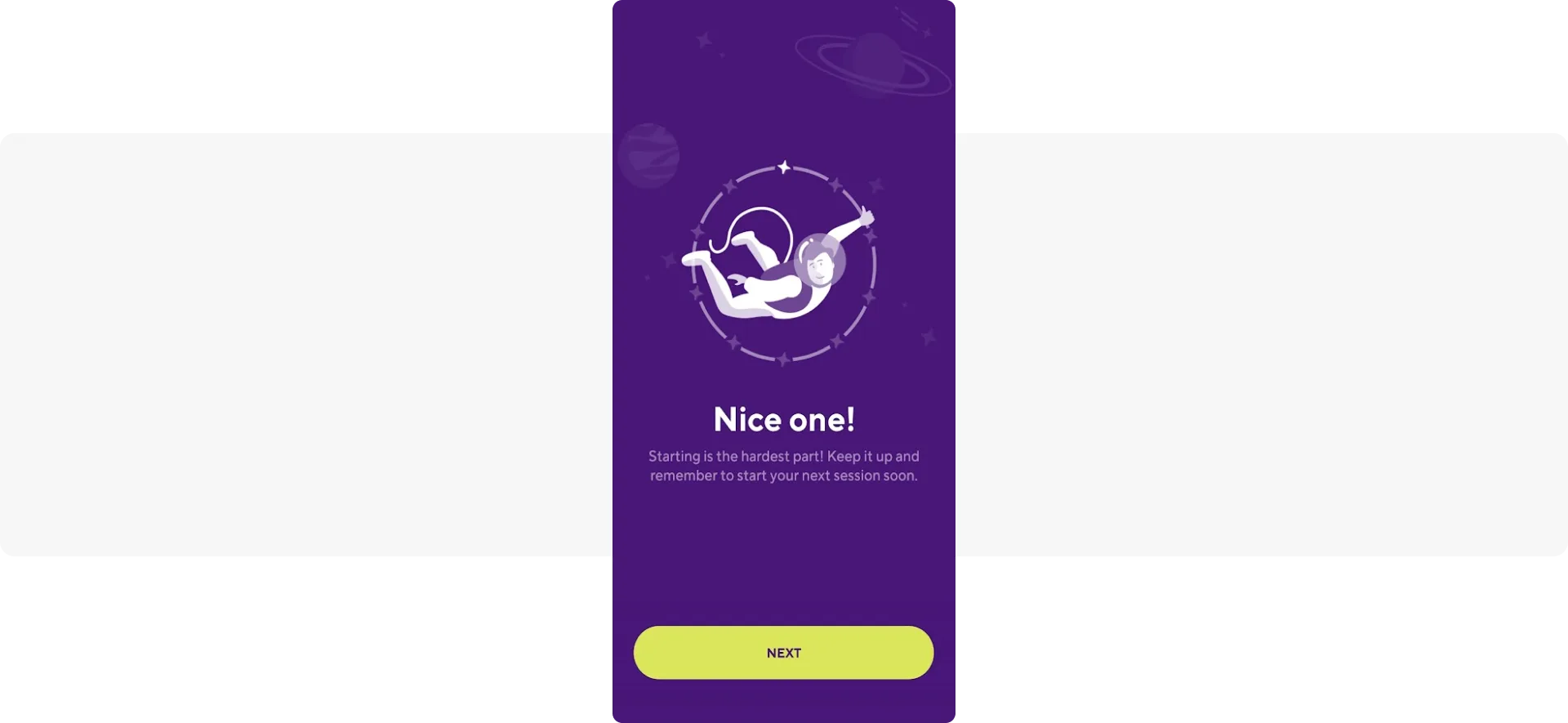
…and then it suggests a novice keeps flying on the wings of inspiration and goes for another short session — the offer comes in the form of a push:
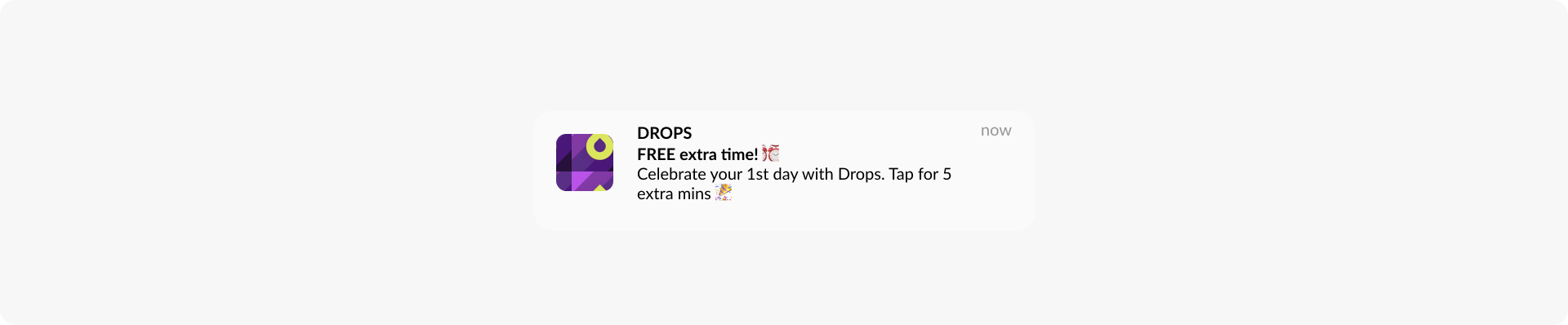
Measure results: activation rate, Day 1 retention rate
Create a habit of using your app with scheduled reminders
As you promised, stay useful to your audience by reminding them of their scheduled activities.
Channels to use: push notifications and emails
Live examples: A simple yet motivating push notification with one copy for all users will be just fine. Example: a reminder from PunchLab:
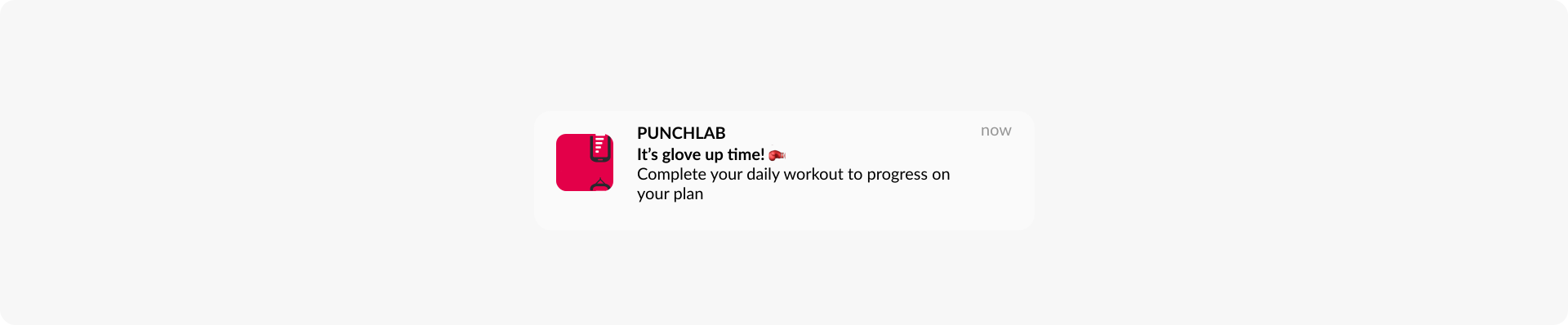
But if you pursue maximum engagement, you can personalize your message with more detail on the upcoming session. You can even extend the message and get deeper into customization with email. Any specific information can be added to the copy automatically as dynamic content. If you use a customer engagement platform as advanced as Pushwoosh, it will be no problem for you at all.
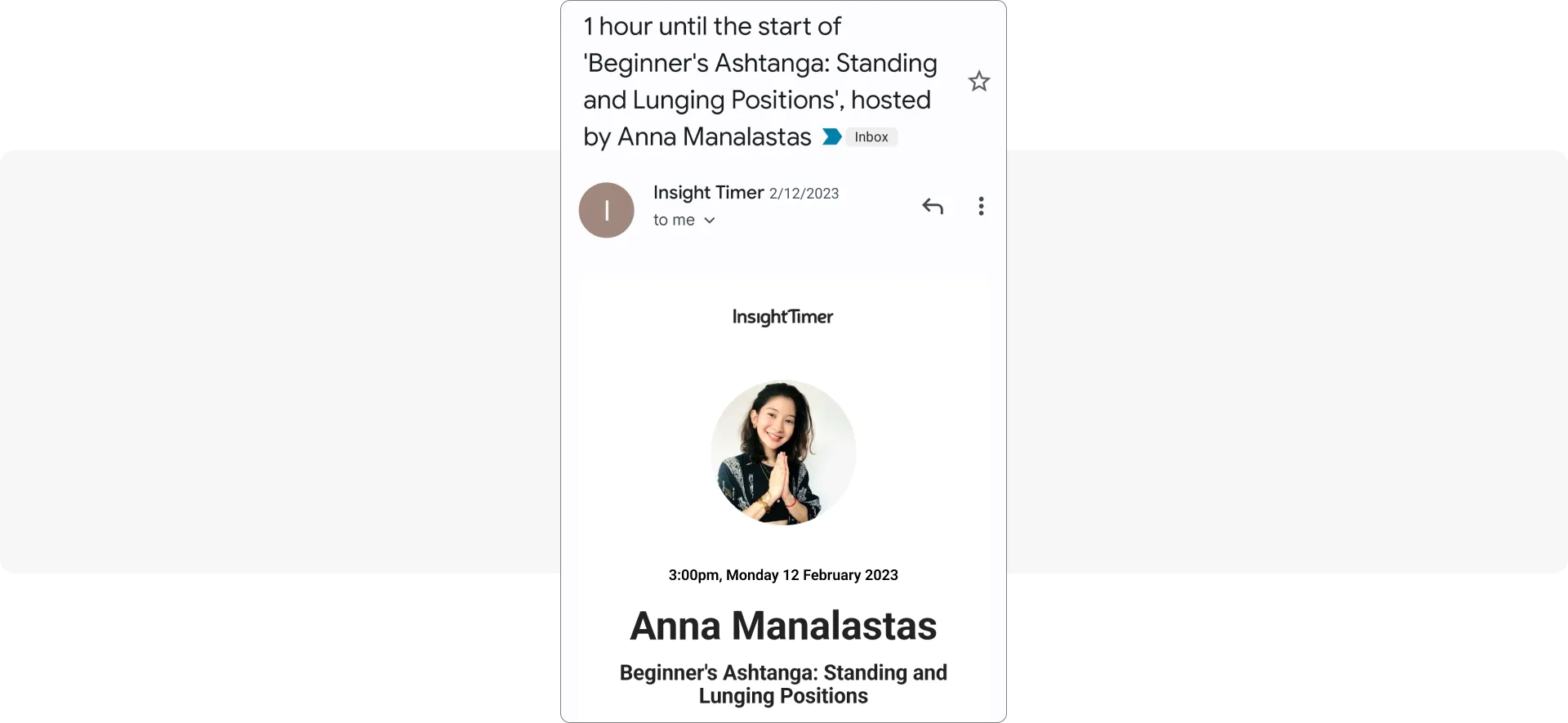
Measure results: session interval (can be determined by the last app open event), DAU, MAU, stickiness, D7 and D30 retention
⏰Explore the features for effective scheduled messaging
Keep users engaged with personalized event-triggered messaging
As an app marketer, you are likely to know a lot about your users: what they’ve been reading recently, how they’ve been lately, whether they’ve been strictly following their diet or self-care routine, etc. And you can use this knowledge to create engaging communications!
Channels to use: push notifications, in-app messages, emails
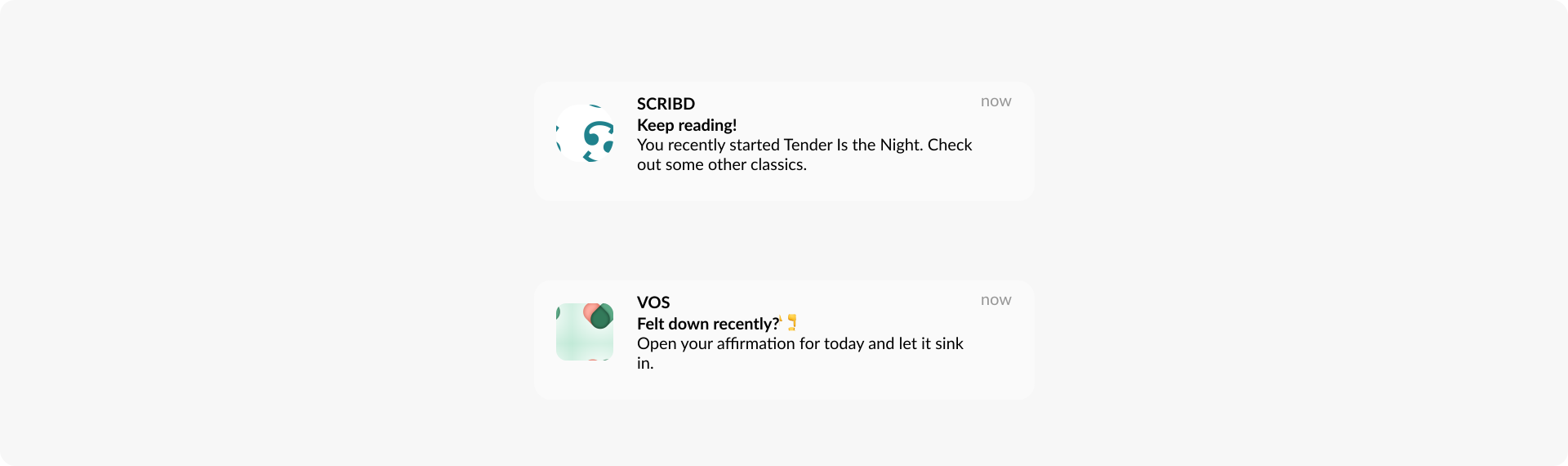
Live examples: Scribd, a reading app, certainly knows its users’ tastes in books, so it notifies them of more content that may also interest them based on their previous selections.
And VOS, as a well-being tracker, keeps tabs on what feelings a subscribed user logs in. So the next time the user opens the app, VOS can invite a subscriber to complete another action in the app that corresponds to their most recent mood.
Measure results: push notification/in-app message/email CTRs (in the shortest term), DAU, MAU, retention rates
👆Learn more tips in our dedicated blog posts on how to boost your push notification CTRs and improve your email open and click-through rates
How do you make communications responsive to user behavior?
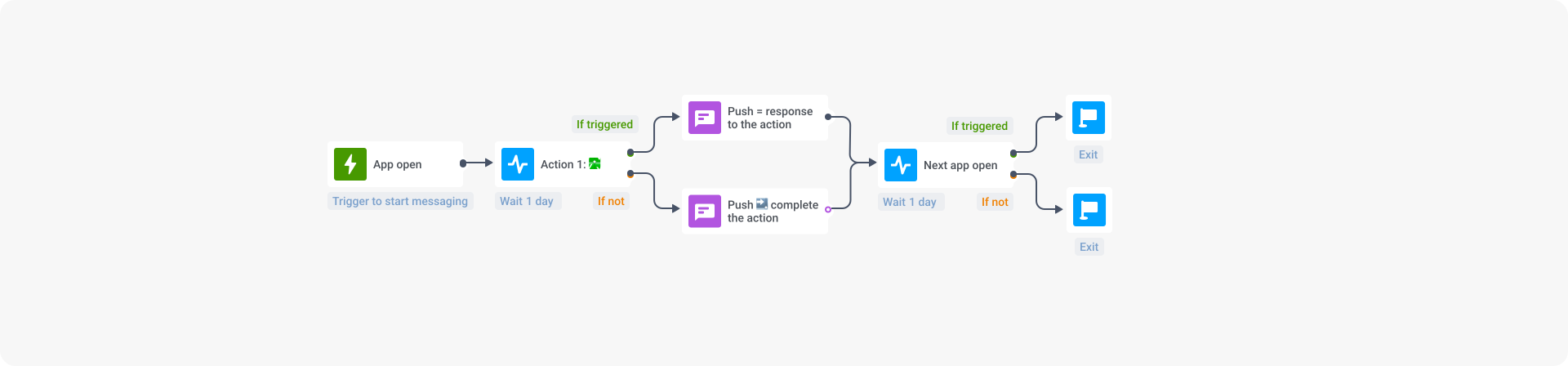
To fit into your user’s context and deliver the most relevant message that will trigger a response, you need a tool that allows behavioral segmentation and automated communication sending — like Pushwoosh Customer Journey Builder. With it, you can create a user engagement campaign as simple or as elaborate as you wish. For example:
1️⃣ Target all the users who’ve opened your app today.
2️⃣ Wait for them to take the target action in the app — e.g., making a journal entry or listening to one music track.
3️⃣ Send a push notification with a relevant reaction to the action taken. Encourage users to open your app and complete another one.
4️⃣ If a user hasn’t taken the first target action, get them back to the app with a push that acknowledges that and makes them reconsider taking the desired action
5️⃣ Track how many users you’ve successfully engaged. You can then choose to differentiate your communications further, tag users depending on the actions they’ve taken (or not) or end the journey right there.
Seasonal engagement activities
By referencing relevant and timely events, you can capture your subscribers’ attention and create a sense of excitement and urgency. Messages tied to special dates may receive higher CTRs and boost your daily engagement rates.
Channels to use: push notifications and/or emails to attract users to the app + in-app messages to engage and entertain them in the app
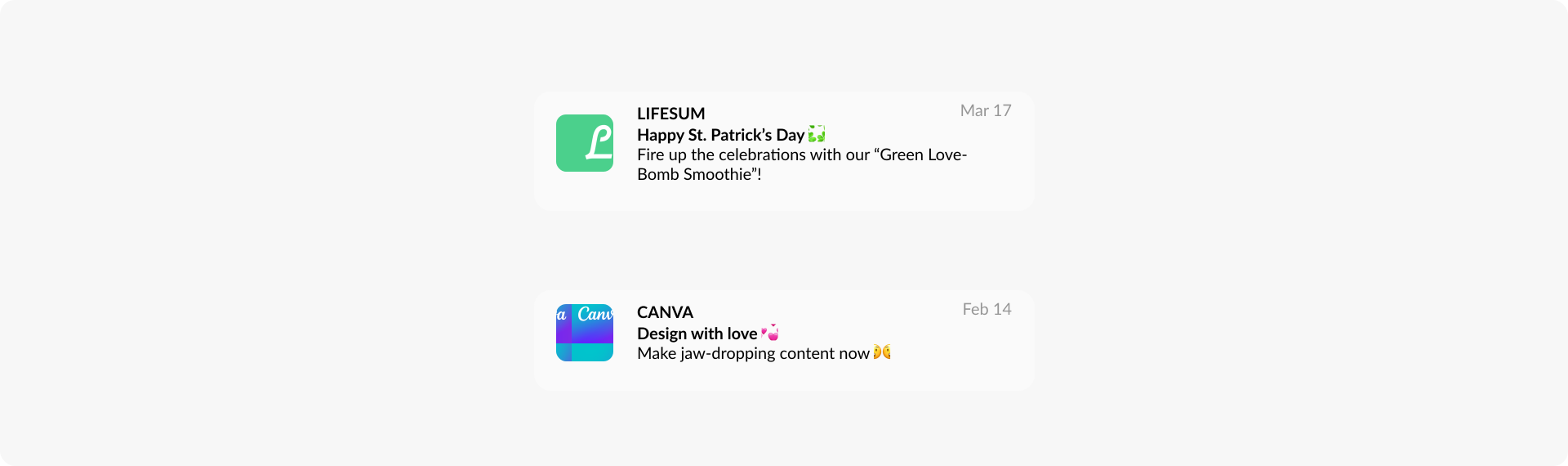
Live examples: Lifesum (yes, we love its elaborate messaging!) can’t help featuring the greenest holiday of St. Patrick’s. The app uses the date as an opportunity to promote its in-app content.
In the meantime, Canva, a design app, appeals to the audience in love with their job and challenges them to create stunning designs.
Measure results: CTRs, DAU on the special days, and MAU (the average monthly engagement rate may consequently increase too)
Drive feature adoption and discovery
By highlighting your latest improvements and explaining how the lesser-used features can benefit your audience, you can attract some extra traffic, increase user satisfaction with your app and even encourage upgrades.
Channels to use: push notifications, emails, and in-app messaging
Live examples: Like Lifesum, a subscription-based healthy eating app, your product may be best known for one core functionality. To increase usage of other components, promote those less popular features and their use cases via push notifications.

Examples from Lifesum
🔥 Embed a deep link to the push and take a user to the exact screen or an in-app message with more detail. You may also add custom data to your notification and activate an exclusive trial of the feature for a particular user.
Measure results: feature’s time-to-adopt and adoption rate; DAU and MAU over time
Re-engage inactive users to minimize churn
Your user acquisition efforts are only worthwhile if you can effectively retain newcomers and keep them active. That’s where push notifications and emails come to the rescue. These communication channels are highly effective for user retention and preventing churn.
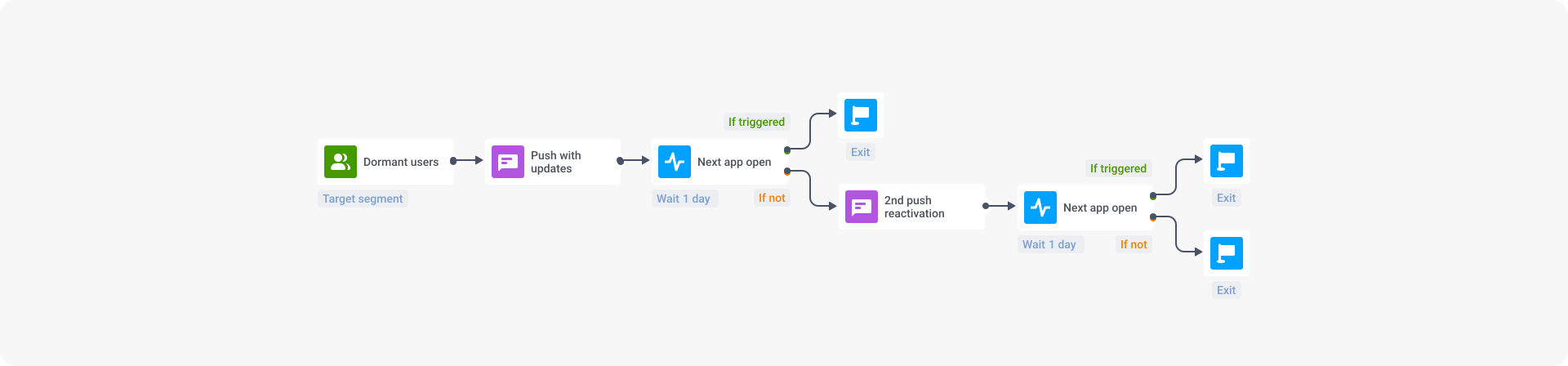
Live examples: Lifesum is positive it can get a user back on track — even if they haven’t indicated their name in the profile. When a user hasn’t opened the app for a certain number of days (you can specify it when setting up your campaign in Pushwoosh, Lifesum sends them a re-engaging push.
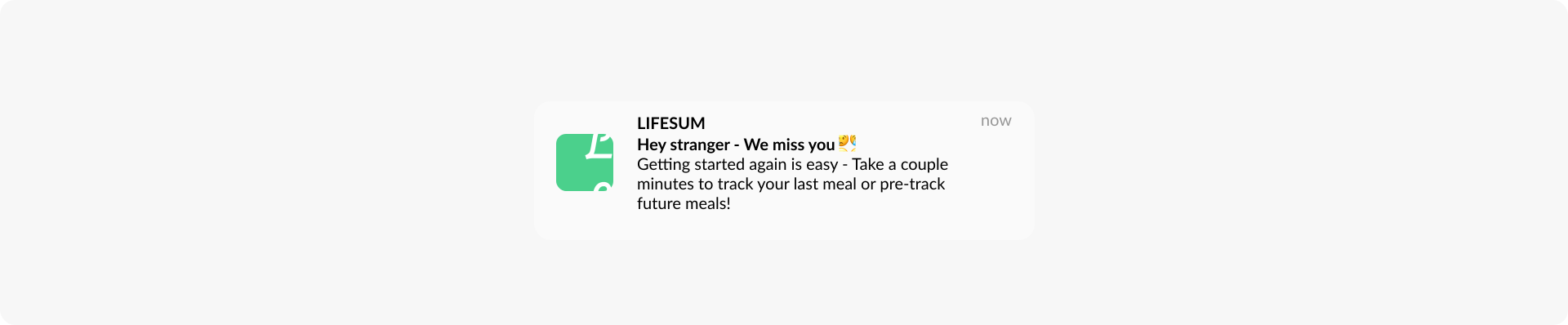
You can follow the example and target a similar event-triggered communication to those users you no longer want to have as “strangers”!
Measure results: app open/session interval, DAU, MAU, time in the app, number of app launches, screen opens, user LTV
From stronger user engagement to more significant returns
With the power of mobile messaging, you can establish a more targeted and personalized connection with your users, resulting in superior engagement and ultimately driving increased revenue. This way, you can position your subscription app for long-term success and growth.
If you’re looking to optimize and maximize your user engagement efforts, we at Pushwoosh are at your service. Discover what our platform can offer to subscription-based app businesses:
Learn more about Pushwoosh for subscription apps
Explore the core features for your success on a personal demo — set up a call with our experienced and caring team: