A wallet pass is a digital card that lives in a phone’s wallet app, Apple Wallet or Google Wallet. It can be a loyalty card, coupon, ticket, or boarding pass, and a business updates it over the air after the customer adds it. It isn’t a payment method; it’s a branded card the customer keeps and you can refresh anytime.
That’s the short version. Below, in plain terms for anyone deciding whether to issue one: what a wallet pass looks like on iPhone and Android, what it does for a business, and how it stacks up against an app or a plastic card.
What is a wallet pass on iPhone, specifically
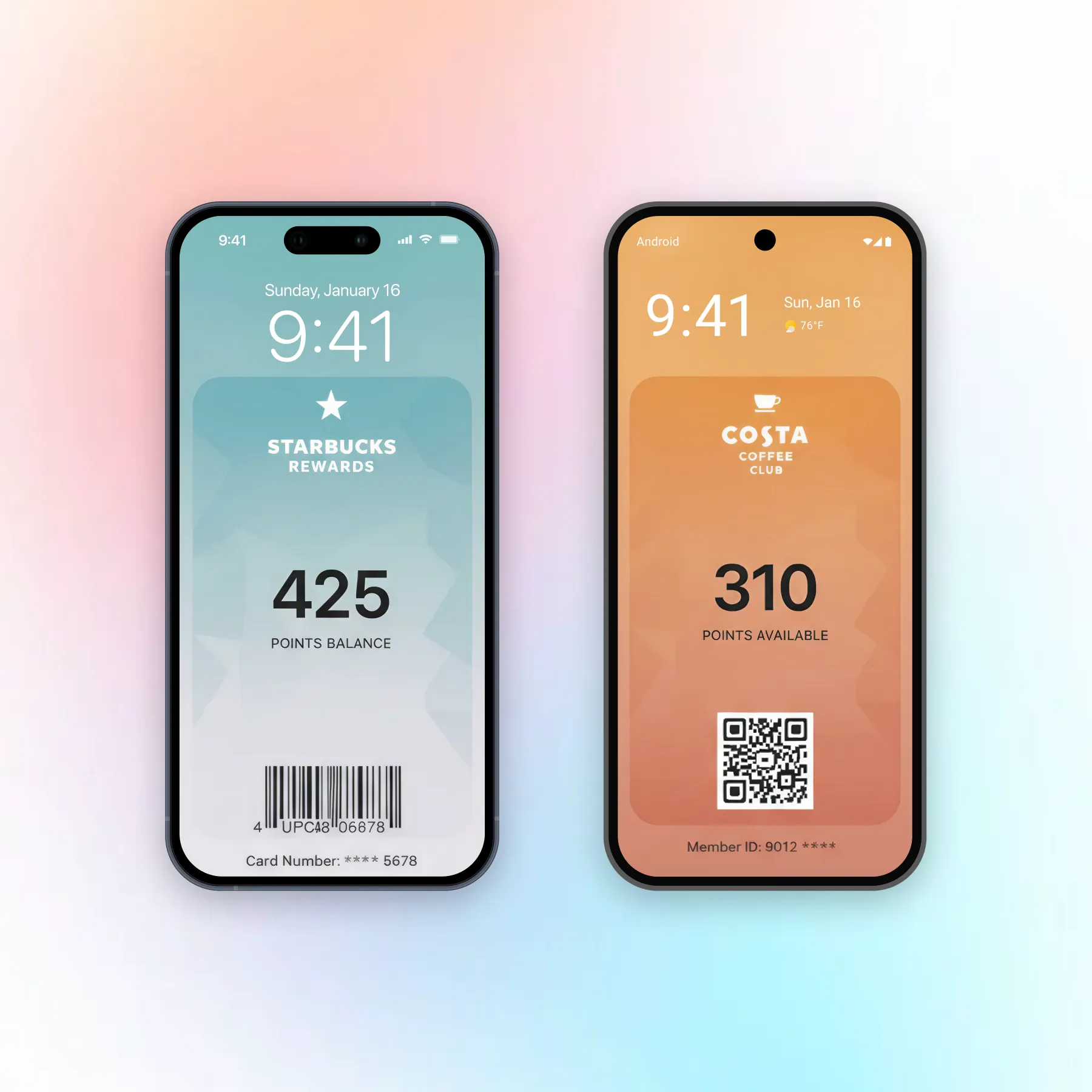
On iPhone, a wallet pass is a file that lives in Apple Wallet, the app that already holds boarding passes and payment cards. The customer adds one by tapping “Add to Apple Wallet” from a link, email, or QR code, and it sits alongside their other cards.
Apple’s version has a few defining traits. It can surface on the lock screen when the phone is near a place you set, like a store or a venue, and it can carry a date so it shows up at the right time, useful for a ticket or a time-limited coupon. Its contents also update over the air, so a points balance or a gate change reflects without the customer doing anything.
The barcode itself is stored on the device, so the pass scans even with no signal. Only content updates need a connection.
What is a Google Wallet pass (and how it differs)
A Google Wallet pass is the Android equivalent: the same kinds of cards, held in the Google Wallet app, added with an “Add to Google Wallet” button. For a customer, the experience is nearly identical to iPhone.
The differences are mostly under the hood and matter to the business issuing the pass. Google uses its own pass format and its own button artwork, so a pass built for Apple won’t work on Google and the reverse is also true; you create a version for each.
Some finer controls, like the exact text shown on a location alert, work differently between the two platforms. Either way, reaching every customer means supporting both wallets, since neither one covers the whole market.
What a wallet pass can actually do for a business
A wallet pass earns its place when it replaces something that gets lost or ignored. Where a push notification appears and vanishes, a pass stays in the wallet until it’s used or expires, which is what makes it useful for the jobs below.
Loyalty and membership cards
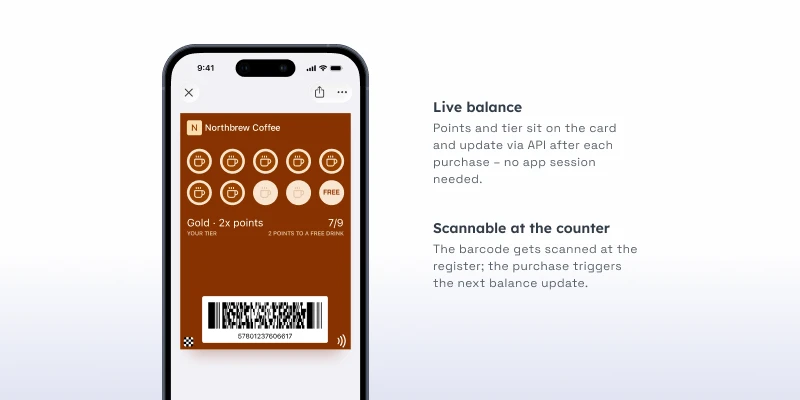
The most common use. A wallet pass holds a points balance, a stamp count, or a membership tier, and updates as the customer earns. It replaces the plastic card that gets left at home and the app most people won’t download, while giving you a record of who your regulars are.
Coupons and gift cards
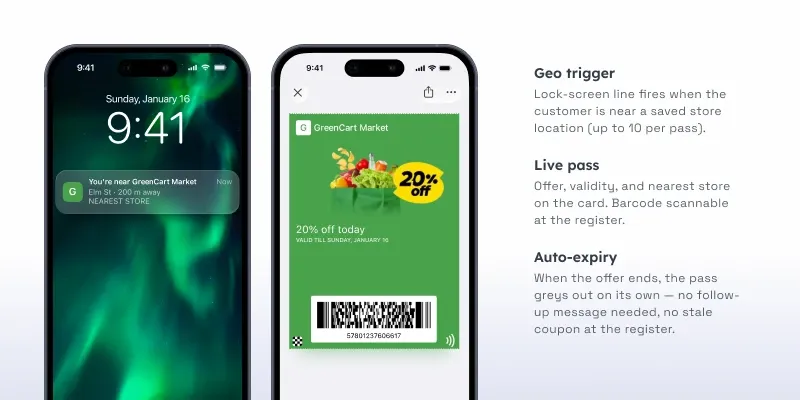
A coupon in the wallet is harder to forget than one in an inbox. The pass shows the offer and its expiry, can remind the customer as the deadline nears, and updates or disappears once redeemed. Gift cards work the same way, carrying a live balance the customer checks at a glance.
Tickets and boarding passes
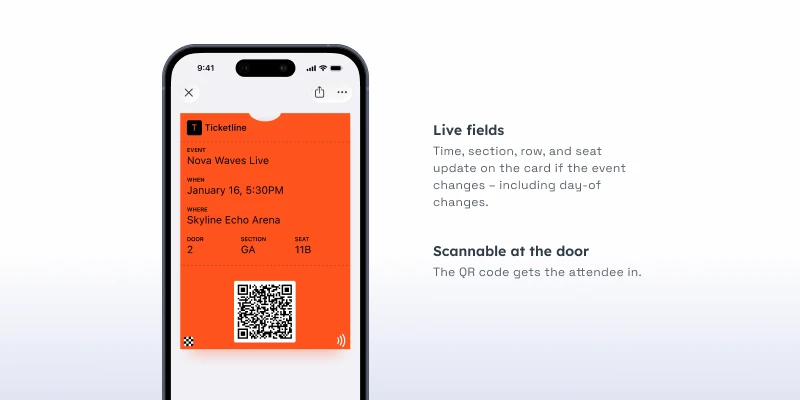
Event tickets and boarding passes were the original wallet use case, and they show why the format works: the barcode scans at the gate even offline, and details like a seat or a gate can update if plans change. The customer never digs through email at the turnstile.
Wallet pass vs. app vs. plastic card
Three ways to put a card in a customer’s hands, and they’re not equal.
A plastic card is cheap to start and easy to lose, and it tells you nothing about how it’s used. An app can do the most, but it needs a download most customers won’t complete, and it’s costly to build and maintain. A wallet pass sits between them: it lives in an app the customer already has, adds in one tap, updates on its own, and gives you usage data, without the build cost of an app or the dead weight of plastic.
For most businesses issuing a loyalty card, coupon, or ticket, the wallet pass is the practical middle path, all the reach of a native card with almost none of the friction.
Getting started
If you want to issue a wallet pass, you don’t need to write code or build an app. With Pushwoosh Wallet passes, you design the pass in a dashboard, generate an “Add to Wallet” link and QR code for both Apple Wallet and Google Wallet, and share it wherever your customers are. From there you can update the pass and its contents anytime, and the change reaches every device that added it.
Issue your first wallet pass with Pushwoosh
Ready to put your card in every customer’s pocket? Pushwoosh Wallet passes lets you design, distribute, and update a pass for Apple Wallet and Google Wallet from one dashboard, no app required.