All of your user acquisition efforts are pointless if you cannot retain newcomers and keep them active in your app. That’s where mobile push notifications come to the rescue.
Yet, the way you send push notifications matters. If you only use them occasionally, no wonder they may have low open rates and no effect on app retention.
In contrast, if you practice a more strategic approach and leverage push notifications to encourage user engagement at each stage of the customer lifecycle, you may join the ranks of successful app marketers who’ve taken user retention under control**.**
Get the opt-in for push notifications;
Leverage push notifications to respond to users’ real-time behavior;
Push notifications for onboarding;
Send push notifications to show continuous value;
Push notifications for re-engagement;
Best practices to make your pushes even more effective for user retention;
Supercharge your retention efforts with Pushwoosh.
Get the opt-in for push notifications
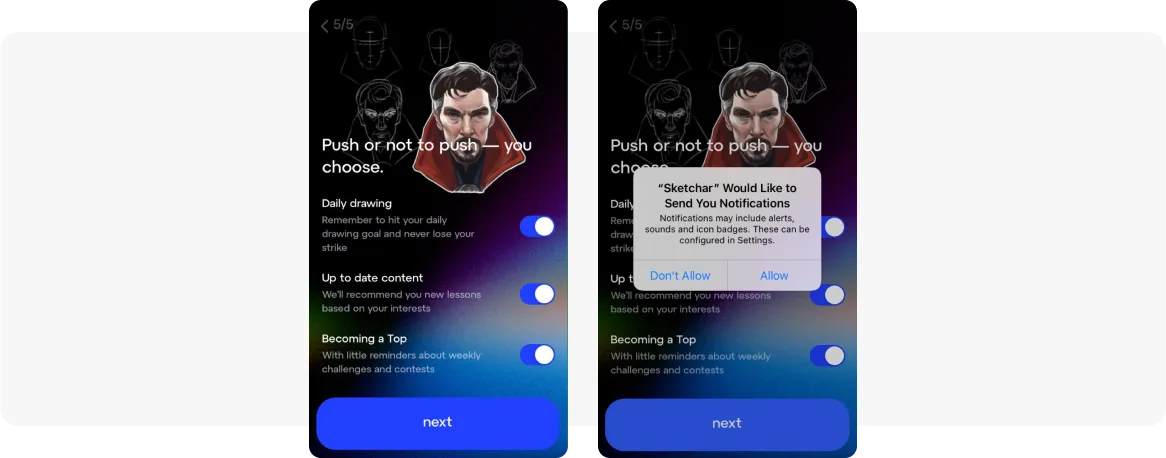
Let’s explore how to encourage users to opt in for push notifications. Sketchar, a drawing app, provides a good example.
Before a default opt-in request, Sketchar displays a pre-permission screen, allowing users to choose the types of notifications they want to receive. This sets the stage for the relevancy of future communications:
Once you’ve got the opt-in, you can start sending push notifications at the key stages of the user lifecycle to effectively flatten the retention curve.
Leverage push notifications to respond to users’ real-time behavior
How can you ensure that your push notifications are delivered at the perfect moment? The answer lies in event-triggered automated flows. By reacting to users’ actions as they happen, you can deliver messages that achieve higher open rates, resulting in enhanced retention.
Here is an example of a messaging flow triggered by the “In-app Purchase” event. The app provides users with a special discount for their next purchase, incentivizing further engagement and promoting continued usage:

💡 This flow is made with Pushwoosh Customer Journey Builder, an omnichannel campaign planning visual tool. You can start sending event-triggered push notifications as soon as the Pushwoosh SDK is installed in your app, because the platform provides 10 Default Events.
Considering other user retention platforms? Discover how Pushwoosh compares against the alternatives.
Push notifications for onboarding
Welcome users
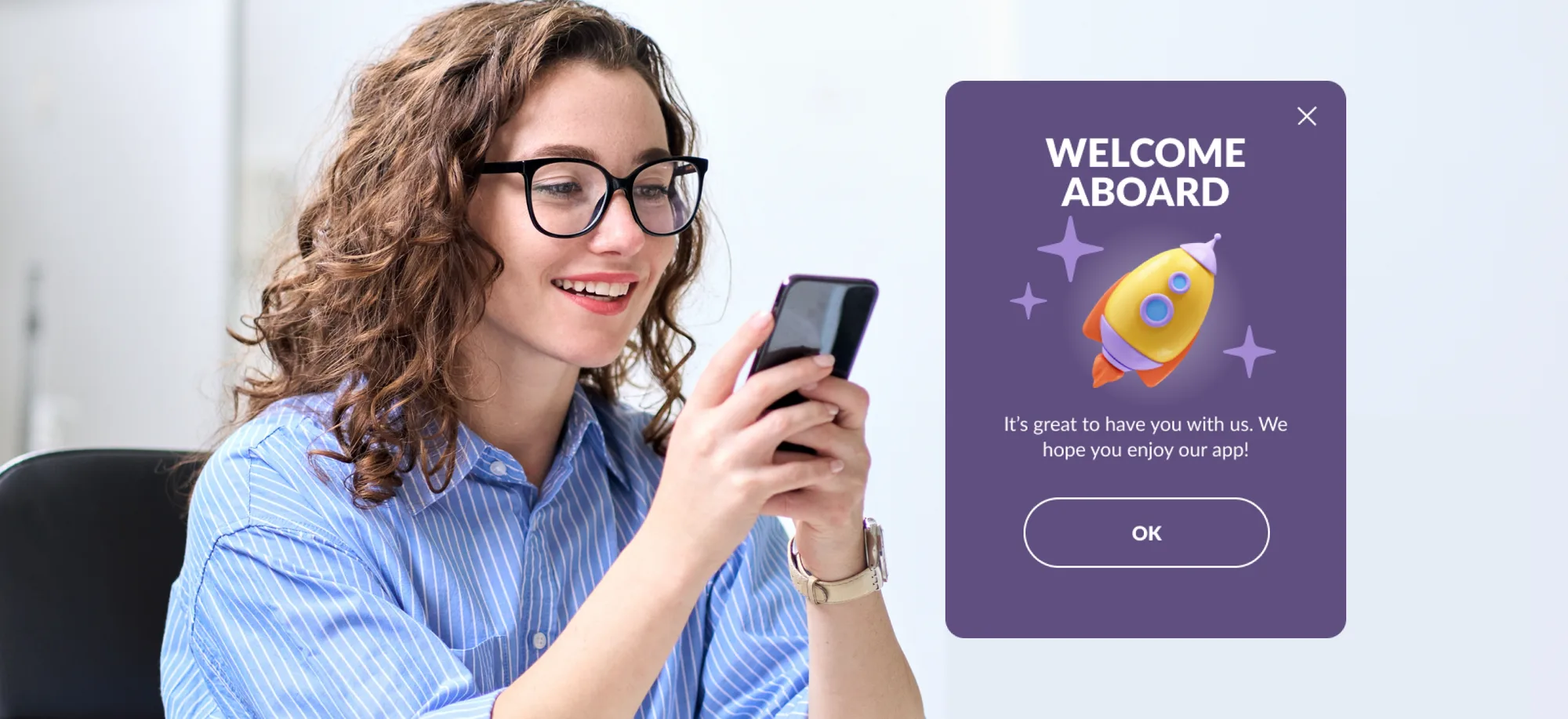
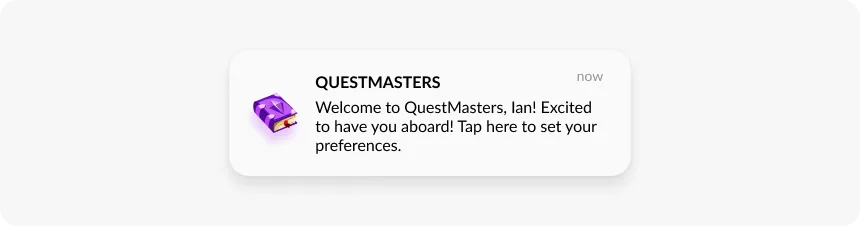
Congratulations, you’ve got a new user! Show your attention early on and start building long-lasting loyalty from the very first minute. A simple welcome message will encourage users to complete onboarding and input their preferences:
Encourage feature discovery
Once you’ve gained a new user, it’s important to show them around and share some tips on how to start using your app and get the most value from it. A series of push notifications containing useful tips will do the job and help newcomers avoid confusion, improving user experience:

Prompt users to complete an activation
Want to ensure that users have recognized the benefits of your app during onboarding and are ready to form a habit? Guide them toward accomplishing an activation event (=completing a key action within the app for the first time).
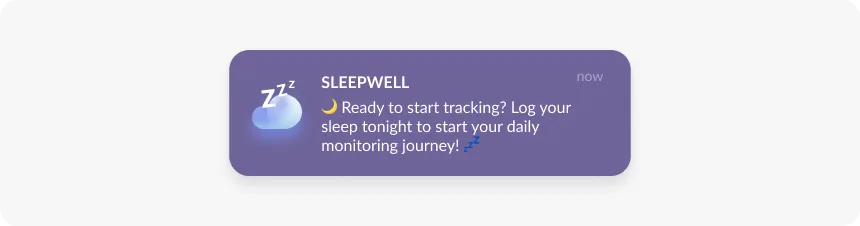
You can drive activation by sending push notifications with a clear call to action, explaining why it matters. For example, a sleeping app might prompt users to log their recent sleep duration, kickstarting the habit of daily sleep monitoring:
 Learn more activation tactics
to increase your app performance metrics.
Learn more activation tactics
to increase your app performance metrics.
Now let’s delve into how push notifications impact retention through user engagement.
Send push notifications to show continuous value
Push notifications are an effective way to motivate users to continue their activities within the app, as well as to explore fresh offers and content.
Leveraging push notifications, you can create an experience that provokes spikes of dopamine and keeps users coming back for more. The messages that you send should:
- relate to the original purpose behind downloading the app;
- provide consistent value that resonates with users’ preferences.
You can discover users’ motivation to download your app by directly asking them about it during the onboarding process.
Alternatively, you can gain insights into user acquisition from Appsflyer, a platform that collects data on user behavior before app installation, including acquisition sources.
💡Thanks to the Appsflyer integration with Pushwoosh, you can use acquisition data to improve your lifecycle messaging campaigns. This integration allows you to tailor your marketing strategy to specific acquisition sources, audiences, and the very reasons users downloaded your app.
Now let’s delve into some examples of push notifications that deliver continuous value.
Personalized recommendations
Use push notifications to inform users**,** about new and recommended offers, providing users with personalized opportunities to explore within the app. This proactive approach ensures users feel continuously engaged and valued, driving long-term retention and loyalty.
Take a look at the example of Bantoa, a fashion social e-commerce platform that sends push notifications promoting products aligned with user preferences (clothing style, size, age, budget, shopping habits) and behaviors (views, clicks, and purchases):
 Learn
more about Bantoa’s retention strategy.
Learn
more about Bantoa’s retention strategy.
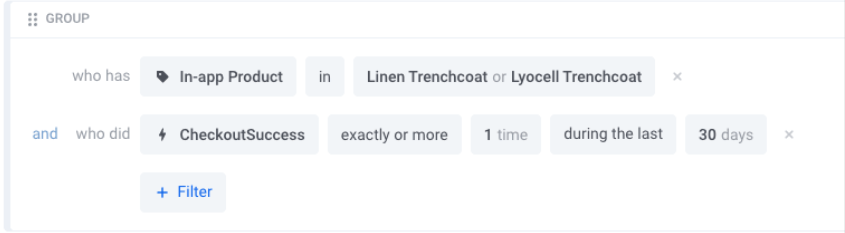
💡 Just like Bantoa, you can adopt a comprehensive approach to campaign targeting by leveraging Pushwoosh’s advanced segment builder. With Pushwoosh, you have the flexibility to create tailored segments based on user tags and past events. This approach ensures that your retention campaigns take into account a broader user context:
Automated reminders
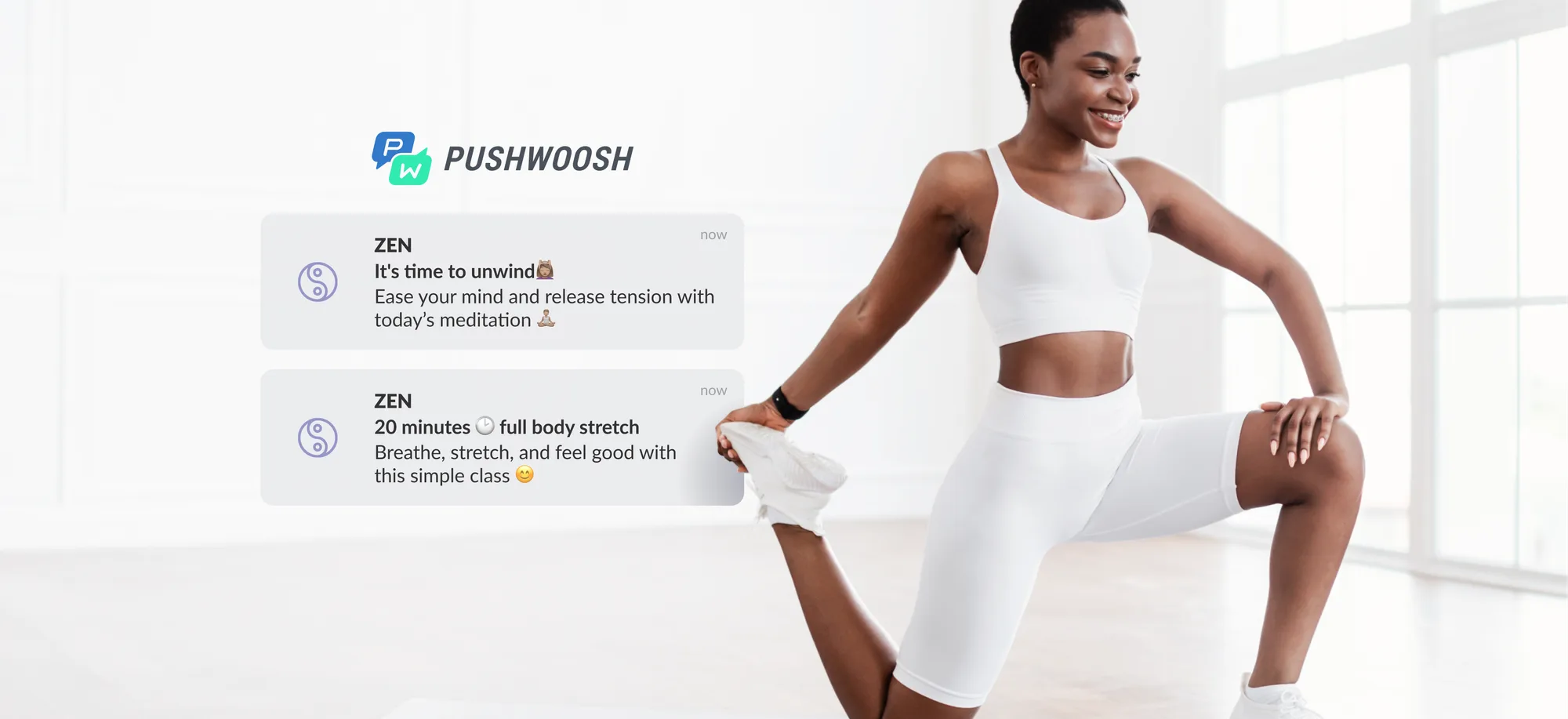
In the case of subscription-based apps (e.g., education, health, fitness apps, and others), sometimes users start with big goals but lose motivation over time. You can help users stay motivated by sending push notification reminders based on established schedules.
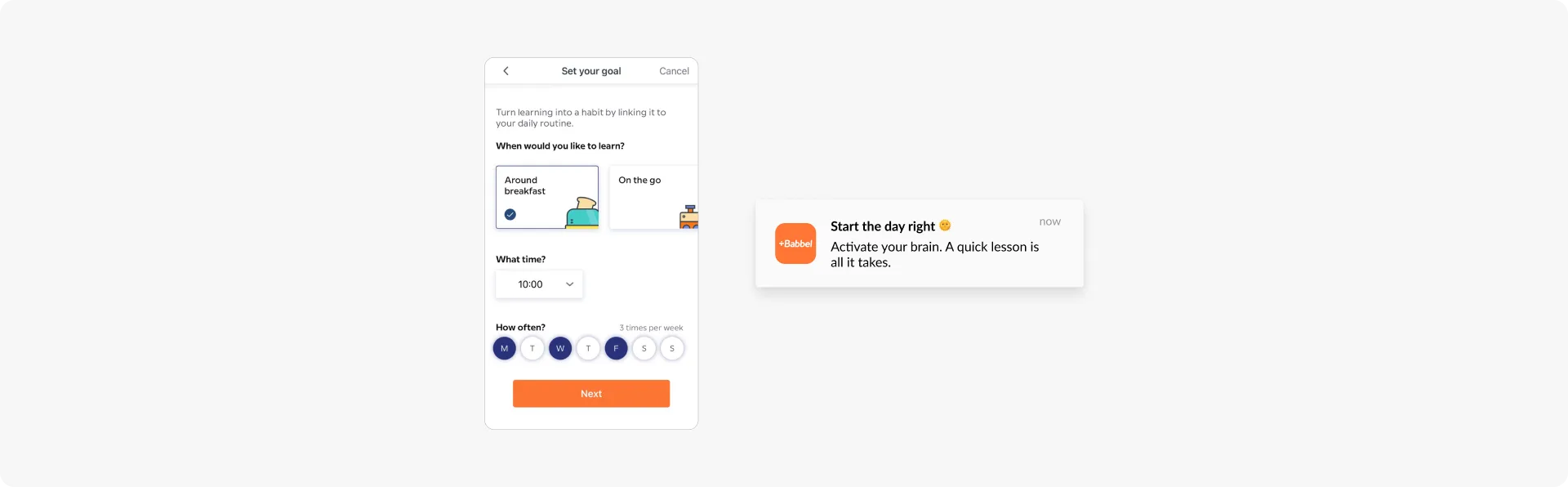
Take a cue from Babbel, a language-learning app. Initially, an in-app message during onboarding asks users to select their preferred timing. Then, push notifications are automatically sent on the scheduled days:
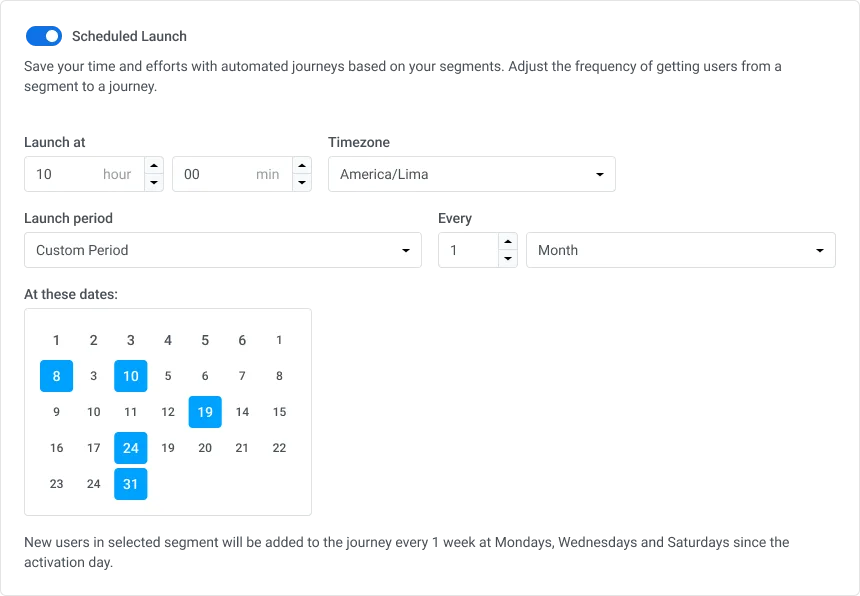
💡 In Pushwoosh, you can automate push notification reminders through flexible scheduling options. You can select among default or custom intervals as well as indicate specific dates:
Push notifications for re-engagement
When it comes to user re-engagement, there are two key questions: how to identify users that need to be re-engaged and what messages will get them back to the app?
Identify pre-churning users
Let’s have a look at the case of Almowafir (Omada), a coupon app that uses behavior-based segmentation to target users at risk of churning. The app’s marketing team defines this audience as users who haven’t opened the app for 10, 15, 20, and 30 days. These are the moments when inactive users can be re-engaged.
The app brings them back with targeted push notifications showcasing the latest discounts:
 Learn
more about Almowafir’s retention strategy.
Learn
more about Almowafir’s retention strategy.
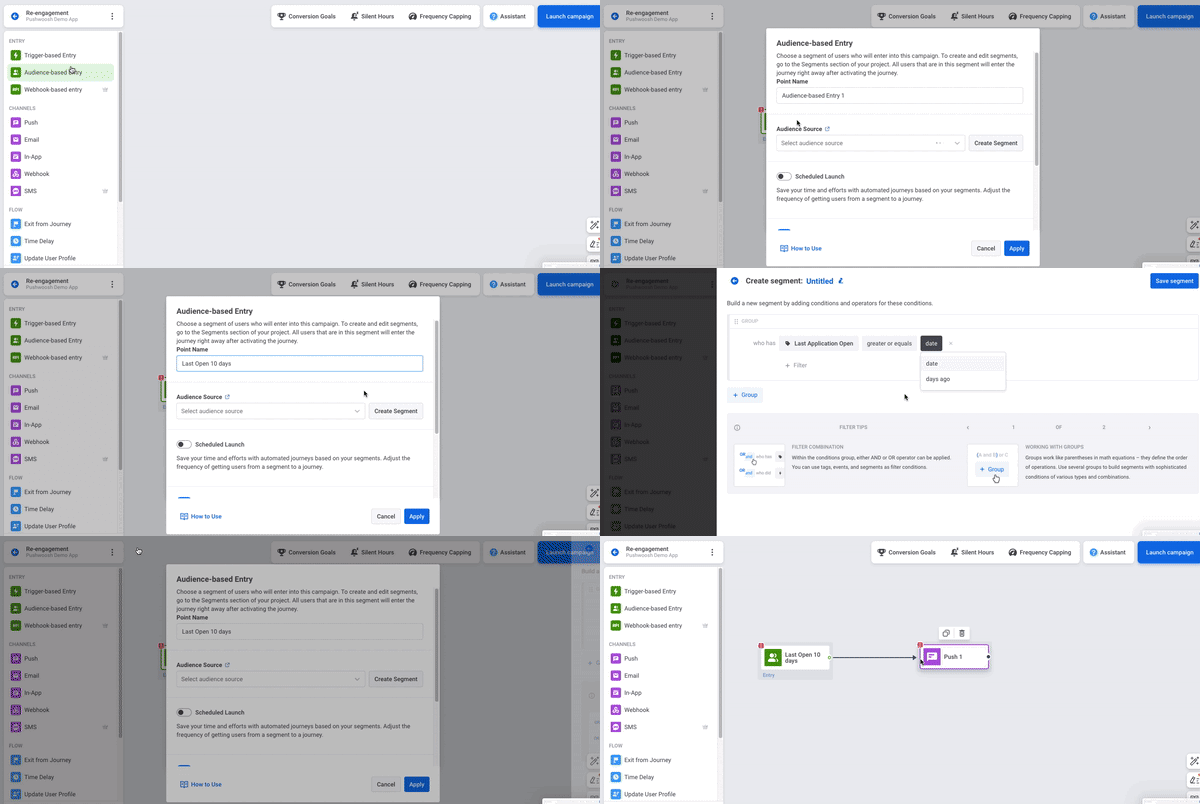
Similar to Almowafir (Omada), you can create segments right on the canvas in Pushwoosh Customer Journey Builder streamlining your segmentation and campaign planning processes in one place:
For more sophisticated tactics in identifying pre-churning segments, you may consider RFM segmentation, also available in Pushwoosh. This type of segmentation will help you identify audiences not only according to the recency of their interaction with the app but also according to the frequency and monetary value of this interaction.
RFM segmentation ranks your users from the most loyal ones to those who are churning:
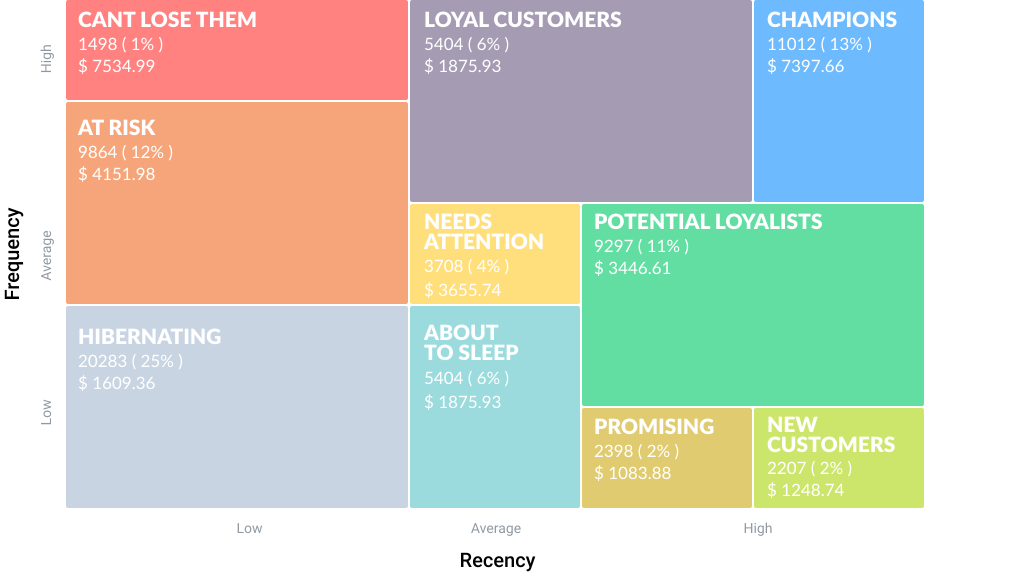
As an example, you can focus on particular segments like “About To Sleep” and “At Risk” with tailored re-engagement campaigns:
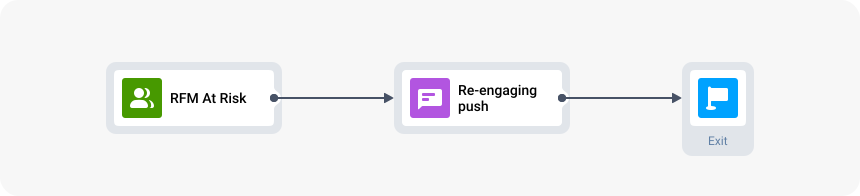
Following the campaign, assess the recomposition of these segments relative to loyal user groups.
Win users back with exclusive offers
Personal discounts, promo codes, or coupons can be highly effective for making users return. Nothing screams “We want you back” louder.
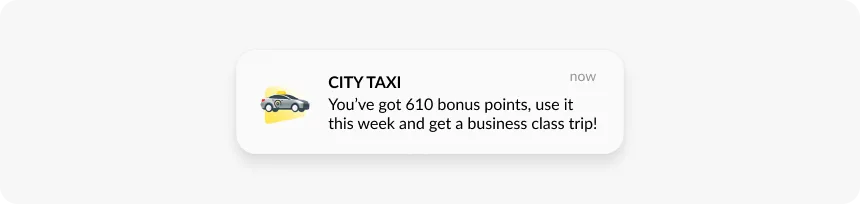
Here is an example of the City Taxi app, aimed at reigniting excitement for travel among users who haven’t used the app in a while. To entice them back, the app offers them a complimentary business class trip:
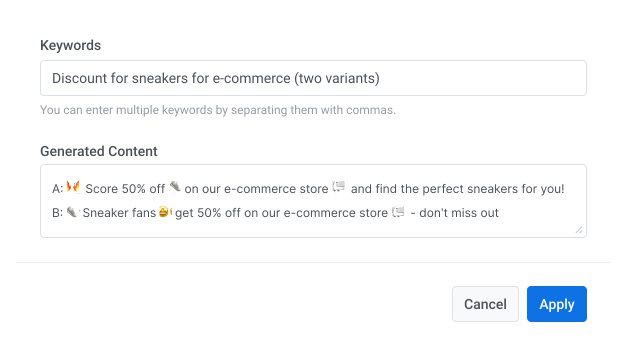
💡 If you want to save time and effort when creating your push notification messages, you can use Pushwoosh AI Composer. With this feature, you can effortlessly generate high-quality copy based on your chosen topic or keywords:
Best practices to make your pushes even more effective for user retention
Segmentation and scheduling are among the top techniques to level up push notifications, but there are more. Here are additional strategies that will further improve your push notifications effectiveness and enhance retention.
A/B/n test your push notifications
What if your push notifications aren’t achieving the desired open rates? You can’t improve them with guesswork, but you can turn to experimentation. Do A/B/n testing for push notifications and reliably determine which version gets the best response.
Elements that can be tested include message copy, timing, personalization, rich media, frequency, segmentation, deep links, and more.
Split users into groups and show them different notifications, then see which ones work best for your retention goals:
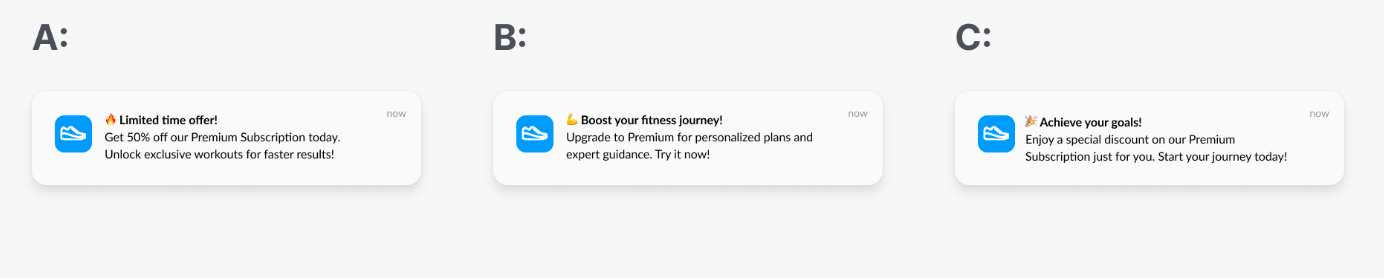
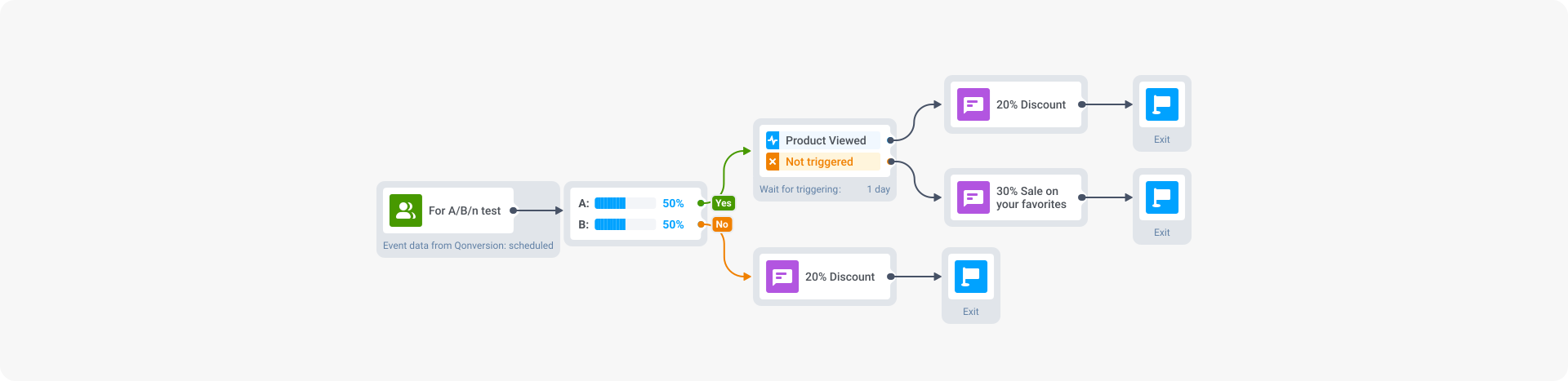
💡 With Pushwoosh Customer Journey Builder, you can run A/B/n tests right in the interface. You can even combine push notifications with other elements within your A/B/n experimentation. For example:
- Push notification + time delay;
- Push notification + user segment;
- Push notification + triggered event.
As an illustration, you might segment your audience into two categories: one group receives your communications right away, while the other group only receives notifications after triggering a specific event (In the following example, “Product Viewed” event). If users fail to trigger the event, they’ll get a different type of message:
Combine push notifications with other communication channels
Adding other communication channels to your flow allows you to reach users at multiple touchpoints.
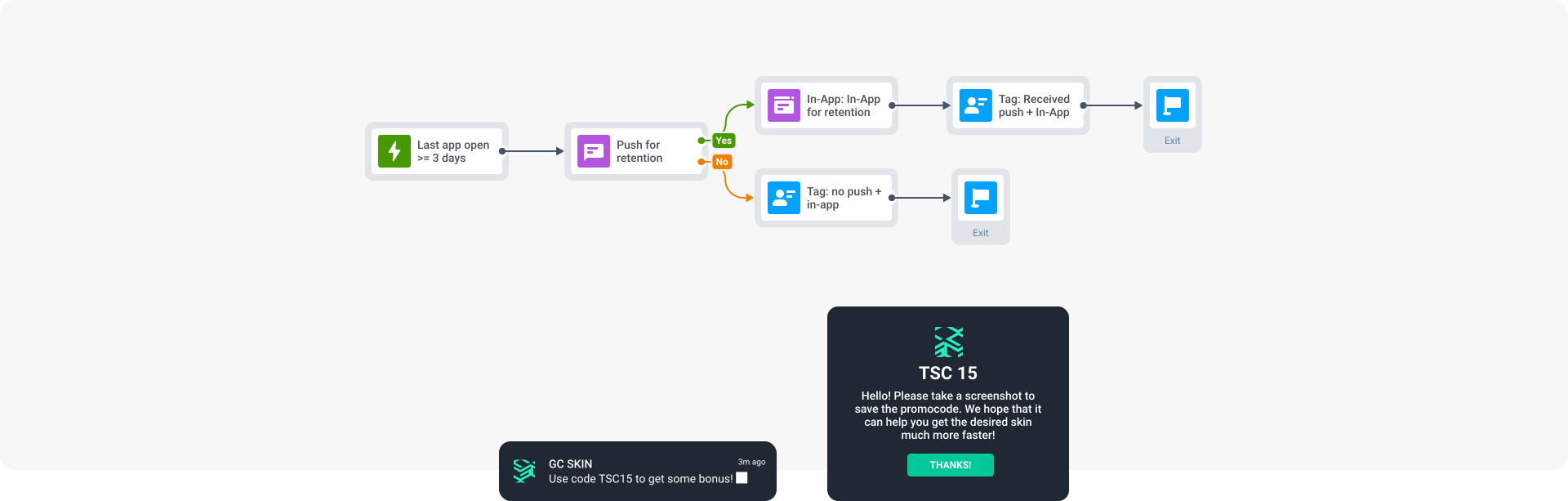
Bladestorm, a gaming company*,* uses the “push-to-in-app” combination to enhance user retention. What we find advantageous about this combination:
- It ensures that messages are targeted precisely, as the in-app message is only shown to users who have interacted with the push notification, thus maximizing engagement opportunities;
- With more space available in the in-app message, the company can provide more details about promotions:
 Learn
more about Bladestorm’s retention strategy.
Learn
more about Bladestorm’s retention strategy.
💡 Pushwoosh Customer Journey Builder covers all common communication channels at once: mobile and web push notifications, in-app messages, emails, SMS, and WhatsApp. It allows you to deliver the right messages to your chosen segments in response to time and event triggers.
In Customer Journey Builder, you can also identify through which channel the user is initially available. If they are not available through push notifications, reach out through other channels we provide: in-app messages, email, SMS, and WhatsApp.
Supercharge your retention efforts with Pushwoosh
Push notifications are essential for app retention, particularly when delivered across all stages of the user lifecycle. To enhance push notification effectiveness, integrate them with other channels and leverage segmentation, scheduling, event-triggered delivery, A/B/n testing, and other tools available in Pushwoosh Customer Journey Builder.
Or get in touch to arrange a demo with our team: