The only constant in life is change, and several months after the IDFA deprecation, another news from Apple keeps the app marketing world in suspense.
A major software update is expected to be officially announced after June 7, but thanks to Bloomberg sources in Apple, we already know what to prepare for.
In this blog post, we’ll fill you in on the current state of iOS 14.5 app marketing past IDFA deprecation.
We’ll disclose how iOS 15 and iPadOS 15 will be different in terms of notifications and user privacy.
Finally, we’ll show you the strategies to make up for acquisition and attribution deficiencies.
Together with Adjust, we have prepared the answers to the most common questions our clients asked us:
What exactly is IDFA and how important is it actually?
IDFA — Identifier for Advertisers — is a unique number that Apple assigns to each device for tracking and attribution purposes. It helps the whole mobile marketing world analyze their campaigns’ efficiency and work with user data.
Besides the metrics calculation, IDFA is also responsible for ad spend attribution and visualization of each user’s behavior from the first ad click to post-install and purchase actions.
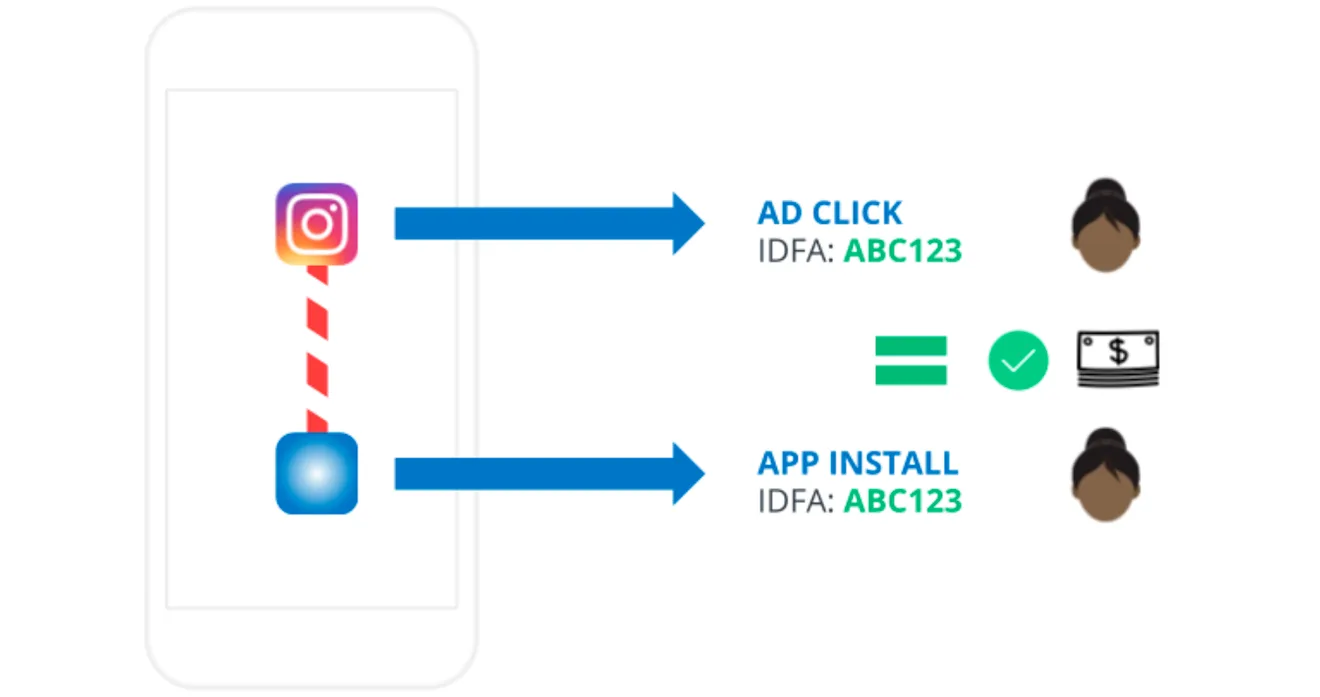
This data helps app marketers make better-informed data-driven decisions and improve customer personalization, segmentation, acquisition, and engagement.
If IDFA is so important, why was there almost no talk about it before 2020, you may ask.
Well, the fact is that on earlier version of iOS, IDFA was active on all Apple accounts by default. Since iOS 10, users could only Limit Ad Tracking (LAT) at the device level within their app Settings.
What’s is different in iOS 14.5 in terms of IDFA?
Starting with iOS 14.5, released recently, IDFA is hidden in the depth of settings by default. Apps can get access to IDFA only if users opt in via a pop-up at the app open. Yes, they will have to do it each time with each new app.
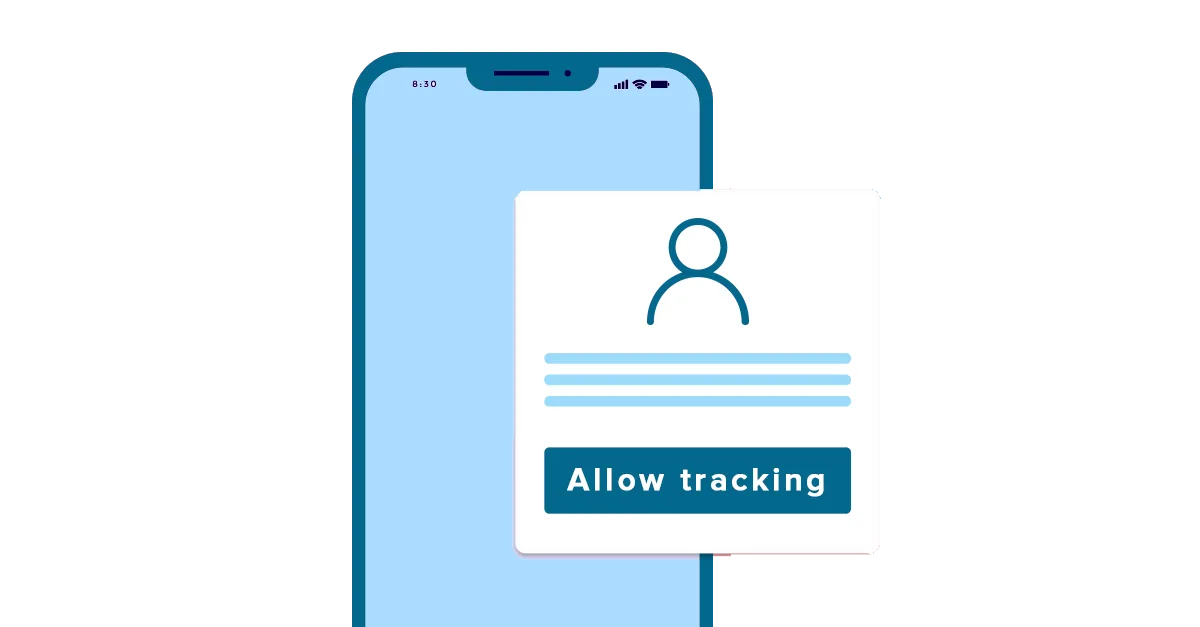
Do you think customers will choose to opt in or not more often?
Before the iOS privacy update, 15% of users would choose to limit IDFA tracking. Now, a more recent testhas 15% of consumers to allow app tracking. In the most optimistic case, 38.5% of users may opt in for IDFA.
How will it affect your marketing campaigns?
As a marketer, you should know that just one additional pop-up can easily break the sales flow that you worked so hard on.
Besides the acquisition funnel, asking users to share their IDFA might have a crucial impact on the following 5 major areas:
1. Attribution
It’s mainly attribution that helps marketers understand user reactions to a particular campaign, consolidate relevant real-time data and build reports.
As you may have already guessed, the need for IDFA consent will make it significantly harder to determine what gets credit for the final conversion.
Furthermore, this will cause difficulties in:
- showing relevant ads to the audience;
- creating seamless personalized experiences for customers with the use of relevant deep-linking;
- justifying ad spending and maintaining the revenue level.
2. Retargeting
Hypothetically, you can still retarget users based on non-IDFA identifiers: emails or phone numbers, for example. But to do so, you will have to receive the user’s permission through the AppTrackingTransparency framework.
How many users will be ready to share this information with you at the very beginning?
3. Identity management
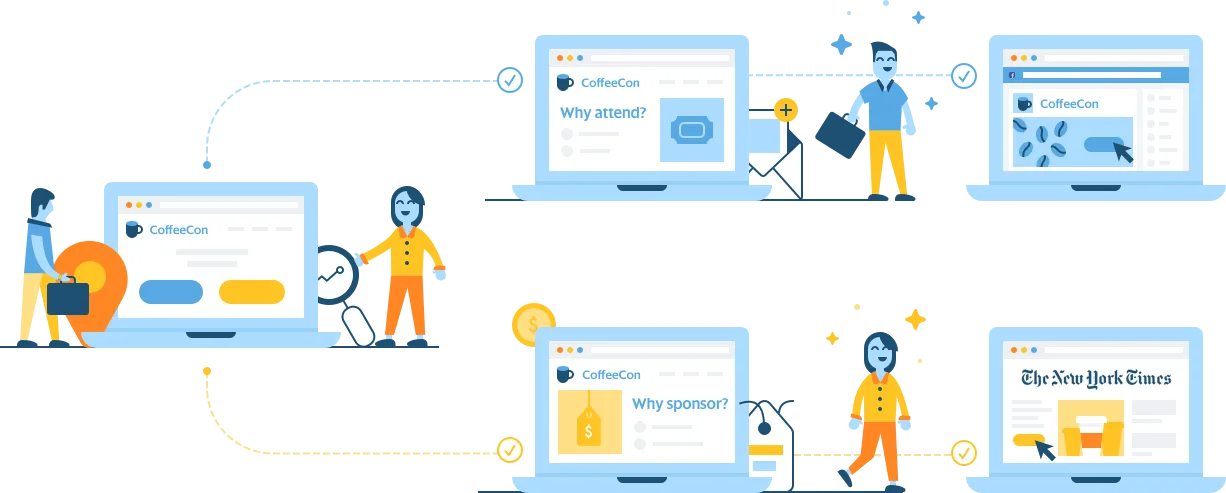
In the world of digital advertising, data became the new oil a long time ago. Advertisers used to send device IDs and post-install events from attribution platforms to DSPs. They would store all the valuable information about each device for further monetization. Creating device graphs and audience profiles using IDFAs would generate a fortune for DSPs. Without IDFA, it will be a difficult time for them.
4. Fingerprinting
Fingerprinting is a technique used to identify people who have interacted with an advertisement by using publicly available characteristics of a particular device. This can be a user’s IP address, location, device type, local network data, and any other accessible data.
Fingerprinting was always a lifesaver in cases when IDFA wasn’t supported by advertising networks.
Some publishers hoped to achieve at least 70% of fingerprinting accuracy on iOS and soften the negative impact of IDFA. But it doesn’t seem to be a good plan after Apple claimed fingerprinting will also require user permission.
5. User onboarding
Now all marketers are trying to come up with creative solutions on how to opt-in users to get the needed data from them.
Some companies are considering not allowing customers to use the app until they sign up via their social media account or fill out their profiles.
Others are scratching their heads over how to show their apps’ extra value to convince users to provide the necessary information.
Well, there are actually better ways to make user onboarding more effective in this sense. Create a welcome flow that will be:
- automated (based on user behavior);
- cross-channel (in-apps + push notifications + emails);
- and personalized (i.e. relevant to each particular customer).
How do you create such a powerful experience? With Pushwoosh Customer Journey Builder you’ll be able to onboard users effectively, reaching them at the right time with the right content and, most importantly, via the channels that work best.
There is a dedicated Welcome Series template — take inspiration from it to build your unique onboarding flow.
Create an engaging and insightful onboarding flow with the Welcome Series template in Pushwoosh Customer Journey Builder
Are there any alternatives to use instead of IDFA?
Actually, there are some. Mobile attribution companies have polished their solutions to attribute events without the use of IDFA. Adjust, for example, offers three different methods to their partners:
- Opt-in deterministic attribution using the AppTrackingTransparency framework;
- Probabilistic measurement fueled by several non-deterministic signals;
- SKAdNetwork as an additional set of data.
Another strategy is to pay closer attention to the customer engagement experience.
Cross-channel marketing platforms like Pushwoosh don’t use IDFA to send and track push notifications or in-apps. The tools follow the behavioral marketing concept and build event-based personalized flows that don’t require any additional actions from users.
If you are a current user of Pushwoosh, we recommend you make sure your SDK is updated to the latest version.
If you are unfamiliar with Pushwoosh’s ability to automate event-triggered customer engagement flows, read the blog post or request a personal product tour.
How to reduce the negative effect of IDFA deprecation
1. Review your use of IDFA
It’s important to complete a full internal review of how you are currently using IDFA. This will give you a solid understanding of where and how you rely on it in your marketing, and how your efforts can lose efficiency without it.
Do you work with any mobile measurement platforms or networks whose SDKs use IDFA? How do your CRM platforms and other software services rely on it? Make sure to also talk to each of your SDK providers to hear about their solution for IDFA requests on iOS 14.15.
NOTE: Pushwoosh SDK doesn’t use IDFA, so your audience and campaigns are safe with us. Just ensure you’re using the latest version of Pushwoosh SDK
2. Customize your opt-in request
Getting user consent for the IDFA use should be your next priority.
If users keep opting in, you’ll be able to keep your activity on the pre-iOS 14 level. Besides, high opt-in rates can become your competitive advantage.
Obviously, this means a lot of work to develop the consent mechanics and message, and it will likely take some trial and error to get high opt-in rates. So we recommend you start running your tests now.
As of today, we know that some parts of an opt-in message (shown below) can be customized. However, in the future, Apple can potentially create even more opportunities for fine-tuning your request.
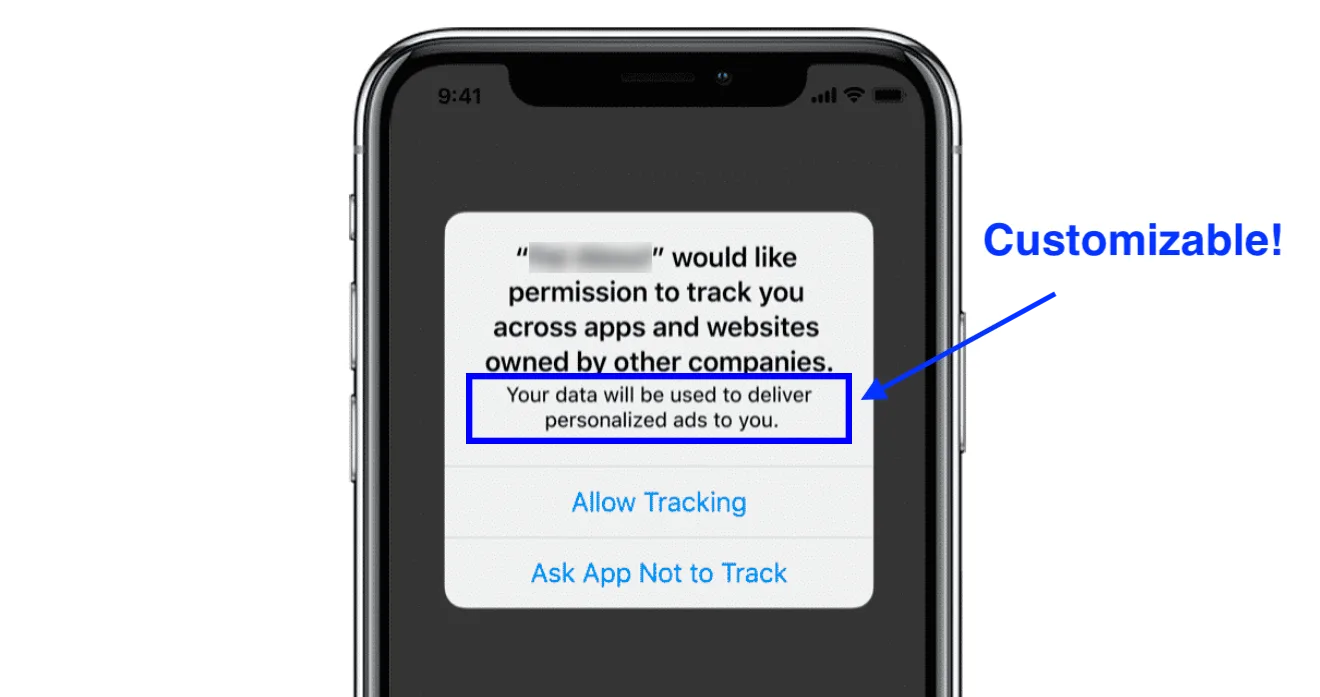
NOTE: You can also experiment with when exactly to trigger the request delivery, as showing it right from the app start might not be the best idea.
3. Work with user retention
It’s been common knowledge that acquiring a new customer can cost five times more than retaining an existing one. Now the situation has become even more complicated because targeting your potential customers is not that easy anymore. Some apps have already seen their cost per install triple — only two weeks after the iOS 14.5 release.
Now is the great time to diversify your re-engagement options — whether through push notifications, emails, etc. It is also the right moment to elaborate on the right mechanics to collect user permission for these options.
4. Analyze user segments within your engagement flows
Your user engagement campaigns may become a source of data no less powerful than IDFA.
Look into your event-triggered communication workflows: at each step, you can Set Tags and track your users’ reaction to your messages, as well as their in-app actions.
You can create user segments as precise and granular as you need to get a full understanding of their journey and keep customers engaged with the most relevant communications.
Learn how to boost your marketing with customer segmentation
5. Re-evaluate your BI stack
The IDFA privacy measures will surely impact how your BI stack works.
Don’t forget to look into what different data sets are stitched together for your analytics and think about how you can continue to stitch together this internal data after the iOS 14.5 release.
Some good options include focusing on IDFV, ADID (your MMP unique identifier), and UserID (your internal ID if it’s being used across your entire mobile marketing stack).
Apps working without the IDFA will still be able to place contextual ads, but they will no longer place personalized ones. It can cause revenue drops by various percentages, as personalized ads are worth much more. It’s better to prepare for what should happen as a reaction to these changes.
6. Discuss your planned measures with partners
Talk to your marketing partners and align the use of IDFA in their targeting strategy. A reliable marketing partner should leave with a clear understanding of how they are preparing for the change, specifically when it comes to lookalike audiences, re-targeting, re-engagement, white- and blacklisting, and seed audiences. The same can be applied to monetization networks.
What changes to expect in iOS 15
Apple is expected to present another batch of changes to the notifications policy and privacy guidelines at its upcoming Worldwide Developers Conference beginning June 7.
The new iOS 15 and iPadOS 15 will be officially released in the fall — until then, developers will have to get their apps ready for the updates:
Notification preferences will change in response to user statuses
Reportedly, users will get to change their current status such as “driving”, “sleeping”, “working”, etc. They will select it from one of the categories in a new menu or create their custom option.
Depending on the chosen status, a phone will make a sound when it receives a notification or stay silent.
This will certainly affect the way users interact with pushes. The question is, how.
Will many pushes stay undelivered? Will users be more likely to click on notifications because they will receive them at a more convenient time? Or will users prefer to stay in the silent mode and ignore pushes altogether?
Extra privacy protections for flagship devices
A new menu will let users know which apps are silently collecting their data. Supposedly, this will be possible with the same data used for “privacy labels” that Apple introduced last December.
The quality of attribution may drop even lower than it has with the iOS 14.5 changes. This is when a strong customer engagement strategy with a focus on user retention will be needed.
Conclusion
Numerically, iOS accounts have fewer app installs than Android, but iOS users are more valuable and spend about 2.5 times more money. That’s why ignoring the upcoming changes is a mistake many businesses can’t afford.
To minimize the negative effect of IDFA deprecation, it’s crucial to start acting now. Pushwoosh is always ready to share insights and offer ways for your apps to adapt to the changes successfully.
Request a free demo with our experts and find out more about how your mobile app can deal with iOS privacy updates in the best way: