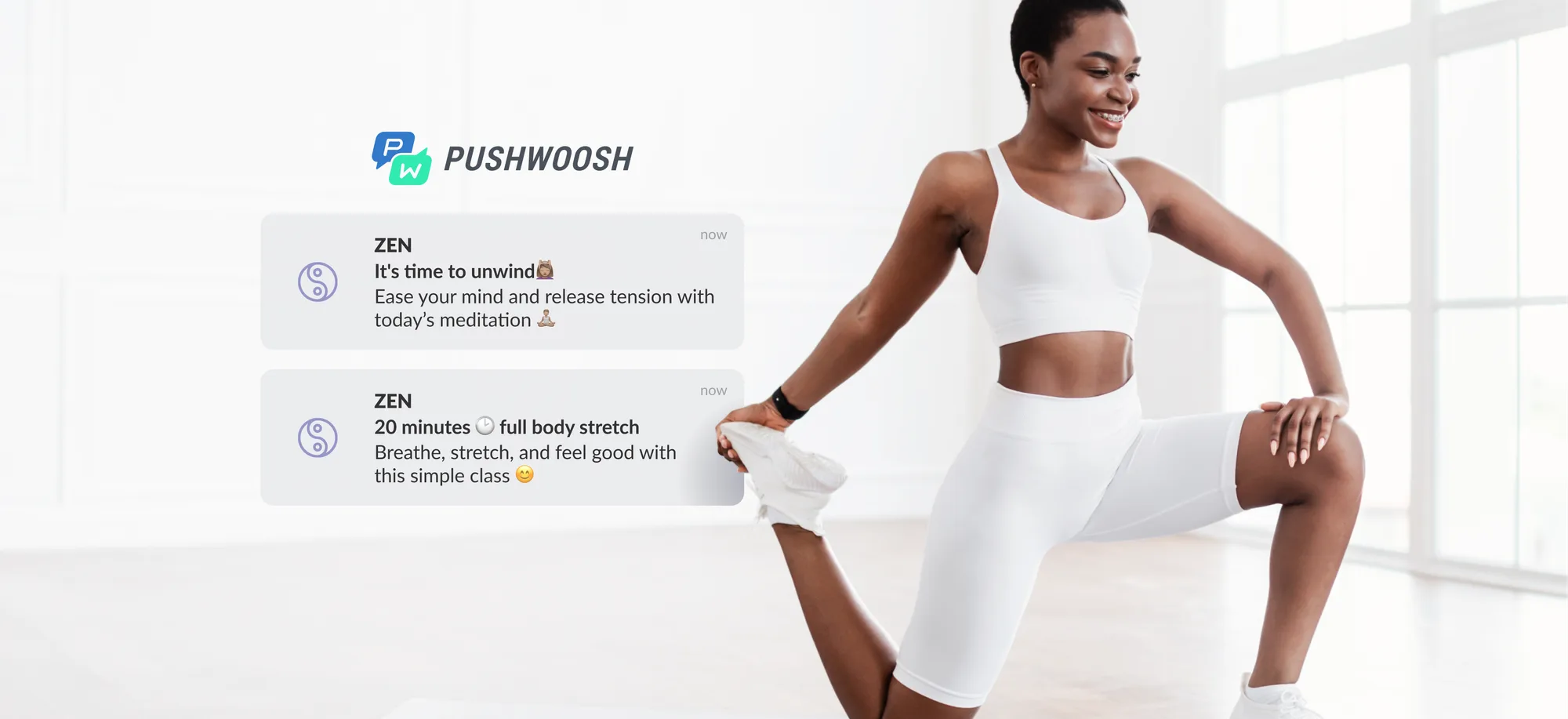
It’s not easy to drive user engagement in an app, but it shouldn’t be that complicated either. If you’re looking for ways to engage your newly acquired users and reactivate your long-time subscribers, you’ve landed in the right place.
What is mobile app user engagement?
Mobile app user engagement refers to how frequently and for how long users interact with your app, as well as how actively they complete your app’s key actions — reading content, browsing through items, checking balances, logging workouts, interacting with core app features, and others.
Why does app user engagement matter?
High mobile app engagement means your users are finding value in your app — and coming back for more. It’s a sign your app has achieved product-market fit, and you’re on the right path toward better user retention, stronger customer lifetime value (LTV), and sustainable mobile growth. High engagement also helps improve your app store rankings, reduce churn rate, and optimize your user acquisition cost (UAC).
In short, it’s one of the strongest indicators that your app communication strategy is working.
How do you measure mobile app user engagement? Key metrics to track
Before we begin, let us talk metrics. Here are the core indicators of a user engagement level in your app. Do you track them all? Do you focus on one over the others?
1. Number of active users: daily and monthly (DAU and MAU)
Increasing numbers of daily and monthly active users are a sure sign of an app’s health.
-
DAU is the most relevant for those apps that serve daily activities: messaging, traffic and weather check, music listening, video streaming, or training.
-
MAU is more illustrative for the apps that are only used several times a year, for example, for travel booking.
2. Average visit time (session duration) and screen views per visit
Normally, the longer a user stays in the app and the more screens they interact with, the more engaged they are.
In some cases, users may stay way too long in the app because of the unclear navigation or low load time speed. So, keep an eye on emerging UX/UI problems and don’t always take your average visit time at face value.
3. App usage frequency and app session intervals
The interval between app visits may last:
- A few minutes (for social media and messengers, at a certain time of the day);
- Several hours (news, traffic, and weather forecast apps);
- Days (games and entertainment);
- Weeks (e-commerce).
Consider the benchmarks for your industry and set realistic targets to pursue.
4. Net promoter score (NPS)
How likely are your current users to recommend your app to a friend? Rely on those who give you 9 or 10 stars out of 10. Consider the feedback from those who rank you at 7/10 or lower.
Now, let’s get to the practical tips on how to increase your app user engagement efficiently.
How to engage mobile app users from Day 1
Throughout the lifecycle, you will want to provide your customer with a good share of guidance and promotional info. The easiest way to streamline your communications is to automate them.
To really succeed with app user engagement, you’ll need a few key ingredients in place.
- Make sure you truly understand your users – their goals, preferences, and needs.
- Set up the right communication channels, like push notifications, emails, in-app messages, and even SMS.
- Have a system in place for personalization because that’s what helps make users feel valued and connected.

Pushwoosh customers can put all these three elements together with Pushwoosh Customer Journey Builder.
Start using the tool at the first breaking point of an app user journey: in the first 24 hours after the app install. This is when user retention typically drops sharply, as you can see on the steep retention curve graph.
To avoid losing users at this stage, you need to highlight your app’s core value quickly and clearly. A well-structured user onboarding can reduce Day 1 churn and guide users toward meaningful interactions. At the end of onboarding, your new users should not only understand what your app does — they should understand what it can do for them.
Personalize your onboarding to match user intent
To achieve this, you’ll need to tailor onboarding to user behavior and preferences. The most effective tactic is adapting to users’ goals, motivations, and actions inside the app.
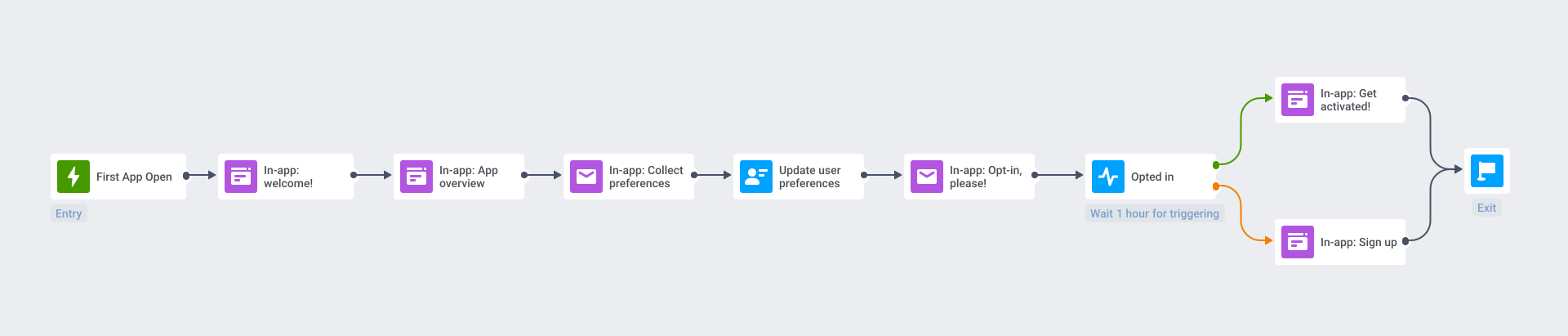
With Pushwoosh Customer Journey Builder, you can create onboarding flows that:
- Segment users based on in-app behavior or attributes;
- Trigger messages at the right moment, such as after registration or key feature discovery;
- Guide users to the AHA moment through contextual in-app messages;
- Re-engage drop-offs with personalized push notifications.
🧑💻 PRO tip: Start building relationships on day 1
Onboarding users is like making a connection at a networking event:
- Glance at the badge of your new acquaintance to learn their name (aka let your new users sign up with a social media account) or ask them directly (=get them registered in your app).
- Find out what topics they care about (=ask them to checkmark their points of interest in an in-app so that you can add them to a specific subscription segment).
- Mention whatever professional service you can provide them (=present your app’s main value briefly).
- Exchange business cards and promise to stay in touch (or, rather, ask them for opt-in permission in a personalized prompt).
Voilà! That will do for a short introduction. Now, if you cross paths with this person again, make sure to refer to your first meeting (aka deep-link to the place in the app where you want to take your user next).
How to keep users engaged throughout their lifecycle
1. Create a habit with a multichannel approach
Your goal is to improve the frequency of your app’s use. For this, you need to make your app part of your users’ routines. How?
Meet your new users where they are and when they are the most prone to use an app.
- In-app messages are great to teach some helpful tips and tricks to your new users, but they are not enough to establish a habit of using your app.
- If your customers typically play mobile games during their daily commute, send push notifications at these hours.
- Your e-commerce customers may like adding items to their cart at night while watching TV series but make a purchase with a fresh head the next day. Follow up with an email so they can get a better look at their favorites on a desktop and decide on a purchase.
🧑💻PRO tip: Add social hooks to your app.
According to statistics, users spend most of their time on social media and messengers. You can improve your new app user engagement by adding social sharing buttons. This way, you win over one more channel!
2. Provide a personalized in-app experience
Whatever kind of message you’re sending, make it personal.
Onboarding, transactional, or promotional — any type of message will shine brighter if it has a user’s name in it (as the stats on personalization show). Go further: tailor your messages based on demographics, location, behavior, and individual usage patterns.
With Pushwoosh, you can set tags, track in-app events, and trigger perfectly timed messages that speak directly to your users’ needs and actions.
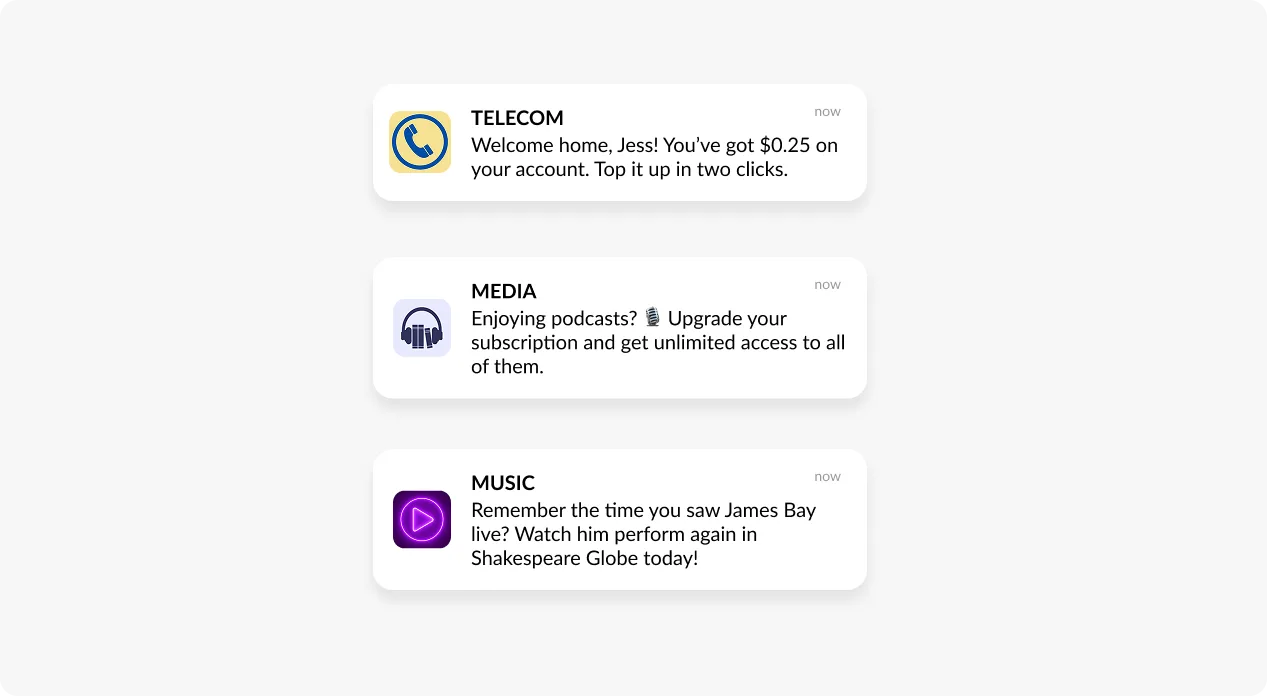
In the end, personalized messaging can encourage higher CTRs and conversions and improve your bottom line.
3. Promote new feature adoption
A new feature promo could resemble a new user onboarding if it wasn’t for feature blindness.
This phenomenon makes your regular users ignore even significant updates in your app. Why would they need to pay attention to a new feature if they have already developed their activity patterns in your app?
Well, they need it to ensure your app is giving them the maximum value for its price. If they don’t see all the benefits, they may underuse your app or abandon it altogether.
That is why, to present a new feature, you will want to push your users harder:
- Start your promo with a push notification (or two).
- Divide your audience into segments based on their activity. Differentiate and personalize your messages for them.
- Ensure your segments have opened your app and tried the new feature.
Do you wish to automate the process? Try Pushwoosh Customer Journey Builder for that!
🧑💻PRO tip: Segment your users by their engagement and vary the channels
- Segment the users who open your app daily and reach them directly with in-app messages. These users are already highly engaged in your product use, so you may shorten your update announcement to one screen.
- By contrast, you may need to add an extra push to engage those who didn’t open your app for the last couple of days/weeks.
🧑💻PRO tip: Segment your audience by feature patterns
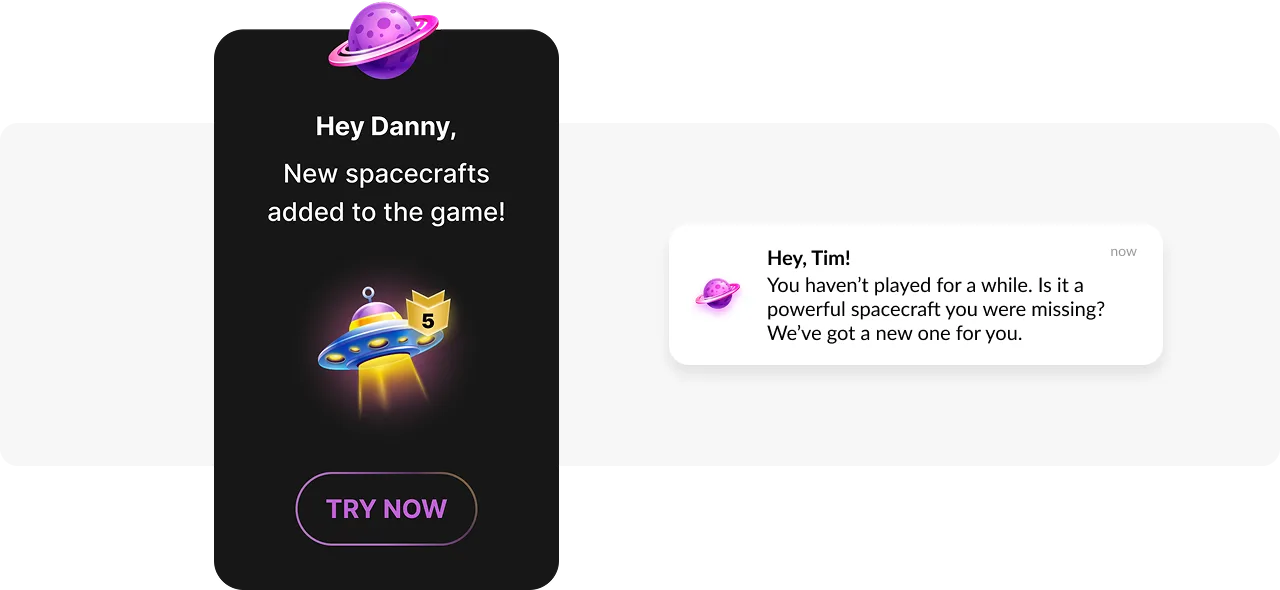
When announcing a new feature, try tailoring your message based on users’ existing habits.
Imagine you are a marketer of a fintech app launching a new budgeting feature. For users who already track their spending, highlight the new feature directly. For those new to financial planning, present the feature’s potential through an educational message.
For feature announcement campaigns, consider using modal in-apps messages. Their advantage? Appearing over part of the screen to grab attention without overwhelming users:
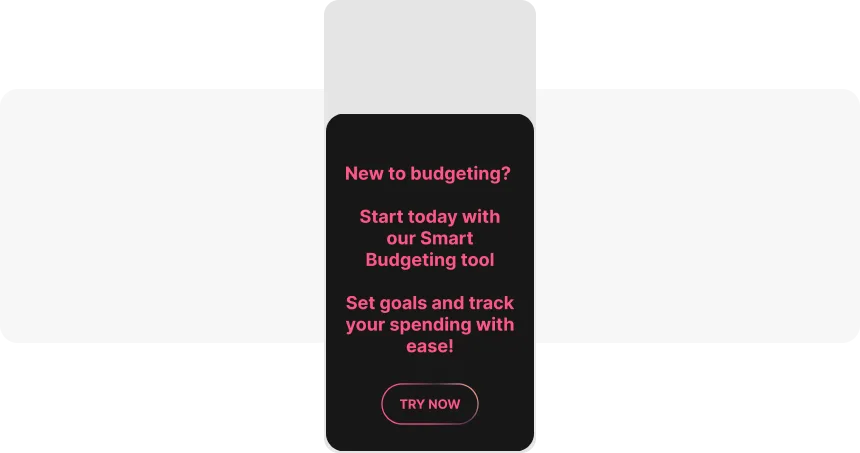
An example of an interstitial in-app message made in Pushwoosh In-app Builder
💡Explore impactful tactics for announcing new app features to break through feature blindness and boost engagement.
4. Reward your most engaged users with special offers
Incentives make a heart grow fonder, meaning your app users will enjoy a special offer every now and then.
Customers will keep opening your app knowing that you may offer an extra discount for your loyalty program members or start mid-season sales at a random date.
You can make special offers for particular segments (say, “users who have installed the app in the last 30 days”) or even create personal incentives (“Maria, we remember about your birthday!”).
5. Hold NPS surveys and consider your user feedback
Calculating your Net Promoter Score is more creative than you may think of.
It is a powerful tool to measure and boost user engagement at the same time:
- Ask users to evaluate your app when they are 100% pleased with your services, such as right after purchase.
- Invite your customers to share more detail about their experience.
Open-ended questions and enough space in the answer field will do their job perfectly.
- Build upon your users’ satisfaction.
Thank them for their feedback with a coupon they can use for the next purchase, for example.
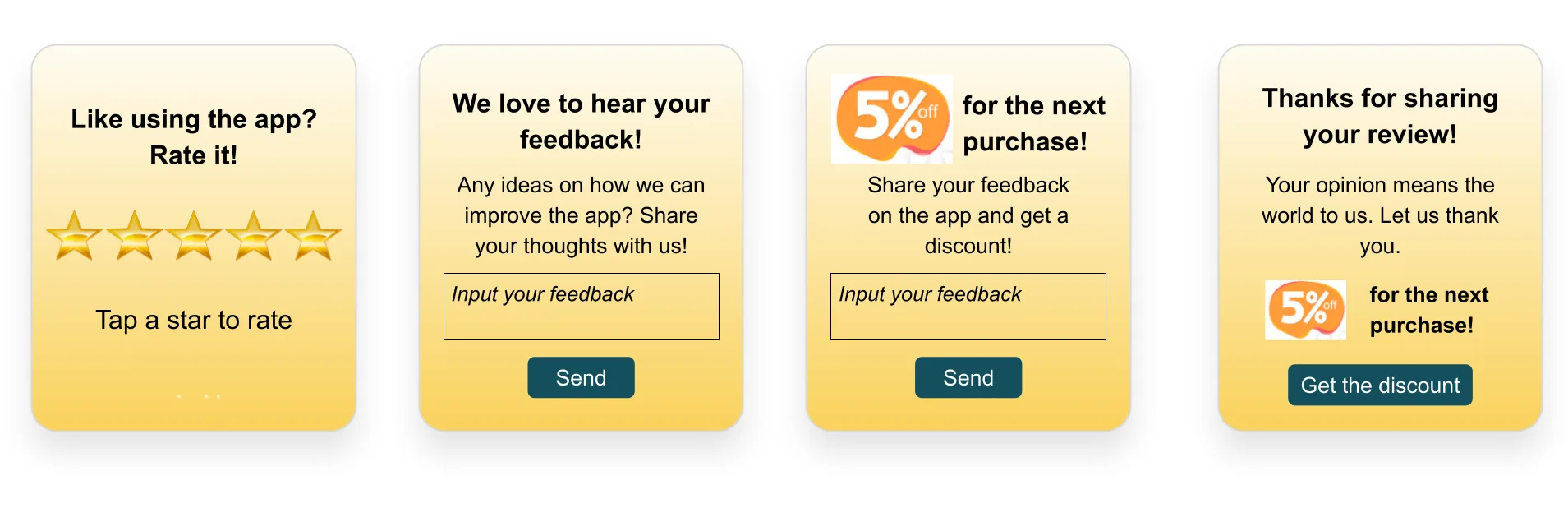
Example: In-app messages can contain NPS surveys, feedback forms, and thank-you offers for engaged users.
It will be fast and simple to implement any idea on the basis of the NPS Survey template in Customer Journey Builder.
How to re-engage users and prevent churn
Prevention is better than cure, as the saying goes, and engaging users from day 1 is the wisest strategy.
However, you have the means to keep users in the game even if they haven’t been active in your app for over a week:
1. Segment your audience
Start a journey by Segment: target the users who haven’t opened an app for the last 7 days or whatever period fits best.
2. Leverage your intelligence
Study the traces your less active users have left in your app:
- Before they stopped using your app, had they tried or used any features?
- Had they made any purchase?
- Have they shared your app on their social media? Have they granted you access to their profile info?
- Do they participate in your loyalty program?
3. Send highly relevant communications based on the found insights
Reflect what you’ve learned about your users in a copy. Suggest they come back and give your app another chance.
4. Add emails to your communication strategy
Emails are classic for any customer re-engagement and re-activation campaign. Whenever a user hasn’t opened the app for a while, reach out to them with a selection of new products they are most likely to buy or the features/new content they might have missed.
And—yes, there is a way to send re-engaging messages without being creepy and annoying! The key is relevancy and personalization.🧑💻 Pro tip: If you need inspiration for crafting your re-engagement email, starting with a pre-designed template can be a great option.
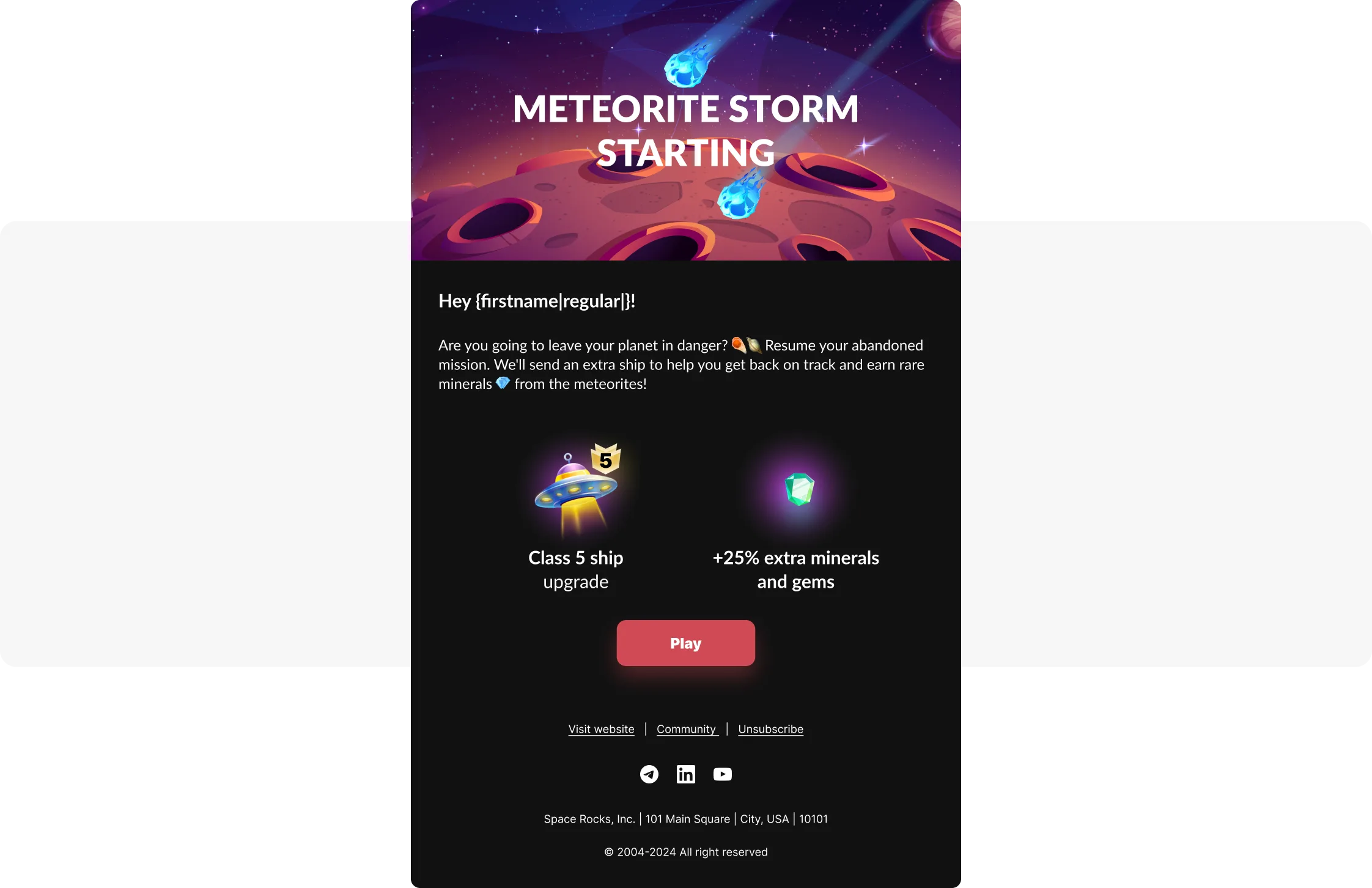
For example, here’s one from Pushwoosh’s email templates library. It encourages users to rejoin the game by offering them extra perks:
 💡Is
re-engaging inactive users one of your priorities? Check out our
guide on re-engagement
with top tips and examples for 2025.
💡Is
re-engaging inactive users one of your priorities? Check out our
guide on re-engagement
with top tips and examples for 2025.
App user engagement best practices
Run A/B/n tests for messaging campaigns
If you need a surefire tactic, the way to go is A/B/n testing. You’ll never lose if you let your audience decide what kind of messaging works best for them.
When choosing an A/B/n testing tool, make sure it:
- Allows you to test various aspects of a campaign—not just message copy;
- Provides statistically significant results.
Pushwoosh Customer Journey ticks both boxes. You can experiment with segmentation, timing, notification copy, and entire messaging flows. The best-performing option is then selected based on reliable, data-driven results:
Experiment with formats
Why settle for plain text when you can captivate your users with interactive formats? They can add real value to user experience and drive CTR. Consider these options:
In-app stories
The native feel of this format is something we’ve all experienced – for audiences so accustomed to social media, it is entirely natural to encounter it in brand apps. Stories are personal, immediate, and encourage instant action, driving user engagement.
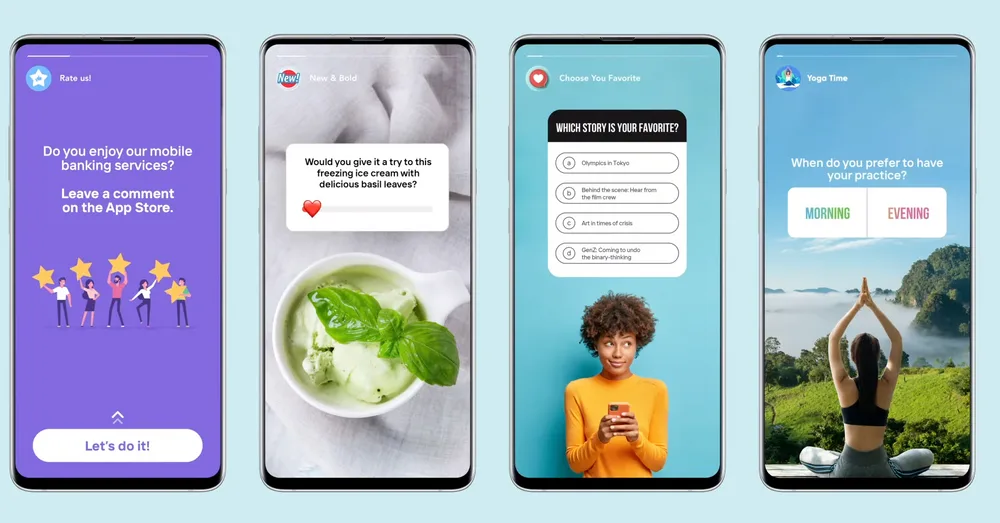
Image credit: Storyly
📱Explore more in-app formats with inspiring examples in our ultimate in-app messaging guide.
This type of push notifications enables real-time updates directly on the lock screen of iOS devices. Whether it’s an order status in food delivery apps or sports scores in news apps, Live Updates help users stay engaged without unlocking their devices, providing timely and relevant information right at their fingertips:

Rich push notifications
Try enhancing push notifications with images, videos, and action buttons. This not only makes your messages more visually appealing but also more actionable, creating opportunities for users to interact with your content instantly.
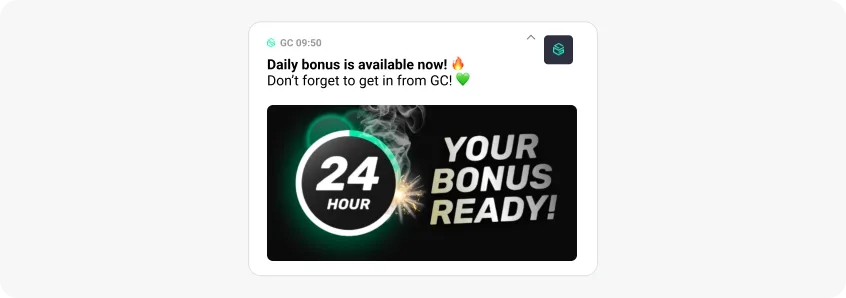
Take a cue from Bladestorm, a gaming company that successfully uses rich push notifications in its daily engagement campaigns, achieving up to a 28% CTR:
Custom sounds
We’ve addressed visually-oriented users, now let’s turn to the auditory ones. Try adding a unique audio to your push notifications, just like Beach Bum did with their custom “Dice Roll” sound. This encourages users to engage more, as sound can trigger emotional reactions and make the notification stand out.
💡Discover more best practices and proven strategies to maximize your app usage.
Let your users team up with others
Indeed, some people are more effective at pursuing their goals when they receive external motivation. In-app activity is no exclusion.
Here are a few ways to build engagement among a group of users:
👫 Social support: allow users to pair with friends to track their progress, such as in fitness or habit-forming apps, where users can cheer each other on and celebrate milestones together.
🏅Competitive challenges: enable users to team up for friendly competitions or collaborative goals, whether it’s in sports, wellness, or even gamified productivity apps. Drive both accountability and fun!
🤲 Shared experiences: in health apps, match users with someone who has similar goals or experiences, like managing stress, to create a supportive environment that feels more connected.
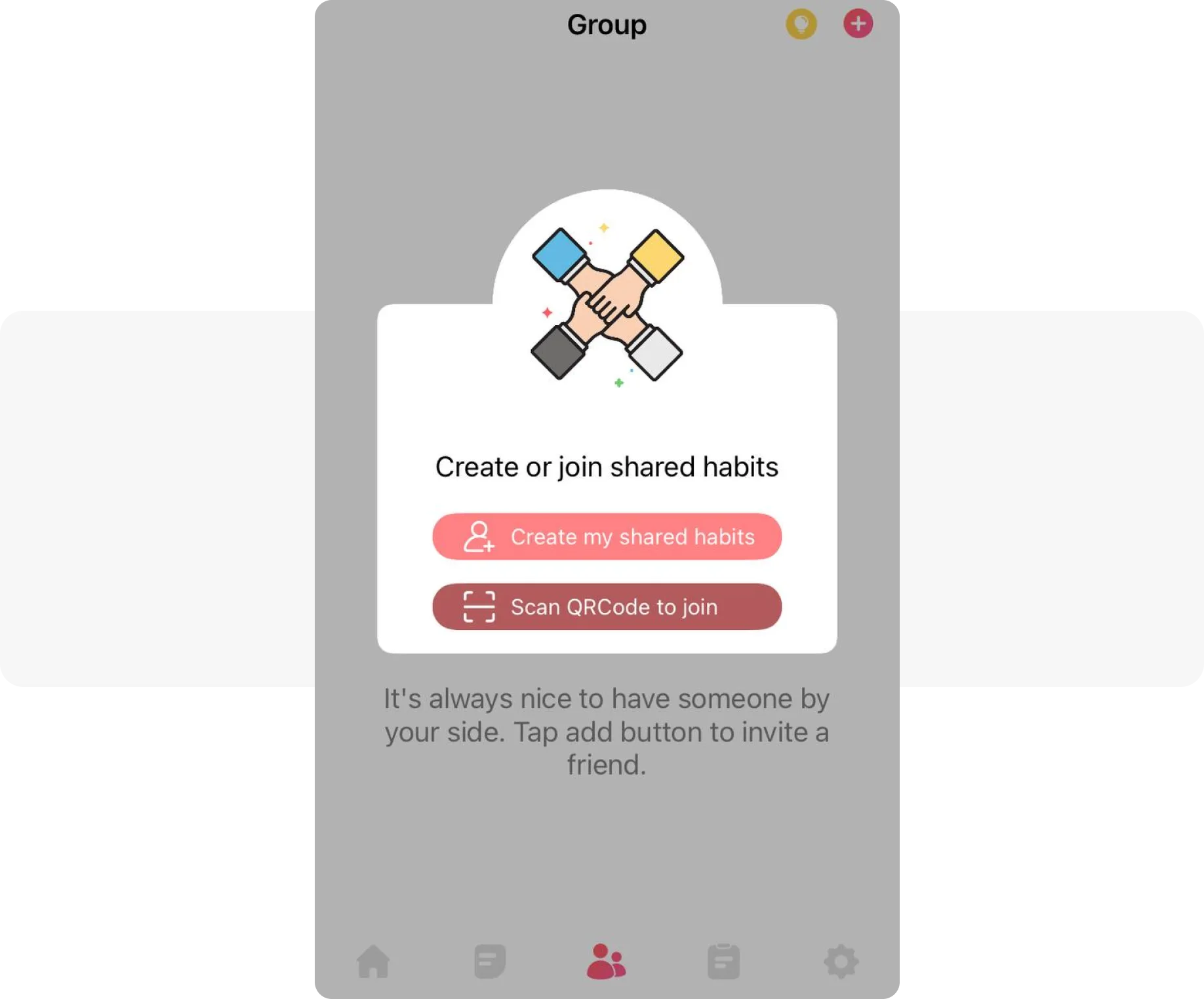
Example: a habit-forming app Habit prompts users to pair up via an in-app message.
FAQ: mobile app user engagement
What is considered a good app engagement rate?
There’s no one-size-fits-all benchmark — good engagement rates vary by industry and app type. To evaluate your app’s performance, look at metrics such as daily/monthly active users (DAU/MAU), session frequency, and stickiness ratio. For a detailed breakdown across 20+ industries, check the Pushwoosh Benchmarks Study 2025.
How can I tell if my app has low engagement?
Signs include low session frequency, short session durations, high churn, and unresponsiveness to campaigns. If users aren’t returning or interacting with your content, your engagement strategy may need a refresh.
What’s the difference between retention and engagement?
Retention is about how long users stay with your app over time. Engagement is about how often and meaningfully they interact while they’re there. You can have a retained user who never engages — which won’t help your business.
Which channels work best for improving mobile app engagement?
Push notifications, in-app messages, email, and SMS — especially when used together in an omnichannel strategy — are powerful engagement tools. The key is delivering timely, personalized, and relevant messages throughout the user journey.
How does segmentation improve engagement?
Segmentation allows you to tailor messages based on user behavior, preferences, or lifecycle stage. This leads to higher relevance and interaction rates — and ultimately, stronger engagement.
Get your solution for increasing user engagement
Every app is unique, and so are the tips and tricks that will engage and re-engage your users.
Sign up now and try all the features and channels you need to boost your user engagement. Come up with your perfect mix!