Advanced segmentation for precise, reusable audiences
Combine tags, events, and platform data with nested AND, OR, and exclude logic. Save it once as a named segment, then target it from any channel, Condition split, or Journey.
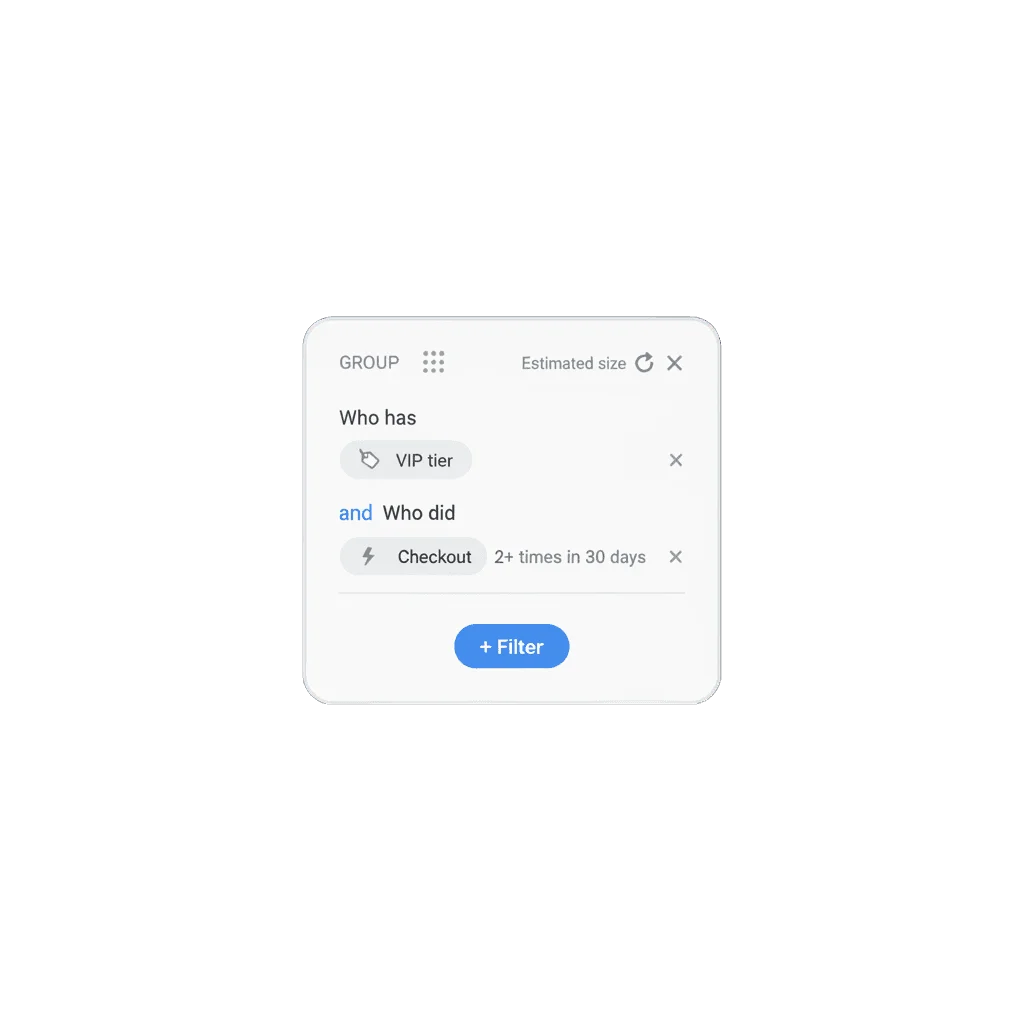
The audience is rarely one fact
“High spender” is a useful tag, on its own, until the audience you actually need is high spenders who haven’t opened the app in two weeks and have an email on file. That’s three facts, and the segment only works if it can hold all three at once.
Building that logic by hand for every send is how targeting quietly narrows down to “anyone who ever bought something.” Advanced segmentation is what lets you combine what you know once, name it, and point any channel or journey at it.
What it does
A segment is a tree of conditions, tags, events, geo, platform, even other segments, joined with AND, OR, or exclude. Any branch can nest inside another, so the logic isn’t a flat list: it’s “(A and B) or (C and not D)” as deep as the audience needs. A saved segment can sit as a condition inside another one, so segmentation logic built once gets reused instead of rebuilt.
| Mode | How size is calculated | Update |
|---|---|---|
| Standard | Cached estimate | Manual, via Refresh Segment Size |
| High-Speed Delivery (opt-in) | Precompiled membership list | Every 10 minutes |
“Hasn’t done X in 14 days” works the same way as “has done X”: it’s an event count condition, just set to zero. And because segments can reference each other, combining an iOS segment with an Android one, or layering a behavioral exclusion on top of an existing win-back segment, takes one condition instead of rebuilding the whole tree.
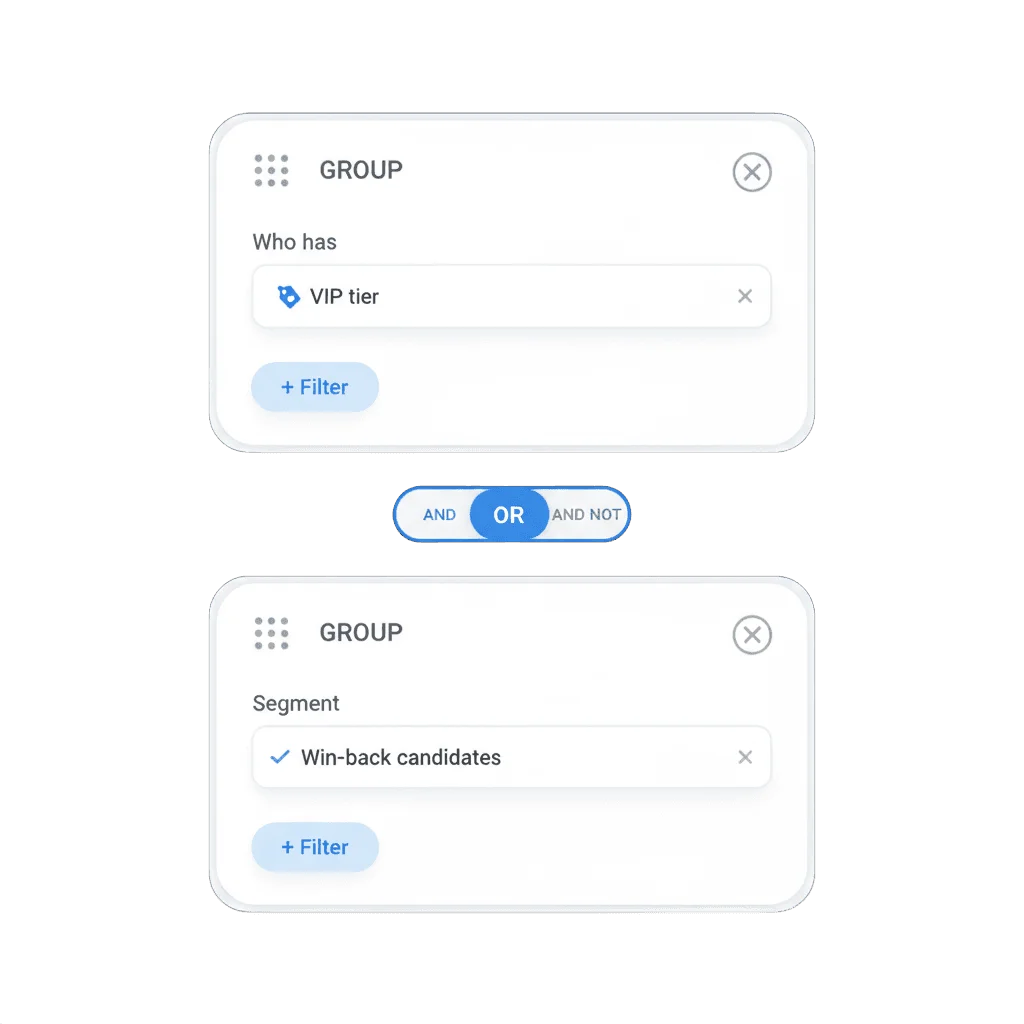
Segments can reference other segments
A saved segment dropped into another one as a condition means a platform split, a behavioral exclusion, or an RFM tier gets defined once, in one place, and every segment that references it stays in sync.
What ties it back to a unified customer profile
Tags and events only earn their keep once something can combine them into a decision. Advanced segmentation is the layer that turns “spent over $50,” “hasn’t opened the app in two weeks,” and “has an email on file” into one addressable audience instead of three separate facts sitting on a unified customer profile with nobody acting on the combination.
How it works
-
Open Segments and add conditions
In Audience → Segments, build conditions from tags, events, geo, platform, or other saved segments.
-
Combine them
Join conditions with AND, OR, or exclude, nesting groups as deep as the audience needs.
-
Save and reuse it
Point any channel, a Condition split branch, or a Journey's entry condition at the saved segment.
All three steps are no-code, in the Control Panel. What you can build depends on the tags and events already recorded, so those need to exist first.
Built to sit next to tags and events
A segment rarely stands alone. Tags hold what’s true about someone now, events hold what they just did, and a segment is where both get combined: an RFM tier built from three tags, ANDed with an event condition for recent inactivity, feeding straight into a Condition split branch or a Journey’s entry condition. RFM segmentation is the scoring layer that most often supplies the tags a segment like this ANDs together.
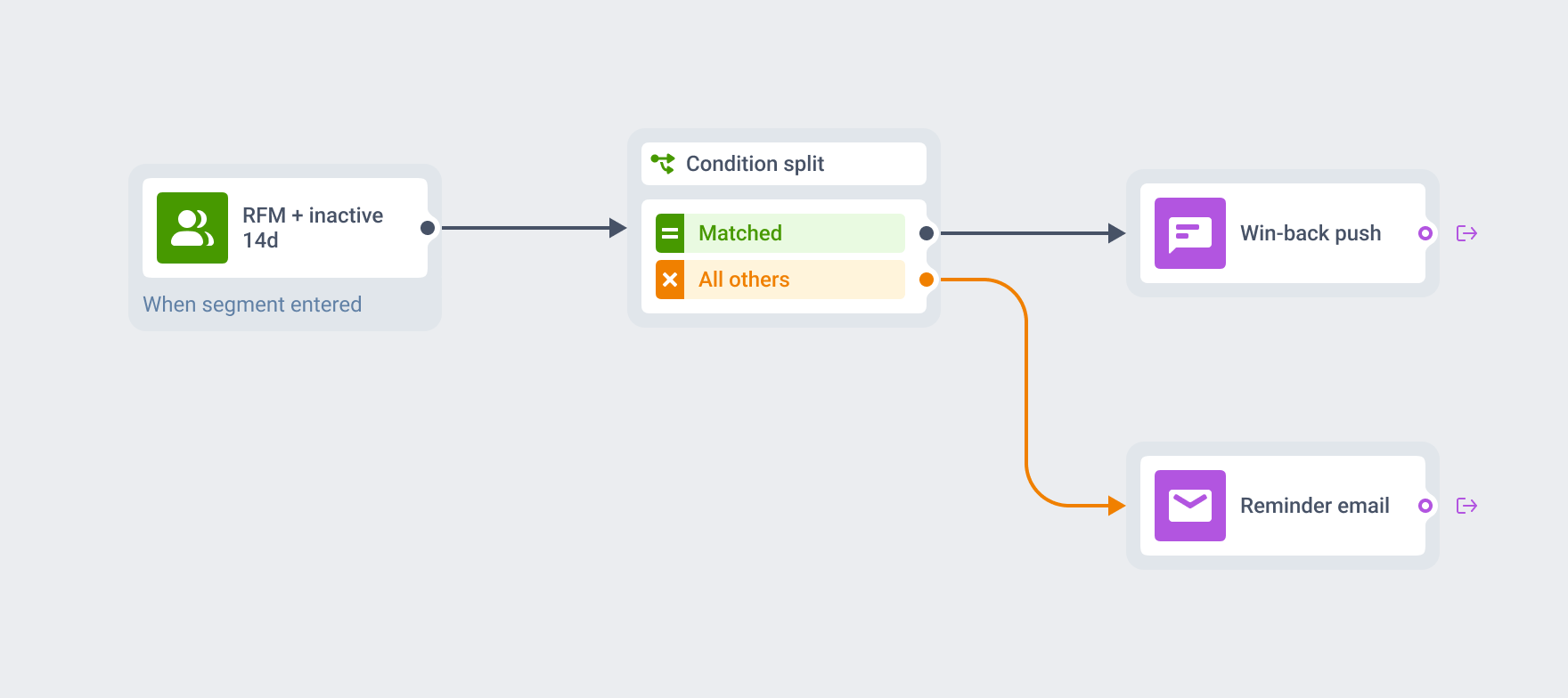
Built to feed the rest of the platform
Tags and events supply the facts. A segment combines them into one audience. Condition split and Journey entry read that segment to decide who gets in.
How to tell it is working
Each segment shows an estimated size you refresh on demand. Before you delete one, the product checks which campaigns and Journeys currently reference it and warns you, so cleaning up an old segment doesn’t quietly pause something live.
What to keep in mind
Turn what you know into exactly who you reach
Tags and events are facts. A segment is what turns several of them into the exact audience you meant.
Explore related products
Attach text, numbers, dates, currency, and app version to a device or a user, then use it to build segments, branch journeys, and personalize messages.
Log what a customer did as a typed, timestamped event, with up to 100 attributes and per-event retention, then use it to trigger journeys and segment on frequency and recency.
Send each user down one of up to 10 branches based on segment, tag, or event attribute data already on their profile, with a guaranteed catch-all branch and no wait.
Score every user on recency, frequency, and monetary value, and get the 10 standard RFM segments as ready tags and audiences you can send to.
Draw a geofence around a real-world location and trigger a message the moment a device enters it, standalone or as a live entry point into a customer journey.
Export any Pushwoosh segment to CSV, or bulk-import lists, tags, events and SMS contacts, plus live warehouse segments and Google Analytics 4 audiences.