Segment export and bulk audience import
Export any segment to CSV with tag values and per-channel counts, or bring data in: a list of IDs, a batch of tag or event updates, a live query against your own warehouse, or a Google Analytics 4 audience. Use it like any other segment once it lands.
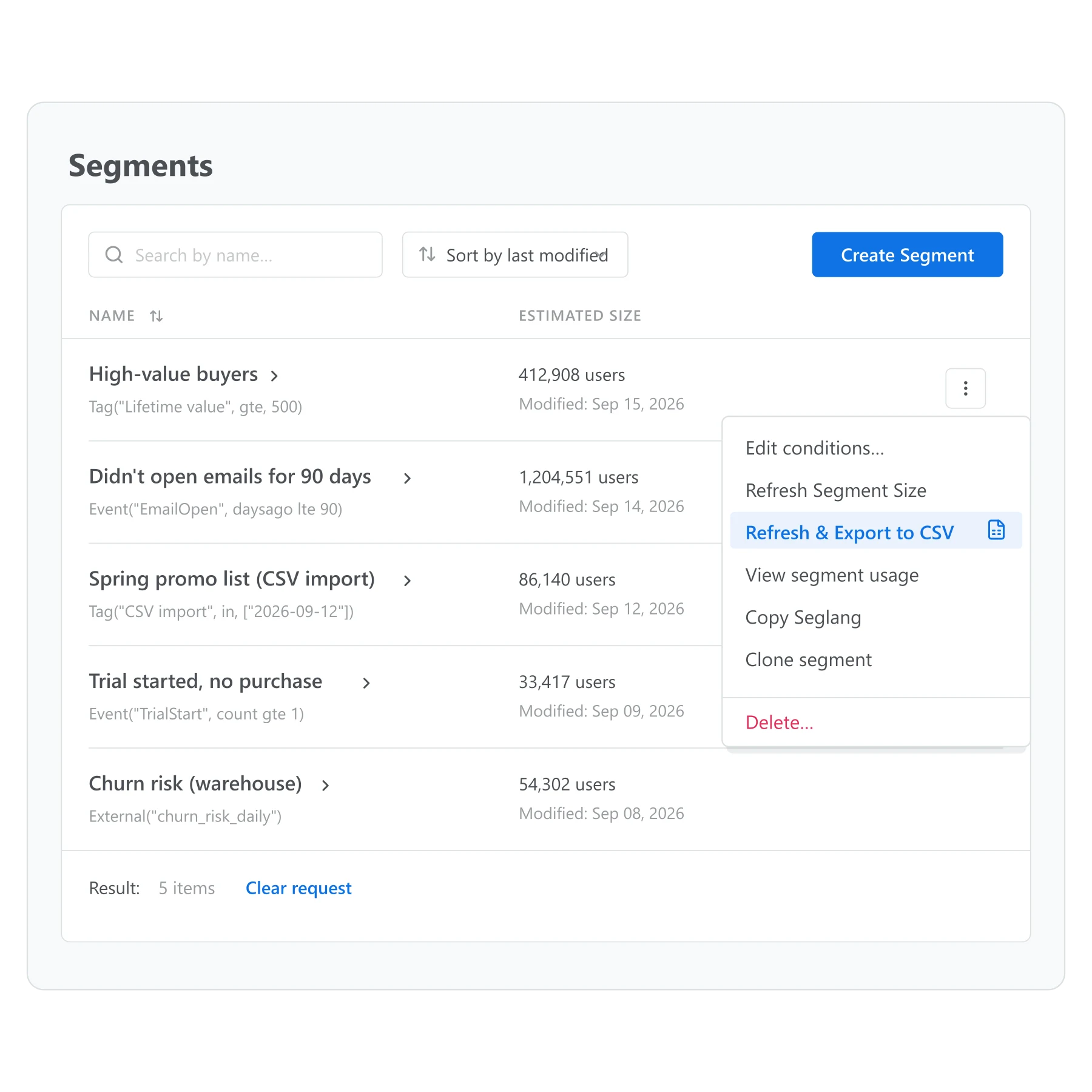
A segment rarely stays where it was built
A segment built in Pushwoosh is useful right up until someone needs it somewhere else: a spreadsheet for a stakeholder, an upload for an ad platform, a list from another system that has to become a segment here. None of that is one person retyping IDs by hand or updating a tag row by row.
Segment export and bulk audience ops moves a segment out as a file, and a file in as a segment, a batch of tags, or a batch of events, instead of turning a data problem into an afternoon of manual updates.
What it does
A saved segment can leave Pushwoosh as a CSV file, tag values and per-channel counts included. Data can come back in several shapes, depending on what you’re moving.
| Mode | What it moves | Limit |
|---|---|---|
| Export to CSV | Any saved segment, with tag values and counts per channel | No published cap |
| Import as list segment | A file of user or device IDs becomes a segment | 100MB per file |
| Bulk tag update | The same tag applied to every ID in the file at once | 100MB per file |
| Bulk event import | An event loaded for many users in one batch instead of one postEvent call each | 100MB per file |
| Bulk SMS import | SMS contacts loaded as a batch instead of added one at a time | 100MB per file |
| Warehouse-based segment | A segment defined as a live query against your own warehouse data | BigQuery, PostgreSQL, MySQL or SQL Server |
| GA4 audience segment | A Google Analytics 4 audience used as a segment | Refreshed on use if over 24h old |
Warehouse and GA4 audience segments are the two that don’t move a file at all. Point it at a BigQuery, PostgreSQL, MySQL or SQL Server table you already run, and Pushwoosh queries it directly to keep the segment current, a self-serve option most platforms in this space don’t offer.
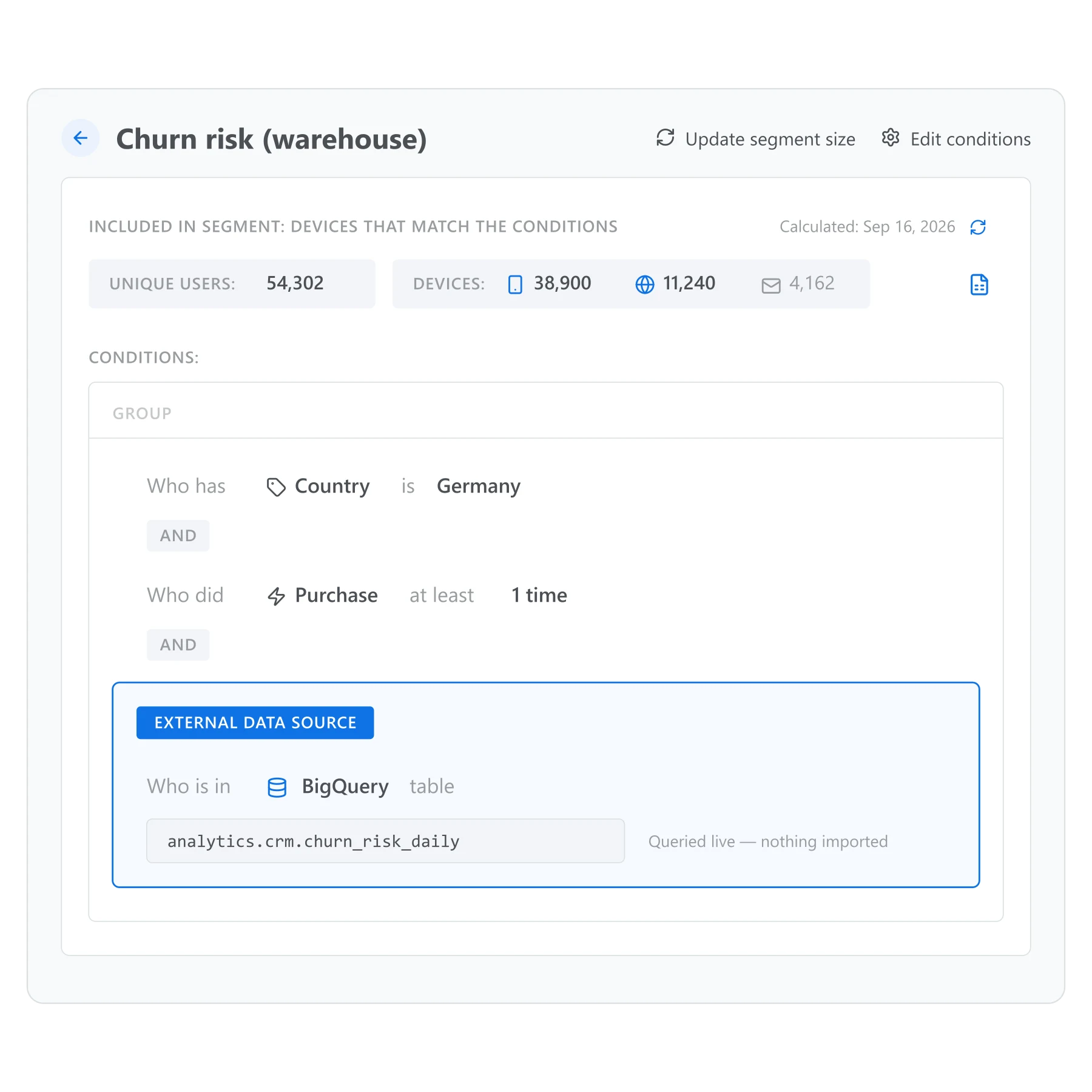
A segment can query your own warehouse directly
Every other mode on this page moves a file. This one queries your warehouse directly, so the segment reflects your own data without anyone exporting or importing anything first.
What ties it back to Advanced segmentation
Advanced segmentation is only as useful as the data it can reach. A segment built entirely from tags and events already in Pushwoosh is one kind of audience. A segment that can also start from a spreadsheet, get tagged in bulk after a migration, or query a warehouse table your data team already maintains is a wider one.
Segment export and bulk audience ops is what lets Advanced segmentation reach a spreadsheet, a migration, or a warehouse table the same way it already reaches tags and events built inside Pushwoosh.
How it works
-
Export a segment
Open any saved segment and choose Refresh and Export to CSV. The file includes tag values and a count per channel.
-
Import data in
Upload a CSV to create a list-based segment, update a tag across every ID in the file, or bulk-load events or SMS contacts.
-
Or connect a warehouse
Point a segment at a warehouse table or a Google Analytics 4 audience instead of a file, and it reads the source directly.
Export and CSV import are no-code, in the Control Panel. Connecting a warehouse is usually a job for whoever manages it. It needs read access to the table the segment will query. A GA4 audience needs a service account with the Viewer role on the GA4 property.
One import, three places it lands
A CSV import rarely stops at creating a list. The same file can update tags across every ID at once, or bulk-load events a Journey can react to the moment they land. The list segment it creates behaves like any other saved segment afterward: reference it inside Advanced segmentation, point a Condition split at it, or export it again once it has been enriched.
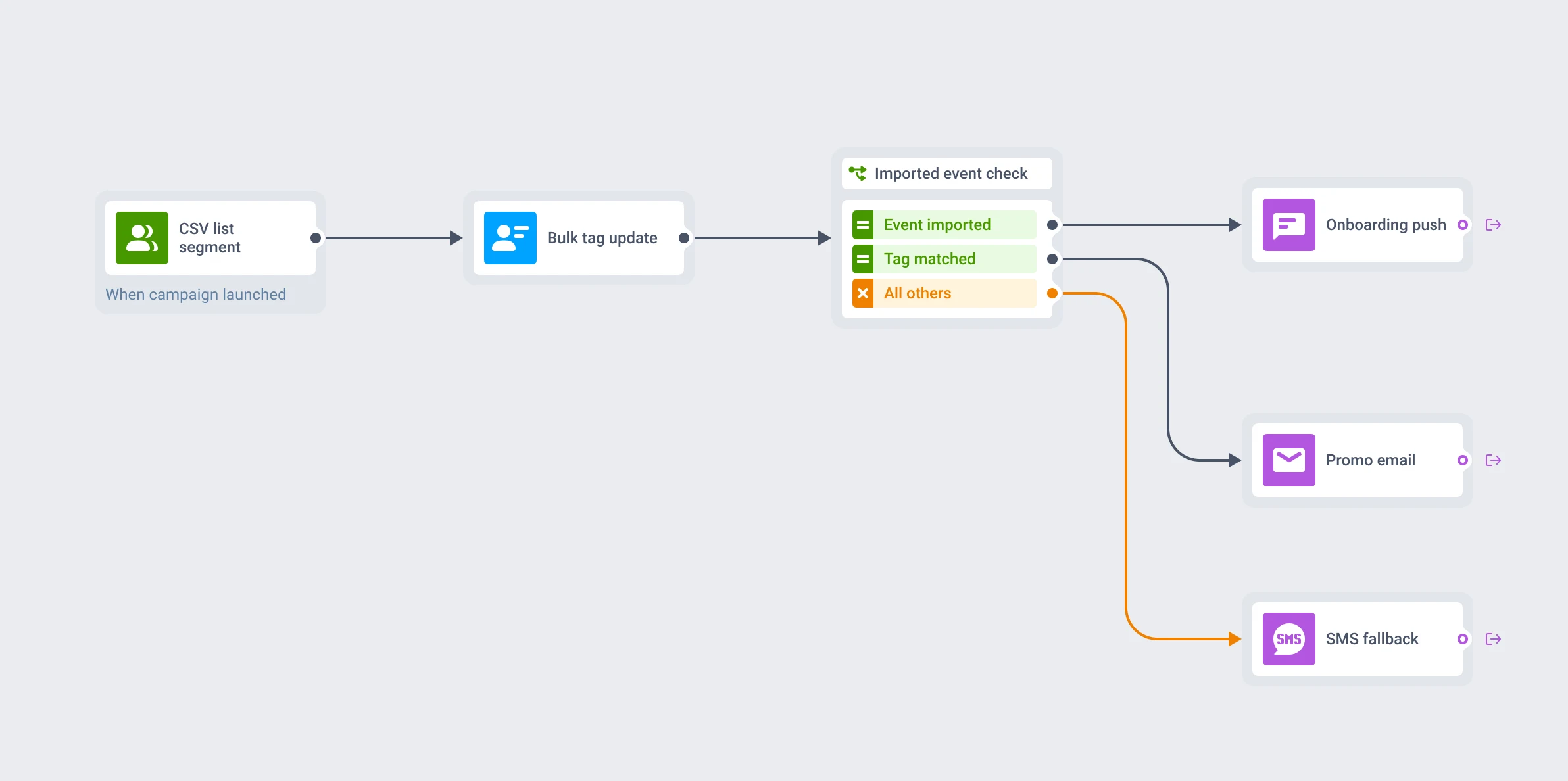
Built to feed the rest of the platform
One file, three destinations: a list segment, a tag update, and an event a Journey can trigger on, all from the same import.
How to tell it is working
A CSV import creates a segment like any other. Refresh its size the same way you would for a segment built from conditions, and you can see how many of the IDs in the file matched a real user or device.
What to keep in mind
Move data as easily as you build a segment
A segment that can leave the platform, and data that can come back in bulk, is what keeps advanced segmentation from stopping at the edge of Pushwoosh.
Explore related products
Combine tags, events, and platform data into nested AND, OR, and exclude logic, save it once as a named segment, and reuse it in any channel, Condition split, or Journey.
Attach text, numbers, dates, currency, and app version to a device or a user, then use it to build segments, branch journeys, and personalize messages.
Log what a customer did as a typed, timestamped event, with up to 100 attributes and per-event retention, then use it to trigger journeys and segment on frequency and recency.
Score every user on recency, frequency, and monetary value, and get the 10 standard RFM segments as ready tags and audiences you can send to.
Split journey traffic across up to 4 branches, score each one against your conversion goals, and route new users to the winning branch automatically once the result is significant.
Draw a geofence around a real-world location and trigger a message the moment a device enters it, standalone or as a live entry point into a customer journey.